
소개
Thank you for choosing the AWEI T28 Wireless Earbuds. This manual provides detailed instructions for setting up, operating, and maintaining your earbuds to ensure optimal performance and longevity. Please read this manual thoroughly before using the product.
패키지 내용
패키지에 모든 품목이 들어 있는지 확인하세요.
- Wireless Bluetooth Headset (Left and Right Earbuds)
- Wireless Bluetooth Headset Charging Case
- USB-C 충전 케이블
- 사용자 설명서 (본 설명서)
제품 끝view
The AWEI T28 Wireless Earbuds are designed for a comfortable in-ear fit, offering high-fidelity audio and clear call performance. They feature Bluetooth 5.3 technology for stable connectivity and touch controls for easy operation.

그림 1: AWEI T28 Wireless Earbuds and Charging Case. This image displays the white earbuds resting inside their open charging case, highlighting their compact and sleek design.

그림 2: Earbuds and Charging Case. The image shows the earbuds removed from the charging case, which is open, illustrating the product's design and indicating its readiness for use or charging.
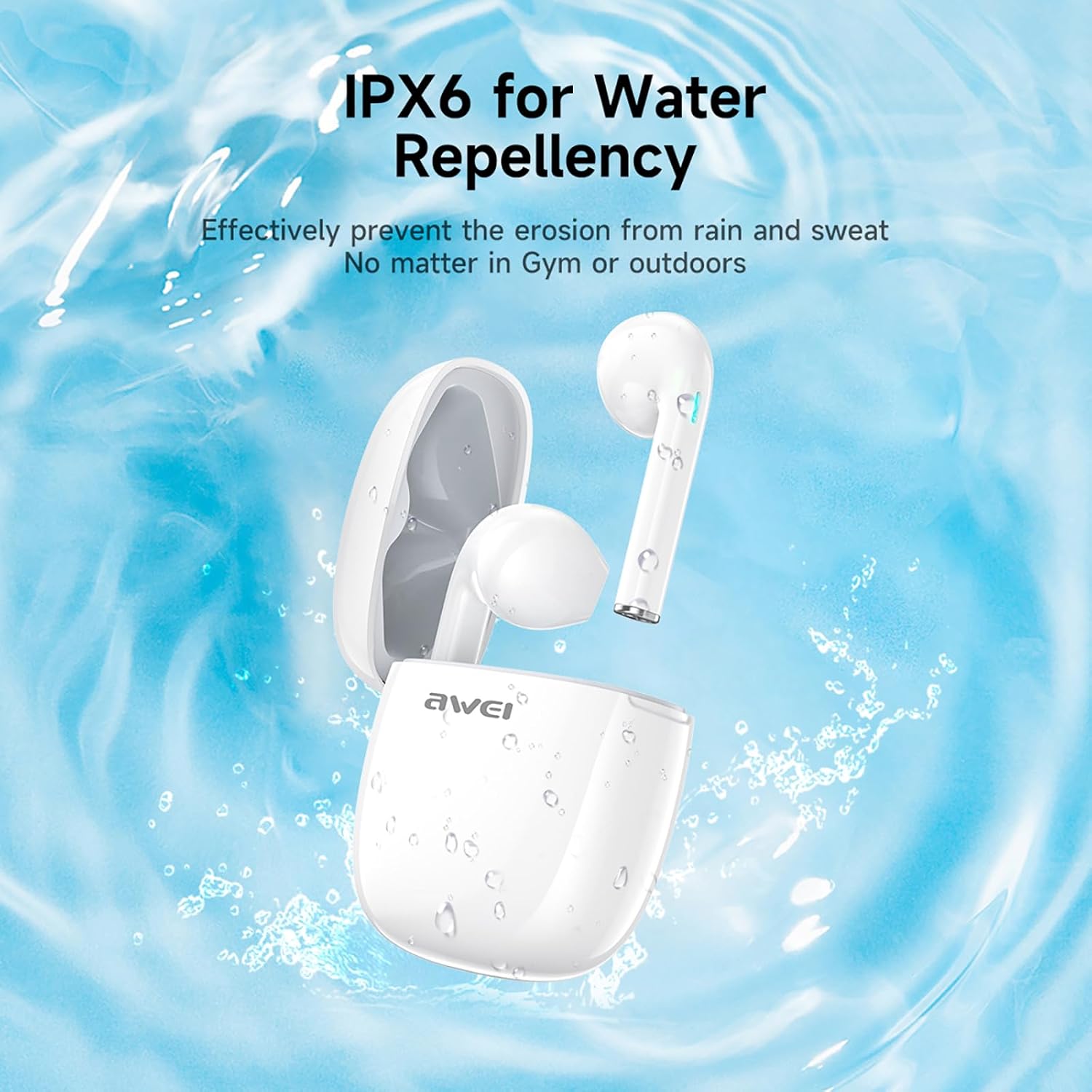
그림 3: IPX6 Water Repellency. This image depicts the earbuds and charging case with water splashes, visually representing their IPX6 waterproof rating, suitable for use during exercise or in light rain.
설정
1. 이어버드와 케이스 충전
- 초기 청구 : 처음 사용하기 전에 이어버드와 충전 케이스를 완전히 충전하세요.
- 케이스 충전: Connect the provided USB-C charging cable to the charging port on the case and to a USB power source. The charging time for the case is approximately 1.5 hours.
- 이어버드 충전: Place the earbuds into the charging case. They will automatically begin charging. The earbuds provide approximately 7 hours of continuous use per charge. The charging case extends total playback time to 35 hours in dual-ear mode, or up to 70 hours in single-ear mode by alternating earbuds.
- 배터리 표시기: 충전 상태는 케이스와 이어버드의 LED 표시등을 참조하십시오.
2. 장치와 페어링
- 전원 켜기: 충전 케이스를 여세요. 이어버드가 자동으로 켜지고 페어링 모드로 진입합니다.
- 블루투스 활성화: 스마트폰, 태블릿 또는 기타 블루투스 지원 기기에서 블루투스 설정으로 이동하여 블루투스를 켜세요.
- 장치 선택: 사용 가능한 장치 목록에서 "AWEI T28"를 찾아 선택하여 연결하십시오.
- 확인: Once connected, you will hear an audio prompt from the earbuds, and the device's Bluetooth settings will show "AWEI T28" as connected.
- 자동 재연결: 초기 페어링 후, 이어버드는 충전 케이스에서 꺼내면 기기에서 블루투스가 활성화된 경우 마지막으로 페어링된 기기에 자동으로 연결됩니다.
작동 지침
터치 컨트롤
The AWEI T28 earbuds feature smart touch controls on each earbud for convenient management of audio playback and calls.
- 재생/일시 중지: 양쪽 이어버드를 한 번 탭하세요.
- 다음 노래: 오른쪽 이어버드를 두 번 탭하세요.
- 이전 노래: 왼쪽 이어버드를 두 번 탭하세요.
- 볼륨 업: 오른쪽 이어버드를 세 번 탭하세요.
- 볼륨 작게 : 왼쪽 이어버드를 세 번 탭하세요.
- 전화 받기/종료: 전화가 오는 동안 양쪽 이어버드를 한 번 탭하세요.
- 전화 거부: 전화가 오는 동안 한쪽 이어버드를 2초간 길게 누르세요.
- Voice Assistant 활성화 : Press and hold either earbud for 3 seconds (functionality may vary by device).
Monaural and Binaural Mode
The earbuds support both monaural (single earbud) and binaural (both earbuds) modes. You can seamlessly switch between modes:
- 이중 청각 모드: 충전 케이스에서 이어버드 두 개를 모두 꺼내세요. 이어버드가 자동으로 서로 연결된 다음 기기에도 연결됩니다.
- 모노 모드: Remove only one earbud from the charging case. It will connect to your device independently. You can place the other earbud back in the case or keep it off.
- 스위칭: If using one earbud, simply remove the other from the case to automatically switch to binaural mode. If using both, place one back in the case to switch to monaural mode.
유지
Proper maintenance ensures the longevity and performance of your AWEI T28 Wireless Earbuds.
- 청소: 부드럽고 마른 천으로 이어버드와 충전 케이스를 정기적으로 닦으세요. 연마성 세제나 용제는 사용하지 마세요.
- 귀 팁: If applicable, gently remove ear tips and clean them with mild soap and water, then dry thoroughly before reattaching.
- 충전 연락처: 충전이 제대로 되도록 이어버드와 케이스 내부의 충전 접점이 깨끗하고 이물질이 없는지 확인하십시오.
- 방수 기능: The earbuds are IPX6 waterproof, meaning they are resistant to strong jets of water. However, they are not designed for swimming or submersion. Ensure they are dry before placing them back in the charging case.
- 저장: 사용하지 않을 때는 이어버드를 충전 케이스에 보관하여 먼지와 손상으로부터 보호하세요. 서늘하고 건조한 곳에 극한의 온도를 피해 보관하세요.
문제 해결
If you encounter issues with your AWEI T28 Wireless Earbuds, refer to the following common solutions:
- 이어폰이 기기와 페어링되지 않음:
- 두 개의 이어버드가 모두 완전히 충전되었는지 확인하세요.
- 기기의 Bluetooth를 껐다가 다시 켜세요.
- Forget "AWEI T28" from your device's Bluetooth list and attempt to pair again.
- Ensure the earbuds are in pairing mode (usually indicated by flashing LED lights).
- 기기 특정 문제를 배제하기 위해 다른 기기와 페어링을 시도해 보세요.
- 이어버드가 하나만 작동합니다:
- Place both earbuds back into the charging case, close the lid, wait a few seconds, then open the lid and remove both earbuds simultaneously.
- 양쪽 이어버드가 모두 충전되어 있는지 확인하세요.
- Check if the earbuds are connected in monaural mode. If so, try re-pairing both earbuds.
- 이어폰이 충전되지 않음:
- 충전 케이스가 충전되었는지 확인하세요.
- Check that the charging contacts on the earbuds and inside the case are clean and free of obstructions.
- 이어버드가 충전 케이스에 올바르게 끼워져 있는지 확인하세요.
- 다른 USB-C 케이블이나 전원 어댑터를 사용해 보세요.
- 볼륨이 낮거나 음질이 좋지 않음:
- 기기와 이어버드 모두의 볼륨을 조절하세요.
- 좋은 밀폐감을 위해 이어버드가 귀에 제대로 끼워졌는지 확인하세요.
- 이어버드 노즐에서 귀지나 이물질을 청소하세요.
- Try playing different audio sources to determine if the issue is with the earbuds or the audio file.
- 연결이 자주 끊어집니다.
- Ensure there are no significant obstacles (walls, large electronic devices) between the earbuds and your connected device.
- Keep the earbuds within the 10-meter Bluetooth range of your device.
- 와이파이 또는 기타 무선 신호 간섭이 심한 환경을 피하십시오.
명세서
| 모델 | T28 |
| 상표 | 아웨이 |
| 연결 기술 | 무선(블루투스 5.3) |
| 귀 위치 | 귀에 |
| 제어 유형 | 터치 컨트롤 |
| 방수 레벨 | IPX6 방수 |
| 배터리 평균 수명(이어버드) | 7시간 |
| 충전 케이스를 사용한 총 재생 시간 | Up to 35 Hours (Dual-ear), 70 Hours (Single-ear) |
| 충전 시간(케이스) | 1.5시간 |
| 재료 | 실리콘 |
| 품목 무게 | 150g |
| 호환 장치 | Smartphones, Computers, TVs |
보증 및 지원
For warranty information and customer support, please refer to the documentation provided with your purchase or contact the retailer where you purchased the AWEI T28 Wireless Earbuds. Keep your proof of purchase for any warranty claims.
For further assistance, you may also visit the official Awei web사이트를 방문하거나 고객 서비스에 직접 문의하세요.


