
1. 서론
This manual provides detailed instructions for the installation, operation, and maintenance of your Walfront 50A Shunt Battery Monitor. This device is designed to accurately measure and display various battery parameters, including voltage, current, capacity, and power, for a wide range of battery types in applications such as RVs, boats, cars, motorcycles, and golf carts.

Figure 1: Complete Walfront 50A Shunt Battery Monitor Kit, including the display unit, sampler, and connecting cables.
2. 제품 오버view
2.1 주요 특징
- 사용자 친화적인 인터페이스: Features a clear 1.8-inch display with larger text and responsive silicone keys for easy operation.
- 간편한 설치: Designed for versatile embedding with multiple bracket options, including a handlebar bracket, ensuring stable mounting.
- 다기능 디스플레이: Provides real-time data on power, voltage, current, remaining capacity, discharge status, estimated time, and capacity percentage.
- 블루투스 연결: Allows remote monitoring and settings adjustment via a mobile app within a 10-meter unobstructed range.
- 폭넓은 배터리 호환성: Suitable for various battery types including lead-acid, LiFePO4, lithium-ion, and Ni-MH batteries.
2.2개의 구성요소
The Walfront 50A Shunt Battery Monitor package includes the following components:
- Display Unit (1.8-inch screen)
- Sampler (50A Shunt)
- 3-Meter Communication Cable
- 1-Meter Positive Pole Cable
- 핸들바 마운트 브래킷
- 사용자 설명서
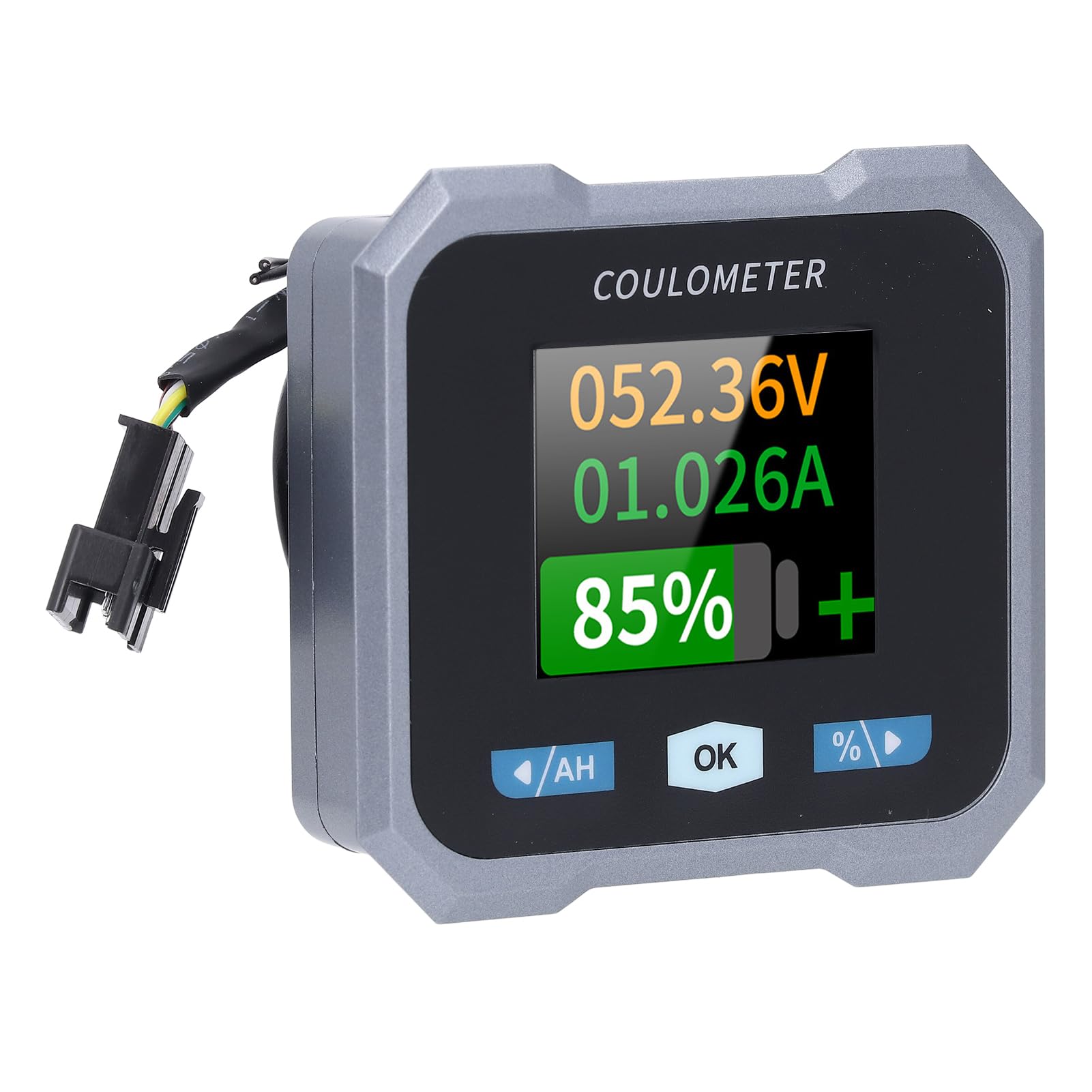
Figure 2: Individual components of the Walfront 50A Shunt Battery Monitor kit.
3. 설정 및 설치
3.1 안전 예방 조치
- Ensure the power is disconnected from the battery before installation.
- 눈 보호 장비를 포함한 적절한 안전 장비를 착용하세요.
- Verify correct polarity when connecting wires to prevent damage to the device or battery.
3.2 디스플레이 장치 장착
The display unit can be embedded or mounted using the provided handlebar bracket.
- 핸들바 장착: Attach the handlebar bracket to your desired location. Secure the display unit into the bracket. The bracket features mechanical locking knobs and thickened anti-slip washers for a secure, non-destructive installation.
- 내장형 장착: For custom installations, ensure the cutout dimensions match the display unit's specifications (refer to Section 6. Specifications for dimensions).

Figure 3: Display unit mounted on a handlebar, showing clear visibility.

Figure 4: Illustration of the handlebar bracket installation process, highlighting locking knobs and anti-slip washers.
3.3 Wiring the Sampler and Display
Sampler is the current sensing component and must be installed in series with the negative terminal of the battery. The display unit connects to the sampler via the provided communication cable.
- 연결 Samp러: Connect the negative terminal of your battery to the 'B-' terminal on the sampler. Connect the load's negative terminal to the 'P-' terminal on the samp러.
- Connect Positive Power: Use the 1-meter positive pole cable to connect the 'V+' terminal on the sampler to the positive terminal of your battery. This provides power to the sampler and display.
- 통신 케이블 연결: Plug one end of the 3-meter communication cable into the sampler and the other end into the display unit.
- 연결 확인: Double-check all connections for tightness and correct polarity before restoring power to the battery.

Figure 5: The compact size of the sampler, designed for easy installation even in small battery compartments.
4. 사용 설명서
4.1 디스플레이 인터페이스
The 1.8-inch display provides a clear view of various battery parameters. The interface can be viewed manually or set to auto-rotate.
- 매뉴얼 페이지 View: Press the left and right arrow keys (labeled '/AH' and '%/>') to manually switch between different display interfaces and view content such as voltage, current, remaining capacity, power, and estimated time.
- Auto Page Rotation: Access the settings interface to enable the auto-rotate function. When active, the monitor will sequentially switch and display different interfaces in a cycle.
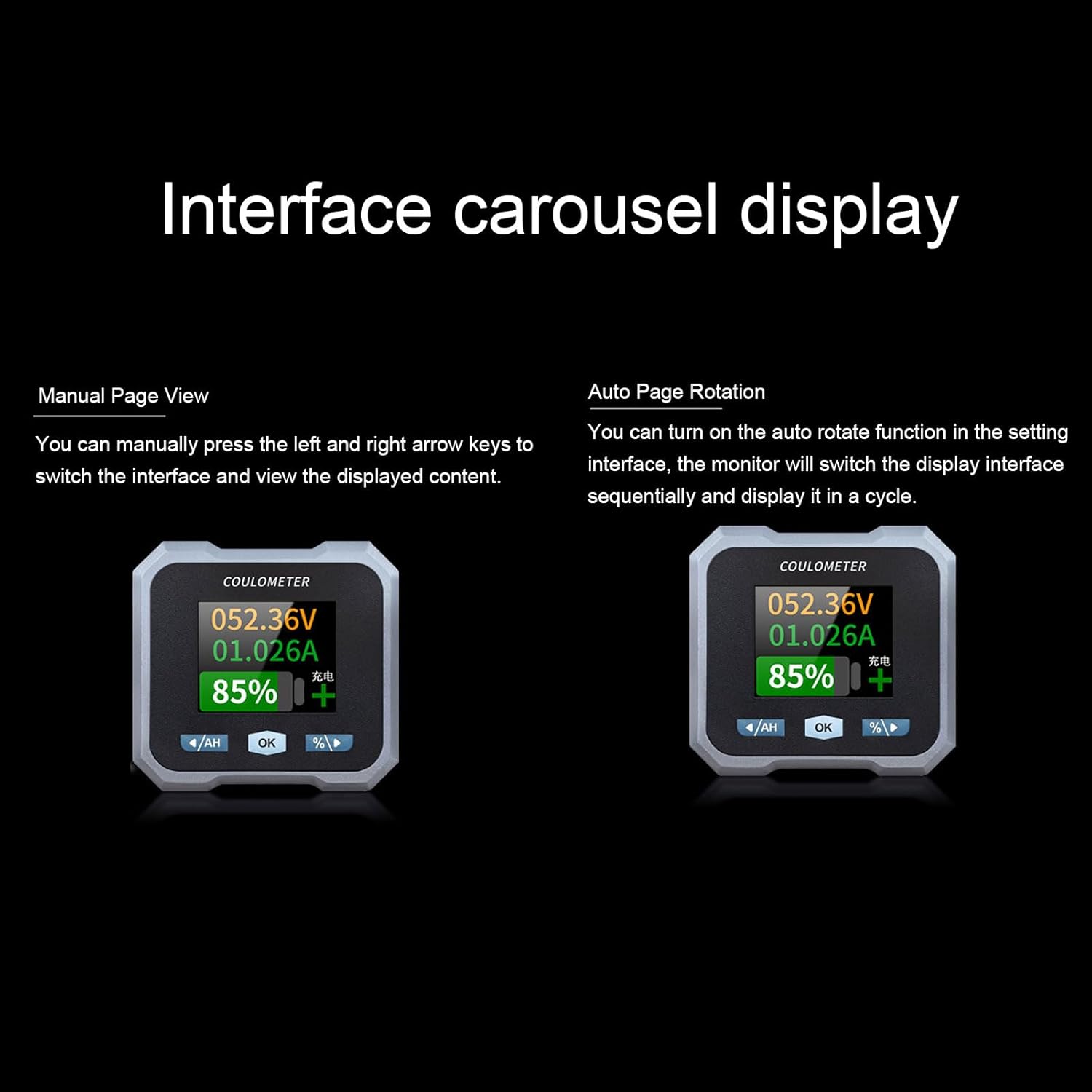
Figure 6: Interface carousel display options, showing manual page view and auto page rotation.

Figure 7: The multifunctional display showing voltage, current, estimated charge/discharge time, percentage of capacity, remaining capacity, and power.
4.2 버튼 기능
- '/AH' Button (Left Arrow): Navigates left through display screens or decreases values in settings.
- 'OK' Button: 선택 사항을 확인하거나 설정 메뉴로 들어갑니다.
- '%/>' Button (Right Arrow): Navigates right through display screens or increases values in settings.
4.3 블루투스 연결
The monitor supports Bluetooth connectivity for remote monitoring and control via a mobile application.
- 앱 다운로드 : 검색 the official Walfront battery monitor app on your smartphone's app store.
- 페어링 장치: Enable Bluetooth on your smartphone and open the app. Follow the in-app instructions to search for and pair with your battery monitor.
- 원격 모니터링: 연결되면 다음을 수행할 수 있습니다. view real-time data, adjust settings, and monitor functions remotely within a 10-meter unobstructed range.
4.4 배터리 유형 구성
The monitor is compatible with various battery types. Ensure the correct battery type is configured in the settings for accurate readings.
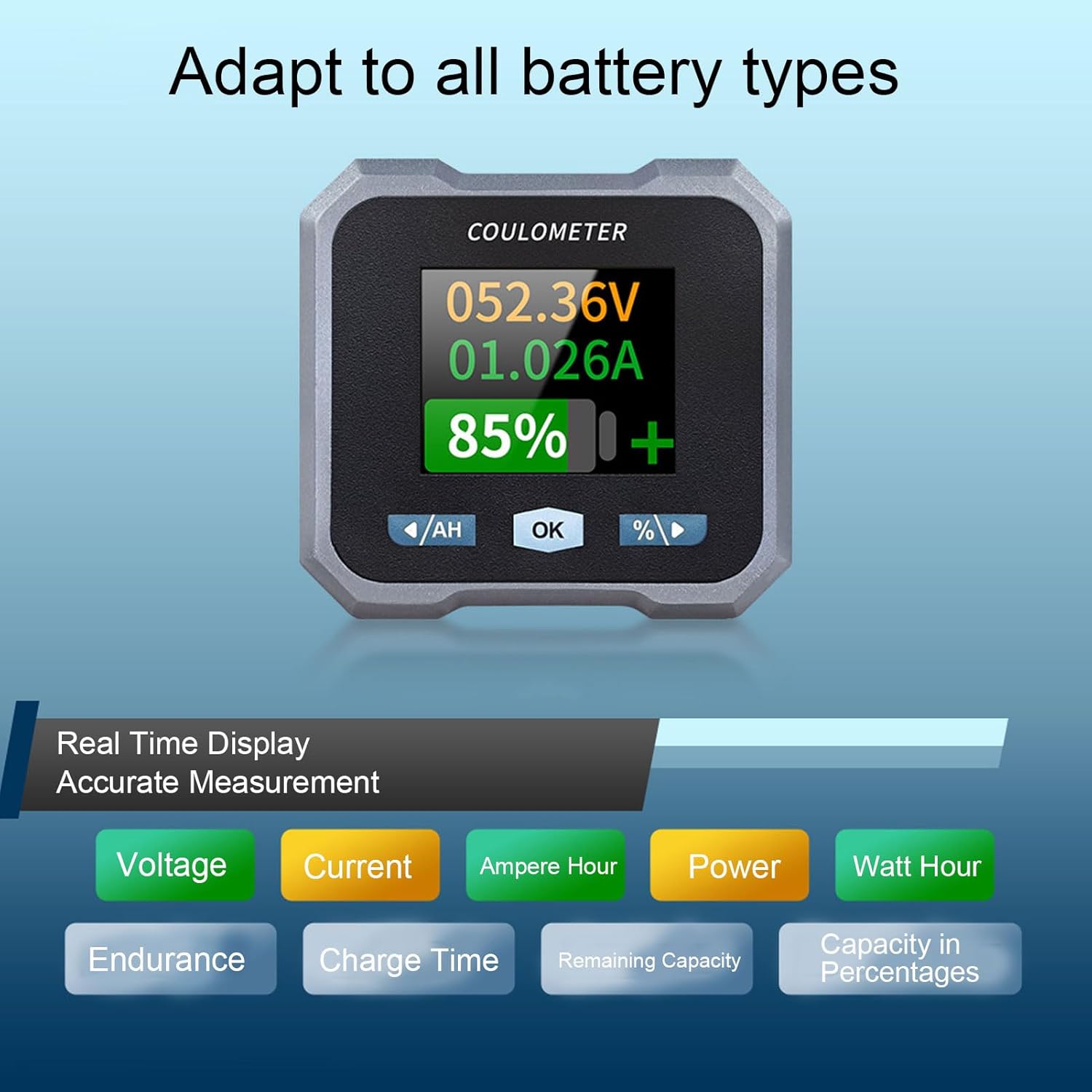
Figure 8: Display indicating real-time measurements and highlighting compatibility with various battery types.
5. 유지관리
To ensure the longevity and accurate performance of your Walfront 50A Shunt Battery Monitor, follow these general maintenance guidelines:
- 청소: Gently wipe the display screen and unit housing with a soft, dry cloth. Avoid using abrasive cleaners or solvents.
- 사이: 모든 배선 연결부를 주기적으로 점검하여 안전하고 부식되지 않았는지 확인하세요.
- 환경 보호: While designed for various environments, avoid prolonged exposure to extreme temperatures, direct sunlight, or excessive moisture.
- 펌웨어 업데이트: Check the Walfront official web최적의 성능과 새로운 기능을 보장하기 위해 사용 가능한 펌웨어 업데이트가 있는지 웹사이트 또는 앱을 확인하십시오.
6. 문제 해결
If you encounter issues with your battery monitor, refer to the following common troubleshooting steps:
- 디스플레이/전원 없음:
- Check all power connections, especially the positive pole cable to the battery and the communication cable to the samp러.
- 배터리 용량 확인tage는 작동 범위(10-100V) 내에 있습니다.
- 부정확한 판독:
- sampler is correctly installed in series with the negative battery terminal.
- Confirm that the battery type and capacity settings in the monitor match your actual battery.
- Ensure all connections are tight and free of corrosion, which can affect current sensing.
- Bluetooth 연결 문제:
- Ensure the monitor is powered on and within the 10-meter unobstructed range of your smartphone.
- Restart the mobile app and your smartphone's Bluetooth.
- If pairing fails, try unpairing and re-pairing the device in your phone's Bluetooth settings.
- Screen Auto-Off During Use:
- The screen automatically turns off after 20 seconds during charging. During discharge, it turns off if the current is below 15mA for 20 seconds. This is normal behavior to conserve power.
- Press any button to reactivate the screen.
If problems persist, contact Walfront customer support for further assistance.
7. 사양
| 매개변수 | 값 |
|---|---|
| 모델 | WALFRONTpo13qkgbfh |
| 재료 | ABS, Stainless Steel, Silicone |
| 화면 크기 | Approx. 1.8 inches / 4.57 cm |
| Samp링 방법 | 분로 |
| 권tage 테스트 범위 | Approx. 10-100V |
| 권tage 해상도 | 약 0.01V |
| 현재 측정 범위 | Approx. 0-50A |
| 현재 해상도 | 약 0.001A |
| 용량 표시 범위 | Approx. 0%-100% |
| 전력 측정 범위 | Approx. 0-5KW |
| 전원 해상도 | 대략. 0.01W |
| Ah Measurement Range | Approx. 0-9999AH |
| 용량 해상도 | Approx. 0.1AH |
| 블루투스 통신 거리 | Approx. 10m / 32.81ft (unobstructed) |
| 권tage 정확도 | ± 1 % + 2 자리 |
| 현재 정확도 | ±2%+0.002A |
| 디스플레이 전력 소비량 | 대략. 0.75W |
| 화면 꺼짐 시간 | 20 seconds auto off during charging; screen on when I≥15mA, off when I<15mA for 20s |
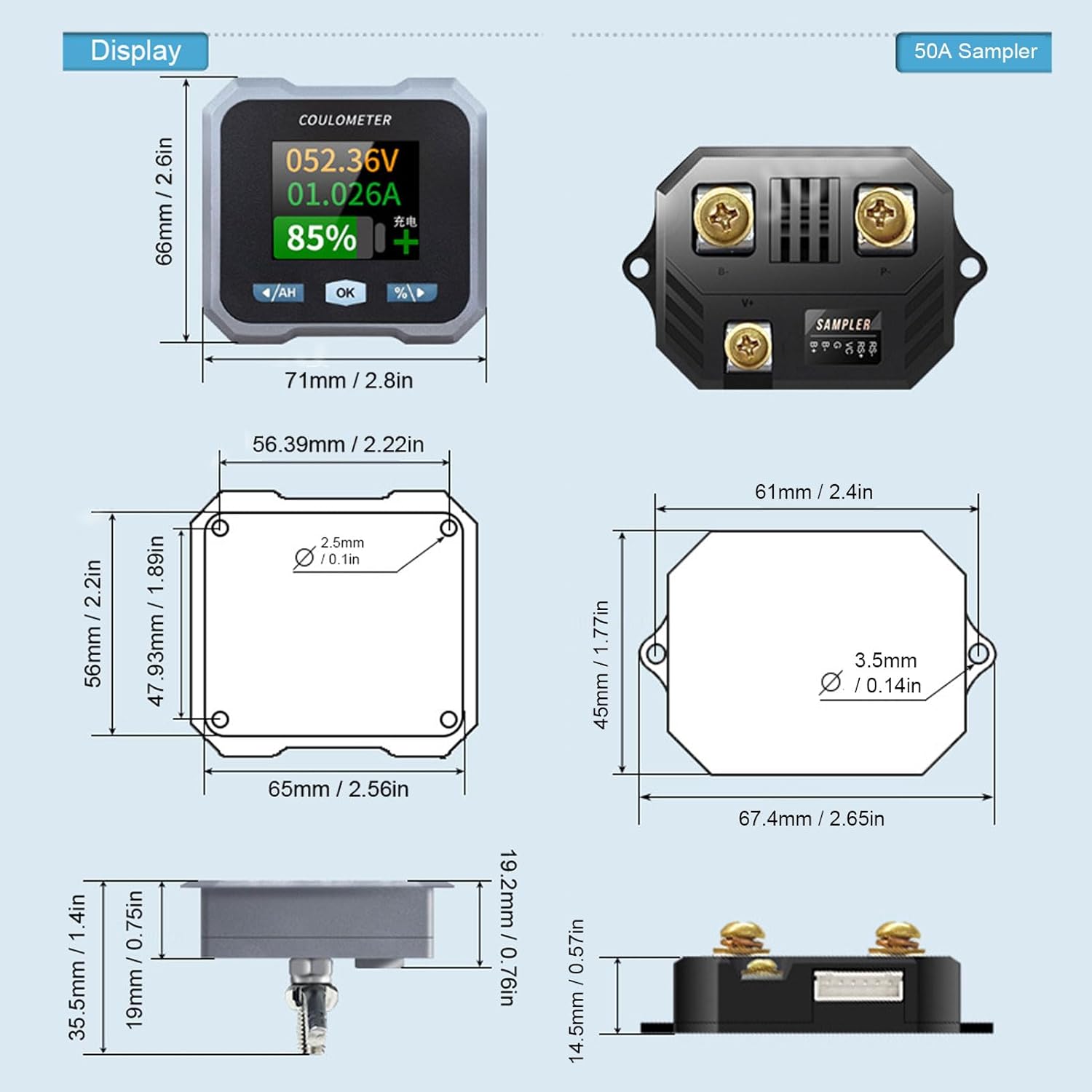
Figure 9: Detailed dimensions for both the display unit and the 50A samp러.
8. 보증 및 지원
For warranty information and technical support, please refer to the documentation provided with your purchase or visit the official Walfront web사이트. 보증 청구에 대비해 구매 증빙 자료로 구매 영수증을 보관하세요.