
Ergear EGESD7W-CA
ErGear 전동 스탠딩 데스크 사용 설명서
Model: EGESD7W-CA | Brand: ErGear
소개
Thank you for choosing the ErGear Electric Standing Desk. This manual provides detailed instructions for assembly, operation, maintenance, and troubleshooting to ensure optimal performance and longevity of your desk. Please read this manual thoroughly before installation and use, and retain it for future reference.
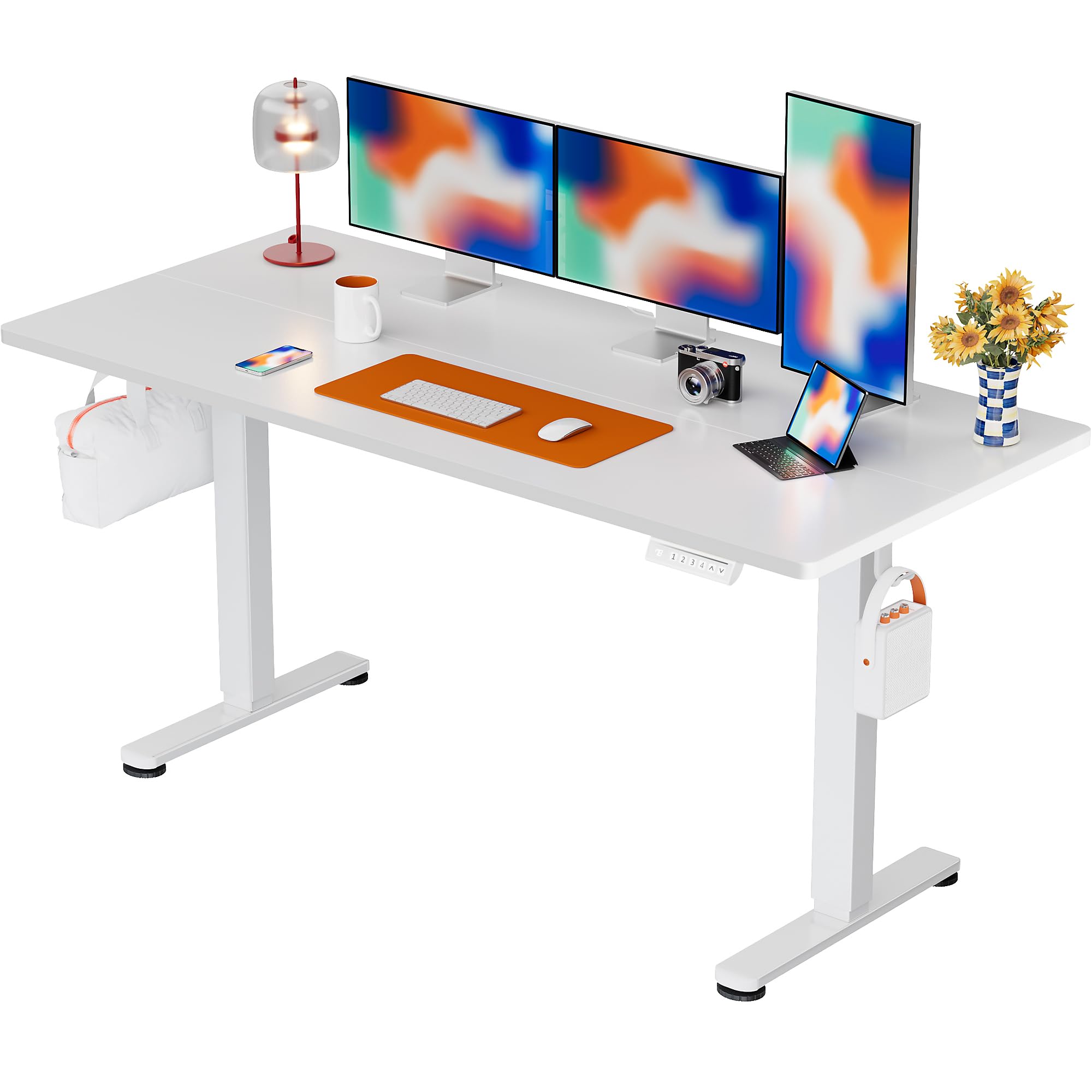
The ErGear Electric Standing Desk, 63x28 inch, in a white finish, featuring a spacious desktop and electric height adjustment capabilities.
안전 정보
- 조립하기 전에 모든 구성품이 있는지, 손상되지 않았는지 확인하십시오. 부품이 누락되었거나 불량인 경우 사용하지 마십시오.
- 부상을 예방하기 위해 작동 중에는 어린이와 애완동물이 책상에 접근하지 못하도록 하세요.
- Do not overload the desk. The maximum weight recommendation is 176 pounds (80 kg).
- Ensure the power cord is not pinched or damaged. Connect to a grounded outlet.
- 제어판이나 전기 부품 근처에 액체를 직접 두지 마십시오.
- 모든 나사와 연결부가 단단히 조여져 있고 안전한지 정기적으로 점검하십시오.
- 이 책상은 실내에서만 사용하도록 설계되었습니다.
패키지 내용
Before beginning assembly, please verify that all the following components are included in your package:
- Desktop Boards ×2
- Leg with Motor ×1
- 다리 ×1
- Leg Bases ×2
- Crossbar & Transmission Rod
- Controller & Power Cable
- 필요한 모든 조립 도구 및 하드웨어
조립 설명서
Follow these steps carefully to assemble your ErGear Electric Standing Desk. An assembly video is also provided for visual guidance.
Official ErGear Electric Standing Desk Assembly Video. This video demonstrates the step-by-step process for setting up your desk.
Step 1: Assemble the Desk Legs
Attach the leg bases to the desk legs using the provided screws. Ensure they are securely fastened.

The stable T-shaped desk legs provide a sturdy foundation for the electric standing desk.
Step 2: Attach Side Plates and Transmission Rod
Connect the side plates to the desk legs. Insert the transmission rod fully into the left leg and secure it. If the two desk legs are not at the same height, insert the rod into the left leg and turn to adjust.
Step 3: Assemble and Attach the Desktop
Place the two desktop boards together, aligning the dowels. Secure the desktop to the assembled frame using the provided screws and brackets. Ensure all connections are tight.
4단계: 케이블 연결
Connect the motor and control panel cables to the main control box. Ensure all connections are firm and correctly oriented.
Step 5: Install Cable Hole Covers
Place the cable hole covers into the designated openings on the desktop to manage wires neatly.

Ergonomic guidelines for using the standing desk, showing optimal monitor and arm positions for both sitting and standing.
작동 지침
제어판 이상view
The desk features an intuitive control panel with height adjustment buttons and memory presets.
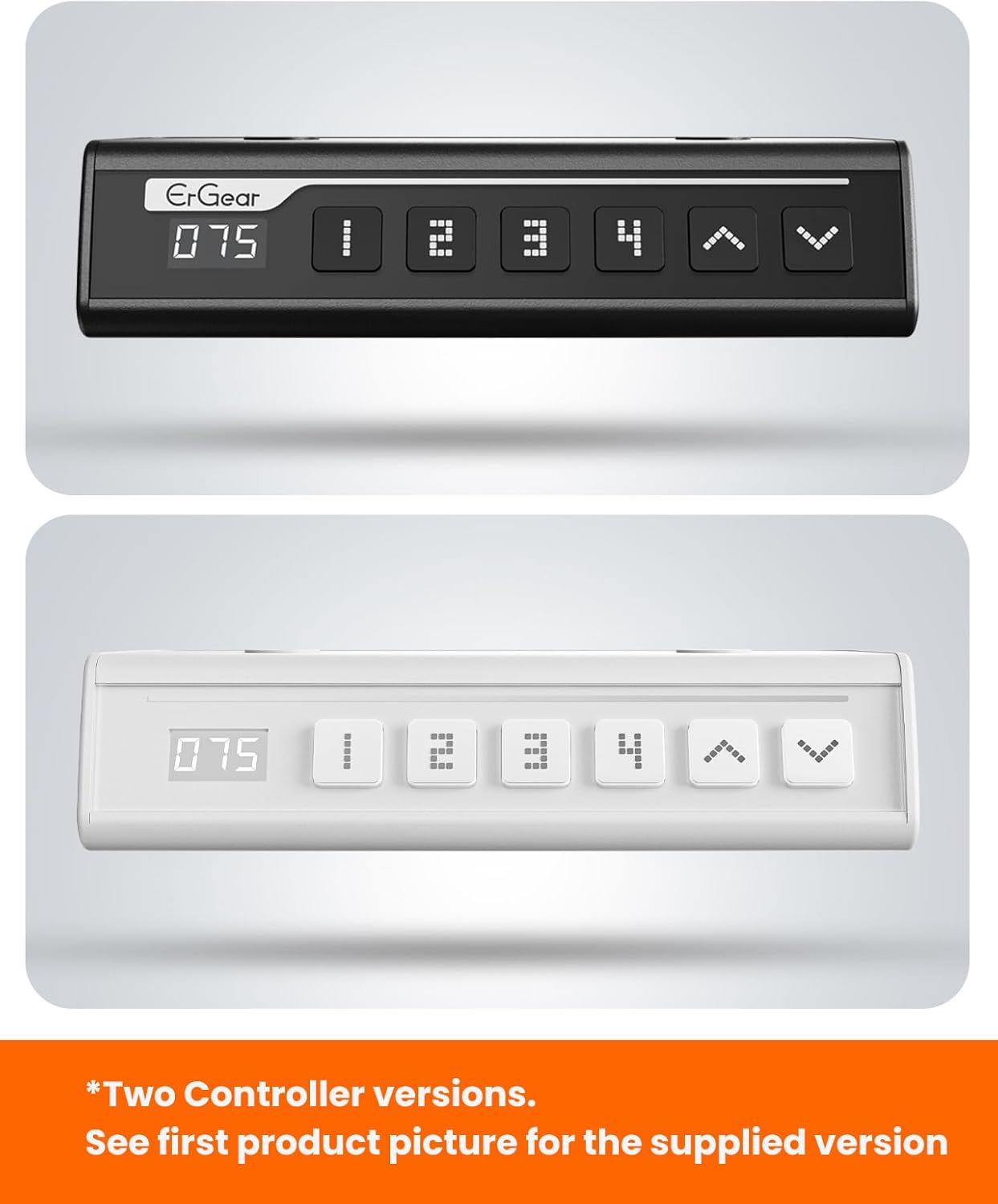
The ErGear control panel, available in two versions, features a digital height display and four programmable memory settings.
높이 조정
- 사용하세요 위쪽(^) 그리고 아래(동사) arrows to smoothly adjust the desk height between 28.35 inches and 46.46 inches.
- Release the button at your desired height.
메모리 사전 설정
이 책상은 최대 4개의 선호하는 높이 설정을 저장할 수 있습니다.
- 위/아래 화살표를 사용하여 책상 높이를 원하는 대로 조절하세요.
- 를 누르세요 M button (or equivalent memory set button). The display will flash.
- 번호가 매겨진 사전 설정 버튼 중 하나를 누르십시오(1, 2, 3, 또는 4) 3초 이내에 현재 높이를 해당 설정값으로 저장합니다.
- 저장된 높이를 불러오려면 해당 번호의 사전 설정 버튼을 누르세요. 책상이 자동으로 저장된 위치로 이동합니다.
This video demonstrates the smooth and quiet operation of the ErGear Electric Standing Desk, showcasing its height adjustment and memory preset features.
유지
- 청소: 데스크탑과 프레임은 부드러운 천으로 닦아주세요.amp 천으로 닦으세요. 강한 화학 물질이나 연마성 세제는 피하세요.
- 점검: Periodically check all screws and connections for tightness. Re-tighten if necessary.
- 케이블 관리 : Ensure cables are neatly organized and not tangled or pinched to prevent damage.
문제 해결
If you encounter any issues with your ErGear Electric Standing Desk, please refer to the following common problems and solutions:
| 문제 | 가능한 원인 | 해결책 |
|---|---|---|
| 책상이 움직이지 않아요 | Power cable disconnected, motor error, overloaded desk. | Check power connections. Unplug for 30 seconds and plug back in. Reduce weight on the desk. |
| 높이가 고르지 않음 | Transmission rod not fully inserted or adjusted. | Refer to Step 2 of assembly to ensure the transmission rod is correctly installed and adjusted. |
| 작동 중 소음 | Normal operation sound, loose screws. | A slight motor sound is normal. Check and tighten any loose screws on the frame. |
| 메모리 프리셋이 작동하지 않습니다 | 저장 절차가 잘못되었습니다. | Follow the memory preset instructions carefully (press M, then the number within 3 seconds). |
명세서
| 특징 | 세부 사항 |
|---|---|
| 상표 | 에르기어 |
| 모델 번호 | EGESD7W-CA |
| 책상 디자인 | 스탠딩 데스크 |
| 모양 | 직사각형 |
| 제품 크기(D x W x H) | 71.1D x 160W x 118H 센티미터 |
| 크기 | 63*28 인치 |
| 색상 | 하얀색 |
| 최소 높이 | 28.35 인치 |
| 최대 높이 | 46.46 인치 |
| 테이블탑 두께 | 1.5 센티미터 |
| 기본 소재 | 합금강 |
| 상단 재료 유형 | 엔지니어드 우드(월넛 우드 마감) |
| 특별 기능 | Adjustable Height, Electric, Ergonomic |
| 최대 중량 권장 사항 | 176파운드(80kg) |
| 조립이 필요합니다 | 예 (조립 도구 일체 포함) |
보증 및 지원
ErGear is committed to providing high-quality products and customer satisfaction. This product comes with:
- 5년 보호 on the desktop and desk frame.
- 2년 보호 on motors and electrical components.
For any questions, concerns, or warranty claims, please contact ErGear customer support. You can typically find contact information on the product packaging or the official ErGear website. Please have your model number (EGESD7W-CA) and purchase details ready when contacting support.

The ErGear Electric Standing Desk seamlessly integrates into various home office environments.
Ask a question about this manual
Ask about setup, troubleshooting, compatibility, parts, safety, or missing instructions. Manuals+ will review the question and use this page’s manual context to help answer it.