
1. 서론
The MiBOXER K3S Rotating Wheel Remote provides intuitive control over LED lighting systems, allowing for precise adjustment of both color temperature and brightness. Utilizing 2.4GHz wireless technology, this remote ensures stable and responsive operation. Its ergonomic design facilitates easy handling and accurate adjustments, making it suitable for various lighting applications.
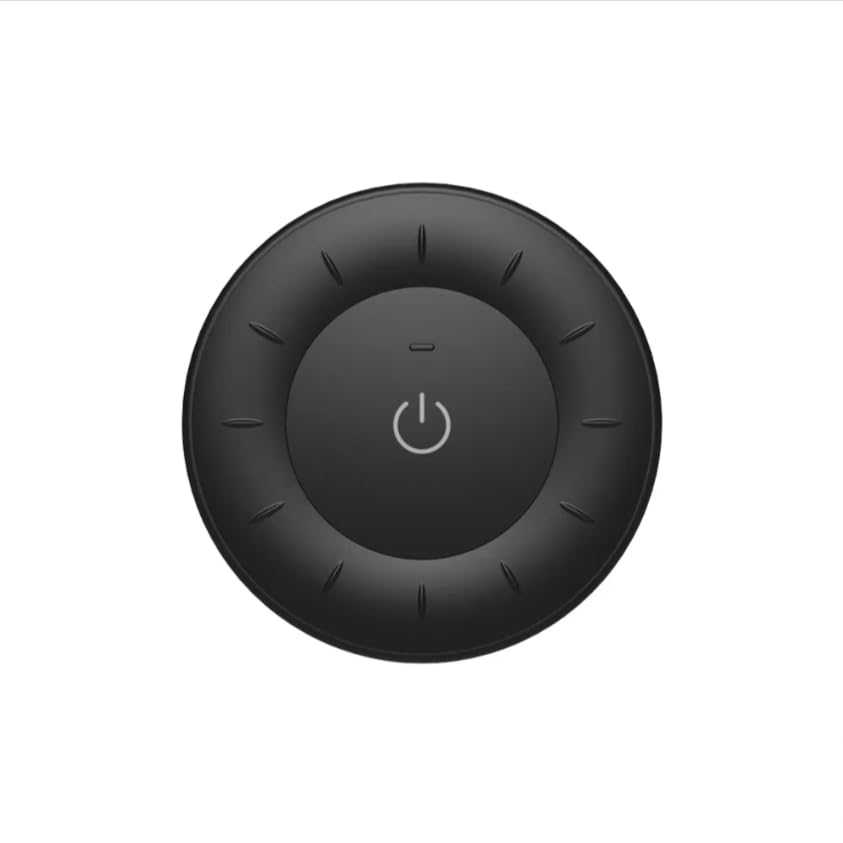
Image 1.1: MiBOXER K3S Rotating Wheel Remote (Black)
This image displays the MiBOXER K3S remote control in black, highlighting its circular design and central power button.
2. 제품 특징
- 조절 가능한 밝기 및 색온도: Allows fine-tuning of lighting intensity and warmth.
- Rotating Wheel Design: Provides smooth and intuitive control for easy adjustments.
- 2.4GHz 무선 기술: Ensures stable, interference-free connectivity with compatible devices.
- 인체공학적 디자인: 잡기도 편하고 조작하기도 편합니다.
- Multi-Environment Compatibility: Suitable for various settings including homes, offices, and commercial spaces.
3. 패키지 내용
패키지를 열면 모든 구성품이 들어 있는지 확인하세요.
- MiBOXER K3S 회전 휠 리모컨
- 사용자 설명서
Note: CR2032 battery is purchased separately and is not included in the package.
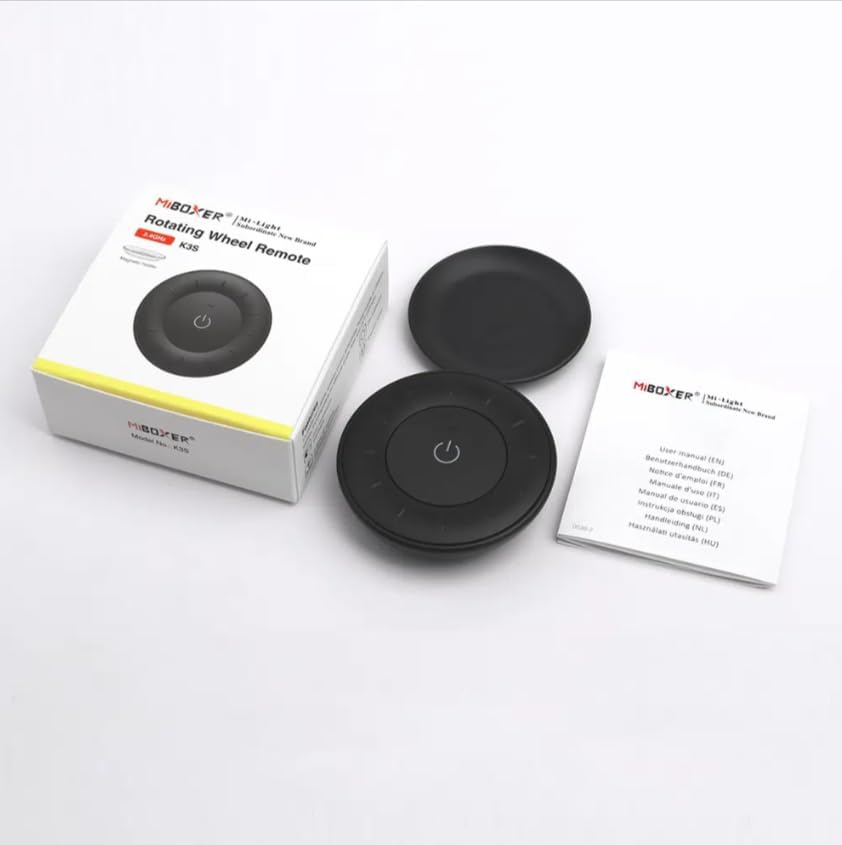
이미지 3.1: 패키지 내용물view
This image shows the MiBOXER K3S remote, its packaging box, and the included user manual, laid out on a surface.
4. 제품 다이어그램

Image 4.1: Remote Control Components
This diagram illustrates the main components of the MiBOXER K3S remote, including the ON/OFF button, brightness/color temperature rotating wheel, and the battery compartment with Link/Unlink button.
- 켜기/끄기 버튼: Central button to power the connected light on or off.
- Brightness / Color Temperature Rotating Wheel: The outer ring used to adjust brightness by default. Long press the ON/OFF button for 3 seconds to switch to color temperature adjustment mode.
- Link / Unlink Button: Located inside the battery compartment, used for pairing the remote with compatible lighting devices.
5. 설정
5.1 배터리 설치
- 리모콘 뒷면에서 배터리함을 찾으세요.
- 배터리 덮개를 엽니다.
- CR2032 배터리 1개를 삽입할 때, 극성(+/-)을 정확히 확인하십시오.
- 배터리 덮개를 단단히 닫으세요.
Image 5.1: Battery Installation Area
This image shows the underside of the remote, indicating the location for the CR2032 battery and the Link/Unlink button.
5.2 Linking / Unlinking the Remote
The K3S remote uses 2.4GHz RF wireless technology to communicate with compatible MiBOXER lighting devices.
Linking Procedure:
- Ensure the light fixture you wish to control is powered off.
- 조명 기구의 전원을 켜세요.
- Within 3 seconds of powering on the light, press the "Link/Unlink" button (located inside the battery compartment) on the K3S remote 세 번.
- 연결이 성공적으로 완료되면 표시등이 천천히 세 번 깜빡여야 합니다.
Unlinking Procedure:
- Ensure the light fixture you wish to unlink is powered off.
- 조명 기구의 전원을 켜세요.
- Within 3 seconds of powering on the light, press the "Link/Unlink" button (located inside the battery compartment) on the K3S remote 다섯 번.
- 연결 해제가 성공적으로 완료되면 표시등이 빠르게 10번 깜빡입니다.
6. 사용 설명서
6.1 전원 켜기/끄기
- 중앙 버튼을 누르세요 ⏻ (ON/OFF) button once to turn the connected light on or off.
6.2 밝기 조정
- By default, rotating the outer wheel adjusts the brightness of the light.
- 밝기를 높이려면 시계 방향으로 회전하세요.
- Rotate counter-clockwise to decrease brightness.
6.3 색온도 조정
- To switch to color temperature adjustment mode, 길게 누르기 the central ⏻ (ON/OFF) button for 3 seconds.
- Once in color temperature mode, rotate the outer wheel to adjust the color temperature.
- Rotate clockwise for cooler (bluer) light.
- Rotate counter-clockwise for warmer (yellower) light.
- To switch back to brightness adjustment, long press the ⏻ (ON/OFF) button for another 3 seconds.
7. 사양
| 모델명 | K3S |
| 상표 | 미박서 |
| 연결 기술 | 2.4G RF 무선 |
| 제어 유형 | 밝기, 색온도 |
| 최대 범위 | 30 미터 |
| 배터리 유형 | CR2032 (purchased separately) |
| 치수(직경 x 높이) | Ø60mm x 15mm (approx.) |
| Weight (Gross Weight per box) | 0.05 KGS (approx.) |

Image 7.1: Remote Control Dimensions
This diagram provides the physical dimensions of the MiBOXER K3S remote, showing a diameter of 60mm and a thickness of 15mm (or 19.5mm with the base).
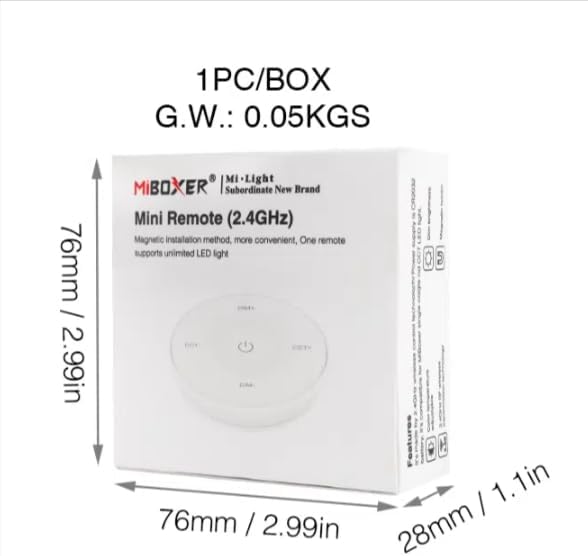
Image 7.2: Packaging Dimensions
This image displays the dimensions of the product packaging, indicating it is 76mm x 76mm x 28mm with a gross weight of 0.05 KGS.
8. 유지관리
- 리모컨을 깨끗하게 유지하려면 부드럽고 마른 천으로 닦아주세요.
- Avoid exposing the remote to moisture, extreme temperatures, or direct sunlight.
- If the remote is not used for an extended period, remove the battery to prevent leakage.
- Replace the battery when the remote's performance degrades or it stops responding.
9. 문제 해결
| 문제 | 가능한 원인 | 해결책 |
|---|---|---|
| 리모콘이 응답하지 않음 | 배터리 부족 또는 방전 | CR2032 배터리를 교체합니다. |
| Light not linking | Incorrect linking procedure or light not compatible | Ensure the light is powered on within 3 seconds of pressing the link button. Verify light compatibility with MiBOXER 2.4G RF remotes. |
| 제한된 범위 | 장애물 또는 간섭 | Reduce distance between remote and light. Remove obstructions. Avoid areas with strong 2.4GHz interference. |
| Brightness/Color Temp adjustment not working | 리모컨이 잘못된 모드입니다 | Long press the ON/OFF button for 3 seconds to switch between brightness and color temperature adjustment modes. |
10. 보증 및 지원
The product comes with a manufacturer's warranty. For specific warranty details and duration, please refer to the documentation included with your purchase or contact MiBOXER customer support.
For technical support or inquiries, please visit the official MiBOXER web사이트 또는 고객 서비스 부서에 문의하십시오.
제조업체: 미복서