
소개
Welcome to the DOOGEE Blade10 Power user manual. This guide provides essential information for setting up, operating, maintaining, and troubleshooting your new rugged smartphone. The Blade10 Power is designed for durability and high performance, featuring a large battery, advanced camera, and robust protection against environmental elements.
상자 안에 무엇이 들어있나요?
Carefully unpack your DOOGEE Blade10 Power and ensure all items are present:
- 1 x DOOGEE Blade10 Power Smartphone
- 1 x USB 타입-C 케이블
- 1 x 전원 어댑터
- 1 x Pre-applied Screen Protector Film
- 1 x Thickened Screen Protector Film
- 1 x 포장 상자
- 1 x 사용자 매뉴얼(이 문서)

Image: Package contents for the DOOGEE Blade10 Power.
설정
1. SIM 카드 및 TF 카드 설치
The DOOGEE Blade10 Power supports dual SIM cards and one TF (microSD) card for expanded storage. Locate the SIM card tray on the side of the device. Use the provided SIM ejector tool to open the tray. Insert your Nano-SIM cards and TF card into the designated slots as shown in the diagram. Ensure the tray is securely closed to maintain water and dust resistance.
2. 초기 충전 및 전원 켜기
Before first use, fully charge your device using the provided USB Type-C cable and power adapter. Connect the adapter to a power outlet and the cable to the phone's USB-C port. The charging indicator will show the charging status. Once charged, press and hold the Power button (usually on the side) until the DOOGEE logo appears to power on the device.
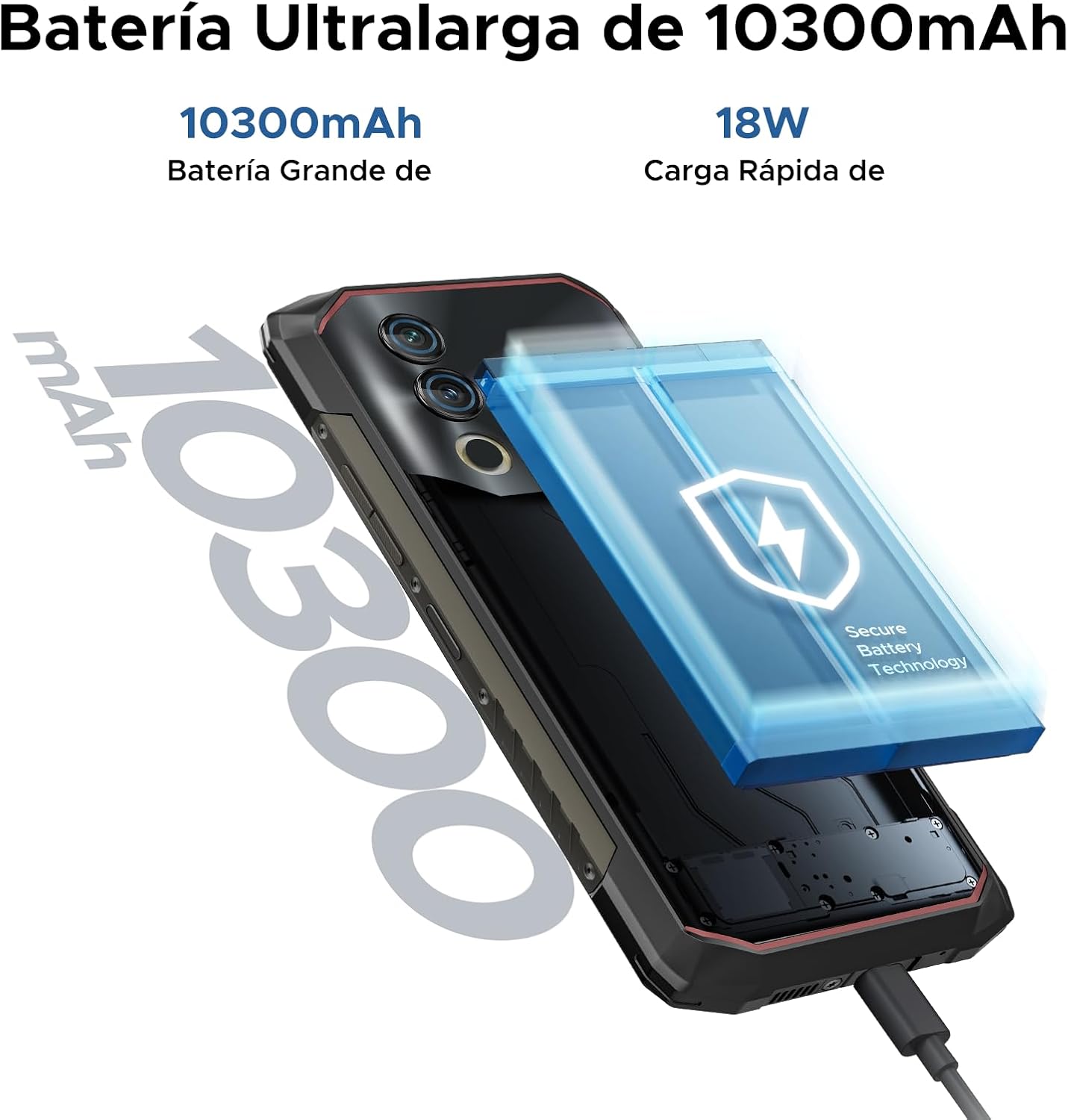
Image: The 10300mAh battery and 18W fast charging feature of the Blade10 Power.
작동 지침
기본 탐색
Your DOOGEE Blade10 Power runs on Android 14, offering an intuitive user experience. Use gestures for navigation: swipe up from the bottom for the app drawer, swipe down from the top for notifications and quick settings, and tap icons to open applications.
Security Features: Fingerprint and Face ID
For enhanced security and quick access, set up Fingerprint Recognition and Face ID. The fingerprint sensor is located on the side of the device. Navigate to 설정 > 보안 > 지문 잠금 해제 or 얼굴 인식 잠금 해제 to register your biometrics. The device offers ultra-fast unlocking in approximately 0.19 seconds.

Image: Facial Recognition and Side Fingerprint Sensor.
NFC 기능
The integrated NFC (Near Field Communication) allows for quick and secure mobile payments with Google Pay and easy data transfer with compatible devices. Enable NFC in 설정 > 연결된 기기 > NFC.
Precise Navigation
The device supports multiple global navigation satellite systems including GPS, Glonass, Galileo, and Beidou, ensuring accurate positioning for navigation and location-based services.
Customizable Button and Gesture Control
Utilize the customizable button for quick access to frequently used functions or apps. Explore Smart Gesture Controls in settings for additional convenient interactions.
글러브 모드
For users who need to operate the phone while wearing gloves, the Glove Mode feature ensures precise recognition of finger movements, providing a fluid and uninterrupted user experience. Activate this mode in Settings > Smart Assistant > Glove Mode.

Image: Glove Mode in action, allowing touch interaction while wearing gloves.
카메라 기능
The DOOGEE Blade10 Power is equipped with a 50MP AI main camera and an 8MP front camera, designed to capture clear and vibrant images and videos.
후방 카메라
The 50MP main camera, enhanced with AI, delivers high-resolution photos with rich detail and accurate colors. It supports various modes including HDR and Panorama for diverse photographic scenarios. Rear flashes provide illumination in low-light conditions.
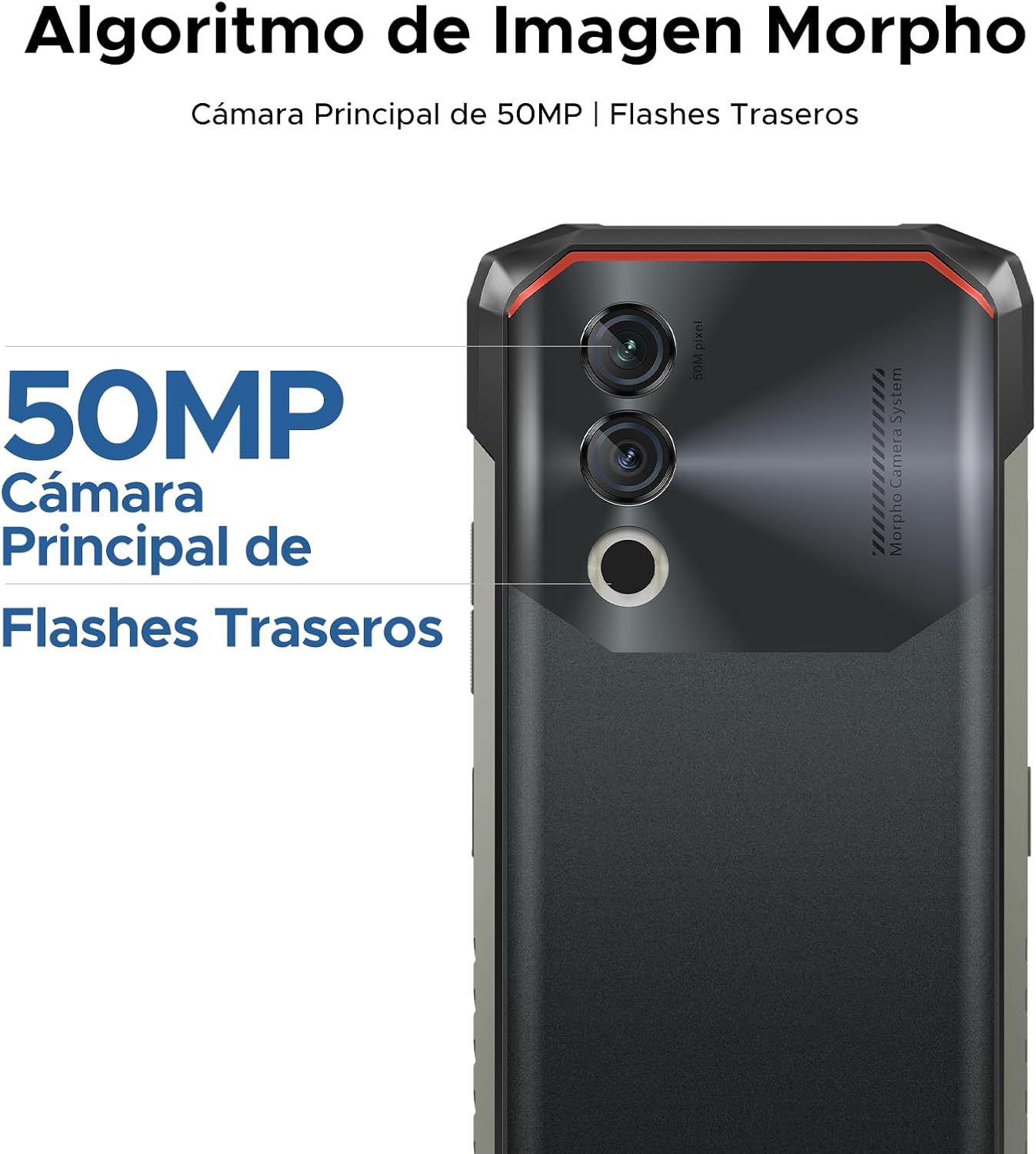
Image: 50MP Main Camera and Rear Flashes.
전면 카메라
The 8MP front camera is ideal for selfies and video calls, capturing clear images.

이미지: 전amples of photos taken with the 8MP Ultra Sharp Front Camera.
사진 모드
다양한 사진 촬영 모드를 활용하여 더욱 멋진 사진을 찍어보세요.
- 파노라마: Capture wide landscapes.
- 세로 모드 : 배경을 흐리게 처리하여 전문가처럼 보이는 사진을 만들어 보세요.
- 전문 모드: Manual control over camera settings for advanced users.
- HDR 모드: Improve dynamic range in challenging lighting conditions.

Image: Photography modes: Panorama, Portrait, Pro, and HDR.
비디오 녹화
Record videos in 1080P at 30 frames per second, ensuring smooth and detailed footage.
디스플레이 기능
The DOOGEE Blade10 Power features a 6.6-inch HD+ IPS display for a clear and immersive visual experience.
- 크기: 6.6-inch Fullview 표시하다
- 해결: 720*1612 HD+
- 새로 고침 빈도: 부드러운 스크롤링과 게임을 위한 90Hz 주사율
- 그림 물감: 16.7 만 색상
- 명도: 380cd/m² for visibility in various lighting conditions
- 대비율: 1500시 1분
- 스크린 대 바디 비율: 84%

Image: 6.6-inch Ultra Sharp Notch-less Screen with 90Hz refresh rate.
Widevine L1 지원
With Widevine L1 certification, you can enjoy high-quality streaming content from platforms like Netflix and Amazon Prime Video in full HD resolution, without restrictions.

Image: Real 90Hz Smoothness and Widevine L1 Support.
성능 및 스토리지
The Blade10 Power is engineered for smooth performance and amp파일 저장 용량.
프로세서
Powered by an Octa-Core T615 processor, the device offers improved performance for multitasking and gaming. This processor provides a 19% improvement in single-core CPU performance, 5% in multi-core CPU performance, and 35% in GPU performance.

Image: Powerful Octa-core T615 Processor.
RAM 및 저장 장치
The phone features up to 24GB of RAM (6GB physical + 18GB expanded virtual RAM) and 256GB of internal storage. This ample memory ensures smooth operation across multiple applications. Storage can be further expanded up to 2TB using a TF (microSD) card, allowing you to store a vast amount of photos, videos, and files.
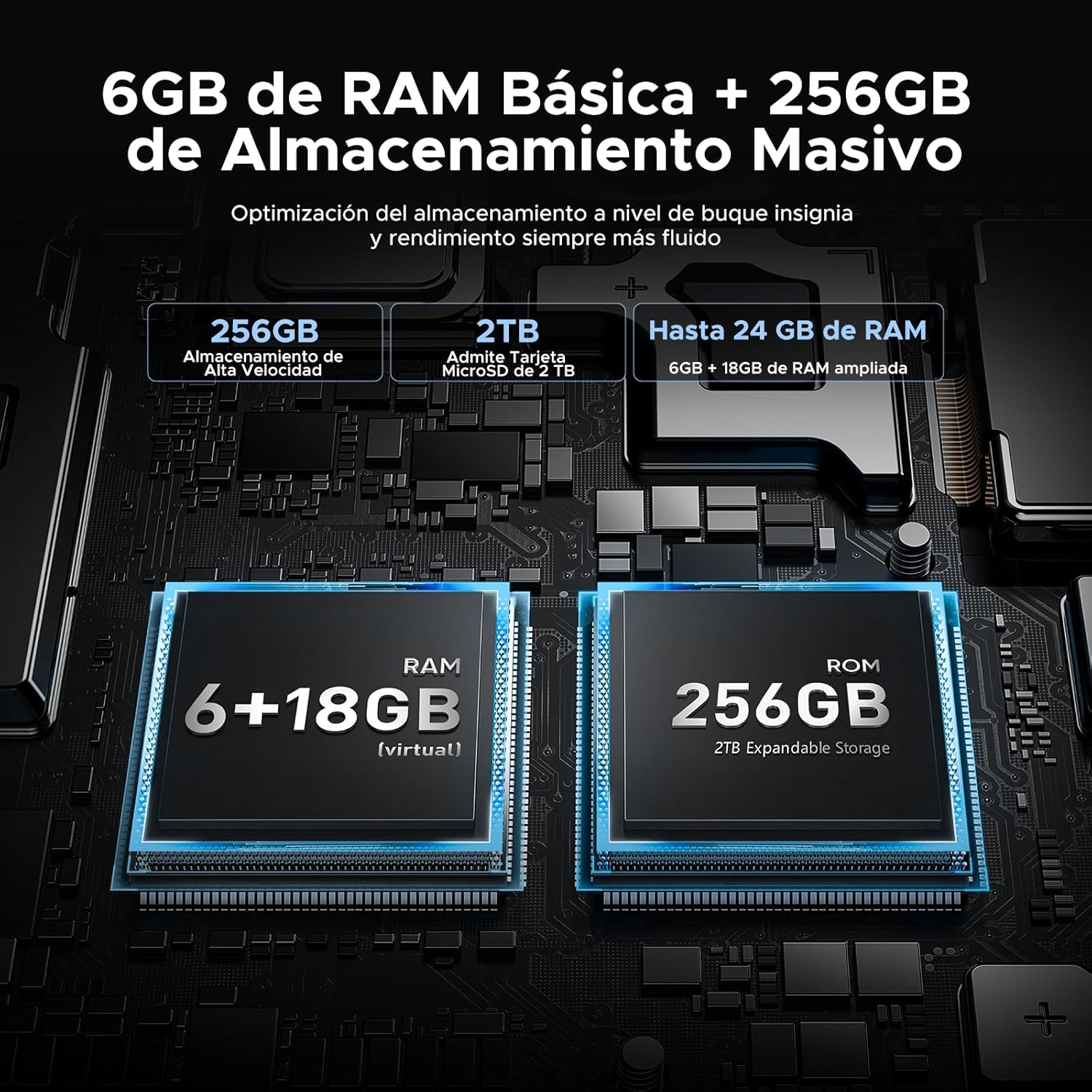
Image: 24GB RAM + 256GB Massive Storage with 2TB Expansion.
내구성 및 보호
The DOOGEE Blade10 Power is built to withstand harsh environments, featuring IP68/IP69K and MIL-STD-810H certifications.
- IP68 : Water and dust resistant, capable of immersion in water up to 1.5 meters for 30 minutes.
- IP69K: 고압, 고온의 물 분사에 강합니다.
- MIL-STD-810H: Military-grade durability against drops, shocks, and extreme temperatures. Withstands drops from up to 1.5 meters.
Its 360° comprehensive protection ensures reliable performance even in challenging outdoor or work environments.

Image: IP68, IP69K, and MIL-STD-810H certifications for drop, dust, and water resistance.
견고한 구조
The phone's construction includes a high-resistance cover, aviation-grade titanium alloy, aviation-grade alloy material, TPU protection, and a composite board, all contributing to its exceptional durability.

이미지: 상세 view of the phone's layered construction for enhanced durability.
안드로이드 14 기능
The DOOGEE Blade10 Power runs on the latest Android 14 operating system, offering enhanced stability, fluidity, and overall performance compared to previous versions.
- 집중 모드: Helps you concentrate by pausing distracting apps.
- 슈퍼 클립보드: Advanced clipboard features for managing copied content.
- 깨우려면 들어 올리세요: Automatically wakes the screen when you lift the phone.
- 듀얼 시스템 모드: Run two separate environments for work and personal use.
- Screen Enhancement: Optimized display settings for better view주고받음.
- 포켓 모드: Prevents accidental touches when the phone is in your pocket.
- Screen Sensors: Improved sensor management for various functionalities.
- 개인정보 보호 설정: Enhanced privacy settings to manage app permissions and data access.
- 분할 화면: Multitask efficiently by using two apps simultaneously.

Image: More Information About Android 14 features.
유지
To ensure the longevity and optimal performance of your DOOGEE Blade10 Power, follow these maintenance guidelines:
- 청소: 화면과 본체를 부드러운 천으로 정기적으로 닦아주세요.amp cloth. For stubborn dirt, use a mild soap solution. Ensure all ports are dry before charging or connecting accessories.
- 물 노출: While the phone is waterproof, avoid prolonged immersion in saltwater or chlorinated water. If exposed, rinse with fresh water and dry thoroughly. Ensure all port covers are sealed before water exposure.
- 온도: 휴대전화를 장시간 극한 온도(매우 덥거나 매우 추운 온도)에 노출시키지 마십시오. 배터리 수명과 내부 부품에 영향을 줄 수 있습니다.
- 소프트웨어 업데이트: Keep your phone's software updated to the latest version to benefit from performance improvements, security patches, and new features. Check for updates in 설정 > 시스템 > 시스템 업데이트.
- 배터리 관리 : 배터리를 완전히 방전시키는 것을 자주 피하십시오. 배터리 수명을 최적화하려면 충전량을 20%에서 80% 사이로 유지하십시오.
문제 해결
If you encounter issues with your DOOGEE Blade10 Power, refer to the following common troubleshooting steps:
장치 전원이 켜지지 않음
- 배터리가 충전되어 있는지 확인하세요. 휴대폰을 충전기에 최소 30분 이상 연결해 두세요.
- 전원 버튼을 10~15초간 길게 눌러 강제로 다시 시작하세요.
화면이 응답하지 않음
- 전원 버튼을 길게 눌러 기기를 재시작하세요.
- If the screen is physically damaged, contact customer support.
Poor Call Quality / Low Speaker Volume
- Check the volume settings during a call.
- Ensure the speaker and microphone are not obstructed by dirt or debris. Clean gently if necessary.
- Test with headphones to determine if the issue is with the phone's speaker/mic or the network.
앱이 충돌하거나 멈춤
- 문제가 있는 앱을 닫았다가 다시 엽니다.
- 앱의 캐시와 데이터를 지웁니다. 설정 > 앱 > [앱 이름] > 저장공간 > 캐시 지우기/데이터 지우기.
- 앱이 최신 버전으로 업데이트되었는지 확인하세요.
- 문제가 지속되면 앱을 제거했다가 다시 설치하세요.
Network Connectivity Issues (Wi-Fi/Mobile Data)
- 와이파이 또는 모바일 데이터를 껐다가 켜세요.
- 와이파이 문제가 발생하면 공유기를 재시작하세요.
- Check your SIM card insertion and ensure it's active with your carrier.
- 네트워크 설정 재설정 설정 > 시스템 > 재설정 옵션 > Wi-Fi, 모바일 및 Bluetooth 재설정.
공장 초기화(최후의 수단)
If other troubleshooting steps fail, you may consider a factory reset. This will erase all data on your phone, so ensure you back up important information first. Go to 설정 > 시스템 > 옵션 재설정 > 모든 데이터 삭제(공장 초기화).
명세서
Below are the detailed technical specifications for the DOOGEE Blade10 Power smartphone:
| 특징 | 사양 |
|---|---|
| 모델 번호 | Blade 10 Power |
| 치수 | 17.85 x 8.31 x 1.79cm |
| 무게 | 560g |
| 운영 체제 | 안드로이드 14 |
| 프로세서 | Octa-Core T615 (1.8 GHz) |
| 숫양 | 24GB(물리적 6GB + 가상 18GB) |
| 내부 저장소 | 256GB (XNUMX기가바이트) |
| 확장 가능한 스토리지 | 최대 2TB (TF 카드) |
| 디스플레이 크기 | 6.6 인치 |
| 디스플레이 유형 | HD+ IPS |
| 디스플레이 해상도 | 720 x 1612 픽셀 |
| 새로 고침 빈도 | 90Hz |
| 메인 카메라 | 50 MP |
| 전면 카메라 | 8 MP |
| 비디오 녹화 | 1080p @ 30fps |
| 배터리 용량 | 10300mAh(리튬이온) |
| 충전 중 | 18W Fast Charging, USB Type-C, OTG Support |
| 네트워크 기술 | 4G LTE |
| SIM 카드 슬롯 | 듀얼 SIM |
| 연결성 | NFC, GPS (Glonass, Galileo, Beidou) |
| 보안 | 얼굴 인식, 측면 지문 센서 |
| 내구성 | IP68, IP69K, MIL-STD-810H (방수, 방진, 충격 방지) |
보증 및 지원
두지는 고품질 제품 제공과 고객 만족을 위해 최선을 다하고 있습니다.
- 30일 환불 보장: 구매하신 상품에 만족하지 못하시는 경우, 30일 이내에 환불을 받으실 수 있습니다.
- 2년 제한 보증: Your DOOGEE Blade10 Power comes with a 2-year limited warranty covering manufacturing defects. Please retain your proof of purchase.
- 연중무휴 온라인 지원: For any technical assistance or inquiries, DOOGEE offers 24/7 online support. Please visit the official DOOGEE web연락처 정보와 지원 리소스를 제공하는 사이트입니다.

Image: After-sales Support details.
공식 제품 영상
이 설명서에 삽입할 만한 판매자의 공식 제품 영상은 발견되지 않았습니다.