
SENTRY OSH-OVHDBKZ
SENTRY OSH 오버이어 블루투스 무선 헤드폰 사용 설명서
Model: OSH-OVHDBKZ | Brand: SENTRY
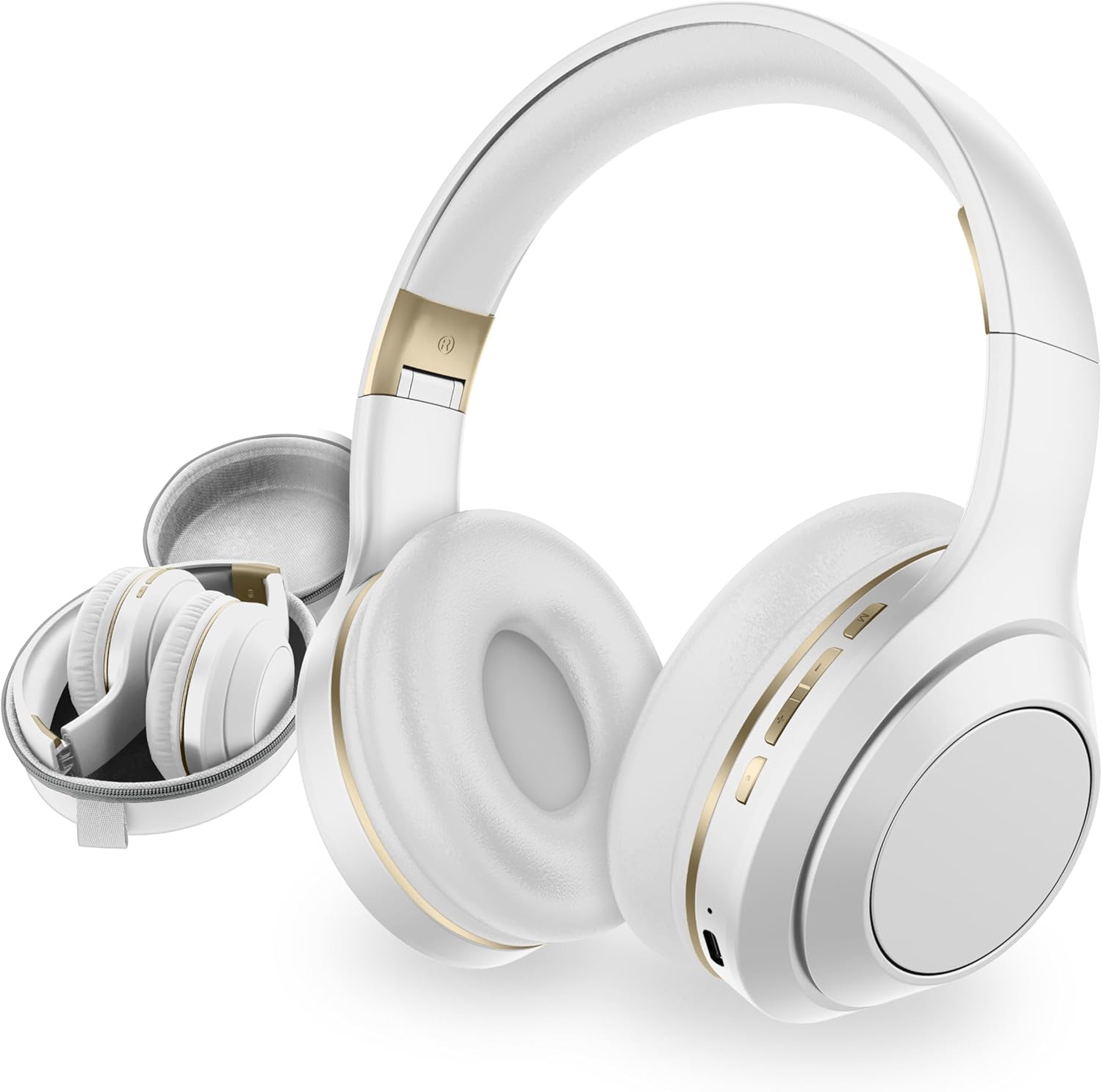
The SENTRY OSH Over Ear Bluetooth Wireless Headphones, shown in white, featuring their comfortable design and included protective carrying case.
소개
The SENTRY OSH Over Ear Bluetooth Wireless Headphones are designed to provide a premium audio experience with advanced active noise cancellation. These headphones offer wireless freedom, intuitive controls, and a comfortable, portable design, making them ideal for various listening environments. With up to 22 hours of playtime and easy Bluetooth pairing, they are built for extended use and convenience.
상자 안에 무엇이 들어있나요?
- SENTRY OSH Over Ear Bluetooth Wireless Headphones
- USB-C Charging Wire
- 보호용 운반 케이스
- 사용자 설명서

The SENTRY OSH headphones come with a durable protective carrying case, designed for easy storage and travel. The image shows the headphones neatly folded inside the zippered case, highlighting its compact and travel-friendly design.
설치 가이드
1. 헤드폰 충전하기
Before first use, fully charge your SENTRY OSH headphones. Connect the included USB-C charging wire to the headphone's charging port and the other end to a compatible USB power source. A full charge takes approximately 3 hours. The indicator light will show charging status and turn off when fully charged.

This graphic illustrates the extended battery life of the SENTRY OSH headphones, providing up to 22 hours of playtime, and confirms the inclusion of a quick charge USB-C cable for convenient recharging.
2. 전원 켜기 / 끄기
To power on the headphones, press and hold the multi-function button located on the right earcup until the indicator light illuminates. To power off, press and hold the same button until the indicator light turns off.
3. 블루투스 페어링
With the headphones powered on, they will automatically enter pairing mode (indicated by a flashing blue and red light). On your device (smartphone, tablet, laptop), enable Bluetooth and select "SENTRY OSH" from the list of available devices. Once connected, the indicator light will become solid blue. The headphones will automatically reconnect to the last paired device when powered on, provided Bluetooth is active on the device.

This image demonstrates the easy pairing technology of the SENTRY OSH headphones, showing a smartphone screen with a "CONNECTED" status, indicating a successful and fast Bluetooth connection.
작동 지침
1. 기본 제어
The SENTRY OSH headphones feature integrated on-ear buttons for easy control of your audio and calls:
- 다기능 버튼: Press and hold to power on/off. Short press to play/pause audio or answer/end calls.
- 볼륨 높이기 / 다음 트랙 버튼: 짧게 누르면 볼륨이 커지고, 길게 누르면 다음 트랙으로 넘어갑니다.
- 볼륨 낮추기/이전 트랙 버튼: 짧게 누르면 볼륨을 낮추고, 길게 누르면 이전 트랙으로 돌아갑니다.
- ANC 버튼: Press to activate or deactivate Active Noise Cancellation.
2. 능동 소음 제거(ANC)
The headphones feature Active Noise Cancellation (ANC) technology, reducing ambient noise by up to -20dB. To activate or deactivate ANC, press the dedicated ANC button located on the earcup. This allows for an isolated listening experience, minimizing distractions from your surroundings.
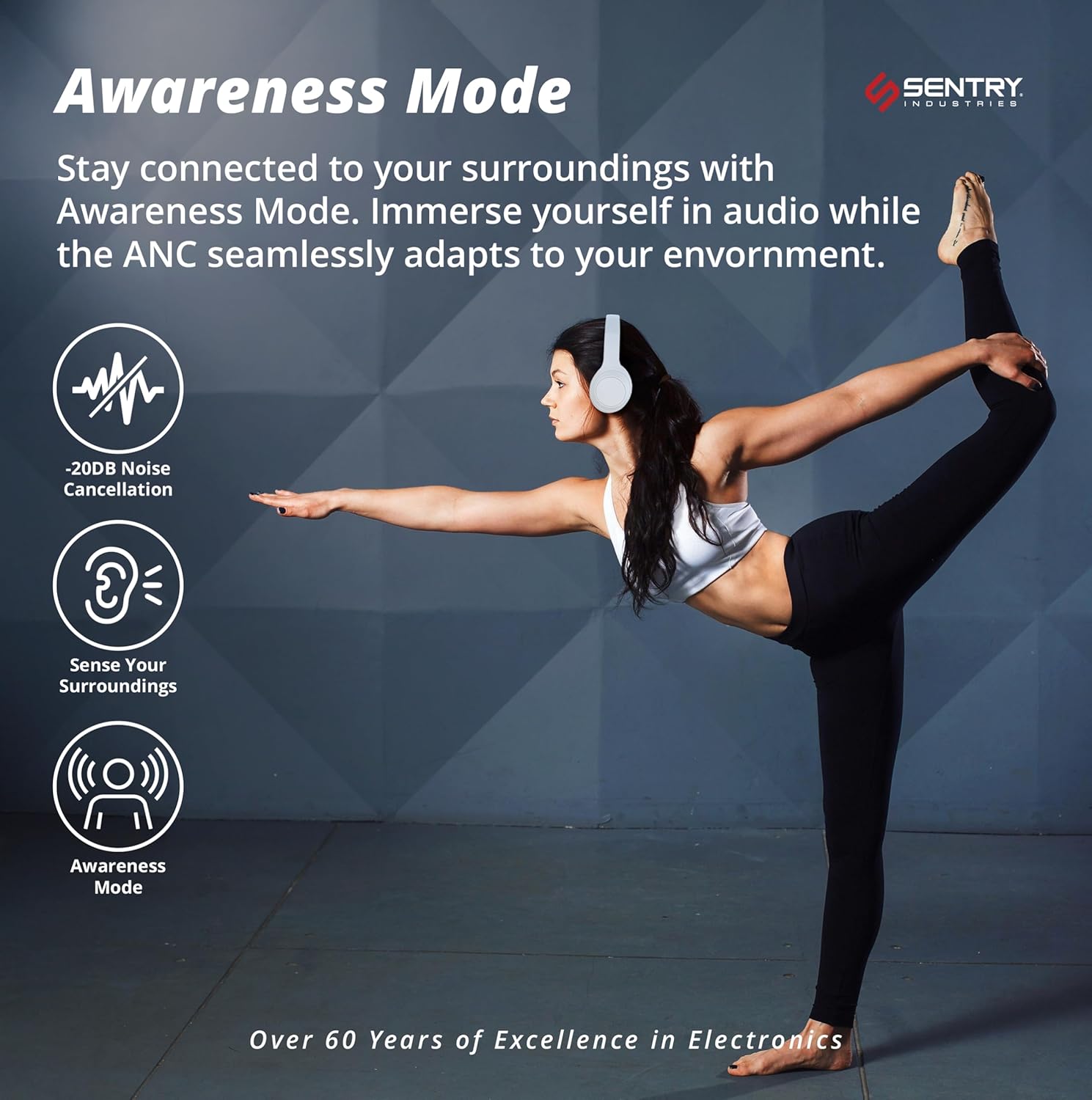
This image illustrates the Active Noise Cancellation capability of the SENTRY OSH headphones, emphasizing the -20dB noise reduction and the option for an "Awareness Mode" to stay connected to surroundings while enjoying audio.
3. 오디오 품질
Experience vibrant soundscapes with deep bass, clear vocals, and balanced stereo sound. The headphones are equipped with 40mm dynamic drivers for optimal audio performance, making your favorite music come alive.

This image highlights the Deep Bass Technology of the SENTRY OSH headphones, promising vibrant soundscapes with clear vocals and balanced stereo sound, enhanced by Real-ANC for an immersive audio experience.
4. 유선 연결
An included 4-foot AUX cord allows for wired listening when the battery is depleted or when a Bluetooth connection is not desired. Simply plug the 3.5mm jack into the headphone's AUX port and your audio source.
유지
1. 청소
Gently wipe the earcups and headband with a soft, dry cloth. Do not use harsh chemicals, abrasive materials, or excessive moisture, as this may damage the headphones. Ensure no liquid enters the headphone openings.
2. 보관
When not in use, fold the headphones using their bi-folding design and store them in the provided protective carrying case. This helps prevent physical damage and keeps them compact for travel or storage.

This image highlights key features of the SENTRY OSH headphones, including Active Noise Cancellation, Bluetooth V5.3 connectivity, and their convenient folding design for portability and storage.
문제 해결
전원이 없습니다
- Ensure the headphones are fully charged. Connect to a power source using the USB-C cable and allow sufficient charging time.
블루투스로 페어링할 수 없습니다
- 기기에서 블루투스가 활성화되어 있고 헤드폰이 페어링 모드(표시등이 깜빡이는 상태)인지 확인하십시오.
- Move the headphones closer to your device, ideally within 1 meter (3 feet) during initial pairing.
- If previously paired, try "forgetting" or "unpairing" the headphones from your device's Bluetooth settings and attempt to re-pair.
- 헤드폰에 다른 기기가 연결되어 있지 않은지 확인하십시오.
음질이 좋지 않거나 소리가 나지 않음
- 헤드폰과 연결된 기기의 볼륨 레벨을 확인하세요.
- Ensure the headphones are within the 30-meter (98-foot) Bluetooth range of your device.
- If using the wired connection, ensure the AUX cable is fully inserted into both the headphones' 3.5mm jack and the audio source.
- If experiencing buzzing or static, try deactivating and reactivating Active Noise Cancellation.
기술 사양
| 모델명 | OVHDBKZ |
| 연결 기술 | 블루투스, 무선 |
| 무선 통신 기술 | 블루투스 5.3 |
| 소음 제어 | Active Noise Cancellation (-20dB Reduction) |
| 배터리 수명 | 최대 22시간 |
| 충전 시간 | 3시간 |
| 헤드폰 잭 | 3.5 mm 잭 |
| 블루투스 범위 | 30미터(약 98피트) |
| 주파수 응답 | 20Hz - 20,000Hz |
| 감광도 | 100데시벨 |
| 임피던스 | 40옴 |
| 오디오 드라이버 크기 | 40 밀리미터 |
| 품목 무게 | 1.38파운드 |
| 색상 | 하얀색 |
| 귀 위치 | 귀에 |
| 폼 팩터 | 귀 위 |
보증 및 고객 지원
SENTRY Industries offers a 90 일 보증 on this product. This warranty covers defective or damaged products for up to 90 days from the date of purchase, offering free replacement.
For customer support, inquiries, or to claim your warranty, please contact SENTRY Industries directly. Our customer support line is operated out of our New York office to ensure you receive the assistance you need.
For more information and to explore other SENTRY products, visit the official SENTRY Store: SENTRY Industries 매장
Ask a question about this manual
Ask about setup, troubleshooting, compatibility, parts, safety, or missing instructions. Manuals+ will review the question and use this page’s manual context to help answer it.