
SENTRY OSE-HOOKBK
SENTRY OSE Sport Hook Bluetooth Wireless Earbuds
사용자 설명서
제품 끝view
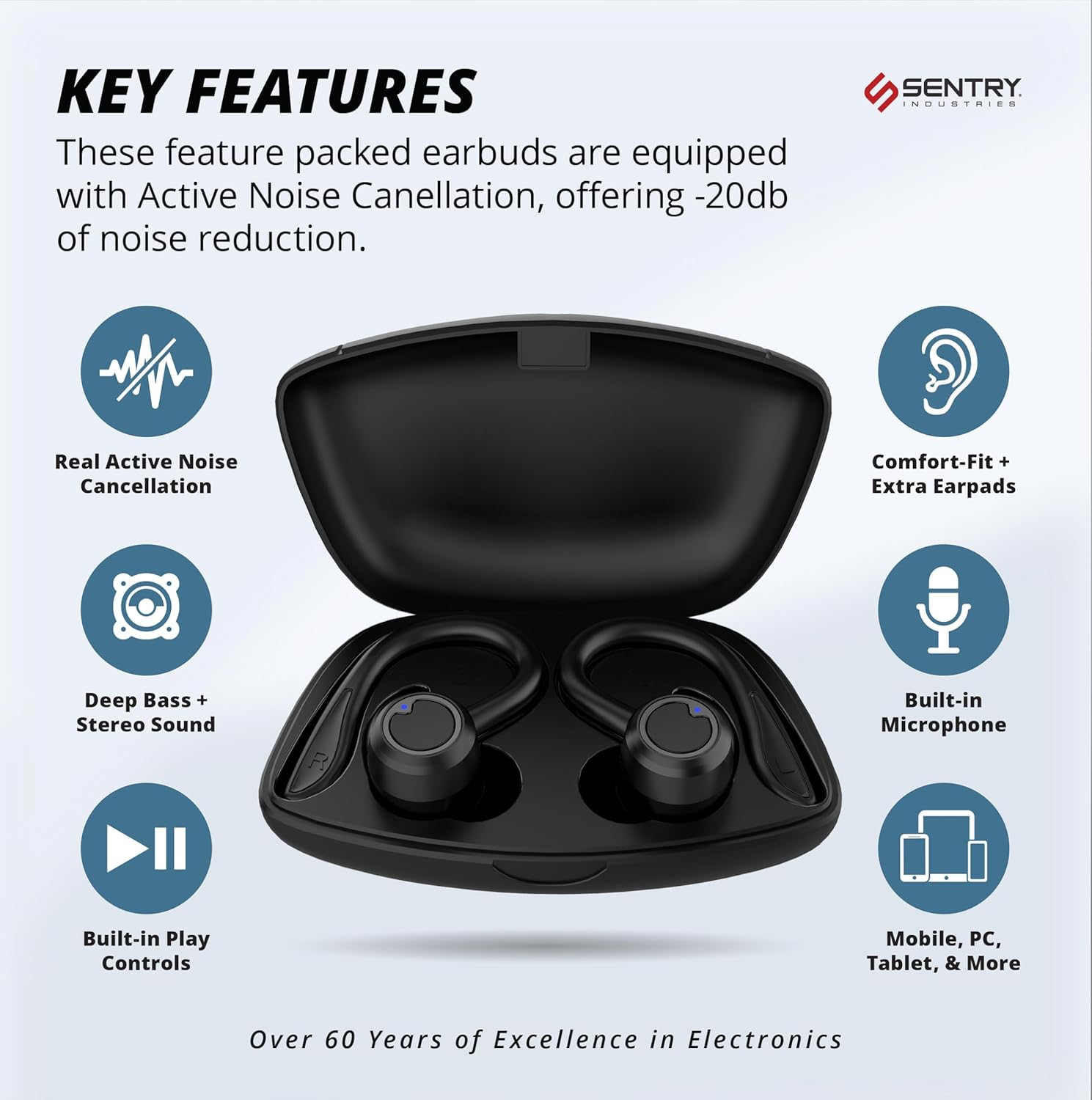
The Sentry OSE Sport Hook Bluetooth Wireless Earbuds are designed for an immersive audio experience with advanced features. They offer Active Noise Cancellation (ANC) up to -20dB, ensuring an isolated listening environment. The unique 2-in-1 detachable hook design provides versatility for both secure sports use and comfortable everyday listening. With Bluetooth V5.3 connectivity, pairing is simple and stable, offering up to 30 feet of wireless range. The earbuds feature built-in controls for music and calls, along with an integrated microphone. A portable charging case provides extended playtime, and extra earpads are included for a customized fit.

상자 안에 무엇이 들어있나요?
Your SENTRY OSE Sport Hook Earbuds package includes the following components:
- 이어버드
- 휴대용 충전 케이스
- USB C 충전 케이블
- 이어팁(최적의 착용감을 위해 다양한 크기 제공)
- 사용 설명서 (본 문서)

주요 특징
- 능동형 소음 제거(ANC): Blocks out ambient noise for an isolated listening experience, cancelling up to -20dB of outside noise.
- 2-in-1 Detachable Hook Design: Provides a secure, comfortable fit for active use, with the option to detach hooks for a more compact fit.
- Bluetooth V5.3 연결: Ensures a stable wireless connection up to 30 feet without the need for an app.
- 오래 지속되는 배터리 수명: Up to 12 hours of playtime on a single charge, with the portable charging case providing additional charges.
- Built-in Microphone and Controls: Manage music playback, calls, and volume directly from the earbuds.
- Deep Bass + Stereo Sound: Experience vibrant soundscapes with clear vocals and balanced stereo audio.
- Comfort-Fit + Extra Earpads: Includes multiple earpad sizes to ensure a perfect and comfortable fit for all users.



설치 가이드
1. 초기 충전
Before first use, fully charge the earbuds and the charging case. Place the earbuds into the charging case. Connect the provided USB-C charging cable to the charging case and a compatible USB power source. The charging case has a 400mAh battery and requires approximately 3-4 hours for a full charge. The earbuds will charge automatically when placed in the case.
2. Detachable Hook Adjustment (2-in-1 Design)
The SENTRY OSE Sport Hook Earbuds feature a 2-in-1 design, allowing you to use them with or without the sport hooks. To attach or detach the hooks, gently align the hook with the designated slot on the earbud and push or pull until it clicks into place. Ensure the hooks are securely fastened for active use.
3. 블루투스 페어링
- 이어버드가 충전되어 있고 충전 케이스에서 꺼내져 있는지 확인하십시오. 이어버드가 자동으로 페어링 모드로 전환됩니다.
- 기기(스마트폰, 태블릿, 노트북)에서 Bluetooth를 활성화하세요.
- 검색 "Sentry Earbuds" or "OSE-HOOKBK" in the list of available Bluetooth devices.
- 연결할 이어버드를 선택하세요. 연결되면 음성 안내를 통해 페어링이 성공적으로 완료되었음을 알려줍니다.
- 기기에서 Bluetooth가 활성화되어 있는 경우, 이어버드를 케이스에서 꺼내면 마지막으로 페어링된 기기에 자동으로 다시 연결됩니다.

작동 지침
The SENTRY OSE Sport Hook Earbuds feature intuitive button controls for easy management of your audio and calls.
버튼 컨트롤
The earbuds are equipped with multi-function buttons. Refer to the diagram below for specific functions:
- 재생/일시 중지: 양쪽 이어버드의 다기능 버튼을 한 번 누르세요.
- 전화 받기: 전화가 걸려오는 동안 이어버드 중 하나에 있는 다기능 버튼을 한 번 누르세요.
- 통화 종료: Single press the multi-function button on either earbud during an active call.
- 전화 거부: 전화가 오는 동안 다기능 버튼을 2초간 길게 누릅니다.
- 다음 트랙: 오른쪽 이어버드의 다기능 버튼을 두 번 누르세요.
- 이전 트랙 : 왼쪽 이어버드의 다기능 버튼을 두 번 누르세요.
- 볼륨 업: 오른쪽 이어버드의 다기능 버튼을 세 번 누르세요.
- 볼륨 작게 : 왼쪽 이어버드의 다기능 버튼을 세 번 누르세요.
- Voice Assistant 활성화 : Press and hold the multi-function button for 2 seconds (e.g., Siri, Google Assistant).
능동 잡음 제거 (ANC)
The earbuds feature Active Noise Cancellation to reduce ambient noise. To toggle ANC on/off, locate the dedicated ANC button (if present, or refer to the manual for specific gesture/button press). When ANC is active, you will experience a significant reduction in surrounding sounds, enhancing your listening experience.
인식 모드
Some models may include an Awareness Mode (also known as Transparency Mode) which allows you to hear your surroundings while still enjoying your audio. This is useful for situations where you need to be aware of traffic or announcements. Refer to your specific earbud model's instructions for activating this feature, typically a long press or specific button combination.
유지
Proper maintenance ensures the longevity and optimal performance of your SENTRY OSE Sport Hook Earbuds.
- 청소: Regularly wipe the earbuds and charging case with a soft, dry, lint-free cloth. Do not use abrasive cleaners, alcohol, or chemical solvents. For eartips, they can be gently removed and cleaned with mild soap and water, then thoroughly dried before reattaching.
- 저장: When not in use, always store the earbuds in their charging case to protect them from dust, dirt, and physical damage. Store in a cool, dry place away from direct sunlight and extreme temperatures.
- 배터리 관리 : 배터리 수명을 유지하려면 이어버드와 충전 케이스를 자주 완전히 방전시키지 마세요. 계속 사용하지 않더라도 정기적으로 충전하세요.
- 방수 기능: 이 이어폰은 방수가 안 됨손상을 방지하기 위해 물, 땀, 높은 습도에 노출되지 않도록 하십시오.
문제 해결
If you encounter issues with your SENTRY OSE Sport Hook Earbuds, try the following troubleshooting steps:
| 문제 | 가능한 해결책 |
|---|---|
| 이어버드가 페어링/연결되지 않습니다. |
|
| 소리가 나지 않거나 볼륨이 작습니다. |
|
| Active Noise Cancellation (ANC) not working effectively. |
|
| Charging case not charging or earbuds not charging in case. |
|
| Earbuds frequently disconnect. |
|
명세서
| 특징 | 세부 사항 |
|---|---|
| 모델명 | OSE-HOOKBK |
| 소음 제어 | 능동 소음 제거 |
| 연결 기술 | 무선, 블루투스 |
| 무선 통신 기술 | 블루투스 |
| 블루투스 버전 | 5.3 |
| 블루투스 범위 | 30 피트 |
| 배터리 수명(이어버드) | 12시간 |
| 충전 시간(케이스) | 2시간 |
| 운반 케이스 배터리 용량 | 400밀리amp 시간 |
| 제어 유형 | 버튼 제어, 터치 |
| 마이크로폰 | 내장형 |
| 귀 위치 | 귀에 |
| 폼 팩터 | 귀에 |
| 스타일 | 2-in-1 Detachable Hook Earbuds |
| 재료 | 플라스틱 |
| 색상 | 검은색 |
| 품목 무게 | 7.4 온스 |
| 방수 레벨 | 방수가 되지 않음 |
| 주파수 응답 | 20Hz - 20,000Hz |
| 임피던스 | 32옴 |
| 제조업체 | 보초 |
| 한국어: | 080068078500 |
보증 및 지원
Sentry Industries stands behind its products with a comprehensive warranty and dedicated customer support.
90 일 보증
Experience worry-free shopping with Sentry Industries and our extensive 90-day warranty, applicable to all our products. We offer free replacement for up to 90 days for defective or damaged products. This guarantee ensures your satisfaction and confidence in our quality.
고객 지원
Sentry Industries is an American company with over 60 years in business. We provide a customer support line operated out of our New York office to ensure you can get the help that you need when you need it. For assistance, please refer to the contact information provided on the product packaging or visit the official SENTRY web대지.
또한 방문할 수 있습니다 아마존에서 SENTRY 스토어를 만나보세요 자세한 내용과 제품 세부정보를 확인하세요.
Ask a question about this manual
Ask about setup, troubleshooting, compatibility, parts, safety, or missing instructions. Manuals+ will review the question and use this page’s manual context to help answer it.