
1. 서론
This manual provides detailed instructions for the installation, operation, and maintenance of your ApeStellar Keyless Entry Door Lock, Model DK01MB. This electronic door lock offers convenient keyless access with a keypad and handle, designed for various applications including bedrooms, storage doors, offices, and apartments.
Key features include the ability to create multiple user passcodes, temporary one-time passcodes, anti-peep code protection, a backlit keypad, customizable automatic locking, and a dedicated one-touch lock button. The lock is constructed from heavy zinc alloy for durability and meets ANSI Grade 3 requirements for security.
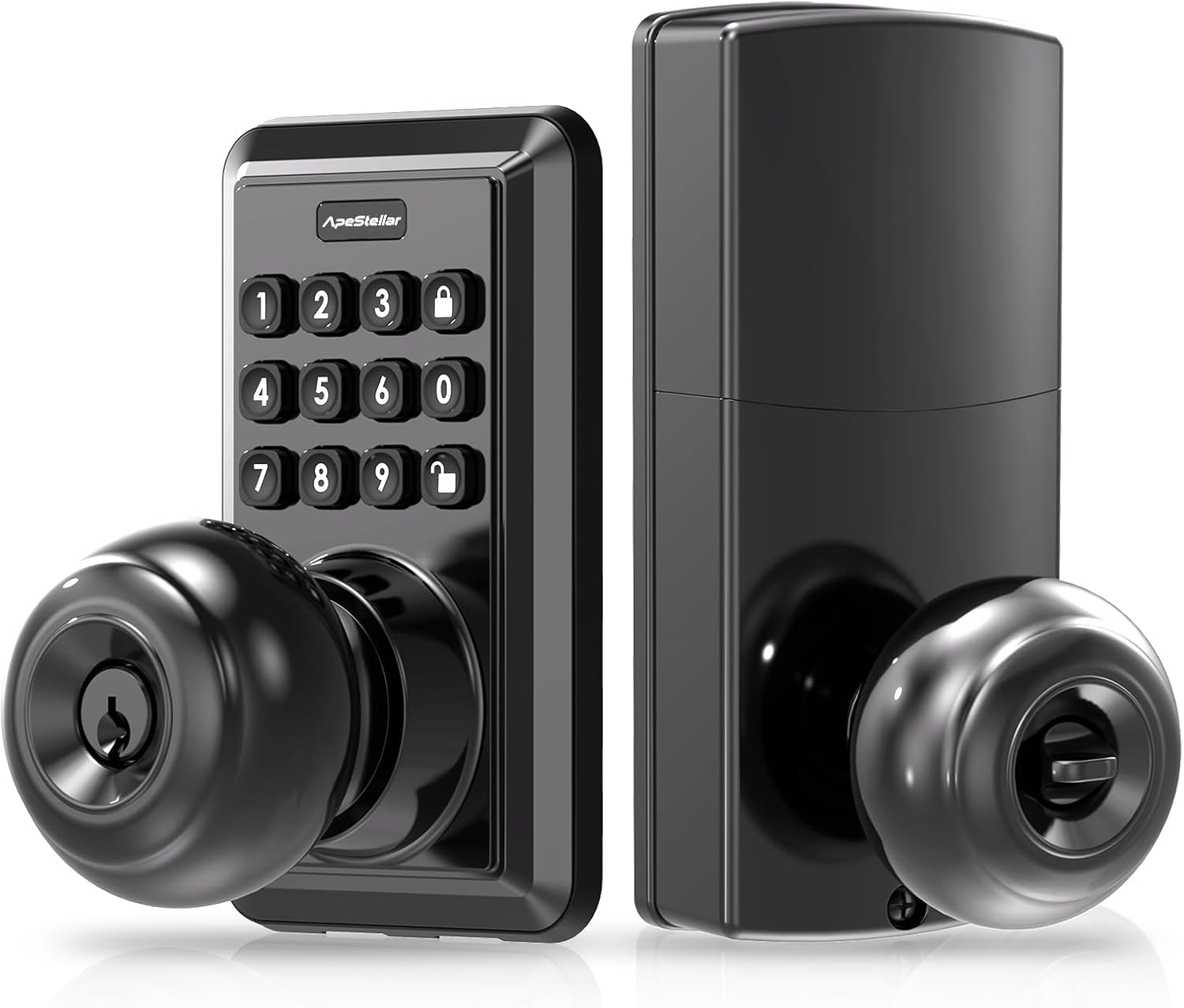
Image 1.1: ApeStellar Keyless Entry Door Lock, Matte Black.
2. 제품 사양
- 상표: 원숭이Stellar
- 모델 이름: DK01MB
- 잠금 유형: Combination Lock, Keypad, Pin Tumbler
- 재료: 아연 합금
- 색상: 매트블랙
- 마감 유형 : 매트블랙
- 항목 치수(L x W x H): 2.7 x 2.8 x 6.3인치(68.58 x 71.12 x 160.02mm)
- 품목 무게: 2.94파운드(1.34킬로그램)
- 특징: 자동 잠금
- 컨트롤러 유형 : Hand Control, Mechanical knob, Push Button
- 제어 방법: 만지다
- 추천 용도: Indoor & Outdoor; Bedroom; Home Office; Garage; Living Room; Storage Room
- 필요한 배터리: 네 (배터리는 포함되어 있지 않습니다)
- 포함된 구성 요소: ApeStellar Keyless Entry Door Lock, 2 Backup Keys, Latch, Screws, Strike, Mounting Plate, Installation Instructions, Programming Instructions

Image 2.1: Durability features including heavy zinc alloy construction, corrosion resistance, and ANSI Grade 3 certification.

이미지 2.2: 이상view of multi-function capabilities including weather resistance and security features.

Image 2.3: Details of ANSI Grade 3 certification tests for durability and security.

Image 2.4: Weather resistance capabilities, including IP54 rating and extreme temperature tolerance.
3. 설정 및 설치
The ApeStellar Keyless Entry Door Lock is designed for easy installation, typically taking about 15 minutes with a screwdriver. It is suitable for most standard US door types.
3.1 도어 호환성
- 문 구멍: Only suitable for 2-1/8" (54mm) diameter door holes.
- 문 두께: 1-3/8" to 1-3/4" (35mm to 45mm).
- 역수: Adjustable latch to fit 2-3/8" (60mm) or 2-3/4" (70mm) backset.
If your existing deadbolt overlaps with the keypad door knob, move the deadbolt to the bottom hole and install the keypad lock on top.

Image 3.1: Door dimension requirements for proper installation.
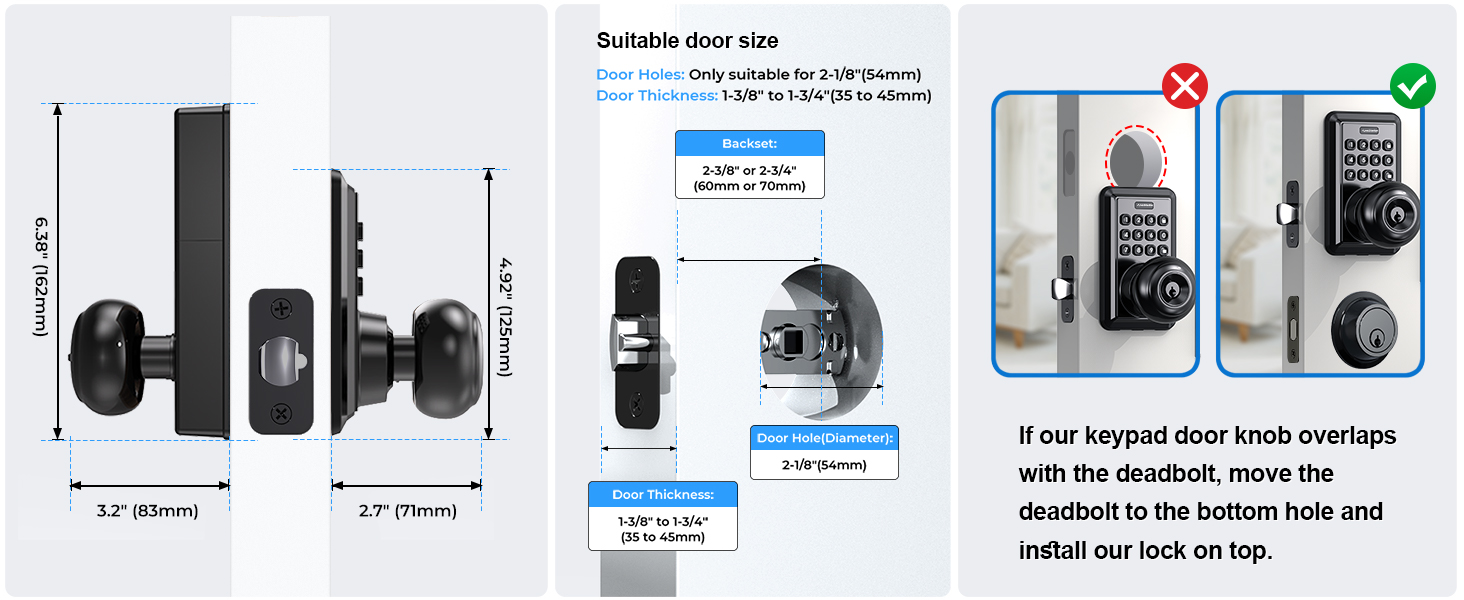
Image 3.2: Comprehensive guide to door measurements and potential adjustments.
3.2 설치 과정
- Prepare your door according to the dimensions specified in Section 3.1.
- Install the latch, ensuring the backset is correctly adjusted to either 2-3/8" or 2-3/4".
- Mount the exterior keypad assembly and interior handle assembly, connecting any necessary cables.
- Secure the components with the provided screws.
- Insert batteries (4x AAA, not included) into the interior assembly.
- Test the lock's functionality before closing the door.
The lock automatically identifies left or right-handed door configurations during installation.

Image 3.3: Visual representation of the straightforward installation process.

Image 3.4: Component breakdown and assembly guide.
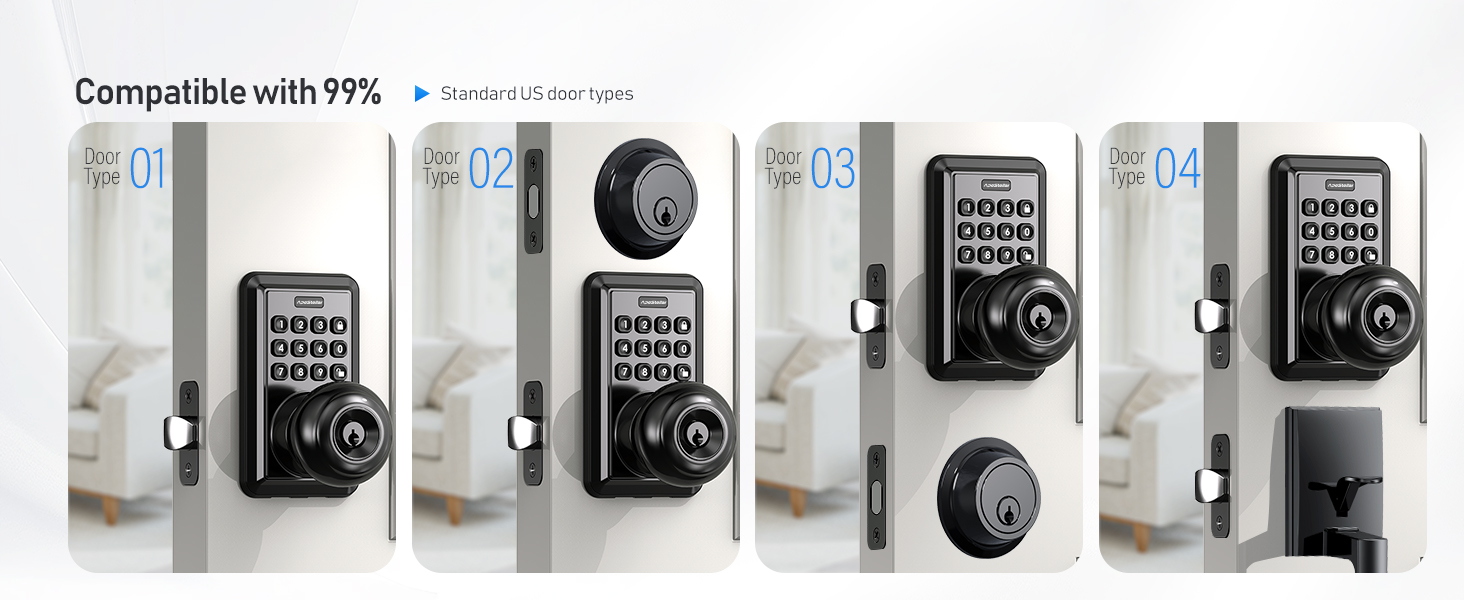
Image 3.5: Compatibility with different door configurations.

Image 3.6: Automatic door orientation detection.
4. 사용 설명서
Your ApeStellar Keyless Entry Door Lock offers multiple convenient ways to secure and access your property.
4.1 사용자 코드 프로그래밍
The lock supports up to 50 unique user passcodes for regular access. Refer to the included programming instructions for detailed steps on how to add, modify, or delete user codes.
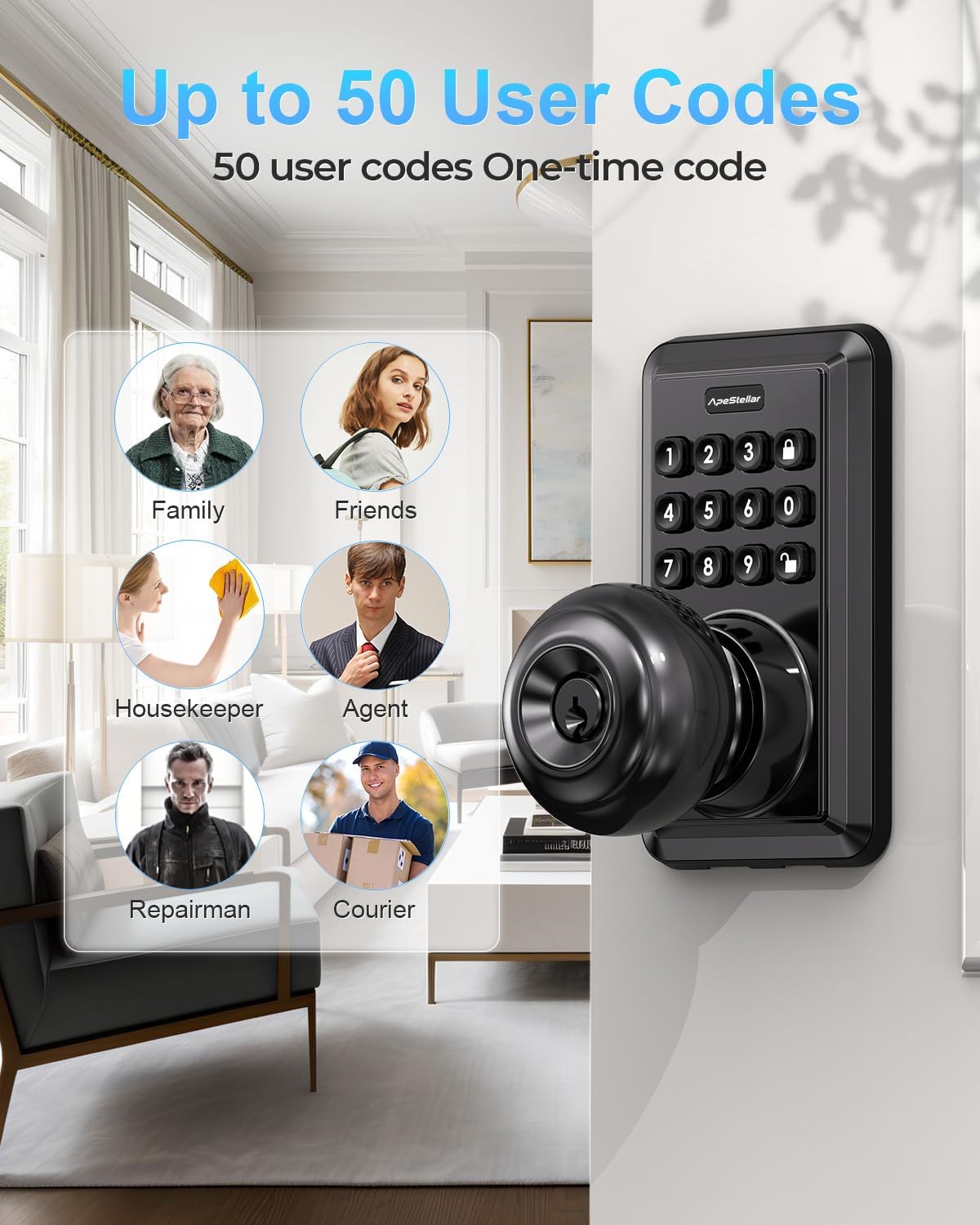
Image 4.1: The lock supports up to 50 distinct user codes.

Image 4.2: Multiple user codes can be programmed for various individuals.
4.2 One-Time Passcodes
Generate temporary one-time passcodes for guests or service providers, which expire after a single use. This provides secure, limited access without compromising your primary codes.
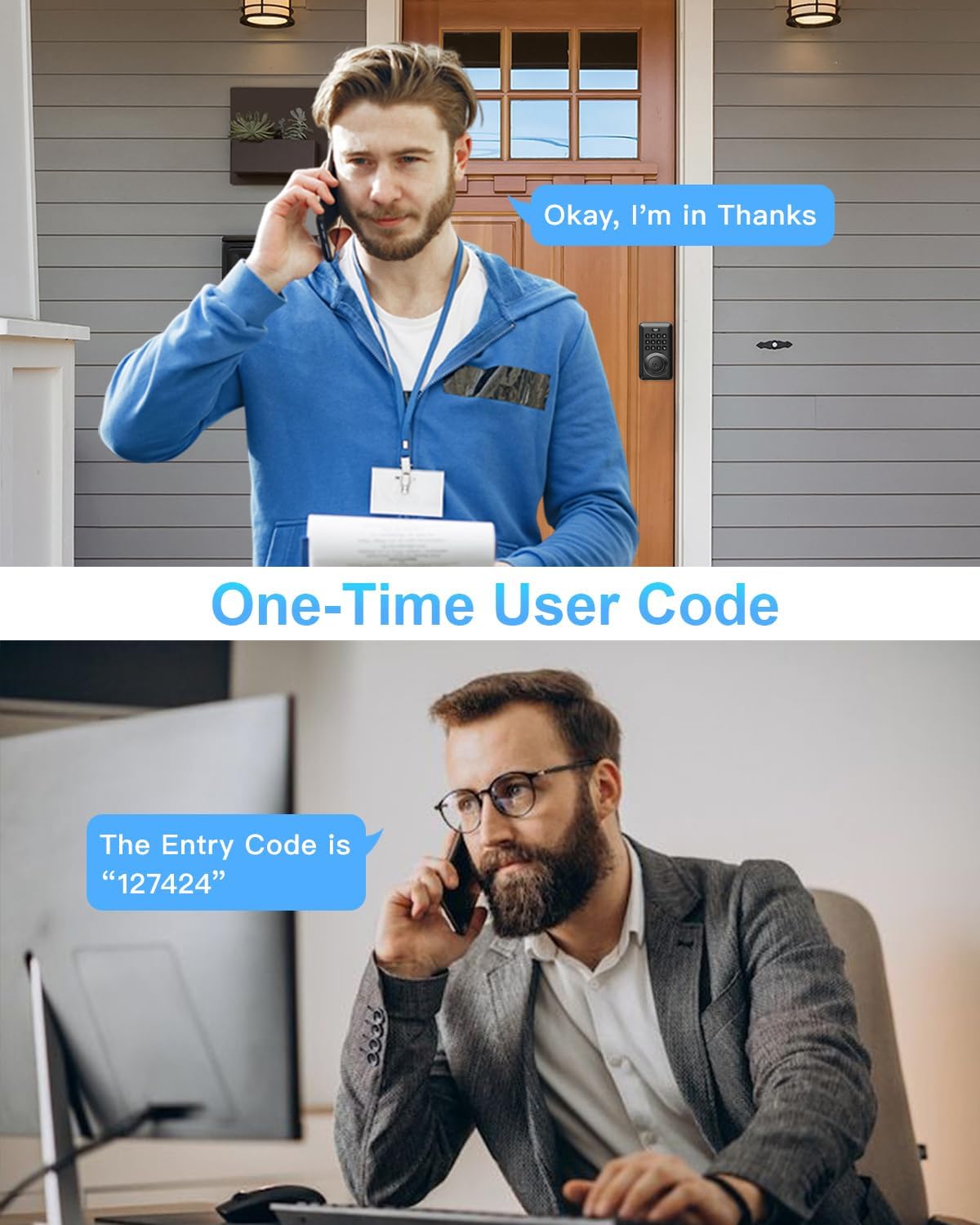
이미지 4.3: Example of using a one-time code for temporary access.

Image 4.4: A delivery person using a temporary one-time code for access.
4.3 잠금 및 잠금 해제
- 키패드 입력: Enter your programmed passcode on the backlit keypad to unlock.
- Anti-Peep Code Protection: To prevent others from guessing your code, you can enter random digits before or after your actual passcode. The lock will still recognize the correct sequence within the longer entry.
- 자동 잠금: The lock can be configured to automatically lock after a set period, ranging from 5 to 900 seconds. This feature ensures your door is always secured.
- 원터치 잠금: A dedicated lock button allows for instant locking with a single press.
- 엄지 돌림: The interior thumb turn can be set to keep the door unlocked for continuous access.

Image 4.5: Auto-lock and one-touch locking features for enhanced convenience.

Image 4.6: Visual guide to auto-lock and one-touch locking functions.

Image 4.7: Anti-peep code protection in action.

Image 4.8: How to use the anti-peep code feature.
4.4 특수 모드
- 음소거 모드: Activate mute mode to silence keypad tones for quiet entry or exit, ideal for late-night use.
- 휴가 모드: This mode enhances security when you are away for an extended period, disabling all regular user codes until a master code reactivates them.

Image 4.9: Mute mode for silent operation.

Image 4.10: Vacation mode for extended security when away.
5. 유지관리
Proper maintenance ensures the longevity and reliable performance of your ApeStellar Keyless Entry Door Lock.
5.1 배터리 교체
The lock is powered by 4 AAA batteries (not included). It features a low battery warning indicator to alert you when batteries need replacement. Battery life is approximately up to 1 year under normal usage conditions.
- When the low battery indicator illuminates or the lock emits a warning sound, replace all four AAA batteries promptly.
- Use high-quality alkaline batteries for optimal performance.

Image 5.1: Low battery alert and estimated battery life.
5.2 청소
Clean the keypad and handle surfaces with a soft, damp 천. 연마성 세척제나 용제는 마감재와 전자 부품을 손상시킬 수 있으므로 사용하지 마십시오.
6. 문제 해결
If you encounter issues with your ApeStellar Keyless Entry Door Lock, refer to the following common troubleshooting steps:
- 잠금이 응답하지 않음: Check the batteries. If the low battery indicator is on, replace all four AAA batteries.
- 코드가 작동하지 않습니다: Ensure you are entering the correct passcode. Try using the anti-peep feature by entering random digits before or after your code. If the issue persists, reprogram the user code.
- Lock Mechanism Malfunction: If the lock mechanism is not engaging or disengaging properly, or if it locks immediately after unlocking, ensure the latch is installed correctly and moves freely. Check for any obstructions in the door frame or strike plate.
- Wrong Code Attempt Limit: The lock has a built-in security feature that temporarily disables the keypad after multiple incorrect code attempts. Wait for the lockout period to expire before trying again.
- Always Keep Backup Keys: In case of electronic malfunction or battery depletion, always have your physical backup keys accessible to prevent being locked out.
7. 보증 및 지원
The ApeStellar Keyless Entry Door Lock comes with a Lifetime Finish and Mechanical Warranty, ensuring the quality and durability of the product's finish and mechanical components.
For technical support, warranty claims, or further assistance, please contact ApeStellar customer service through the retailer where the product was purchased or refer to the contact information provided in the product packaging.