
중요 안전 지침
Before using this elliptical trainer, please read all instructions carefully. Keep this manual for future reference.
- 운동 프로그램을 시작하기 전에 의사와 상담하십시오.
- 사용 중에는 어린이와 애완동물을 장비에 가까이 두지 마십시오.
- Place the elliptical on a level surface with adequate clearance around it.
- 적절한 운동복과 운동화를 착용하세요.
- 최대 사용자 체중 113kg(250lbs)을 초과하지 마십시오.
- 매 사용 전에 장비의 마모되거나 헐거워진 부품이 있는지 점검하십시오. 손상된 경우 사용하지 마십시오.
- 모든 볼트와 너트가 단단히 조여져 있는지 확인하세요.
- 실신, 현기증, 통증을 느끼면 즉시 운동을 중단하세요.
- Use the elliptical only for its intended purpose as described in this manual.
패키지 내용
조립을 시작하기 전에 모든 구성 요소가 있는지 확인하세요.
- 콘솔
- 사용 설명서 (본 문서)
- 도구 키트
- 플라이휠 어셈블리
- 메인 프레임 구성 요소
- Pedals and Arms
- 안정제
누락되거나 손상된 부품이 있는 경우 즉시 고객 지원 센터에 문의하세요.
설정 및 조립
Assembly typically requires two people. Follow the detailed instructions provided in the included assembly guide. The tool kit contains necessary wrenches and an Allen key. A Phillips head screwdriver (not included) may also be required.
- 짐 풀기: Carefully remove all components from the packaging. Place them on a clear, level surface. Retain packaging materials until assembly is complete.
- Stabilizer Installation: 제공된 볼트와 와셔를 사용하여 앞뒤 안정 장치를 본체 프레임에 부착하십시오.
- Upright Assembly: Secure the upright post to the main frame. Ensure all wiring connections are properly routed and connected as per the assembly guide.
- Pedal Arms and Pedals: Attach the pedal arms to the flywheel mechanism and then secure the foot pedals to the pedal arms. Pay attention to left and right markings.
- 콘솔 연결: Connect the console wiring to the upright post's wiring. Mount the console securely to the upright post.
- 최종 확인: Before first use, ensure all bolts, nuts, and connections are tight and secure. Test the movement of the pedals and handlebars for smooth operation.

Image: The ProForm Sport Elliptical fully assembled, illustrating its compact design and key structural components. Dimensions are approximately 150 cm (length) x 65 cm (width) x 156 cm (height).

Image: A user tilting the elliptical to engage the front transport wheels, demonstrating how to easily move the machine for storage or repositioning.
작동 지침
콘솔 오버view
The console features a 5-inch LCD display, resistance control buttons, and a device holder. It provides real-time workout data and allows for iFIT integration.

이미지: 상세 view of the console, highlighting the 5-inch (12.7 cm) LCD display, resistance buttons (1-20), tablet holder, and integrated 2-inch (5 cm) Bluetooth enabled speakers.
저항 조정
The ProForm Sport Elliptical features 20 levels of digital magnetic resistance. This Silent Magnetic Resistance (SMR) system provides a smooth and quiet workout.
- 수동 조정: Use the '+' and '-' buttons on the console to increase or decrease the resistance level during your workout.
- Quick Resistance Buttons: The console also features quick-select buttons (1-20) to jump directly to a desired resistance level.
Using iFIT
The elliptical is designed for seamless integration with the iFIT platform, offering a personalized training experience.
- 장치 연결: Place your smartphone or tablet on the integrated device holder. Connect your device to the elliptical via Bluetooth.
- iFIT App: Download and open the iFIT app on your device. An iFIT membership is required to access the full library of workouts.
- 개인 맞춤형 운동: iFIT offers over 10,000 on-demand workouts led by expert trainers. The SmartAdjust™ technology automatically adjusts the elliptical's resistance to match the workout intensity and your fitness level.
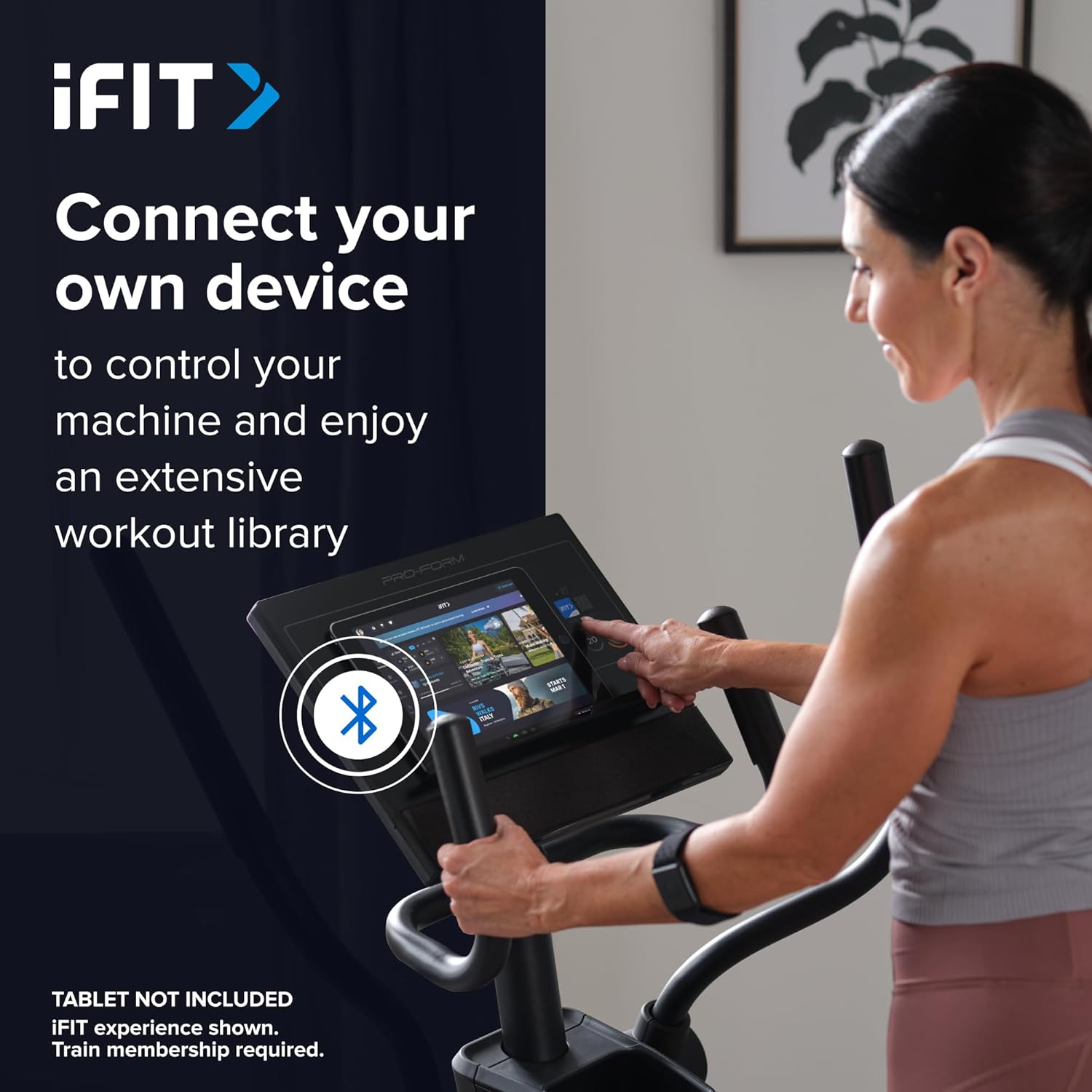
Image: A user connecting a tablet to the elliptical's console, demonstrating how to use a personal device to control the machine and access the iFIT workout library.

Image: An illustration detailing iFIT Train Membership benefits, including the 'Follow Trainer' feature where the machine adjusts to match trainer intensity, and 'SmartAdjust™' for personalized workout intensity based on fitness level.
블루투스 연결
The elliptical's console includes Bluetooth-enabled speakers. You can connect your personal device to play audio directly through the elliptical's speakers.
- 편성: 기기에서 Bluetooth를 활성화하세요. 검색 the elliptical's Bluetooth name (usually "ProForm Elliptical" or similar) and pair.
- 오디오 재생: Once paired, audio from your device will play through the elliptical's 2-inch (5 cm) speakers.
유지
Regular maintenance ensures the longevity and optimal performance of your ProForm Sport Elliptical.
- 청소: Wipe down the elliptical after each use with a damp 땀과 먼지를 제거하려면 천을 사용하세요. 연마성 세제나 용제는 사용하지 마세요.
- 점검: Periodically check all bolts, nuts, and moving parts for tightness and wear. Tighten any loose fasteners. Replace worn parts immediately.
- 매끄럽게 하기: Refer to the detailed assembly guide for specific lubrication points and recommended lubricants, if any.
- 저장: Store the elliptical in a dry, clean environment away from extreme temperatures and direct sunlight.
문제 해결
| 문제 | 가능한 원인 | 해결책 |
|---|---|---|
| 콘솔의 전원이 켜지지 않습니다. | Power adapter not connected; power outlet issue; console wiring loose. | Ensure power adapter is fully plugged into the elliptical and a working outlet. Check console wiring connections. |
| Elliptical makes noise during use. | Loose bolts or components; parts requiring lubrication; worn bearings. | Inspect and tighten all visible bolts and nuts. Refer to the assembly guide for lubrication points. If noise persists, contact customer support. |
| 저항은 변하지 않습니다. | Console malfunction; internal resistance mechanism issue. | Ensure console is properly connected. If using iFIT, check app connection. If problem persists, contact customer support. |
| 블루투스 오디오 연결이 안 됩니다. | Device Bluetooth off; elliptical not in pairing mode; interference. | Ensure Bluetooth is enabled on your device. Restart both device and elliptical. Try pairing again. Move closer to the elliptical. |
명세서
| 모델 이름: | ProForm Sport Elliptical |
| 모델 번호: | PFEL54925-INT |
| 상표: | 프로폼 |
| 치수(길이 x 너비 x 높이): | 150cm x 65cm x 156cm(59.1인치 x 25.6인치 x 61.4인치) |
| 품목 무게: | 52.7kg(116.2파운드) |
| 최대 사용자 무게 : | 113kg(250파운드) |
| 저항 메커니즘: | Magnetic (Silent Magnetic Resistance - SMR) |
| 저항 수준: | 20개의 디지털 레벨 |
| 보폭: | 40.6cm(16인치) |
| 표시하다: | 5인치 LCD |
| 연결성: | Bluetooth (for iFIT and audio) |
| 포함된 구성 요소: | Console, User Manual, Tool Kit, Flywheel |
보증 정보
Your ProForm Sport Elliptical is covered by the following warranty:
- 액자: 8 years contractual warranty (total 10 years).
- 부품 및 인력: 2 years legal warranty.
*The extended frame warranty is valid only if the product registration is completed on https://ifitsupport.eu/it/product-registration 제품 배송 후 28일 이내.
보증 청구를 위해 구매 증명서를 보관하십시오.
고객 지원
For technical assistance, warranty claims, or to order replacement parts, please contact ProForm customer support.
Refer to the contact information provided with your purchase or visit the official ProForm website for support details in your region.
When contacting support, please have your model number (PFEL54925-INT) and serial number ready.