
1. 안전 정보
Please read all safety instructions carefully before assembling and using the chair. Keep this manual for future reference.
- 의자는 반드시 제공된 설명서에 따라 조립하십시오.
- Do not exceed the maximum weight capacity of 120 kg (265 lbs) to ensure stability and safety.
- 사용 전에 모든 나사와 볼트가 단단히 조여졌는지 확인하십시오. 주기적으로 점검하고 필요하면 다시 조여주십시오.
- 의자 위에 서거나 의자를 발판으로 사용하지 마십시오.
- 조립하는 동안 어린이가 의자에 가까이 가지 않도록 하십시오. 작은 부품이 질식 위험을 초래할 수 있습니다.
- 평평하고 안정적인 표면 위에서 의자를 사용하세요.
2. 제품 오버view
The HOMCOM Swivel Velvet Fabric Office Chair is designed for comfort and functionality in various settings, including home offices and study areas. It features a soft, velvet-feel upholstery and an ergonomic design for extended use.
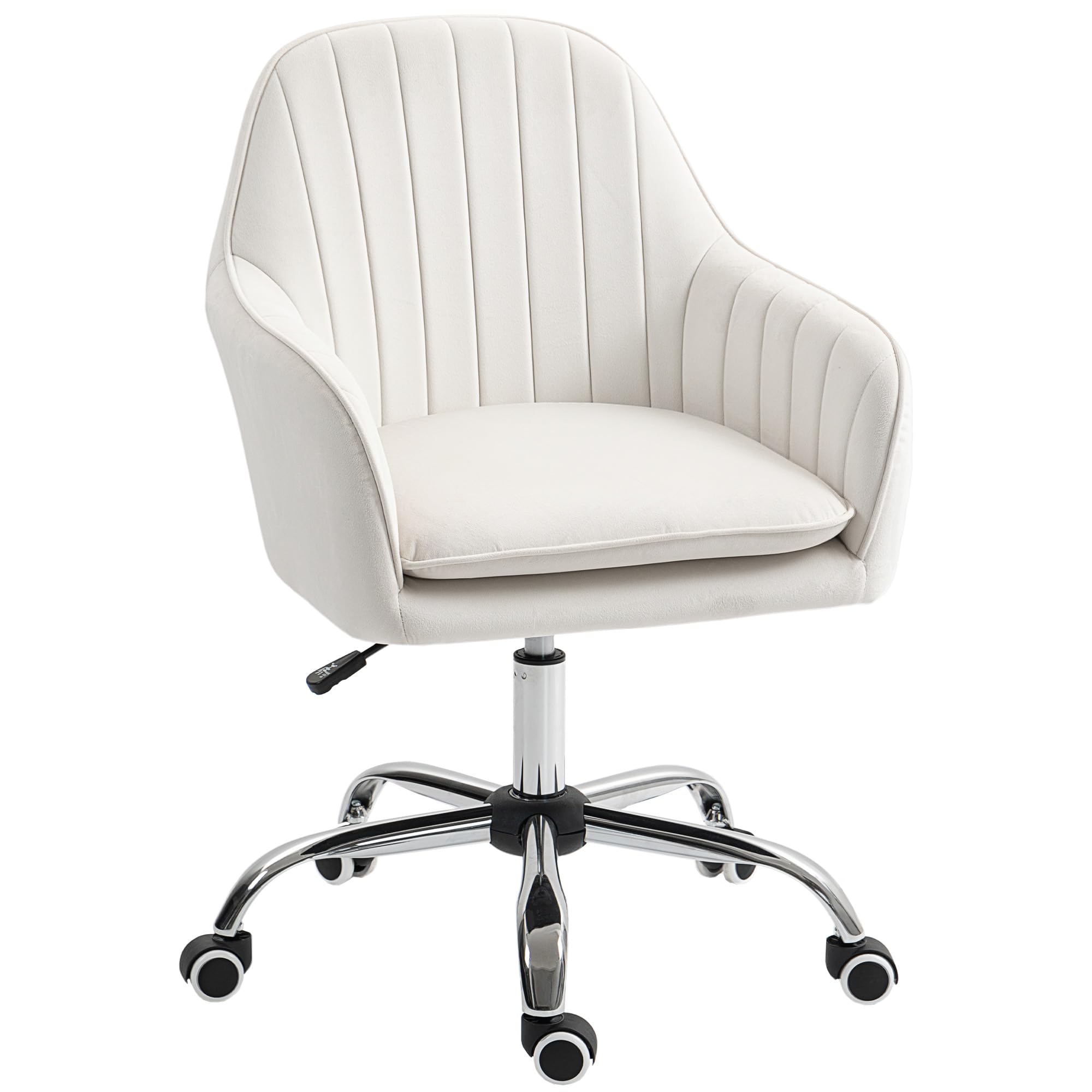
Image: The HOMCOM Swivel Velvet Fabric Office Chair in Cream White, showcasing its elegant design and soft upholstery.
주요 특징:
- Soft, velvet-feel upholstery in a curved tub shape.
- Comfortable foam padding and a padded seat cushion for extended use.
- Adjustable height mechanism (84-97cm) to suit various desk levels.
- Five smooth-rolling wheels for easy mobility.
- High back and armrests for enhanced support.
- 최대 하중 용량은 120kg입니다.
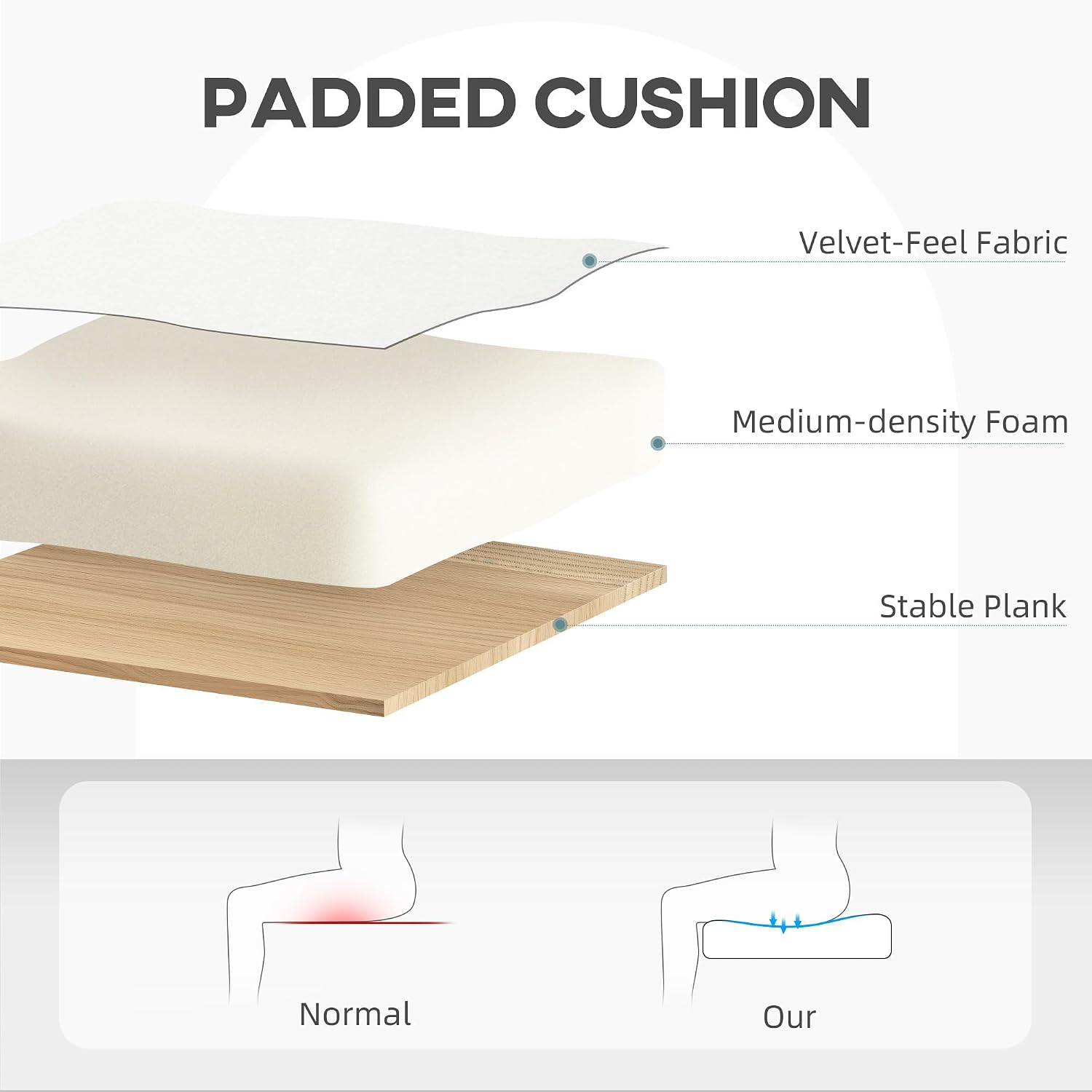
Image: A diagram showing the construction of the padded cushion, including velvet-feel fabric, medium-density foam, and a stable plank for comfort and support.
3. 조립 설명서
이 의자는 조립이 필요합니다. 다음 단계를 주의 깊게 따라주세요. 파손 방지를 위해 부드럽고 깨끗한 표면에서 조립하는 것이 좋습니다.
- 구성 요소 풀기: Carefully remove all parts from the packaging and lay them out on a clean, flat surface. Verify that all components listed in the parts list are present.
- 바퀴를 받침대에 부착: 별 모양의 받침대에 있는 구멍에 바퀴 5개를 끼워서 딸깍 소리가 나면서 단단히 고정되도록 합니다.
- 가스 리프트 삽입: 가스 리프트 실린더를 스타베이스의 중앙 구멍에 놓습니다.
- 시트 플레이트 부착: Secure the seat plate mechanism to the underside of the seat cushion using the provided screws. Ensure the lever is facing the front of the seat.
- 좌석을 가스 리프트에 연결: 조립된 좌석을 가스 리프트 실린더에 조심스럽게 올려놓고 중앙에 위치하며 안정적으로 고정되었는지 확인하세요.

이미지: 상세 view of the chair's swivel mechanism, gas lift, and stable five-star base with wheels, illustrating key components for assembly.
Once assembled, sit on the chair to ensure the gas lift is properly seated and all connections are firm.
4. 사용 설명서
4.1. 좌석 높이 조절
좌석 높이를 조정하려면:
- 좌석을 올리려면: While seated, lift the lever located under the right side of the seat. The seat will rise automatically. Release the lever when the desired height is reached.
- 좌석을 낮추려면: While seated, lift the lever located under the right side of the seat. Apply slight pressure to the seat. The seat will lower. Release the lever when the desired height is reached.
- To raise the seat without sitting: Lift the lever. The seat will rise to its maximum height.

Image: The adjustable height mechanism, highlighting the lever used to raise or lower the seat to a comfortable working position.
4.2. 회전 기능
이 의자는 360도 회전 기능을 갖추고 있어 받침대를 움직이지 않고도 쉽게 회전시킬 수 있습니다. 좌석을 원하는 방향으로 돌리기만 하면 됩니다.
4.3. 이동성
The five smooth-rolling PU wheels allow for easy movement across various floor types, including wooden floors, carpets, and marble floors. The wheels are designed to be quiet and gentle on surfaces.

Image: Illustration of the chair's PU wheels, emphasizing their suitability for different floor surfaces and quiet operation.
5. 유지관리
Proper maintenance will extend the life of your HOMCOM office chair.
- 청소: 광고로 깨끗이 닦아내세요amp cloth. For velvet fabric, use a soft brush or vacuum cleaner to remove dust and debris. Spot clean any spills immediately with a mild fabric cleaner, testing on an inconspicuous area first. Avoid harsh chemicals.
- 정기 점검: Periodically inspect all screws and bolts to ensure they are tight. Re-tighten if necessary to maintain stability and safety.
- 휠 관리: 바퀴에 머리카락이나 이물질이 끼지 않도록 하여 원활한 주행을 유지하십시오.
- 직사광선을 피하세요: 직사광선에 장시간 노출되면 원단이 탈색될 수 있습니다.

이미지: 클로즈업 view of the chair's velvet-feel fabric, demonstrating its soft texture and highlighting the importance of gentle cleaning.
6. 문제 해결
의자에 문제가 발생하면 다음의 일반적인 문제와 해결 방법을 참조하세요.
- 의자 높이 조절이 안 돼요:
- 가스 리프트 레버가 완전히 체결되었는지 확인하십시오.
- Check if the gas lift cylinder is properly inserted into the base and seat mechanism.
- 의자가 흔들리는 느낌이 듭니다.
- Verify that all screws and bolts are securely tightened.
- 의자가 평평하고 고른 표면에 놓여 있는지 확인하십시오.
- 바퀴가 원활하게 굴러가지 않습니다.
- Check for any debris (hair, dust, etc.) caught in the wheels and remove them.
- Ensure the wheels are fully inserted into the star base.
문제가 지속되면 고객 지원팀에 문의하세요.
7. 사양
Detailed specifications for the HOMCOM Office Chair (Model: 921-747V70CW):
| 특징 | 세부 사항 |
|---|---|
| 상표 | 홈컴 |
| 모델 번호 | 921-747V70CW |
| 색상 | 크림 화이트 |
| 재료 | Alloy Steel (Frame), Polyester (Seat Fabric), Foam (Filling) |
| 전체 치수(D x W x H) | 58D x 57W x 84-97H cm |
| 높이 조절 범위 | 84~97cm |
| 좌석 높이 (조절 가능) | 49~57cm |
| 좌석 깊이 | 43cm |
| 좌석 폭 | 57cm |
| Backrest Height (Inner) | 35cm |
| 등받이 너비 | 52cm |
| 팔걸이 높이(좌석 기준) | 13cm |
| 품목 무게 | 8.8 킬로그램 |
| 최대 하중 용량 | 120 킬로그램 |
| 특별 기능 | Adjustable Height, 360° Swivel, Rolling Wheels |
| 조립이 필요합니다 | 예 |
| 권장 사용 | Office, Home, Study |
| 관리 지침 | 닦아내십시오 |
| 실내/실외 사용 | 실내 |
| 가구베이스 이동 | 받침 |

Image: A diagram illustrating the key dimensions of the office chair, including height, width, and depth measurements.
8. 보증 및 지원
For warranty information or technical support, please contact HOMCOM customer service. Keep your purchase receipt and model number (921-747V70CW) handy when contacting support.
일반적으로 제조업체의 웹사이트에서 연락처 정보를 찾을 수 있습니다. web사이트나 소매업체를 통해 구매하세요.
온라인 리소스: For additional support and FAQs, visit the official HOMCOM web대지: 홈컴 공식 Web대지