
1. 제품 오버view
The MILESEEY D5-APP-US is a high-precision laser distance meter designed for various measurement tasks. It features smart app connectivity, an electronic angle sensor, and multiple measurement modes for efficiency and accuracy.
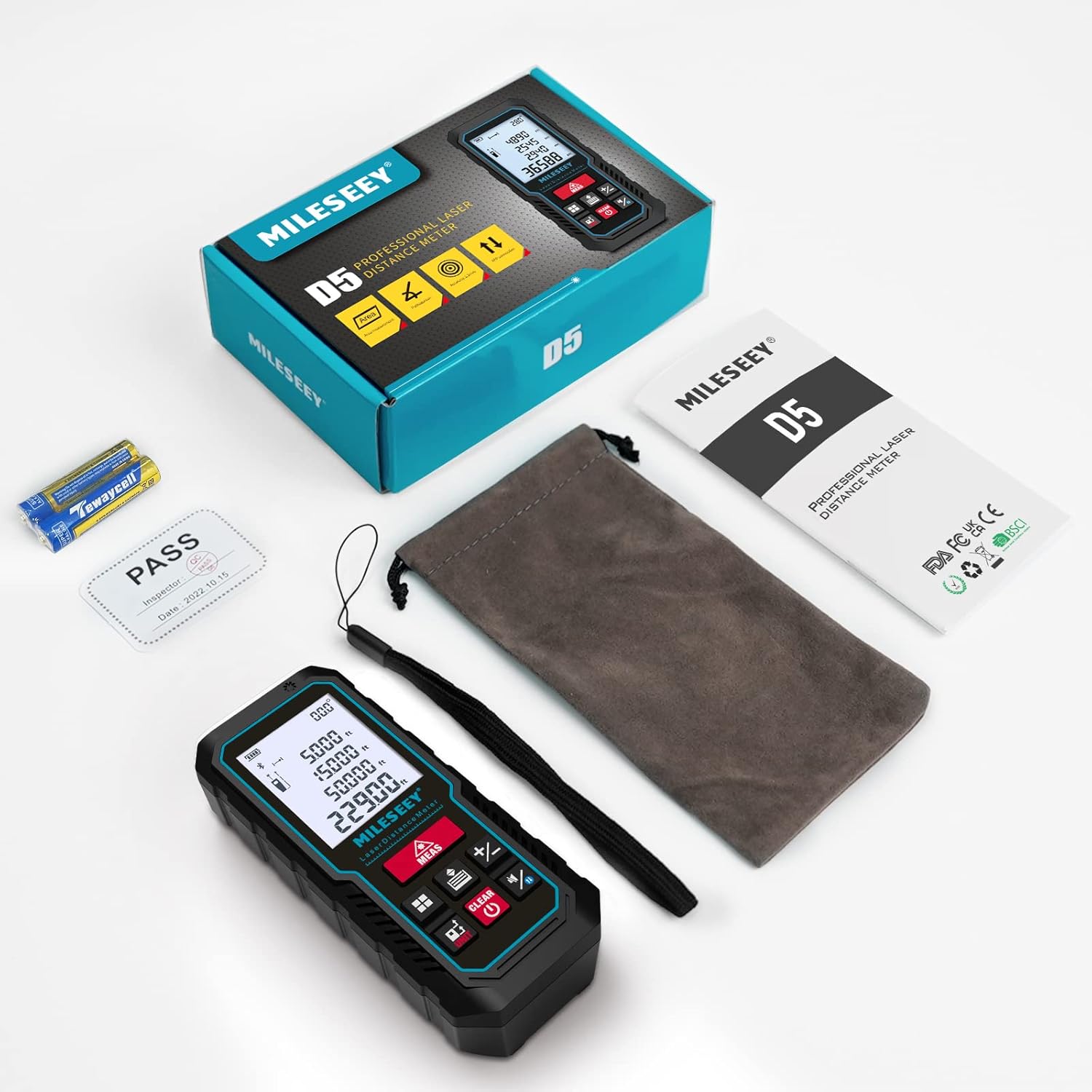
Figure 1: MILESEEY D5-APP-US Laser Measuring Tool and included accessories. The package contains the laser measure, a portable bag, a portable bracelet, a user manual, and 2 x 1.5V AAA batteries.
2. 설정
2.1 배터리 설치
The device requires 2 x 1.5V AAA alkaline batteries. Ensure correct polarity when inserting the batteries into the compartment located on the back of the device.
2.2 전원 켜기/끄기
장치의 전원을 켜려면 측정 button. The laser will stand by for measurement. To power off, long-press the 끄기/지우기 button. The device will automatically shut off after 180 seconds of inactivity to conserve power.
2.3 유닛 전환
To switch measurement units (M/FT/IN), long-press the 단위 button. The device supports various units including meters, feet, inches, and fractional inches. For area and volume measurements, only m² / m³ and ft² / ft³ are available.
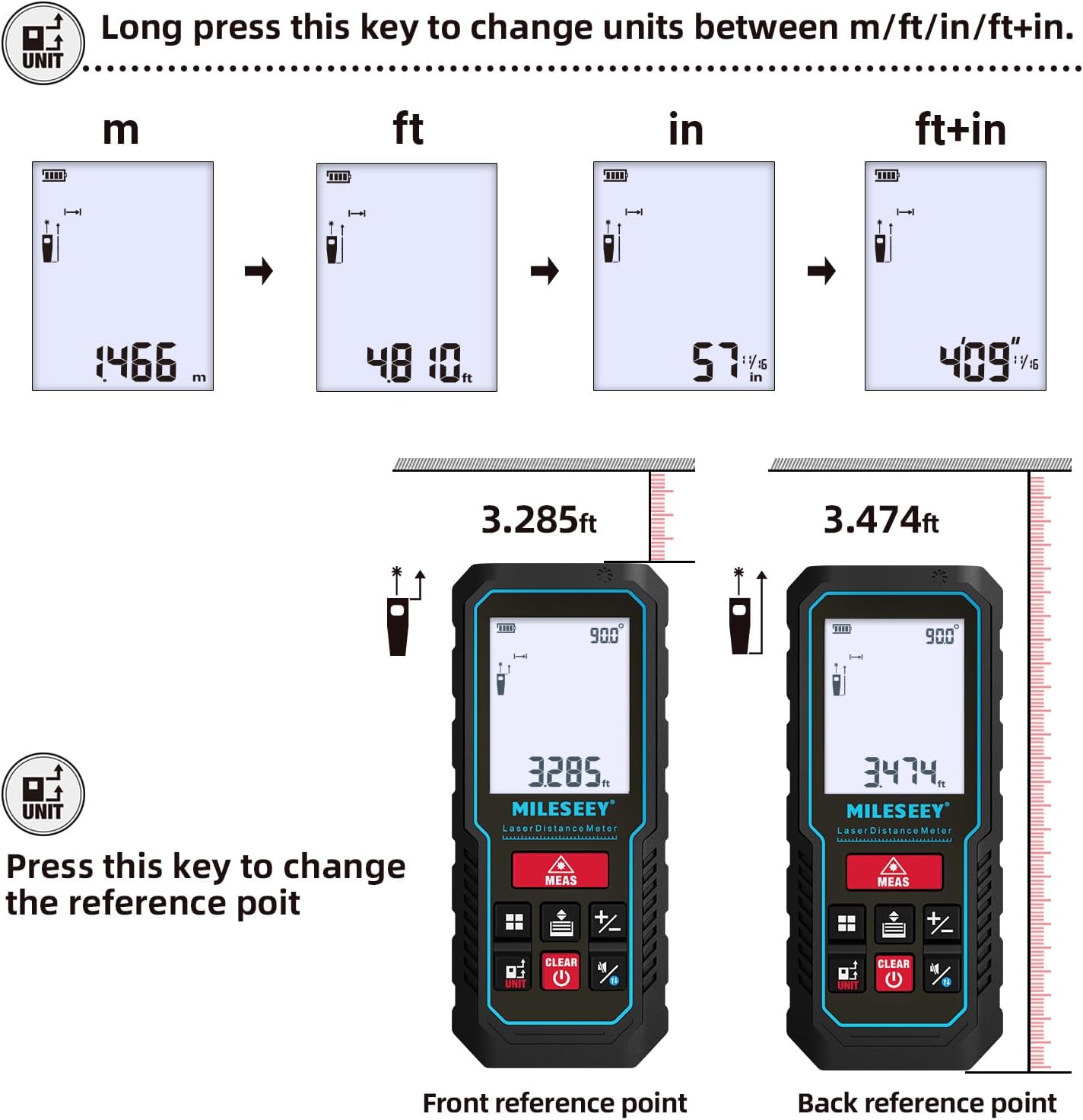
Figure 2: Instructions for changing measurement units and setting reference points. Long-press the UNIT button to cycle through units (m, ft, in, ft+in). Short-press the UNIT button to change the reference point between front and back.
2.4 Reference Point Setting
The default reference point is the end of the device. To change the reference point (front or back), short-press the 단위 button. This is crucial for accurate measurements depending on where the device is placed.
2.5 Buzzer On/Off
To turn the buzzer sound on or off, long-press the sound button. A speaker icon with a cross will appear on the display when the buzzer is off.
2.6 Smart APP Connectivity
The MILESEEY D5-APP-US syncs with the "Smart Life" app for real-time data transfer and storage of up to 1000 sets. The app allows you to create 2D floor plans or annotate images with measurements.
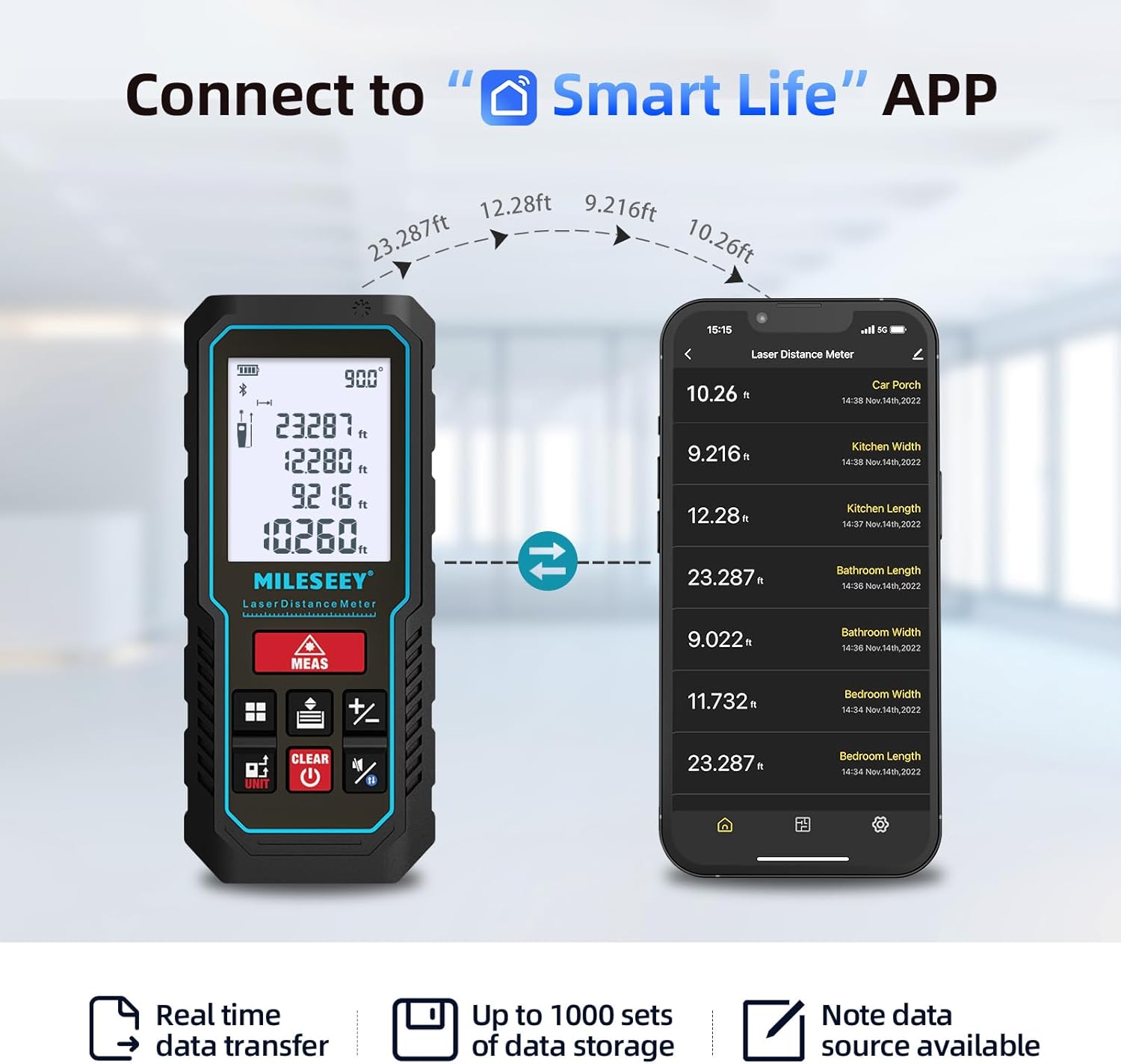
Figure 3: The laser measuring tool connected to the Smart Life app, showing real-time data transfer and storage capabilities.

Figure 4: The Smart Life app allows users to draw on pictures or create hand-drawn floor plans with integrated measurements.
Video 1: This video demonstrates how the Huepar (similar brand) app works with a laser measuring tool, showcasing features like real-time data transfer and floor plan creation. This functionality is comparable to the MILESEEY D5-APP-US with the Smart Life app.
3. 작동 모드
3.1 단일 측정
를 누르세요 측정 button once to activate the laser. Press it again to take a single distance measurement. The result will be displayed on the screen.
3.2 연속 측정
길게 누르세요 측정 button for 2-3 seconds to enter continuous measurement mode. The device will continuously measure and display the maximum, minimum, and current values. Short-press 측정 again to stop and display the final data.
3.3 면적 측정
를 누르세요 방법 button until the area icon appears. Take two consecutive measurements (length and width). The device will automatically calculate and display the area.
3.4 체적 측정
를 누르세요 방법 button until the volume icon appears. Take three consecutive measurements (length, width, and height). The device will automatically calculate and display the volume.
3.5 Pythagorean Measurement (Indirect Length)
The device supports 2-point and 3-point Pythagorean measurements for indirect length calculations. Press the 방법 button until the desired Pythagorean icon appears. Follow the on-screen prompts to take the required measurements. For best accuracy, especially with handheld measurements, using a tripod is recommended.
Video 2: This video provides a detailed guide on various measurement methods for a laser measuring tool, including single, continuous, area, volume, and Pythagorean measurements. This is directly applicable to the MILESEEY D5-APP-US.
3.6 덧셈과 뺄셈
To add or subtract measurements, take the first measurement, then press the + or - button. Take the next measurement, and the result of the operation will be displayed. This function can be used for length, area, and volume calculations.
3.7 전자식 각도 센서
The device features an advanced electronic angle sensor that provides real-time angle display. This allows for faster and more accurate measurements compared to traditional bubble levels, especially for indirect height and distance calculations.
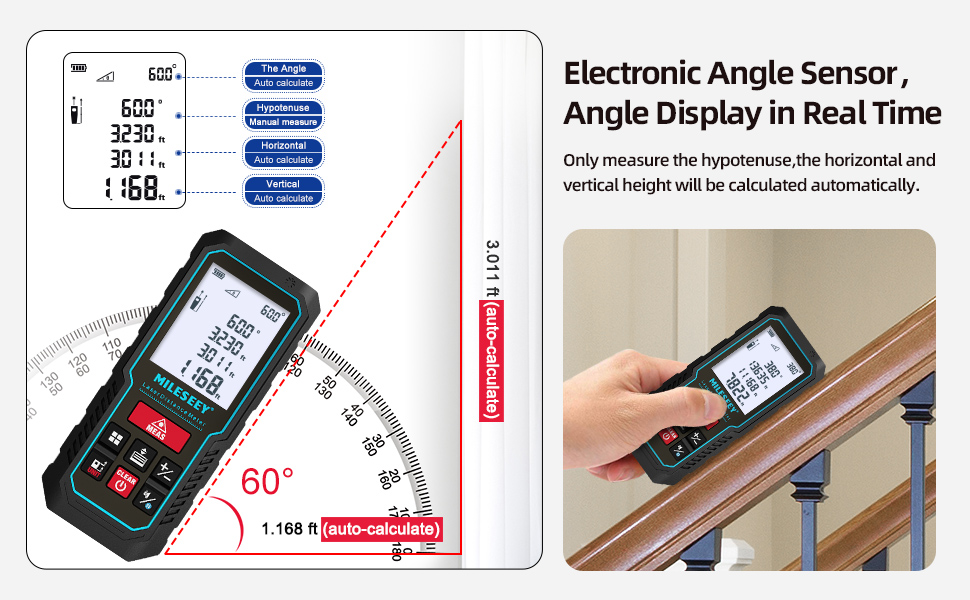
Figure 5: The electronic angle sensor provides real-time angle display, enhancing accuracy for various measurements.
4. 유지관리
4.1 Accuracy Check
To check the accuracy of the measuring tool, select a permanently unchangeable indoor measuring section (approx. 9.8 to 32 ft or 3 to 10 m long) with weak backlighting and a smooth, reflective target area (e.g., a white-painted wall). Measure the distance 10 times in succession. The deviation of individual measurements from the average value must not exceed ±0.12 in (±2 mm). Record these measurements to compare accuracy at a later date.
4.2 일반 관리
Keep the device clean and dry. Avoid exposing it to extreme temperatures or direct sunlight for extended periods. The device has an IP54 rating, indicating protection against dust and splashing water, but it is not fully waterproof.

Figure 6: The device features an IP54 rating for dust and splash resistance.
5. 문제 해결
The device displays error codes for various issues. Refer to the table below for common error codes and their corrective measures.
| 오류 코드 | 원인 | 시정 조치 |
|---|---|---|
| 오류10 | 배터리가 너무 부족합니다. | 배터리를 교체하거나 기기를 충전하세요. |
| 오류15 | 범위를 벗어남 | 범위 내에서 측정 대상 |
| 오류16 | 수신 신호가 너무 약하고 측정 시간이 너무 깁니다. | 반사율이 높은 반사판을 사용하십시오. |
| 오류18 | 배경 밝기가 너무 높습니다 | 반사율이 낮은 반사판을 사용하십시오. |
| 오류26 | 기기의 디지털 디스플레이 범위를 벗어났습니다. | Switch units or measure within the digital display range |
6. 사양
| 특징 | 사양 |
|---|---|
| 측정 범위 | 최대 229피트 |
| 정확성 | ±2mm |
| 측정 속도 | 0.5초 |
| 각도 센서 | Electronic, real-time display |
| 단위 | Meters (M), Feet (FT), Inches (IN) |
| 표시하다 | 2" Large Easy Read Backlit LCD |
| 앱 연결 | Smart Life app (data transfer, floor plans, image annotation) |
| 데이터 저장 | Up to 1000 sets (via app), 30 sets (on device) |
| 자동 종료 | 180초 동안 활동이 없음 |
| 배터리 유형 | 2 x 1.5V AAA Alkaline batteries |
| 재료 | 아크릴로 니트릴 부타디엔 스티렌 |
| 치수 | 2.49 x 11 x 4.55cm |
| 무게 | 200g |
| 방수성 | Not Water Resistant (IP54 dust and splash resistant) |
7. 보증 및 지원
The MILESEEY D5-APP-US Laser Measuring Tool comes with a 2-year warranty. For technical support or warranty claims, please refer to the contact information provided in the product packaging or on the official MILESEEY web대지.