
소개
The Xiaomi Smart Camera C500 is an advanced indoor surveillance camera designed to provide comprehensive monitoring for your home. Featuring a dual-lens system, 4-megapixel resolution, and dual-band Wi-Fi 6 connectivity, it offers enhanced security features such as human tracking, crying detection, and pet tracking. This manual provides detailed instructions for setting up, operating, and maintaining your camera to ensure optimal performance.
안전 정보
- 카메라가 떨어지지 않도록 안정적인 위치에 설치하세요.
- 기기와 함께 제공된 원래 전원 어댑터만 사용하세요.
- 카메라를 극한의 온도, 습도 또는 직사광선에 노출시키지 마세요.
- Keep the camera away from water or other liquids. This product is not water-resistant.
- Do not attempt to disassemble or repair the camera yourself. Contact authorized service personnel for assistance.
- 어린이의 손이 닿지 않는 곳에 보관하세요.
패키지 내용
패키지에 모든 품목이 들어 있는지 확인하세요.
- 1 × Xiaomi Smart Camera C500 4MP Dual Lens with Wi-Fi 6 Dual-Band
- 전원 어댑터
- Mounting Accessories (if applicable for ceiling/wall mount)
- 사용자 설명서
제품 끝view
The Xiaomi Smart Camera C500 features a compact dome design with dual lenses for extended coverage. It includes a power port, status indicator light, and a microSD card slot for local storage.
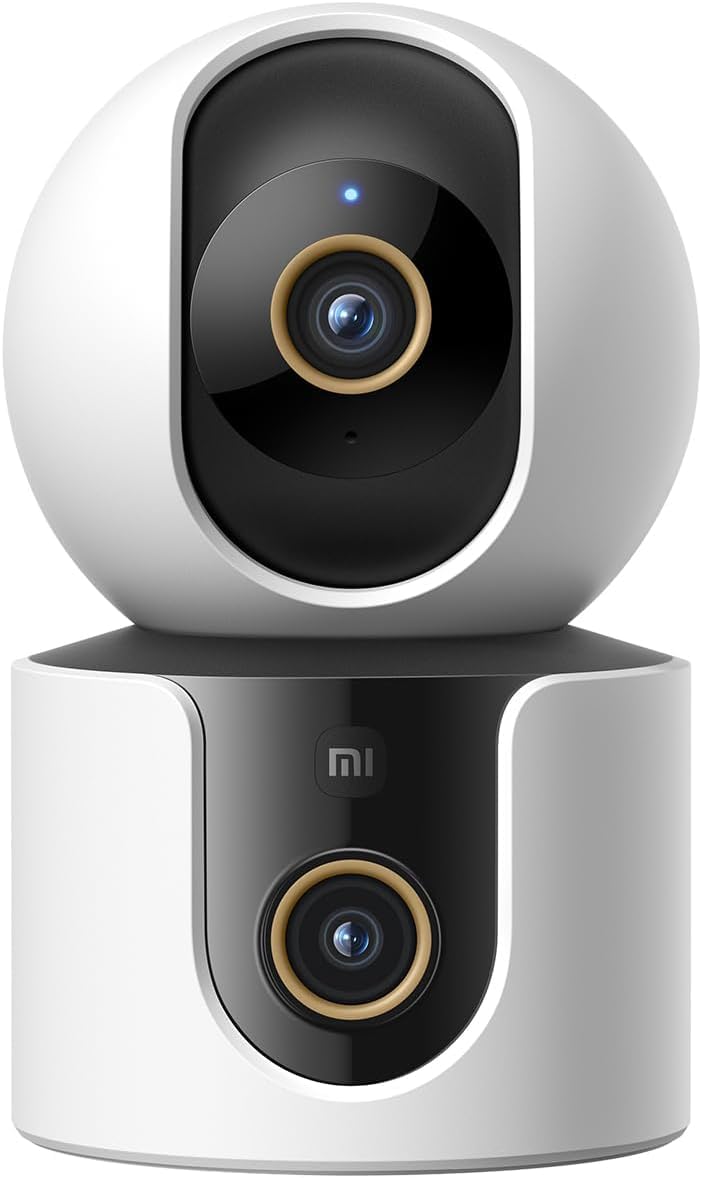
그림 1: 전면 view of the Xiaomi Smart Camera C500, showing its dual-lens design and white and black casing.

그림 2: 상향식 view of the Xiaomi Smart Camera C500, highlighting its spherical upper section and ventilation holes.

그림 3: 측면 view of the Xiaomi Smart Camera C500, showing the power input and other ports on the base.
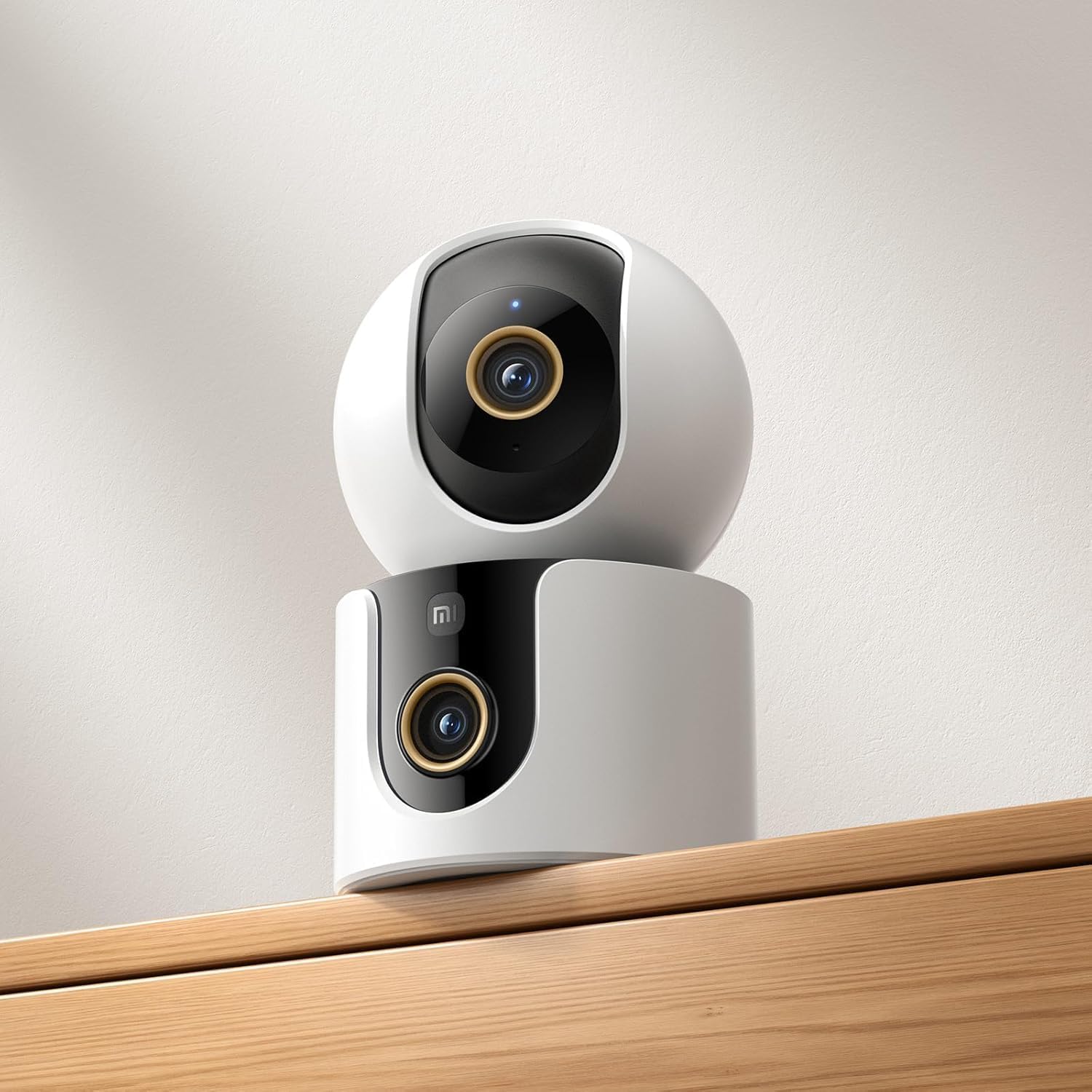
Figure 4: The Xiaomi Smart Camera C500 positioned on a wooden shelf, demonstrating its compact size and discreet placement.
설정
1. 전원 켜기
- 전원 어댑터를 카메라의 전원 입력 포트에 연결합니다.
- 전원 어댑터를 벽면 콘센트에 꽂으세요.
- The camera will automatically power on, and the indicator light will begin to flash, indicating it is ready for connection.
2. 앱 설치
- 다운로드 샤오미 홈 스마트폰 앱 스토어(Android의 경우 Google Play Store, iOS의 경우 Apple App Store)에서 앱을 다운로드하세요.
- 앱을 열고 샤오미 계정을 만들거나 이미 계정이 있는 경우 로그인하세요.
3. 앱과 페어링
- In the Xiaomi Home app, tap the "+" icon in the top right corner to add a new device.
- 사용 가능한 기기 목록에서 샤오미 스마트 카메라 C500을 선택하세요.
- Follow the on-screen instructions to connect the camera to your Wi-Fi network. Ensure your phone is connected to a 2.4GHz or 5GHz Wi-Fi network (the camera supports dual-band Wi-Fi 6).
- Scan the QR code displayed on your phone screen using the camera lens. You will hear a voice prompt confirming successful scanning.
- 연결되면 카메라 이름을 지정하고 특정 방에 할당할 수 있습니다.
4. 카메라 장착
The camera supports tabletop placement or ceiling/wall mounting.
- 탁상용 마운트: 카메라를 평평하고 안정적인 표면에 놓으십시오.
- 천장/벽면 설치형: Use the provided mounting base and screws to secure the camera to a desired location. Ensure the camera is securely attached and has a clear field of view.
작동 지침
1. 라이브 View
Open the Xiaomi Home app and select your camera to view the live feed. You can pan and tilt the camera remotely using the controls in the app to achieve 360-degree coverage.
2. 녹음 및 재생
- 로컬 스토리지: Insert a microSD card (up to 256GB) into the camera's slot for continuous or event-triggered recording.
- 클라우드 스토리지: Optional cloud storage services may be available through the Xiaomi Home app for secure backup of recordings.
- 재생: 기록된 foo에 액세스tage through the app's playback feature, navigating by date and time.
3. 양방향 오디오
Use the microphone and speaker icon in the live view interface to enable two-way communication. This allows you to speak through the camera and hear audio from its location.
4. Motion Detection and Human Tracking
The camera can detect motion and intelligently track human figures. Enable these features in the app settings to receive alerts and automatically record when activity is detected.
5. Crying Detection
For parents, the crying detection feature can be enabled to send instant notifications to your phone when a baby's cry is detected, allowing for quick response.
6. 반려동물 추적
The camera can also track pets, providing alerts and recording their movements. This feature is useful for monitoring your furry companions throughout the day.
7. 야간 투시경
The camera automatically switches to ultra-low light color mode or infrared night vision in dim conditions, ensuring clear visibility up to 15 meters even in complete darkness.
유지
- 청소: 부드럽고 마른 천으로 카메라 렌즈와 본체를 부드럽게 닦으세요. 강한 화학 물질이나 연마성 세척제는 사용하지 마세요.
- 펌웨어 업데이트: Regularly check for and install firmware updates through the Xiaomi Home app to ensure optimal performance and access to new features.
- MicroSD 카드: If using a microSD card, periodically check its status and format it if necessary to maintain recording quality and prevent data corruption.
문제 해결
| 문제 | 가능한 해결책 |
|---|---|
| 카메라가 Wi-Fi에 연결되지 않습니다 | Ensure your Wi-Fi network is 2.4GHz or 5GHz. Check Wi-Fi password. Move camera closer to router. Reset camera and try pairing again. |
| 라이브 없음 view 또는 녹음 | Check power connection. Ensure Wi-Fi is stable. Verify microSD card is inserted correctly and not full. Check app permissions. |
| 비디오 품질이 좋지 않음 | Clean the camera lens. Ensure adequate lighting. Check Wi-Fi signal strength. Adjust video resolution settings in the app. |
| 알림이 수신되지 않았습니다. | Check app notification settings on your phone. Ensure motion/crying detection is enabled in the camera settings. Verify app has necessary permissions. |
| 양방향 오디오가 작동하지 않음 | Check microphone and speaker settings in the app. Ensure phone volume is up. Avoid placing camera in noisy environments. |
명세서
| 특징 | 세부 사항 |
|---|---|
| 브랜드 이름 | 샤오미 |
| 모델명 | 감시 카메라 |
| 모델 번호 | C500 듀얼 |
| 제품의 권장 용도 | 실내 보안 |
| 연결 기술 | 무선 전화 |
| 특별 기능 | 고화질 |
| 실내/실외 사용 | 실내 |
| 호환 장치 | 스마트폰 |
| 전원 | 코드식 전기 |
| 통신 프로토콜 | Wi-Fi 네트워크 |
| 컨트롤러 유형 | 아마존 알렉사 |
| 장착 유형 | 탁상형, 독립형 |
| 색상 | 하얀색 |
| 폼 팩터 | 둥근 천장 |
| 재료 | 아크릴로니트릴 부타디엔 스티렌(ABS) |
| 방수 레벨 | 방수가 되지 않음 |
| 아이템 모양 | 둥근 천장 |
| 경고 유형 | 오디오 및 모션 |
| 객실 유형 | 사무실 |
| 광원 | 적외선 |
| 이미지 센서 해상도 | 4메가픽셀 |
| 제어 방법 | 앱을 통해 |
| 권tage | 5.0 |
| 왓tage | 10.0 |
| 배터리가 필요하세요? | 아니요 |
| 채널 수 | 2 |
| 비디오 인코딩 | H.265 |
| 비디오 캡처 형식 | MPEG-4 |
| 나이트 비전 범위 | 15 미터 |
| 나이트 비전 | 밤의 색깔 |
| Number of Infrared LED Lights | 10 |
| 플래시 메모리 유형 | 마이크로SD |
| Maximum Supported Flash Memory Size | 256GB (XNUMX기가바이트) |
| 항목 수 | 1 |
| 특정 제품 용도 | 360도 커버리지, 감시 |
| 제조업체 | 샤오미 |
| 무선 통신 기술 | 와이파이 |
| 비디오 캡처 해상도 | 1080p |
| 프레임 속도 | 초당 25프레임 |
| View잉 각도 | 360도 |
| 초점 유형 | 자동 초점 |
| 이미지 센서 기술 | CMOS |
| 품목 치수 | 7.8 x 7.8 x 11.5cm |
| 품목 무게 | 327그램 |
| 단위 수 | 1.0 카운트 |
보증 및 지원
보증 관련 정보는 제품 포장에 동봉된 보증 카드를 참조하시거나 샤오미 공식 웹사이트를 방문하십시오. website. For technical support, troubleshooting assistance, or to report issues, please contact Xiaomi customer service through their official channels or the Xiaomi Home app.
You can find additional resources and FAQs on the Xiaomi official support page.