
1. 서론
The Focal Lensys Professional Closed-Back Headphones are engineered for detailed audio monitoring and playback. Featuring advanced Aluminum/Magnesium (Al/Mg) drivers and a sound-isolating design, these headphones provide an immersive listening experience for studio work, monitoring sessions, and general audio enjoyment. This manual provides essential information for the proper setup, operation, and maintenance of your Lensys Professional headphones.

Image 1.1: Focal Lensys Professional Closed-Back Headphones, showcasin전체적인 디자인을 고려했습니다.
2. 설정
2.1 포장 풀기 및 내용물
Carefully unpack your headphones and verify that all components are present:
- Focal Lensys Professional Closed-Back Headphones
- 보호 케이스
- Audio Cables (various lengths/types may be included)

Image 2.1: The various audio cables supplied with the headphones for different connection needs.
2.2 헤드폰 연결하기
- Identify the 3.5mm audio jack on your audio source (e.g., laptop, desktop, cellphone, tablet, gaming console, smart speaker).
- Select the appropriate audio cable from the included accessories.
- Insert one end of the audio cable into the designated port on the Focal Lensys Professional headphones.
- Insert the other end of the audio cable into the 3.5mm audio jack of your audio source.
오디오 중단을 방지하려면 연결이 안전한지 확인하세요.
2.3 편안함을 위한 조정
The Lensys Professional headphones are designed with memory foam earpads and a flexible headband for extended comfort. To achieve the best fit:
- Adjust the headband slides on both sides until the earpads sit comfortably over your ears, ensuring a snug but not overly tight fit.
- The memory foam earpads will conform to the shape of your ears, providing optimal sound isolation and comfort.
3. 사용 설명서
3.1 기본 오디오 재생
Once connected to your audio source, begin playing audio. Adjust the volume directly from your connected device. The headphones are designed for a neutral sound profile, making them suitable for critical listening and mixing.
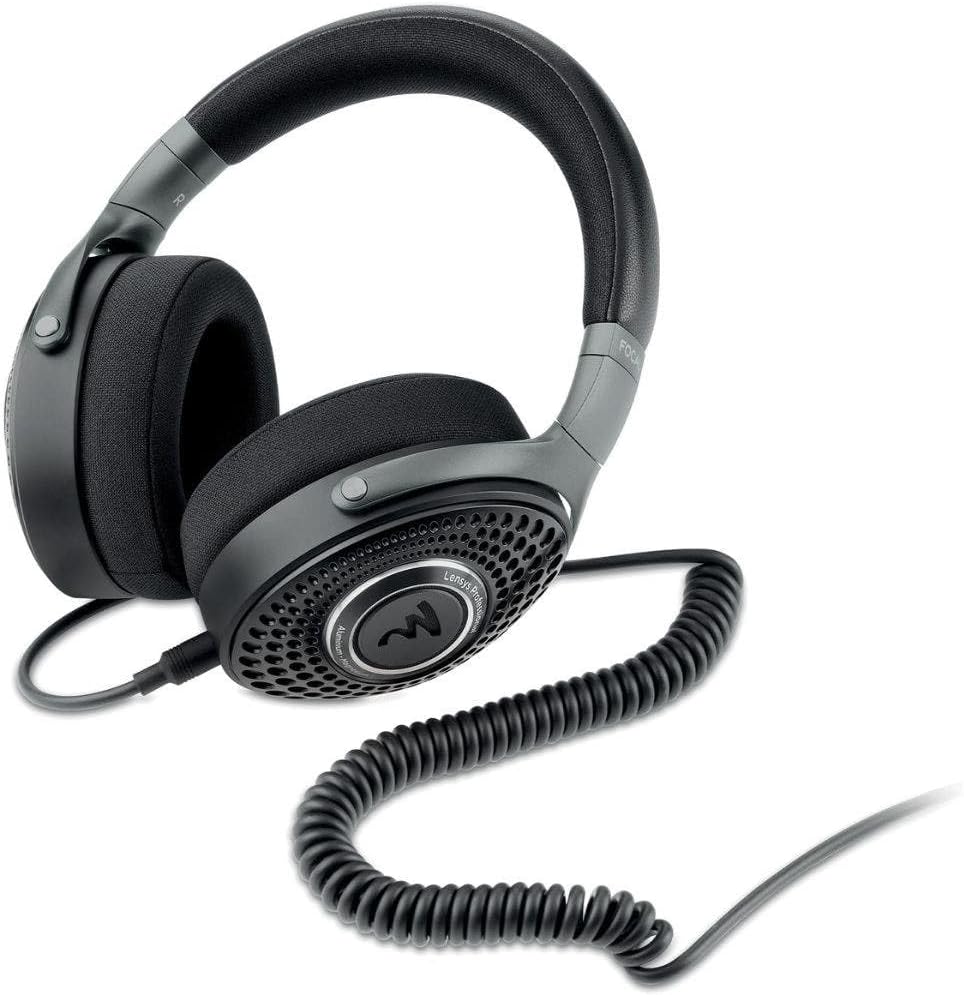
Image 3.1: The Focal Lensys Professional Headphones shown with a coiled audio cable connected, ready for use.
3.2 리모컨 (해당되는 경우)
Some audio cables may include an inline remote control. If your cable features a remote, refer to your audio source device's manual for specific functions such as play/pause, track skipping, or volume control, as functionality can vary.
3.3 의도된 사용
These headphones are specifically designed for:
- 녹음: Providing accurate monitoring during recording sessions.
- 혼입: Offering a neutral sound signature for precise audio mixing.
- 일반 청취: Delivering high-fidelity audio for everyday enjoyment.
4. 유지관리
4.1 청소
To maintain the condition and performance of your headphones:
- Use a soft, dry, lint-free cloth to wipe the exterior surfaces of the earcups and headband.
- For the memory foam earpads, gently wipe with a slightly damp cloth if necessary, and allow them to air dry completely before use. Avoid excessive moisture.
- Do not use harsh chemicals, solvents, or abrasive cleaners, as these can damage the materials (Aluminum/Magnesium, Memory Foam, Plastic/Fabric).
4.2 보관
When not in use, store your Focal Lensys Professional headphones in the provided protective case. This helps to prevent dust accumulation, scratches, and physical damage, extending the lifespan of the product.

Image 4.1: The protective carrying case, designed to safely store your Focal Lensys Professional Headphones.
5. 문제 해결
If you encounter issues with your Focal Lensys Professional headphones, consider the following:
- 소리 없음:
- 오디오 케이블이 헤드폰과 오디오 소스에 제대로 연결되어 있는지 확인하십시오.
- 오디오 소스 장치의 볼륨 레벨을 확인하세요.
- Test the headphones with a different audio source or cable to rule out device or cable issues.
- 나쁜 음질:
- Verify that the audio cable is fully inserted and not damaged.
- 오디오 소스에서 고품질 오디오가 재생되고 있는지 확인하십시오. files.
- Check for any debris in the headphone jack or port.
- 사용 중 불편함:
- 더욱 편안한 착용감을 위해 헤드밴드를 다시 조절하세요.
- 장시간 청취 시에는 짧은 휴식을 취하세요.
문제가 지속될 경우, 추가 지원을 받으려면 보증 및 지원 섹션을 참조하십시오.
6. 사양
Detailed technical specifications for the Focal Lensys Professional Closed-Back Headphones:
| 특징 | 사양 |
|---|---|
| 모델명 | 렌시스 프로페셔널 |
| 품목 모델 번호 | RM |
| 연결 기술 | 열광한 |
| 헤드폰 잭 | 3.5 mm 잭 |
| 오디오 드라이버 유형 | Dynamic Driver (Al/Mg) |
| 이어피스 모양 | 오버이어 컵 |
| 폼 팩터 | 귀 위 |
| 귀 위치 | 귀 위 |
| 임피던스 | 26옴 |
| 소음 제어 | 소리 차단 |
| 재료 | Aluminum/Magnesium, Memory Foam, Plastic/Fabric |
| 포함된 구성 요소 | 보호 케이스 |
| 제품 치수 | 9.55 x 8.6 x 3.25 인치 |
| 품목 무게 | 2.53파운드 |
| 제조업체 | 초점 |

이미지 6.1: 각도가 있는 view highlighting the design and materials of the Focal Lensys Professional Headphones.
7. 보증 및 지원
7.1 보증 정보
For detailed information regarding the warranty coverage for your Focal Lensys Professional Headphones, please refer to the warranty card included with your purchase or visit the official Focal web사이트. 보증 약관은 지역 및 소매업체에 따라 다를 수 있습니다.
7.2 고객 지원
Should you require technical assistance, have questions about your product, or need to report a defect, please contact Focal customer support through their official website or the contact information provided in your product documentation. Ensure you have your product model number (RM) and proof of purchase available when contacting support.