
1. 서론
This manual provides comprehensive instructions for the setup, operation, and maintenance of your LongPlus 2K Battery Powered Wireless Outdoor Security Camera (Model X84). This camera is designed to provide reliable home security with features such as 2K QHD resolution, AI motion detection, two-way talk, and versatile storage options. Please read this manual carefully before using the product to ensure proper functionality and safety.

Image: The LongPlus security camera shown alongside a smartphone displaying its live video feed.
2. 상자 안에 무엇이 들어있나요?
패키지에 모든 구성품이 들어 있는지 확인하세요.
- Security Camera with Bracket
- Pack of Screws (for mounting)
- 바늘 재설정
- USB 케이블(충전용)
- 빠른 시작 가이드
3. 사양
| 특징 | 세부 사항 |
|---|---|
| 모델명 | Battery Security Camera (X84) |
| 해결 | 2K QHD (1440p Video Capture, 3 MP Effective Still Resolution) |
| 연결성 | 무선(2.4GHz Wi-Fi만 해당) |
| 전원 | 배터리 구동(리튬 이온 배터리 1개 포함) |
| 나이트 비전 | Color Night Vision, Infrared Night Vision (up to 33ft) |
| 동작 감지 | PIR Motion Detection with AI Analysis Recognition (People, Vehicles, Pets, Packages) |
| 오디오 | Two-Way Talk (Built-in microphone and speaker) |
| 저장 옵션 | Micro SD Card (up to 128GB, not included), Cloud Storage (3-day rolling free trial) |
| 내후성 | IP65 방수 |
| View잉 각도 | 130도 |
| 호환 장치 | 스마트폰, 아마존 알렉사 |
| 치수 | 4 x 2 x 5 인치 |
| 무게 | 12.6 온스 |
4. 설정 가이드
4.1 초기 충전
Before first use, fully charge the camera using the provided USB cable. Connect the USB cable to the camera's charging port and a standard 5V USB power adapter (not included). The charging indicator light will show the charging status.
4.2 앱 다운로드 및 계정 생성
- 다운로드 비코홈 스마트폰의 앱 스토어(iOS 앱 스토어 또는 구글 플레이 스토어)에서 앱을 다운로드하세요.
- 앱을 열고 화면의 지시에 따라 새 계정을 만들거나 이미 계정이 있는 경우 로그인하세요.
4.3 카메라 페어링 및 Wi-Fi 연결
- Power on the camera. The indicator light will begin to flash, indicating it's ready for pairing.
- In the Vicohome app, tap the "Add Device" or "+" icon.
- 목록에서 카메라 모델을 선택하세요.
- 앱의 안내에 따라 카메라를 연결하세요. 2.4GHz Wi-Fi 네트워크. Ensure your smartphone is also connected to the same 2.4GHz network during setup. Note: This camera exclusively supports 2.4GHz Wi-Fi.
- 스마트폰 화면에 표시된 QR 코드를 카메라 렌즈로 스캔하세요. 연결되면 확인음이 들립니다.
4.4 카메라 장착
The camera can be mounted on a wall, ceiling, or placed freestanding on a flat surface. Choose a location that provides the desired view각도가 적절하고 와이파이 신호 범위 내에 있습니다.
- 벽/천장 마운트: Use the provided bracket and screws to securely attach the camera to a suitable surface. Adjust the camera angle as needed.
- 자유로운 무대: 카메라를 안정적이고 평평한 표면에 놓으세요.

Image: Camera mounted on a wall, illustrating installation flexibility.

Image: Camera on a table, showing its compact design for versatile placement.
5. 사용 설명서
5.1 라이브 View 및 비디오 품질
Open the Vicohome app to access the live feed from your camera. The camera provides 2K QHD resolution for clear and detailed video monitoring.

Image: Illustrates the 2K+ Full HD image quality captured by the camera.
5.2 동작 감지 및 알림
The camera features advanced PIR motion detection with AI analysis to recognize people, vehicles, pets, and packages. When motion is detected, you will receive real-time notifications on your smartphone via the Vicohome app.

Image: Demonstrates PIR motion detection and real-time alerts.
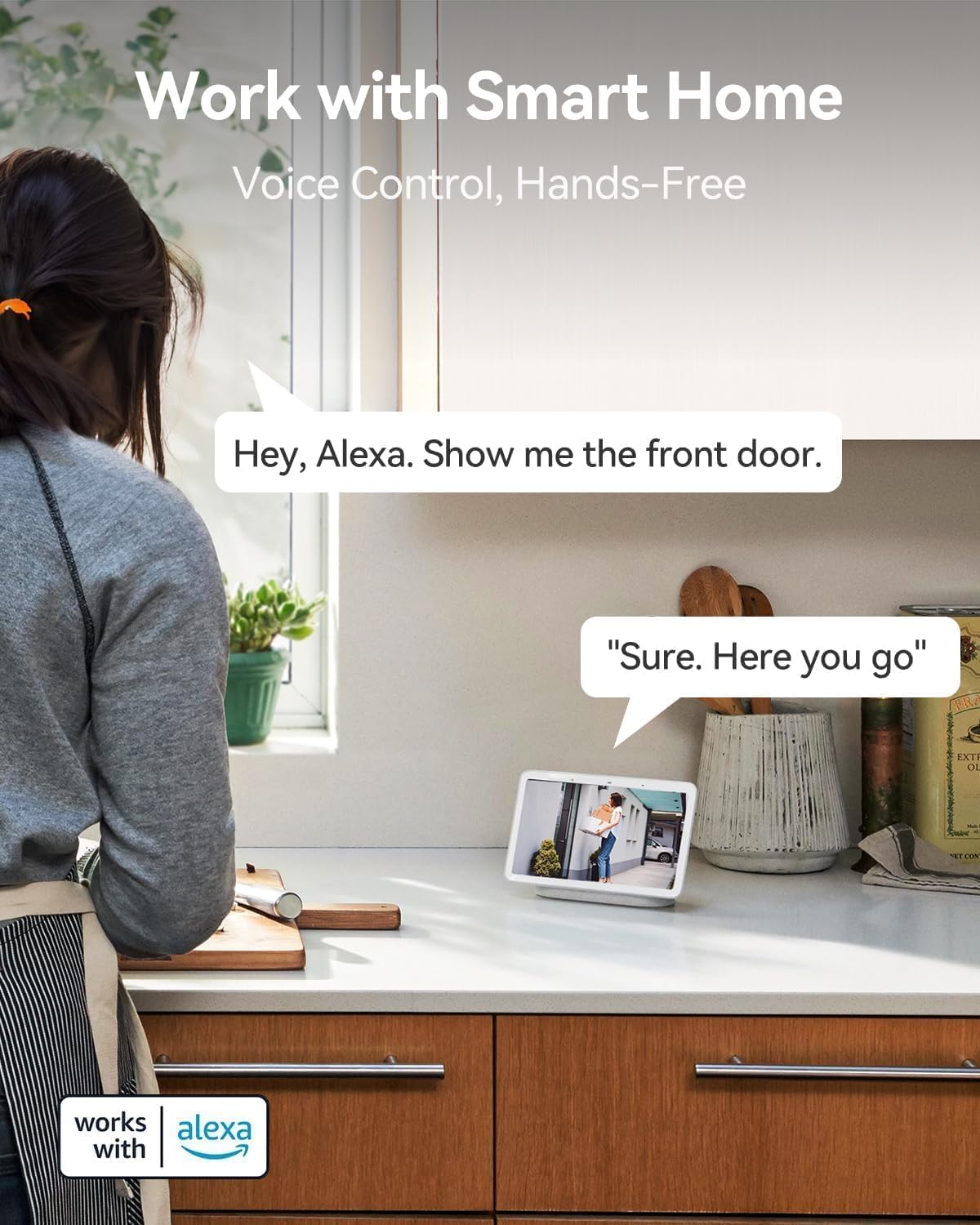
Image: Visual representation of AI detection analysis and intelligent push alerts.
5.3 양방향 대화
Utilize the built-in microphone and speaker for real-time two-way communication. This allows you to warn off intruders, speak with visitors, or communicate with family members through the camera.

Image: Demonstrates the two-way talk feature for interacting with visitors.
5.4 야간 투시경
The camera offers both full-color night vision and infrared night vision options, providing clear visibility up to 33 feet in low-light conditions or complete darkness.

Image: Shows the camera's color night vision capability for enhanced visibility.
5.5 저장 옵션
Recordings can be stored locally on a Micro SD card (up to 128GB, not included) or via cloud storage. A complimentary 3-day rolling cloud storage is included without subscription. Advanced cloud features are available with a subscription after a 30-day free trial.

Image: Illustrates both SD card and cloud storage options for video recordings.
5.6 Smart Home Integration (Works with Alexa)
The LongPlus camera is compatible with Amazon Alexa, allowing for voice control and hands-free monitoring. You can ask Alexa to show you the camera's live feed on compatible smart displays.

Image: Demonstrates voice control with Amazon Alexa for view카메라 피드를 보여줍니다.
6. 고급 기능
6.1 배터리 수명 연장
The rechargeable battery provides 1 to 5 months of use on a single charge, depending on usage and settings, minimizing the need for frequent recharging.

Image: Highlights the camera's extended battery life for prolonged usage.
6.2 IP65 방수 설계
With an IP65 rating, the camera is designed to withstand various weather conditions, making it suitable for outdoor installation.

Image: Shows the camera's IP65 weatherproof rating, suitable for outdoor use.
6.3 Customizable Alert Zones
카메라 내의 특정 영역을 정의합니다. view to focus motion detection and reduce false alerts, ensuring you only receive notifications for relevant activity.

Image: Illustrates the ability to set custom alert zones for targeted monitoring.
7. 유지관리
- 배터리 충전: Recharge the camera battery when the app indicates low power. The battery can last 1-5 months depending on usage.
- 렌즈 세척: Gently wipe the camera lens with a soft, dry cloth to ensure clear image quality. Avoid abrasive cleaners.
- 펌웨어 업데이트: Periodically check the Vicohome app for available firmware updates. Keeping your camera's firmware updated ensures optimal performance and security.
- 환경 고려 사항: While IP65 rated, avoid prolonged exposure to extreme conditions beyond the specified operating temperature range (-20°C to +60°C) to maximize product lifespan.
8. 문제 해결
| 문제 | 가능한 원인 / 해결책 |
|---|---|
| 카메라 전원이 켜지지 않습니다. | Battery may be depleted. Charge the camera fully. Ensure the USB cable and power adapter are working correctly. |
| Wi-Fi에 연결할 수 없습니다. |
|
| 동작 감지 알림이 너무 자주/너무 드물게 발생합니다. |
|
| 비디오 품질이 좋지 않습니다. |
|
| Two-way talk audio is unclear. |
|
For more detailed troubleshooting, refer to the help section within the Vicohome app or contact customer support.
9. 보증 및 지원
LongPlus provides a 2년 보증 for this product. Additionally, lifetime technical support is available to assist you with any inquiries or issues you may encounter.
For technical assistance or warranty claims, please contact LongPlus customer support through the contact information provided in the Vicohome app or on the official LongPlus web대지.