
INFINMIND K913
INFINMIND Wireless Keyboard User Manual
모델: K913
소개
The INFINMIND K913 Wireless Keyboard is an ultra-slim, full-size keyboard designed for comfortable and efficient typing. Featuring noiseless click technology and a matte finish, it provides a quiet and clean work environment. Its plug-and-play 2.4GHz wireless connection ensures stable performance across various operating systems and devices.

Image: The INFINMIND K913 Wireless Keyboard, showcasing its full layout and the compact USB receiver.
상자 안에 무엇이 들어있나요?
Your INFINMIND K913 Wireless Keyboard package includes the following items:
- 1 x Wireless Ultra Slim Keyboard
- 1 x 2.4GHz USB 수신기
- AAA 배터리 2개
- 1 x 사용자 매뉴얼(이 문서)
설치 가이드
- 배터리 설치: Locate the battery compartment on the back of the keyboard. Insert the two included AAA batteries, ensuring correct polarity (+/-).
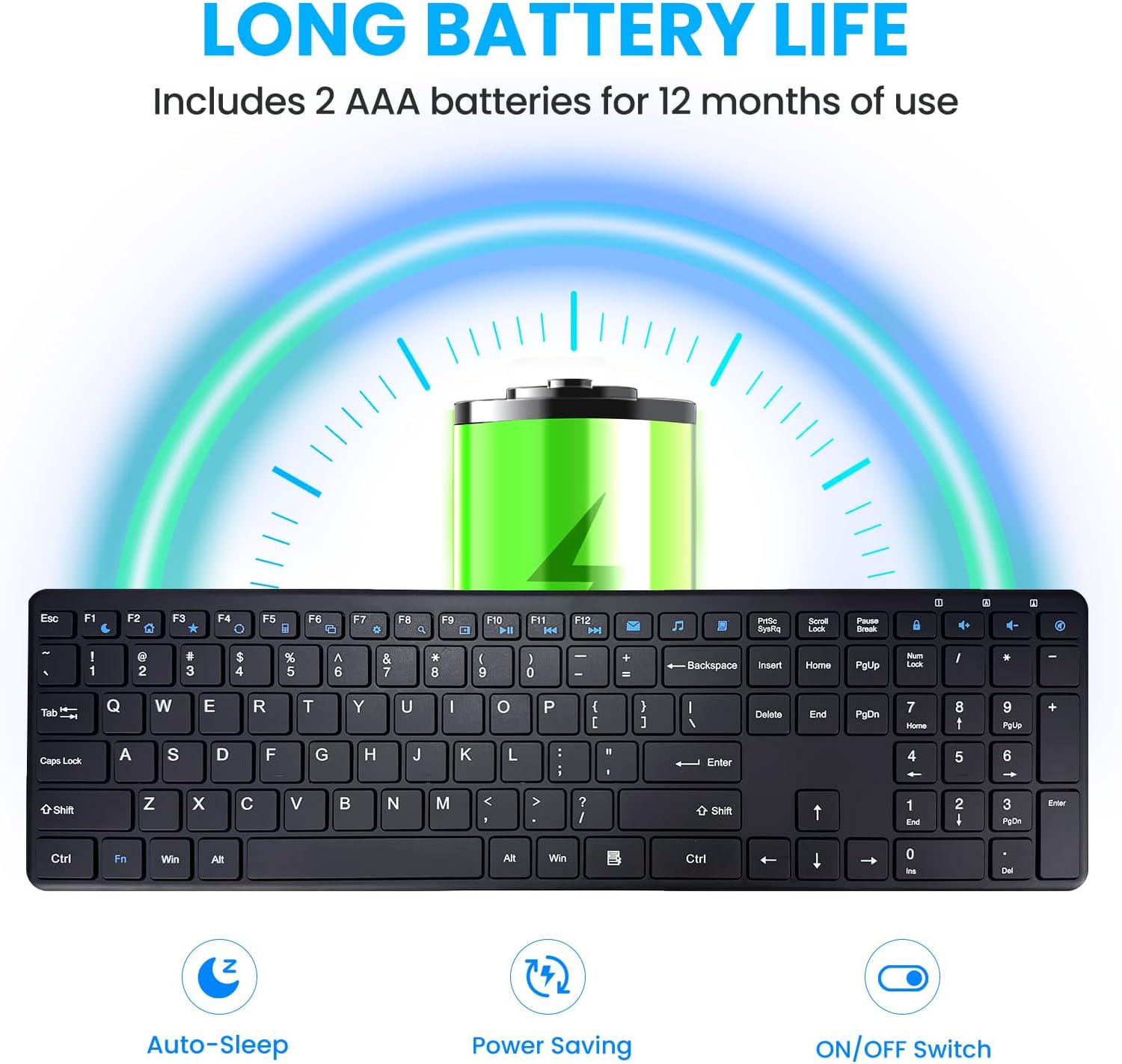
Image: Illustration of battery installation and the keyboard's long battery life feature.
- USB 수신기 연결: Take the 2.4GHz USB receiver from the keyboard's battery compartment or packaging. Plug the USB receiver into an available USB port on your computer, laptop, or smart TV.

Image: The keyboard in use with a computer, highlighting the 2.4GHz USB connection and 33ft wireless range.
- 전원 켜기: Locate the ON/OFF switch on the back side of the keyboard and slide it to the "ON" position.
- 자동 연결: The keyboard will automatically connect to your device. No additional drivers or software are required for most operating systems.

Image: A simple setup showing the keyboard on a desk, emphasizing its plug-and-play nature.
The keyboard is now ready for use. Enjoy a stable and lag-free typing experience up to 33 feet from your device.
작동 지침
일반적인 사용
The INFINMIND K913 features a full-size QWERTY layout with a dedicated number pad, providing a complete typing experience. The keys are designed for responsive and quiet typing, utilizing scissor-switch technology to minimize noise.

이미지: 클로즈업 view of the keyboard highlighting the responsive and quiet scissor-switch keys.
멀티미디어 및 단축키
Enhance your productivity with the integrated multimedia and shortcut keys. These keys allow quick access to frequently used functions.
| 주요 기능 | 설명 |
|---|---|
| Fn+F1-F12 | Access 12 combination function keys (e.g., media controls, volume, mute). |
| Dedicated Multimedia Keys | 7 additional shortcuts for quick access to mail, browser, calculator, task manager, settings, search, and My Computer. (Note: Some shortcuts may not be compatible with Mac OS). |
| 숫자 패드 | Full numeric keypad for efficient data entry. |

Image: The keyboard with visual indicators for multimedia and function keys, demonstrating productivity features.
호환성
The INFINMIND K913 Wireless Keyboard is widely compatible with various operating systems and devices:
- Windows 11, Windows 10, and earlier versions
- 크롬 OS
- 리눅스
- Mac OS (Note: Some multimedia shortcuts may not be fully compatible)
- Compatible with Desktops, Laptops, PCs, Chromebooks, Notebooks, Smart TVs, and MacBooks.

Image: A user typing on the keyboard, with icons representing its broad compatibility across different operating systems.
유지
To ensure the longevity and optimal performance of your INFINMIND K913 Wireless Keyboard, follow these maintenance tips:
- 청소: The keyboard features matte-finished keycaps that resist fingerprints and smudges. To clean, gently wipe the surface with a soft, dry, lint-free cloth. For stubborn dirt, a slightly damp cloth can be used, ensuring no liquid enters the key switches.

Image: A visual comparison demonstrating how the matte finish resists fingerprints and keeps the keyboard looking new.
- 배터리 교체: When the low battery indicator lights up, replace the two AAA batteries promptly to maintain optimal performance.
- 저장: 키보드는 직사광선과 극한의 온도를 피해 시원하고 건조한 곳에 보관하세요.
- 액체를 피하세요: Do not expose the keyboard to excessive moisture or spill liquids on it. In case of accidental spills, immediately power off the keyboard and disconnect it from your device. Allow it to dry completely before re-using.
문제 해결
If you encounter any issues with your INFINMIND K913 Wireless Keyboard, please refer to the following common solutions:
| 문제 | 해결책 |
|---|---|
| 키보드가 응답하지 않습니다 |
|
| 지연 또는 입력 지연 |
|
| Mac에서 멀티미디어 키가 작동하지 않습니다 | Some multimedia shortcuts may have limited or no compatibility with Mac OS due to system differences. This is expected behavior. |
| Keys feel stiff or unresponsive | Ensure the keys are clean and free from debris. Refer to the Maintenance section for cleaning instructions. |
명세서
| 특징 | 세부 사항 |
|---|---|
| 모델 번호 | 케이913 |
| 연결성 | 2.4GHz USB Wireless (Non-Bluetooth) |
| 무선 범위 | 최대 33피트(10미터) |
| 키의 개수 | 112 |
| 키 유형 | 로우프로file, Scissor-Switch |
| 전원 | AAA 배터리 2개(포함) |
| 배터리 수명 | Up to 12 months (with auto-sleep function) |
| 제품 치수 | 16.13인치 길이 x 4.7인치 너비 x 0.8인치 높이(409.7mm x 119.5mm x 20.3mm) |
| 품목 무게 | 1.38파운드(0.62kg) |
| 색상 | 검은색 |
| 제조업체 | 인피마인드 |

Image: Technical drawing showing the dimensions and slim profile 키보드의.
보증 및 지원
The INFINMIND K913 Wireless Keyboard comes with a standard manufacturer's warranty. For specific warranty details, please refer to the warranty card included in your package or contact our customer service.
If you require further assistance, have questions, or need to report an issue, please contact our friendly customer service team. Contact information can be found on our official web사이트 또는 제품 포장.
We are committed to providing reliable products and excellent customer support.
Ask a question about this manual
Ask about setup, troubleshooting, compatibility, parts, safety, or missing instructions. Manuals+ will review the question and use this page’s manual context to help answer it.