
1. 중요한 안전 정보
Please read all safety instructions carefully before using your Xiaomi TV S Mini LED 75" 2025. Keep this manual for future reference.
- 전원: TV는 라벨에 표시된 AC 전원에만 연결하세요.
- 통풍: TV 주변의 통풍이 잘 되도록 하세요. 통풍구를 막지 마세요.
- 물과 습기: 텔레비전을 비나 습기에 노출시키지 마십시오. 텔레비전 위에 액체가 담긴 물건을 올려놓지 마십시오.
- 청소: 청소하기 전에 TV 플러그를 뽑으세요. 부드럽고 마른 천을 사용하세요. 액체 세제는 사용하지 마세요.
- 서비스: 이 제품을 직접 수리하려고 하지 마십시오. 모든 서비스는 자격을 갖춘 서비스 담당자에게 문의하십시오.
- 놓기: TV를 안정적이고 평평한 표면에 놓거나 호환되는 VESA 마운트를 사용하여 벽에 단단히 고정하십시오.
2. 패키지 내용
패키지에 모든 품목이 들어 있는지 확인하세요.
- Xiaomi TV S Mini LED 75" 2025
- 원격 제어
- 전원 케이블
- TV Stand Components (if included)
- 사용 설명서 (본 문서)
3. 설정 가이드
3.1 TV 포장 풀기
Carefully remove the TV from its packaging. It is recommended to have two people for this process due to the size and weight of the 75-inch model.
3.2 Installing the TV Stand (Optional)
If you are not wall-mounting the TV, attach the included stand components according to the separate stand installation guide. Ensure all screws are tightened securely.
3.3 벽면 장착(선택 사항)
The Xiaomi TV S Mini LED 75" 2025 supports VESA wall mounts with a pattern of 400 x 300 mm. Use appropriate wall-mounting hardware and consult a professional for installation to prevent injury or damage.
3.4 주변기기 연결하기
Connect your devices to the TV's input ports. Refer to the back panel image for port locations.
이미지: 후면 view of the TV displaying available connection ports.
- 힘: 전원 케이블을 TV에 연결한 다음 전원 콘센트에 연결하세요.
- HDMI : Connect Blu-ray players, game consoles, or other HDMI devices.
- USB: 미디어 재생을 위해 USB 저장 장치를 연결하세요.
- 이더넷: 유선 인터넷 연결의 경우.
- 안테나/케이블: 안테나나 케이블 TV 입력을 연결하세요.
3.5 초기 전원 켜기 및 첫 번째 설정
After connecting all cables, plug in the TV and press the power button on the remote control. Follow the on-screen instructions to complete the initial setup, including network connection, Google account login, and channel scanning.

이미지: 앞면 view of the Xiaomi TV S Mini LED 75" 2025.
4. 사용 설명서
4.1 원격 제어view
동봉된 리모컨으로 TV의 모든 기능을 조작할 수 있습니다. 편리한 사용을 위해 버튼 배치를 숙지해 두세요.
4.2 기본 기능
- 힘: TV를 켜거나 끄려면 누릅니다.
- 용량: Use the +/- buttons to adjust the sound level.
- 채널: 채널을 변경하려면 CH +/- 버튼을 사용하세요.
- 입력: Select the desired input source (HDMI, AV, etc.).
- 집: Access the Google TV home screen.
4.3 스마트 TV 기능(Google TV)
Your Xiaomi TV runs on Google TV, offering a personalized entertainment experience.

Image: Google TV interface with app icons and content suggestions.
- 앱: Google Play Store에서 애플리케이션을 다운로드하여 설치하세요.
- 음성 어시스턴트 : 내장된 Google 어시스턴트를 사용하여 음성 명령을 실행하세요.
- 콘텐츠 추천: Google TV provides personalized recommendations based on your view습관.

Image: Using the Hey Google voice assistant to search for content.
4.4 디스플레이 설정
그림 설정을 조정하여 최적화하세요. view경험.
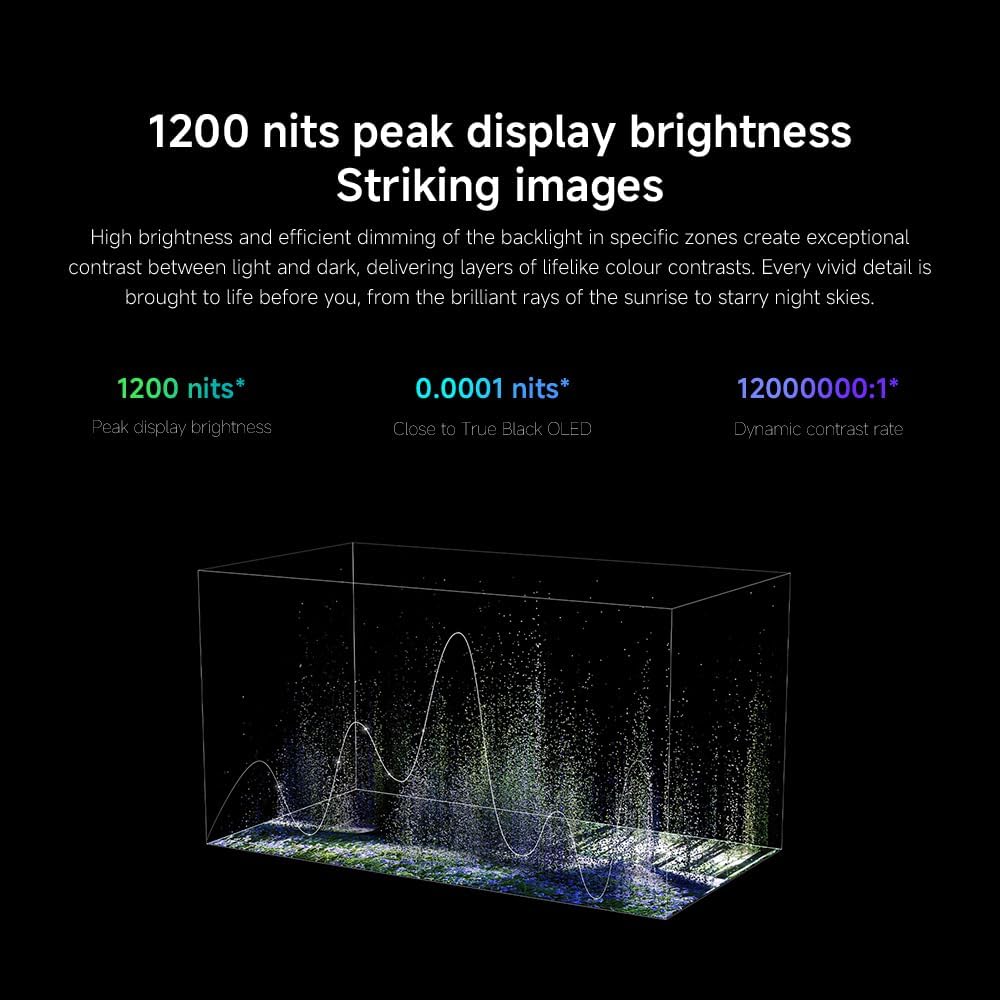
이미지: 이상view of the TV's advanced display technologies.
- 사진 모드: Select from various preset modes (e.g., Standard, Vivid, Movie, Game) or customize your own.
- 밝기/대비: Fine-tune these settings for optimal visual clarity. The TV features 1200 nits peak brightness for stunning visuals.
- 색상: Adjust color saturation and tint. The QD-MiniLED display offers accurate color reproduction.
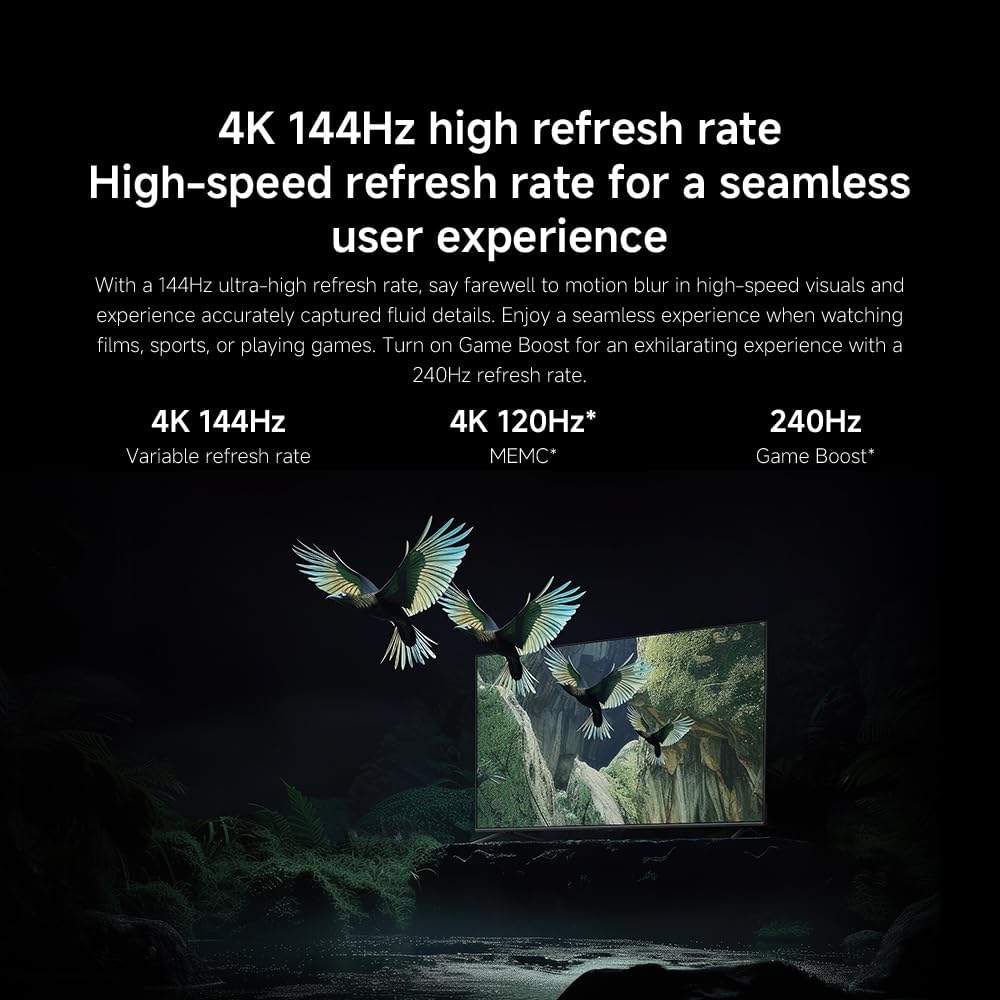
- 새로 고침 빈도: The TV supports a 144Hz refresh rate for ultra-smooth motion.
- AI 엔진: The powerful AI engine enhances image quality automatically.

Image: Visual representation of the 144Hz refresh rate for seamless motion.
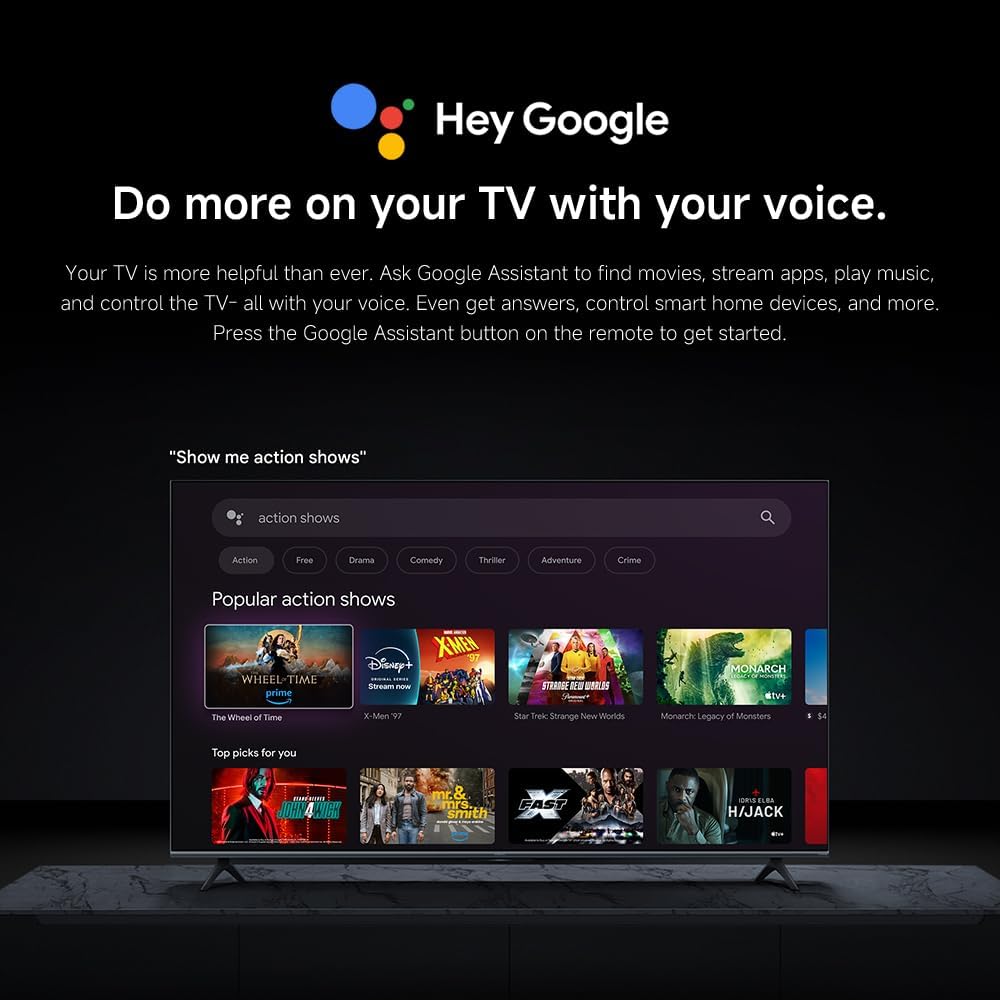
Image: The Quad cortex A73 processor, responsible for AI image enhancement and performance.
4.5 오디오 설정
Configure audio output and sound enhancements.

Image: Depiction of the TV's quality audio-visual experience.
- 사운드 모드 : Choose from preset sound modes (e.g., Standard, Movie, Music) or customize.
- 돌비 애트모스: Enable Dolby Atmos for an immersive audio experience.
4.6 연결성
The TV offers various connectivity options.
- 블루투스: Connect Bluetooth-enabled devices such as headphones or speakers.
- 와이파이: 인터넷 접속을 위해 집의 무선 네트워크에 연결하세요.
- Apple AirPlay: Apple 기기에서 콘텐츠를 직접 스트리밍하세요.
Image: Apple AirPlay functionality for streaming from Apple devices.
5. 유지관리
5.1 화면 청소
화면을 청소하려면 먼저 TV 전원을 뽑으세요. 부드럽고 보풀 없는 천으로 화면을 살살 닦아주세요. 잘 지워지지 않는 얼룩은 약간 두드려 닦아내세요.amp물이나 전용 화면 세척제를 천에 적셔 즉시 마른 천으로 닦아주세요. 화면에 직접 액체를 뿌리지 마세요.
5.2 소프트웨어 업데이트
TV는 성능 향상 및 새로운 기능 추가를 위해 정기적으로 소프트웨어 업데이트를 받을 수 있습니다. 업데이트를 받으려면 TV가 인터넷에 연결되어 있는지 확인하십시오. TV 설정 메뉴에서 수동으로 업데이트를 확인할 수도 있습니다.
6. 문제 해결
TV에 문제가 발생하면 다음의 일반적인 해결책을 참조하세요.
| 문제 | 가능한 해결책 |
|---|---|
| 전원이 없습니다 | TV와 콘센트에 전원 케이블이 제대로 연결되어 있는지 확인하십시오. 콘센트가 정상적으로 작동하는지 확인하십시오. |
| 화면은 나오지 않지만 소리는 나옵니다 | 올바른 입력 소스가 선택되었는지 확인하세요. 외부 장치와의 케이블 연결을 확인하세요. |
| 소리는 나지 않지만 화면은 나옵니다 | 볼륨 레벨과 음소거 상태를 확인하십시오. 오디오 케이블이 올바르게 연결되어 있는지 확인하십시오. |
| 리모컨이 작동하지 않습니다 | 배터리를 교체하세요. 리모컨과 TV 사이에 장애물이 없는지 확인하세요. |
| 화질이 좋지 않음 | Adjust picture settings (brightness, contrast, sharpness). Check antenna or cable connection. Ensure content source is high quality. |
| Smart TV features unresponsive | Check internet connection. Restart the TV by unplugging it for a few minutes and plugging it back in. |
If the issue persists after trying these steps, contact customer support.
7. 사양
Key technical specifications for the Xiaomi TV S Mini LED 75" 2025:
| 특징 | 사양 |
|---|---|
| 상표 | 샤오미 |
| 모델 번호 | 59292 |
| 화면 크기 | 75 인치 |
| 디스플레이 기술 | 4K UHD, LED, QD-MiniLED |
| 해결 | 4K(3840 x 2160) |
| 새로 고침 빈도 | 144Hz |
| 최대 밝기 | 1200니트 |
| 운영 체제 | 구글 티비 |
| 프로세서 | Quad Cortex A73 |
| 숫양 | 3GB (XNUMX기가바이트) |
| 저장 | 32GB (XNUMX기가바이트) |
| 오디오 기술 | 돌비 애트모스 |
| 연결성 | Bluetooth, Wi-Fi, Apple AirPlay |
| 제품 치수(스탠드 포함) | 42.5D x 166.8W x 102.8Hcm |
| 제품 무게(스탠드 포함) | 31kg |
| VESA 벽걸이 | 400 x 300mm |
| 포함된 구성 요소 | TV, remote control, power cable |
8. 보증 및 지원
Your Xiaomi TV S Mini LED 75" 2025 is covered by a manufacturer's warranty. Please refer to the warranty card included in your package for specific terms and conditions. For technical support, service inquiries, or to purchase accessories, please visit the official Xiaomi web사이트를 방문하거나 공인 서비스 센터에 문의하세요.
온라인 리소스: For additional information, FAQs, and software downloads, visit the official Xiaomi support page.