
1. 서론
Welcome to the ARZOPA D15 15.6-inch Digital Photo Frame. This manual provides detailed instructions to help you set up, operate, and maintain your new digital photo frame. Please read this manual thoroughly before use to ensure optimal performance and longevity of your device.
2. 제품 오버view
주요 특징
- 100% Free and Unlimited Cloud Storage: Transfer photos and videos to your digital photo frame without a subscription. Enjoy cloud convenience without an SD card – add memories anytime, anywhere, even when the digital photo frame is offline (automatic synchronization upon reconnection).
- Gift Function, Pre-loaded Joy: Pre-load photos, videos, and greeting cards via the FREE Arzopa app for a personalized and surprising gift even before the Arzopa D15 frame arrives, without having to unbox it.
- 간편한 설치 및 직관적인 앱: Pre-set Wi-Fi for non-tech-savvy recipients (plug and enjoy). Manage your connected photo frame with over 30 folders and share an unlimited number of photos and videos (up to 2 minutes per video, ≤125MB, 1080p).
- High-Quality Screen & Smart Design: 15.6" FHD 1920*1080 IPS touchscreen with anti-glare technology for true colors and adjustable brightness (day/night mode). Practical functions (weather, alarm clock, calendar, etc.) and a smart sleep mode (30% energy saving) offer an intelligent user experience.
- Instant Multi-user Sharing: Invite your loved ones via the free Arzopa app to share their daily lives. 'Like' and 'Comment' on shared moments, enjoy a secure private space. Stay connected with over 30 languages remotely and strengthen family ties, wherever you are.
패키지 내용
- ARZOPA D15 디지털 사진 프레임
- 전원 어댑터
- 사용자 설명서
- 프레임 스탠드
프레임 구성 요소

뒤쪽에 view of the ARZOPA D15 digital photo frame, highlighting the speaker, wall mount hole, stand hole, and power button for easy identification of components.
3. 설정
초기 설정 가이드
- 전원 켜기: 전원 어댑터를 프레임과 전원 콘센트에 연결하세요. 프레임의 전원이 자동으로 켜집니다.
- 언어 선택 : 화면의 지시에 따라 원하는 언어를 선택하세요.
- Wi-Fi에 연결: 목록에서 Wi-Fi 네트워크를 선택하고 비밀번호를 입력하세요. 최적의 성능을 위해 안정적인 인터넷 연결을 확인하십시오.
- 날짜 및 시간 설정: Configure the correct date, time, and time zone.
- Name Your Frame & Set Location: Personalize your frame by giving it a name and specifying its location.
Video demonstrating the setup process for a digital photo frame, including language selection, Wi-Fi connection, and initial configuration steps.
Video tutorial on how to configure your digital photo frame, guiding users through essential settings and initial setup.
4. 사용 설명서
터치스크린 사용
The ARZOPA D15 features an intuitive touchscreen interface. Swipe left or right to navigate through photos and videos. Tap the screen to access settings and options.
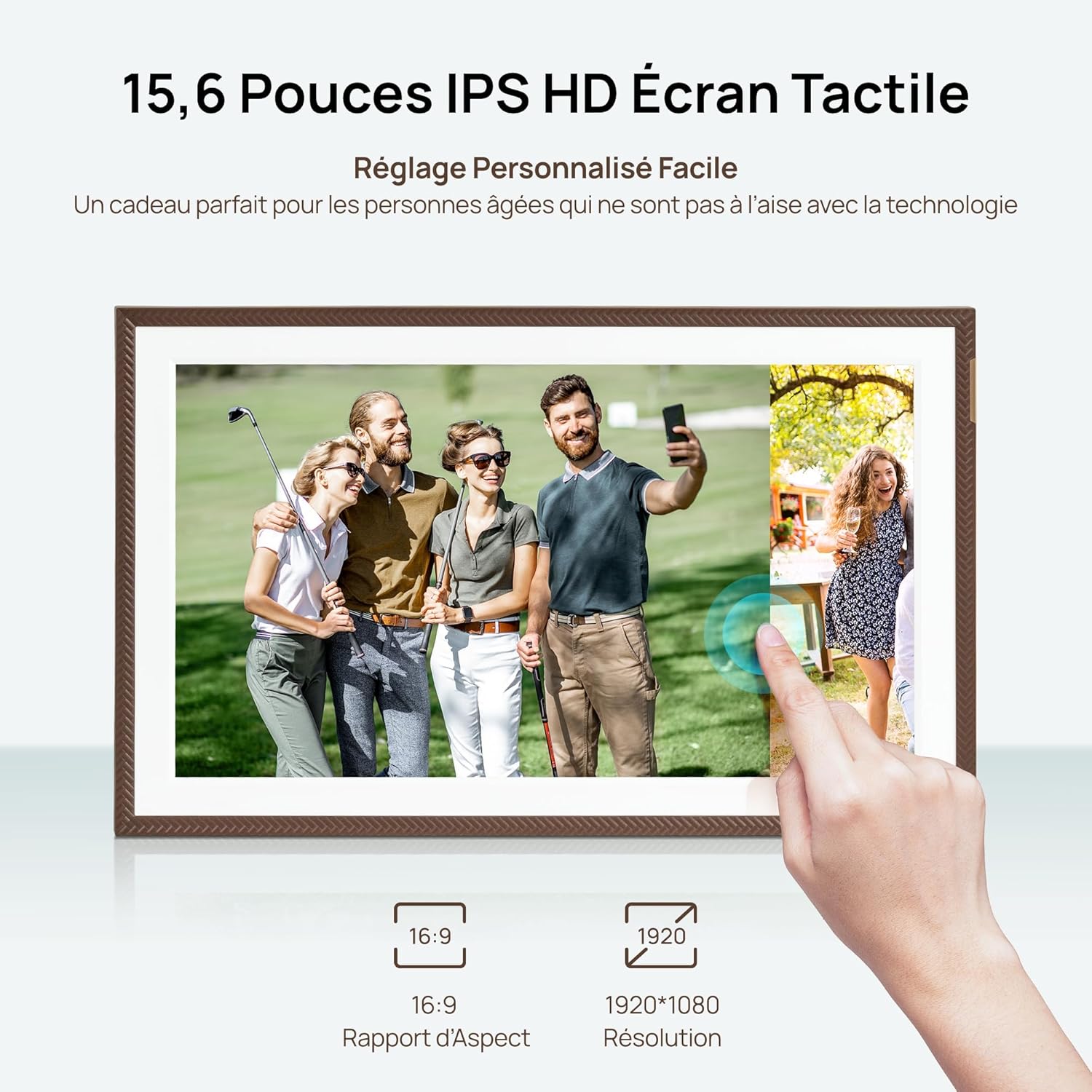
A hand interacting with the responsive touchscreen of the ARZOPA D15 digital photo frame, showcasing its ease of use for browsing memories.
사진 및 비디오 업로드
You can upload content to your ARZOPA D15 frame using the dedicated ARZOPA app or via USB/Wi-Fi connectivity.
- Via ARZOPA App: Download the ARZOPA app on your smartphone. Connect the app to your frame using the provided pairing code. You can then select and send photos and videos directly from your phone.
- 클라우드 스토리지: The frame offers unlimited cloud storage for your memories. Once connected to Wi-Fi, content sent via the app is automatically stored and synchronized.
- USB/Wi-Fi: For direct transfers, connect a USB drive or use Wi-Fi direct transfer options if available in the settings.

A smartphone screen displaying the ARZOPA app, illustrating the simple process of selecting and sharing photos and videos to the connected digital frame.
Managing Content and Slideshows
Organize your memories into folders, adjust slideshow intervals, and enable various display effects.
- 폴더: Create and manage up to 30 folders to categorize your photos and videos.
- 슬라이드쇼 설정: Customize the duration each photo is displayed, transition effects, and playback order.
- 세로/가로 모드: The frame automatically adjusts content orientation based on its physical placement.

The ARZOPA D15 digital photo frame showcasing its flexible placement, automatically rotating images between portrait and landscape modes.
Video demonstrating the Frameo Collage Mode feature, allowing multiple photos to be displayed simultaneously on the digital frame.
스마트 기능
The frame includes additional smart features for enhanced convenience.
- 수면 모드 : Configure a smart sleep mode to save energy, automatically turning off the screen during specified hours.
- Weather, Alarm, Calendar: Access useful information directly on your frame.

The ARZOPA D15 digital photo frame demonstrating its personalized sleep mode, which saves energy and adjusts screen brightness to avoid disturbing sleep.
5. App Usage and Remote Sharing
Downloading the ARZOPA App
The ARZOPA app is available for free on both the App Store and Google Play. 검색 'ARZOPA' and download the application to your smartphone.

A smartphone screen showing the ARZOPA app download options from the App Store and Google Play, positioned next to the digital photo frame.
연결과 공유
Once the app is installed, follow the in-app instructions to connect it to your ARZOPA D15 frame. You can then invite family and friends to share photos and videos remotely.
- Multi-user Connection: Share a unique code with loved ones, allowing them to send photos and videos directly to your frame from anywhere in the world.
- 대화형 기능: Users can 'like' and 'comment' on shared moments, fostering a sense of connection.

Illustrating the global sharing capability of the ARZOPA D15, where users can send photos from a smartphone in America to a frame in France.
비디오 쇼asing the various features of the Frameo app, including multi-user connection, photo sharing, and interactive elements.
선물 기능
The ARZOPA D15 can be pre-loaded with personalized photos, videos, and greeting cards before gifting, offering a unique and thoughtful present.
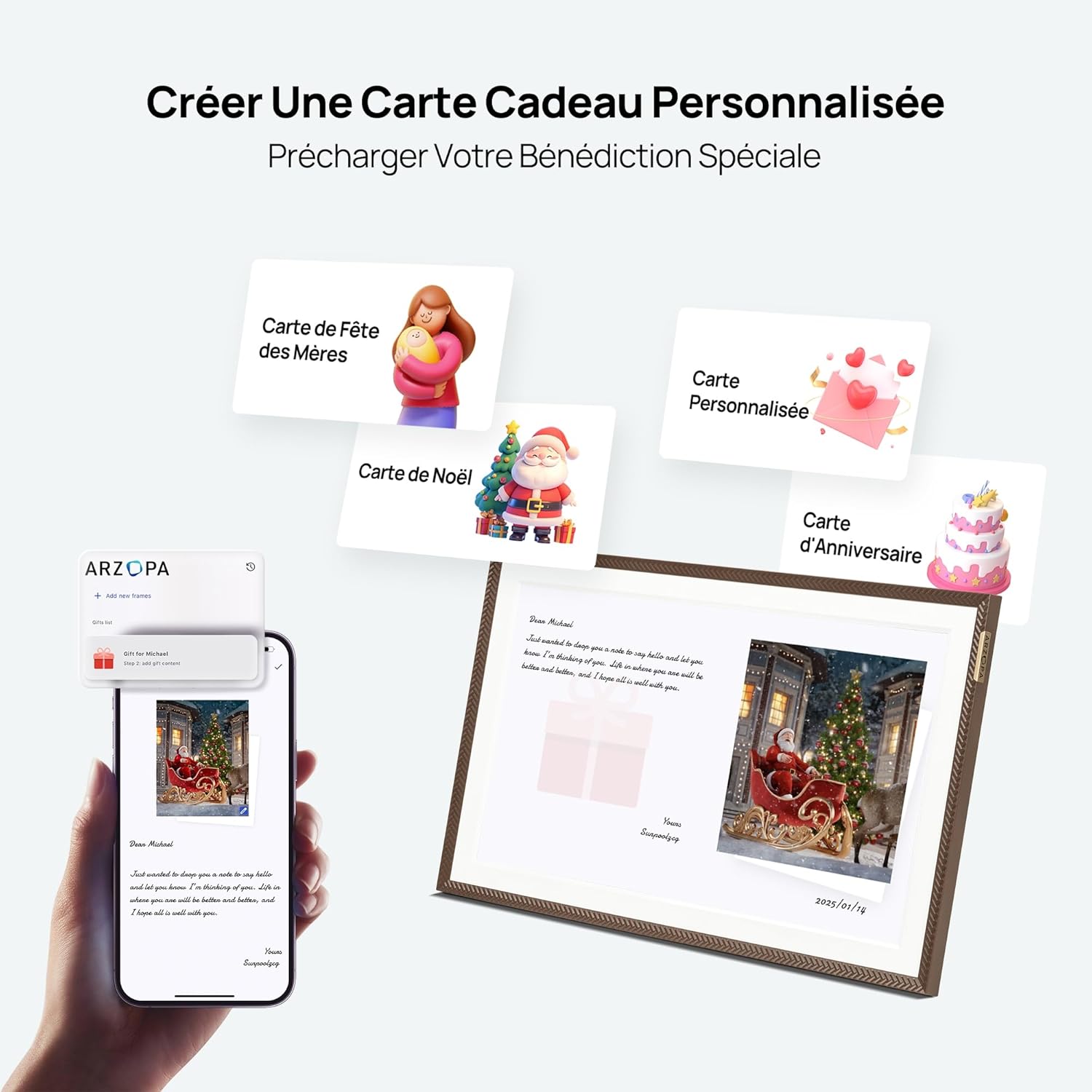
A smartphone screen preparing a personalized gift message and photos via the ARZOPA app, with various digital greeting card options displayed alongside a digital frame showing a festive image.
Video celebrating Mother's Day with the Frameo digital photo frame, highlighting its use for sharing heartfelt messages and memories.
6. 유지관리
- 청소: 부드럽고 마른 천으로 화면과 프레임을 닦으십시오. 연마성 세척제나 용제는 사용하지 마십시오.
- 저장: 장기간 사용하지 않을 경우, 프레임을 직사광선을 피해 서늘하고 건조한 곳에 보관하십시오.
- 소프트웨어 업데이트: Ensure your frame's software is up-to-date for the best performance and security. Updates are typically managed through the app or frame settings.
7. 문제 해결
- 프레임이 켜지지 않음: 전원 어댑터가 프레임과 작동하는 전원 콘센트에 제대로 연결되어 있는지 확인하십시오.
- Wi-Fi에 연결할 수 없습니다: Double-check your Wi-Fi password. Ensure the frame is within range of your router. Try restarting both the frame and your router.
- Photos/Videos not displaying: Verify that the content has been successfully uploaded via the app. Check the frame's storage and ensure it's not full. Confirm file formats are supported (JPEG, PNG, WEBP for images; MP4, M4V, 3GP, MOV for videos).
- 화면이 반응하지 않음: Try restarting the frame. If the issue persists, contact customer support.
8. 사양
| 특징 | 세부 사항 |
|---|---|
| 상표 | 아르조파 |
| 색상 | 갈색 |
| 화면 크기 | 15.6인치 |
| 해결 | 1920x1080(FHD) |
| 용량 | 32GB (XNUMX기가바이트) |
| 연결 기술 | USB, 와이파이 |
| 호환 장치 | 개인용 컴퓨터, 스마트폰 |
| 전원 | 코드식 전기 |
| 휴먼 인터페이스 입력 | 터치스크린 |
| 이미지 종횡비 | 16시 9분 |
| 프레임 소재 | 아크릴로 니트릴 부타디엔 스티렌 |
| 제품 크기(L x W x H) | 40 x 25 x 2.51cm |
| 품목 무게 | 2.43 킬로그램 |
에너지 정보
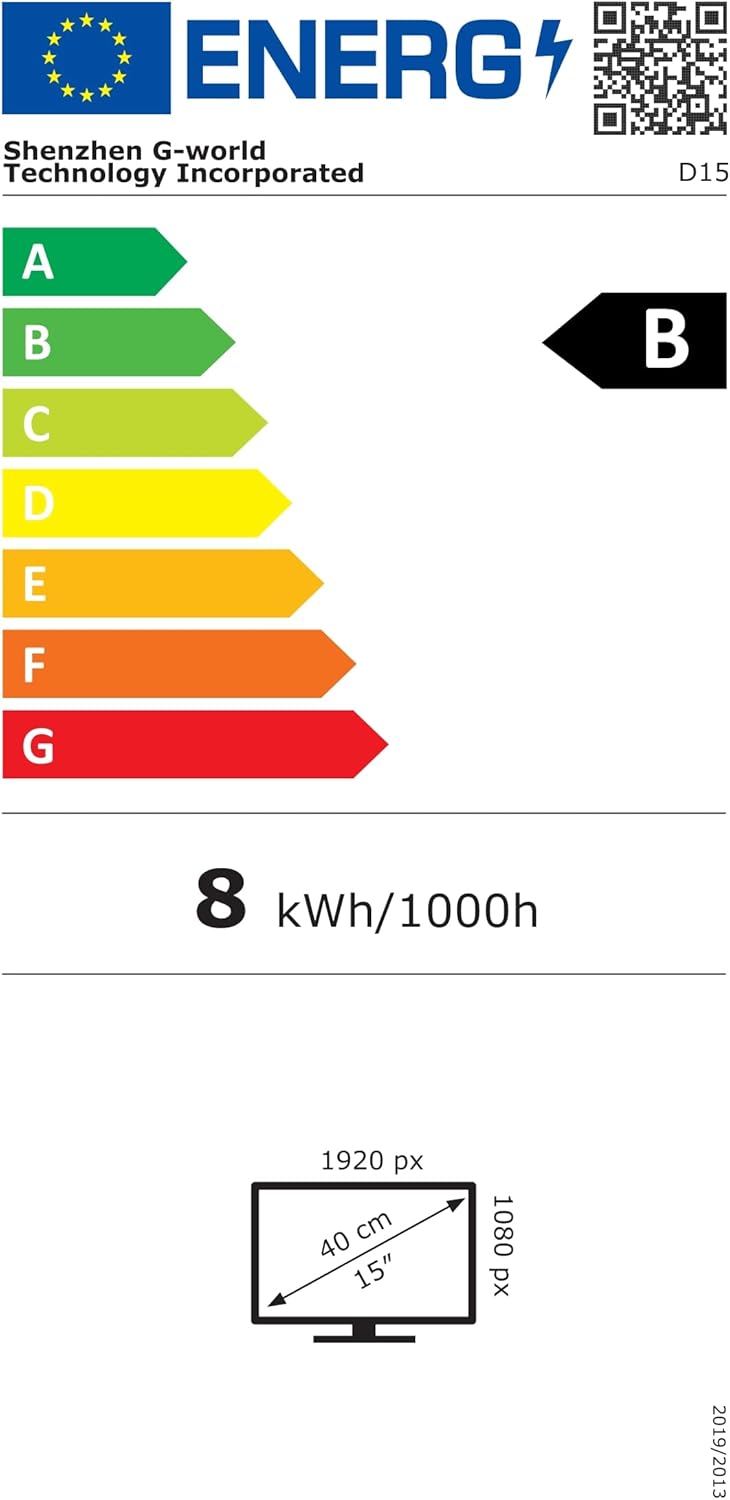
Energy label for the D15 model, indicating energy class B and consumption of 8 kWh/1000h. For more details, visit eprel.ec.europa.eu/qr/2089090.
9. 보증 및 지원
The ARZOPA D15 Digital Photo Frame comes with a 1년 제조사 보증. For any technical support, warranty claims, or further inquiries, please contact ARZOPA customer service through the official web사이트 또는 구매 플랫폼.