
Kidsneed SM530F-2
키즈니드 5인치 분리형 아기 모니터 (HD 720P 카메라 2대 포함) 530FV2 사용 설명서
Model: SM530F-2
1. 제품 오버view
The Kidsneed 5-inch Split Baby Monitor system provides a reliable and secure way to monitor your baby with high-definition video and audio. This system includes a 5-inch LCD display unit and two HD 720P cameras, allowing you to view multiple areas simultaneously or switch between them. It operates on a secure 2.4G FHSS signal, ensuring privacy and stability without requiring Wi-Fi or an app.

Image: The Kidsneed 5-inch monitor unit displaying a baby, with two white camera units in the background. This illustrates the complete baby monitor system.
주요 특징:
- High-resolution Display with 2 HD Cameras: Provides clear video day and night with infrared night vision.
- 5-inch Large Display with Pan-Tilt-Zoom: 포괄적인 서비스를 제공합니다 view of your baby from various angles with digital zoom capabilities.
- Automatic Night Vision Mode: Effortlessly monitors your baby in low-light conditions.
- Two-Way Talk & Temperature Monitoring: Allows communication with your baby and alerts you to room temperature changes.
- Secure 2.4G FHSS Transmission: Ensures privacy and a stable connection up to 960 feet without Wi-Fi.
- 긴 배터리 수명: The monitor unit features a 4000mAh battery for extended use.
2. 패키지 내용
모든 구성품이 들어 있는지 확인하려면 상자를 풀 때 패키지 내용물을 확인하세요.
- 1 x 모니터 유닛
- 2 x Camera Units
- 전원 어댑터 3개 (모니터 및 카메라용)
- 1 x 사용자 매뉴얼(이 문서)
3. 설정 가이드
3.1 장치 전원 켜기
- Connect the power adapter to each camera unit and plug it into a power outlet. The camera will automatically power on.
- Connect the power adapter to the monitor unit and plug it into a power outlet. Press and hold the power button on the monitor unit to turn it on.
3.2 카메라 배치
Place the camera units in locations that provide a clear and unobstructed view of your baby. Ensure the cameras are out of reach of children and away from any potential hazards. The cameras can be placed on a flat surface or mounted on a wall.

Image: A Kidsneed camera unit shown with arrows indicating its 355-degree pan and 120-degree tilt capabilities, demonstrating its wide field of view 최적의 배치를 위해.
3.3 Pairing Cameras (Pre-paired from factory)
The camera units are pre-paired with the monitor unit from the factory. If you need to re-pair a camera or add additional cameras (up to four total), follow these steps:
- On the monitor unit, navigate to the "Camera Management" menu.
- Select an empty camera channel or the channel you wish to re-pair.
- Press the "Pair" button on the camera unit (usually located on the back or bottom) within 10 seconds.
- The monitor will display "Pairing Successful" once connected.
4. 사용 설명서
4.1 모니터 제어
Familiarize yourself with the buttons on the monitor unit for easy operation:
- 전원 버튼: 길게 눌러 전원을 켜거나 끄세요. 짧게 누르면 화면이 켜지거나 꺼집니다.
- 메뉴 버튼: 설정 및 옵션에 액세스하세요.
- 탐색 버튼(위/아래/왼쪽/오른쪽): Navigate through menus and control camera pan/tilt.
- 확인 버튼: 선택을 확인합니다.
- 볼륨 버튼: 오디오 볼륨을 조절합니다.
- 대화 버튼: Press and hold to activate two-way talk.
- 줌 버튼: Toggle between 2X and 4X digital zoom.

Image: The Kidsneed monitor demonstrating its one-press digital zoom feature, showing a baby's image at normal view, 2X zoom, and 4X zoom.
4.2 Split-Screen and Camera Switching
카메라 두 대를 사용하면, view both simultaneously or switch between them:
- 분할 화면 모드: Access this mode from the menu to display live feeds from both cameras side-by-side on the 5-inch screen.
- 단일 카메라 View: Use the camera switch button (if available) or navigate through the menu to select a single camera for full-screen view주고받음.

Image: A hand holding the Kidsneed monitor displaying the split-screen feature, showing two different babies in separate frames simultaneously.
4.3 팬-틸트-줌(PTZ)
카메라 제어 viewing angle directly from the monitor unit:
- Use the navigation buttons (Up/Down/Left/Right) on the monitor to remotely pan (move horizontally) and tilt (move vertically) the camera lens.
- Press the dedicated Zoom button to digitally zoom in (2X or 4X) on the image for a closer look.
4.4 야간 투시경
The cameras automatically switch to infrared night vision in low-light conditions, providing clear greyscale images of your baby.

Image: A side-by-side comparison showing the difference in clarity between a standard 480P resolution and the Kidsneed 720P resolution, highlighting the enhanced detail of the Kidsneed monitor.
4.5 양방향 대화
To speak to your baby through the camera, press and hold the "Talk" button on the monitor unit. Release the button to hear your baby's response.
4.6 Lullabies and Sounds
The monitor unit includes pre-programmed lullabies and soothing sounds to help your baby sleep. Access these options through the menu and select your desired sound.

Image: A sleeping baby with icons representing lullabies, waves sound, bird song, and white noise, illustrating the soothing sound features of the Kidsneed monitor.
4.7 온도 모니터링
The camera unit has a built-in temperature sensor that displays the room temperature on the monitor. You can set temperature alerts in the menu to be notified if the room becomes too hot or too cold.
4.8 VOX 모드(음성 작동 교환기)
VOX mode conserves battery life by turning off the monitor screen when no sound is detected from the baby's room. The screen will automatically turn on when the camera detects sound above a set sensitivity level.

Image: A visual representation of the Smart Monitoring on VOX feature, showing the monitor screen off when a child is sleeping quietly and turning on when a baby is crying, indicating sound detection.
4.9 배터리 수명 및 충전
The monitor unit is equipped with a 4000mAh battery. For optimal battery life, ensure the monitor is fully charged before use. The battery indicator on the screen shows the current charge level.
- Approximately 12 hours with display on and voice monitoring.
- Approximately 72 hours with display off and voice monitoring (VOX mode).

Image: A comparison showing the Kidsneed monitor's battery performance: 12 hours with display on and voice on, versus 72 hours with display off and voice on, highlighting the 4000mAh large battery capacity.
The system uses 2.4G FHSS technology for a private and reliable connection, free from Wi-Fi interference and potential hacking risks.
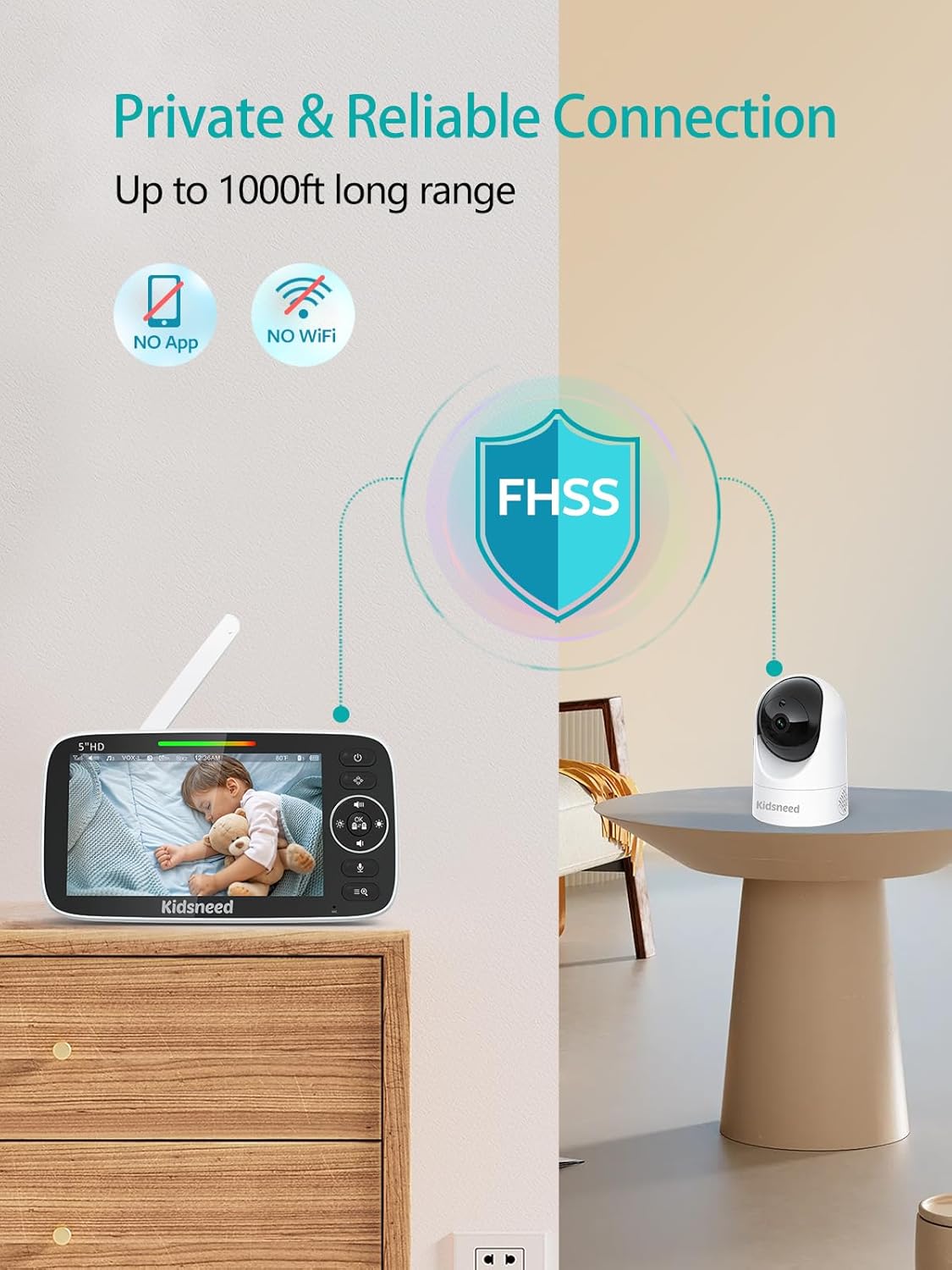
Image: A visual illustrating the private and reliable connection of the Kidsneed monitor, emphasizing "NO App" and "NO WiFi" with a shield icon for FHSS technology, and a long range of up to 1000ft.
5. 유지관리
5.1 청소
- Wipe the monitor and camera units with a soft, dry cloth.
- 연마성 세척제나 용제를 사용하지 마십시오.
- 청소하기 전에 장치의 플러그가 뽑혀 있는지 확인하세요.
5.2 배터리 관리
- Avoid fully discharging the monitor's battery frequently.
- 배터리의 성능을 유지하려면 계속 사용하지 않더라도 정기적으로 충전하세요.
- Store the unit in a cool, dry place if not used for extended periods.
6. 문제 해결
| 문제 | 가능한 원인 | 해결책 |
|---|---|---|
| 모니터에 영상/소리가 나오지 않습니다. | Monitor or camera not powered on; out of range; not paired. | Ensure both units are plugged in and powered on. Move monitor closer to camera. Re-pair units if necessary. |
| 화질이 나쁘다 | Low light (night vision not active); camera lens dirty; interference. | Ensure sufficient light or check night vision activation. Clean camera lens. Move units away from other electronic devices. |
| 정적이거나 왜곡된 소리 | 범위를 벗어남; 간섭. | Move monitor closer to camera. Reduce interference from other 2.4GHz devices. |
| 모니터 배터리가 빨리 소모됩니다 | Screen always on; old battery. | Use VOX mode to turn off screen when quiet. Ensure full charge. Contact support if battery life significantly degrades. |
| Cannot pan/tilt camera | Camera not responding; motor issue. | Restart both units. Ensure camera is powered. If issue persists, contact customer support. |
7. 사양
| 특징 | 세부 사항 |
|---|---|
| 모델명 | SM530F-2 |
| 디스플레이 크기 | 5인치 LCD |
| 비디오 캡처 해상도 | 720p HD |
| 연결 기술 | 2.4GHz FHSS (Wireless) |
| 실내/실외 사용 | 실내 |
| 전원 | 코드식 전기 |
| 배터리 용량 모니터링 | 4000mAh |
| 무선 범위 | 최대 960피트(시야) |
| 팬 각도 | 355도 |
| 기울기 각도 | 120도 |
| 디지털 줌 | 2배, 4배 |
| 포함된 구성 요소 | 1 monitor part, 2 camera parts |
| 제품 치수 | 4.9 x 5 x 7.6 인치 |
| 품목 무게 | 2.35파운드 |
8. 보증 및 지원
Kidsneed products are designed for reliability and performance. This product comes with a standard manufacturer's warranty. Please refer to the warranty card included in your package for specific terms and conditions.
For technical support, troubleshooting assistance, or warranty claims, please contact Kidsneed customer service. Contact information can typically be found on the Kidsneed official web사이트 또는 제품 포장에 표시되어 있습니다.
저희는 탁월한 고객 서비스를 제공하고 제품에 대한 고객 만족을 보장하기 위해 최선을 다하고 있습니다.
Ask a question about this manual
Ask about setup, troubleshooting, compatibility, parts, safety, or missing instructions. Manuals+ will review the question and use this page’s manual context to help answer it.