
소개
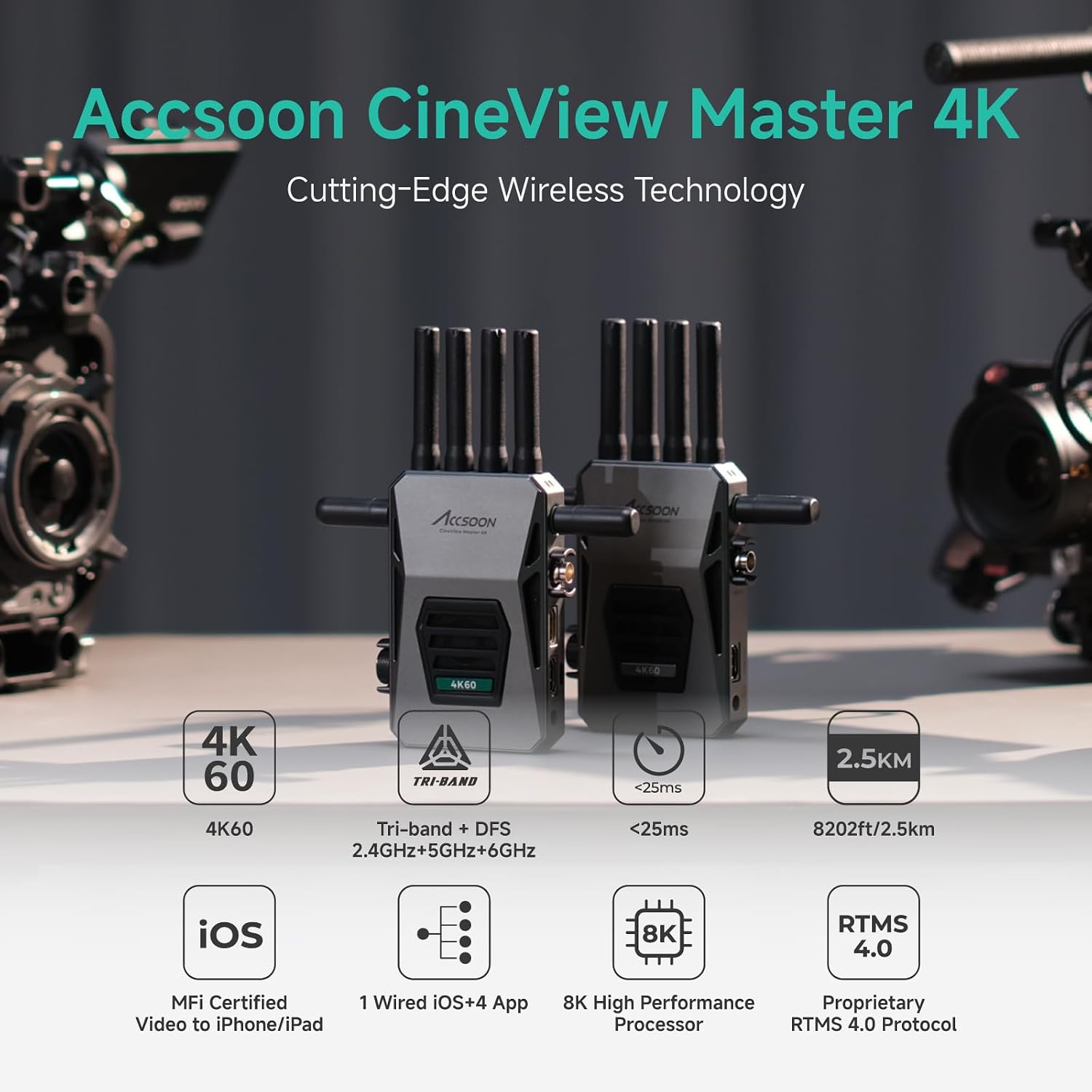
액순 시네View Master 4K is a cutting-edge wireless video transmission system designed for professional filmmaking and video production. It supports 4K UHD video transmission, features tri-band (2.4GHz, 5GHz, 6GHz) technology for robust connectivity, and offers ultra-low latency for real-time monitoring. This manual provides detailed instructions for setting up, operating, and maintaining your CineView 마스터 4K 시스템.
상자 안에 무엇이 들어있나요?
패키지에 모든 품목이 들어 있는지 확인하세요.
- 영화View Master 4K Transmitter x1
- 영화View Master 4K Receiver x1
- 2.4GHz/5GHz Antenna x8
- 6GHz 안테나 x4
- Cold Shoe Adapters x2
- USB-C to USB-C 케이블 x1
- USB-C to Lightning Cable x1
- L-shape Wrench x1
- 사용 설명서 x1

제품 끝view and External Ports
더 시네View Master 4K system consists of a Transmitter (TX) and a Receiver (RX) unit, both featuring a robust all-aluminum housing and a full-color LCD display for status and settings. Each unit is equipped with multiple ports for versatile connectivity.

Transmitter (TX) Ports:
- SDI 입력: 3G SDI for professional camera setups.
- HDMI 입력: Full 4K60 transmission capability.
- HDMI 루프아웃: Passes through lossless 4K60 video signals to other devices.
- USB Video Out: Wired USB video output port for iOS devices.
- DC 전원 입력: 5.5mm*2.1mm (7.4-16.8V) for DC adapter power inputs.
Receiver (RX) Ports:
- SDI 출력: 3G SDI for professional monitoring setups.
- HDMI 출력: Passes through lossless 4K60 video signals.
- DC 전원 입력: 5.5mm*2.1mm (7.4-16.8V) for DC adapter power inputs.

Video Tutorial: Accsoon CineView Master 4K Overview
비디오: 이 비디오는 포괄적인 내용을 제공합니다.view 엑순 시네마의View Master 4K, highlighting its features and connectivity options.
설치 지침
1. 안테나 설치
Screw the provided 2.4GHz/5GHz antennas onto the top ports and the 6GHz antennas onto the side ports of both the Transmitter and Receiver units. Ensure they are securely fastened.
2. 전원 옵션
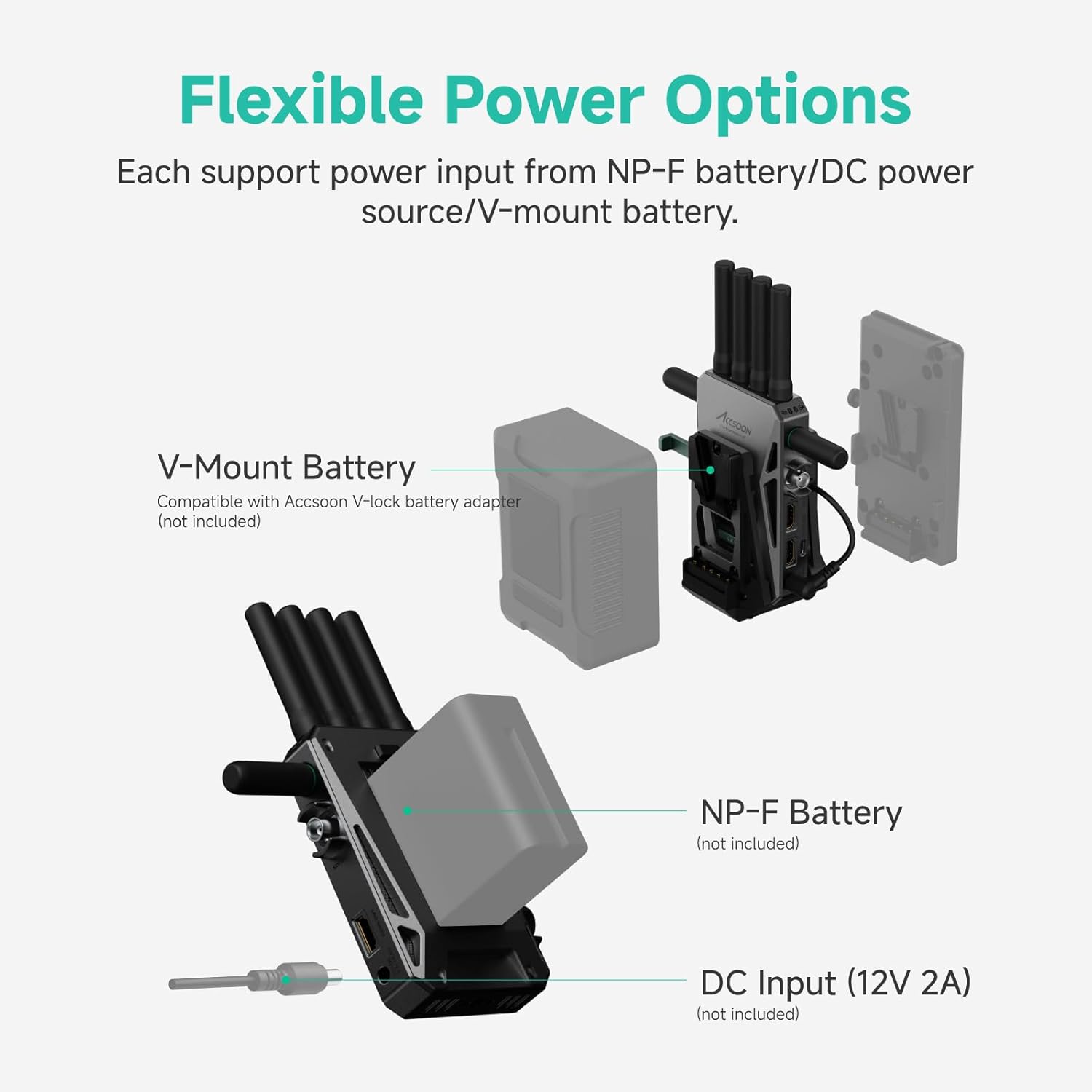
더 시네View Master 4K offers flexible power solutions:
- NP-F 배터리: Attach a compatible NP-F970/750/550 battery (not included) to the battery plate on the rear of the unit.
- DC 입력 : Connect a 12V/2A DC power source (not included) to the DC input port.
- V-마운트 배터리: Use with an Accsoon V-mount battery plate (not included) for V-mount battery power.

3. 전원 켜기/끄기
- 전원 켜기: 전원 버튼을 한 번 짧게 누르세요.
- 전원 끄기 : 전원 버튼을 3초간 길게 누릅니다.
4. 메뉴 탐색
Use the menu/OK knob to rotate and press to browse and modify settings on the full-color LCD display. The return button allows you to go back to the previous page or cancel a selection.
작동 지침
1. 4K UHD Video Transmission
더 시네View Master 4K supports video input/output formats up to (3840x2160) 24/25/30/50/60 fps via HDMI and 1080P via 3G SDI/HDMI. It uses advanced H.265 encoding for clear and sharp video quality.

2. Tri-Band Transmission (2.4GHz, 5GHz, 6GHz)
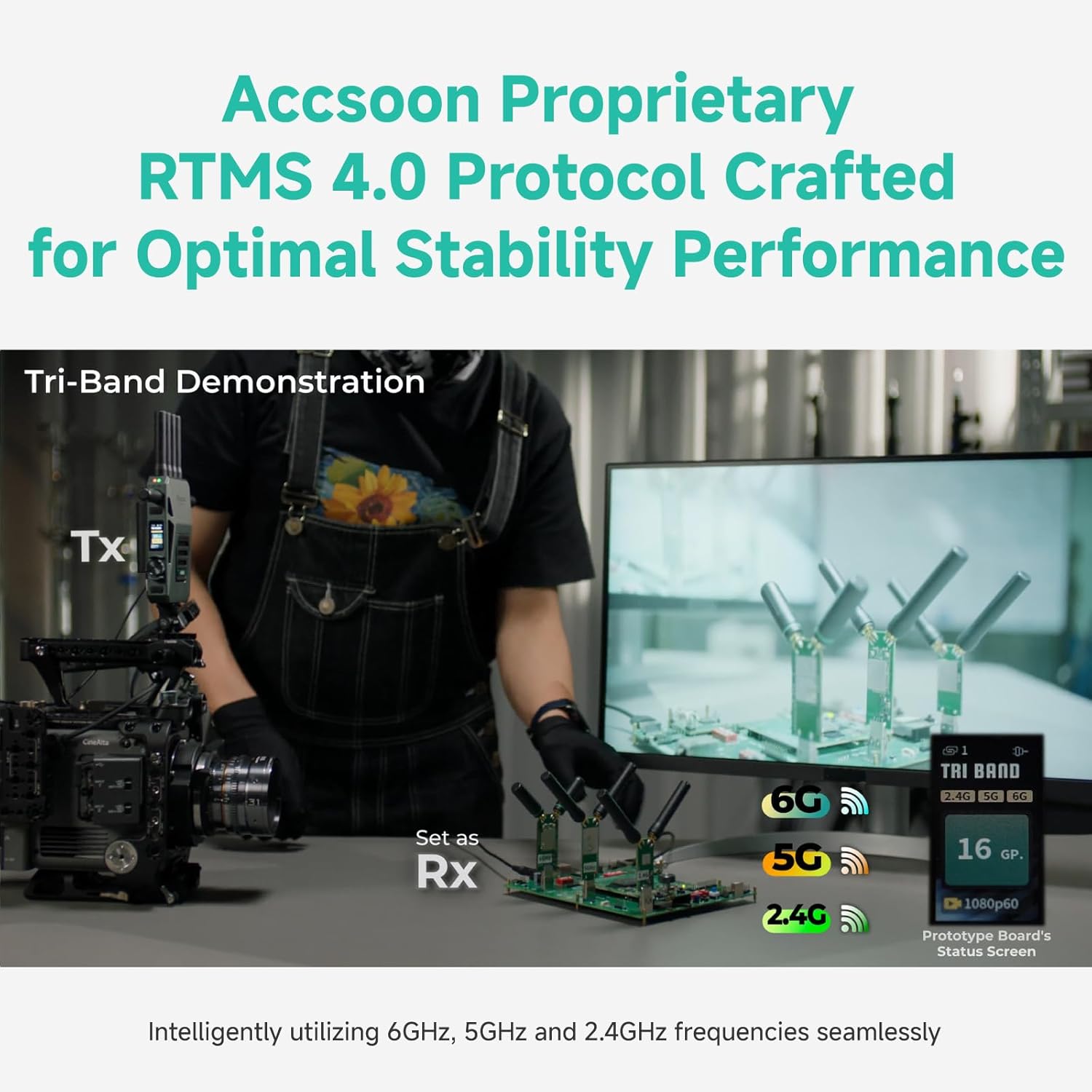
Equipped with Accsoon's proprietary RTMS 4.0 protocol and an 8K High-Performance A/V Processor, the system integrates 2.4GHz, 5GHz, and 6GHz frequencies for stable and robust transmission. This tri-band technology dynamically allocates and aggregates data links to ensure optimal reliability and minimal interference.
Video: 6GHz, 5GHz and 2.4GHz Tri-band Demonstration
영상: 시연 영상asing the seamless operation and stability of the CineView Master 4K's tri-band transmission across 2.4GHz, 5GHz, and 6GHz frequencies.
3. Ultra-Low Latency and Extended Range
Experience ultra-low latency of less than 25ms for 1080p 60fps and less than 35ms for 4K 60fps (camera latency not included). The system boasts an extended transmission range of up to 2.5 km (8202 ft) in unobstructed, interference-free environments, measured per FCC standards.
4. 모니터링 옵션
더 시네View Master 4K offers flexible monitoring solutions:
- 1 Wired iOS Monitoring: Connect your iOS device (iPhone 12 or later, compatible iPad models) via USB-C to the transmitter for smooth, MFi-certified monitoring. The transmitter also charges your device.
- 4 Wireless Monitoring: Transmit video wirelessly to up to four devices, including CineView Master Receivers, CineView M7 Pro camera monitors, and compatible Android/iOS mobile devices.
5. Accsoon SEE 앱
The Accsoon SEE App is a professional monitoring solution for both wired and wireless connections. It offers a comprehensive suite of features:
- 라이브 스트리밍 및 녹화
- Focus peaking, false color, zebra, waveforms, audio level meters
- Pinch-to-zoom, image flip, grids, screenshot, desqueeze
- Frame.io Camera to Cloud integration for automatic footage uploads.
6. Flexible Fan Control
더 시네View Master 4K allows you to adjust the fan speed to suit various shooting scenarios, reducing device temperature while maintaining quiet operation when needed.
- 표준 모드: Fan speed adjusts automatically based on temperature.
- 조용한 모드: Reduces fan speed for silent environments.
- 끄다: Turns off the fan completely.

7. Setting 4K HDMI Output
To receive 4K video, ensure the HDMI output signal of your camera is set to 3840x2160 before use. Note: 4K video cannot be recognized via SDI cables. When outputting from the camera to the Master 4K using SDI, video will only display if the camera's SDI output format is set to 1920x1080P.

명세서
| 특징 | 세부 사항 |
|---|---|
| 상표 | 아쿠순 |
| 모델 번호 | 마스터 4K 송신기 및 수신기 |
| 연결 기술 | HDMI, SDI, Wi-Fi |
| 무선 기술 | 2.4GHz, 5GHz, 6GHz |
| 비디오 인코딩 | H.264, H.265/HEVC |
| 지원되는 형식 | 4K, Surround Sound |
| 총 HDMI 포트 | 1 |
| 제어 방법 | 앱 |
| 품목 치수(D x W x H) | 1.25인치 깊이 x 5.1인치 너비 x 3.7인치 높이 |
| 품목 무게 | 1.26 킬로그램 |
| 전원 옵션 | NP-F Battery, DC Input (12V/2A), V-Mount Battery (with adapter) |
펌웨어 업데이트
Accsoon regularly releases firmware updates to enhance performance and add new features. It is recommended to keep your CineView Master 4K updated to the latest firmware version.
Update Process via Accsoon SEE App:
- Ensure your smartphone or iPad is connected to the internet.
- Open the Accsoon SEE App and select 'CineView Master 4K'.
- Navigate to the 'Firmware Update' section within the app.
- Download the latest firmware package through the app.
- Once downloaded, connect your iOS device to the CineView Master 4K Transmitter using the provided USB-C or Lightning cable.
- Follow the on-screen instructions in the app to transfer the firmware package to the transmitter.
- The transmitter will perform an internal update and reboot.
- If you have a paired receiver, it will prompt you to update as well. Confirm to proceed with the receiver update.
중요한: Ensure both the transmitter and receiver have at least 50% battery charge before starting a firmware update.
Video: Recent Firmware Update Tutorial
Video: A tutorial demonstrating the process of updating the firmware on your Accsoon CineView 마스터 4K 시스템.
문제 해결
- 비디오 신호 없음: Check all HDMI/SDI cable connections. Ensure the camera's output format matches the system's capabilities (e.g., 4K output set to 3840x2160). Verify that the correct input source is selected on your monitoring device.
- 불안정한 연결: Ensure antennas are securely attached. Check for excessive wireless interference in the environment. Try changing the channel in the system settings. Ensure the units are within the specified transmission range.
- 앱 연결 문제: 모바일 기기가 시네마에 연결되어 있는지 확인하십시오.View Master 4K's Wi-Fi network. Ensure the Accsoon SEE App is updated to the latest version.
- 장치 과열: Adjust the fan control settings to 'Standard' or 'Off' if operating in a quiet environment. Ensure air vents are not obstructed.
보증
액순 시네View Master 4K comes with a 1년 제조사 보증보증 청구를 위해 구매 증빙 서류를 보관하세요.
지원하다
추가 지원이 필요하면 다음을 방문하세요. Accsoon Official Store or contact customer support through the official Accsoon web대지.