
1. 중요한 안전 정보
본 제품을 사용하기 전에 모든 지침을 꼼꼼히 읽어 주십시오. 나중에 참조할 수 있도록 이 설명서를 보관하십시오.
- 환기구를 막지 마십시오. 프로젝터 주변에 공기가 충분히 흐르도록 하십시오.
- 화재나 감전을 방지하려면 프로젝터를 비나 습기에 노출시키지 마십시오.
- 제조사가 지정한 부속품/액세서리만 사용하세요.
- 천둥번개가 칠 때나 장기간 사용하지 않을 때는 프로젝터의 전원을 뽑아 두십시오.
- 모든 서비스는 자격을 갖춘 서비스 담당자에게 의뢰하세요.
2. 패키지 내용
패키지에 모든 품목이 들어 있는지 확인하세요.
- WEWATCH S3 4K Portable Projector
- 원격 제어
- 전원 케이블
- HDMI 케이블
- 사용자 설명서
3. 제품 오버view
Familiarize yourself with the components and ports of your WEWATCH S3 projector.

이미지: 앞면 view of the WEWATCH S3 4K Portable Projector, showcasin세련된 디자인과 렌즈.
3.1. 포트 및 연결
이 프로젝터는 다양한 연결을 위한 여러 포트를 갖추고 있습니다.

이미지: 후면 view of the WEWATCH S3 projector, highlighting its various input and output ports including LAN, USB, HDMI, and audio jacks.
- LAN(x1): 유선 네트워크 연결용.
- USB(x2): USB 드라이브 또는 기타 USB 장치를 연결하는 데 사용합니다.
- HDMI(x2): For connecting external devices like laptops, gaming consoles, or streaming sticks.
- AU (Audio Out x1): 외부 오디오 장치를 연결합니다.
- AX (Audio In x1): 오디오 입력용.
4. 설정
Follow these steps to set up your projector for the first time:
- 놓기: Place the projector on a stable, flat surface or mount it securely. Ensure it is positioned to project onto a suitable screen or wall.
- 전원 연결: 프로젝터의 전원 입력 단자에 전원 케이블을 연결한 다음 전원 콘센트에 연결하십시오.
- 전원 켜기: 프로젝터나 리모컨의 전원 버튼을 눌러 장치를 켜세요.

Image: The WEWATCH S3 projector set up in a living room environment, projecting an image onto a screen, demonstrating typical home usage.
5. 사용 설명서
5.1. Android TV Operating System
The WEWATCH S3 features an integrated Android TV system, providing direct access to popular streaming applications.

Image: A person using the remote control to navigate the Android TV interface projected onto a large screen, showing various streaming app icons like Prime Video, YouTube, and Netflix.
- 항해: Use the remote control's directional buttons and OK button to navigate the Android TV interface.
- 앱 사용: For optimal experience with certain applications (e.g., Netflix, YouTube), it is recommended to switch the remote control to mouse mode. After using the application, switch back to normal mode.
6. 연결성
6.1. Wi-Fi Connection (2.4G + 5G)
Connect your projector to a wireless network for internet access and screen mirroring.
- Navigate to the Wi-Fi settings in the Android TV menu.
- 원하는 네트워크를 선택하고 비밀번호를 입력하세요.
- The projector supports both 2.4G and 5G Wi-Fi bands for fast and stable connections.
6.2. 블루투스 연결
Connect external Bluetooth speakers or headphones for enhanced audio, or use the projector as a Bluetooth speaker.

Image: A smartphone wirelessly connected to the WEWATCH S3 projector, demonstrating the 2.4G/5G Wi-Fi and Bluetooth dual-channel capabilities for seamless content streaming.
- Bluetooth 설정으로 이동합니다.
- Bluetooth 장치와 페어링하십시오.
- The projector can also function as a standalone Bluetooth speaker when connected to a phone.
6.3. HDMI 및 USB 연결
HDMI 또는 USB 포트를 통해 외부 장치를 연결합니다.
- Insert the HDMI cable into one of the projector's HDMI ports and the other end into your device (e.g., laptop, game console).
- Insert a USB drive into a USB port to access media files.
7. 주요 특징
7.1. Electronic Focus
Adjust the image clarity easily using the remote control.

Image: A hand holding the projector's remote control, pointing to the F+/F- buttons used for electronic focus adjustment, with a clear projected image of a tiger cub.
- 사용하세요 F+ 그리고 F- buttons on the remote control to fine-tune the focus until the image is sharp.
7.2. 4-Point Keystone Correction
Correct distorted images to achieve a perfectly rectangular projection, regardless of the projector's angle.
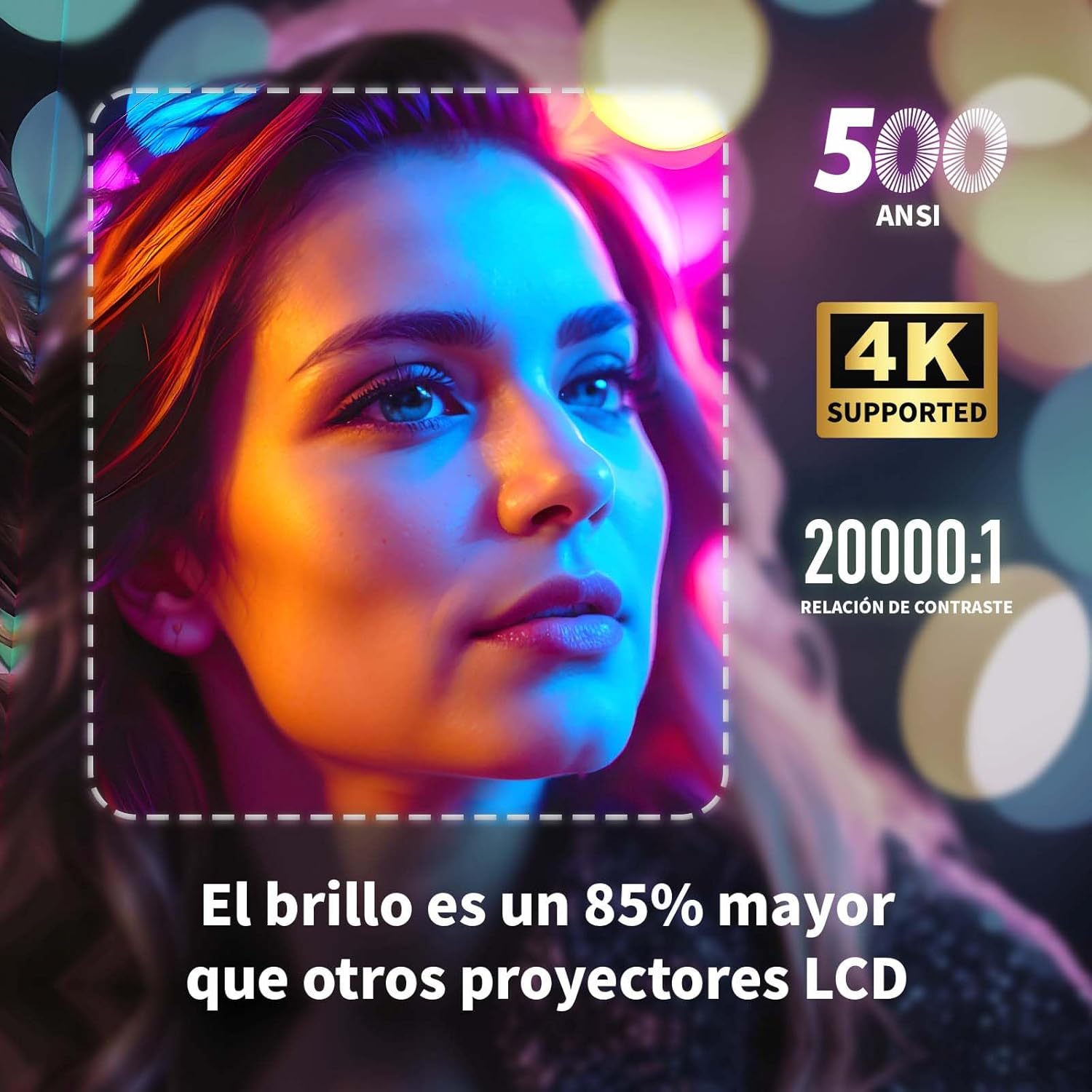
Image: A projected image of a woman's face with a dotted outline demonstrating how 4-point keystone correction adjusts the image to be perfectly rectangular, even when projected at an angle.
- Access the keystone correction settings in the menu to adjust each corner of the image independently.
- The projector also supports automatic vertical keystone correction.
7.3. 줌 기능
프로젝터를 움직이지 않고 이미지 크기를 조절하세요.

Image: A visual representation of the projector's zoom function, showing how the image size can be reduced from 100% to 50% without physically moving the projector.
- The zoom function allows you to reduce the image size from 100% to 80%.
7.4. Large Screen Projection
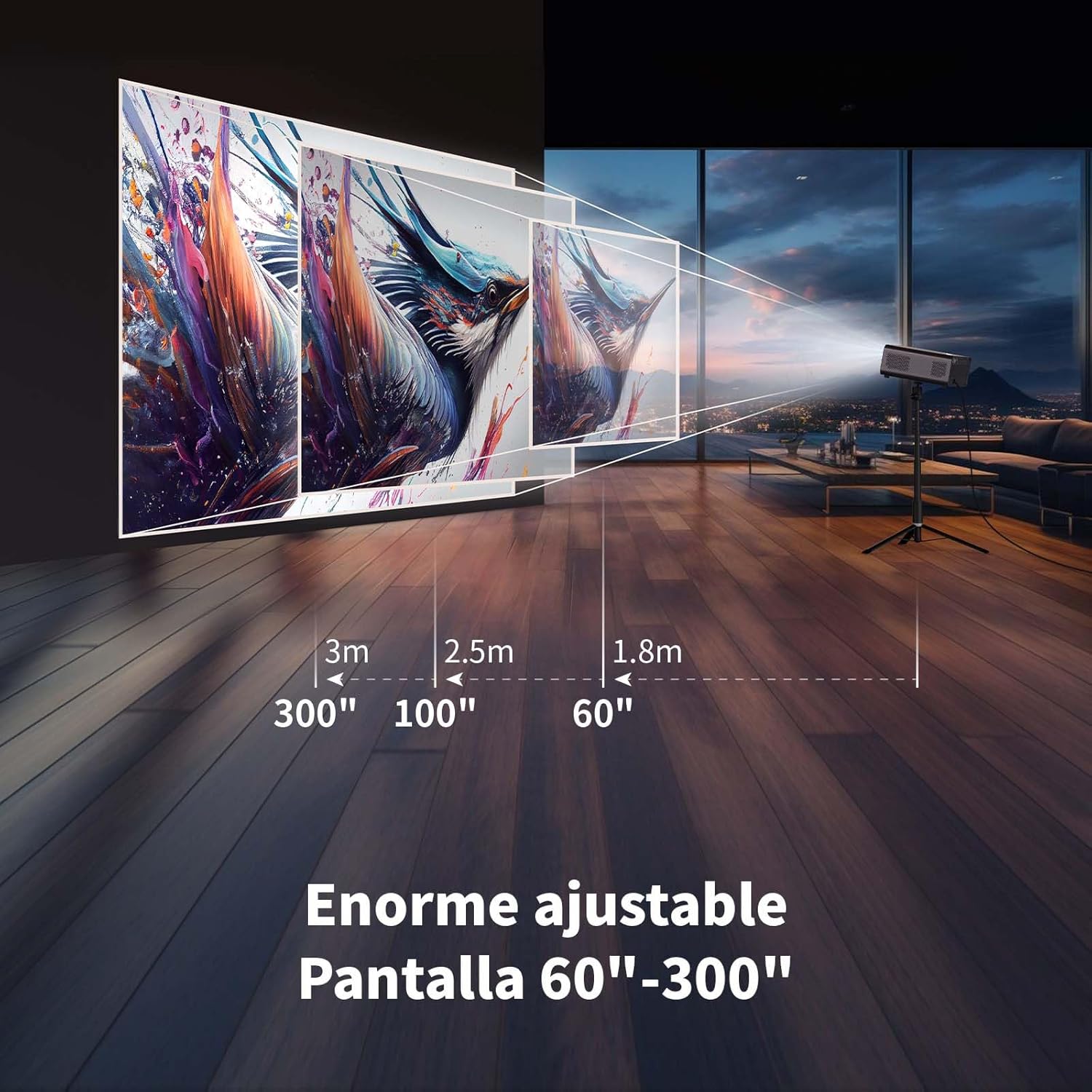
몰입감을 경험하세요 viewing with a large adjustable screen size.

Image: A large projected image of an astronaut on a snowboard, illustrating the 300-inch screen capability of the projector in a home cinema setting.
- The projector can produce an adjustable screen size from 60 inches to 300 inches, suitable for various view환경.
8. 유지관리
8.1. Dust-Proof Design and Cleaning
The projector features a dust-proof design with a hidden dust box to prevent dust accumulation.
이미지: 클로즈업 view of the projector's hidden dust box, showing the filter inside, and an illustration of airflow, emphasizing the importance of regular cleaning to prevent dust from entering the device.
- Regularly clean the dust box to maintain optimal performance and prevent dust from affecting the image quality.
- 프로젝터 외부를 닦을 때는 부드럽고 마른 천을 사용하십시오.
- 액체형 세척제나 에어로졸을 사용하지 마세요.
9. 문제 해결
프로젝터에 문제가 발생하면 다음의 일반적인 문제와 해결 방법을 참조하세요.
| 문제 | 가능한 해결책 |
|---|---|
| 이미지가 투영되지 않았습니다 | Check power connection. Ensure input source is correctly selected (HDMI, USB, etc.). Verify lens cap is removed. |
| 이미지가 흐릿함 | Adjust electronic focus using the F+/F- buttons on the remote. Ensure the projection surface is flat. |
| 이미지가 왜곡됩니다(사다리꼴 모양) | Use 4-point keystone correction in the settings menu to adjust the image corners. Check for automatic vertical correction. |
| 소리가 나지 않습니다 | Check volume settings on the projector and connected device. Ensure external speakers are properly connected or Bluetooth is paired. |
| Wi-Fi 연결 문제 | Ensure Wi-Fi is enabled. Re-enter Wi-Fi password. Restart the projector and router. Try connecting to a different Wi-Fi band (2.4G or 5G). |
10. 사양
Key technical specifications for the WEWATCH S3 Projector:
- 상표: 위워치
- 모델 번호: S3
- 색상: 스모크드 그레이
- 제품 유형: 휴대용 프로젝터
- 명도: 500 ANSI 루멘스
- Native Display Resolution: 1920 x 1080(풀HD)
- 최대 디스플레이 해상도: 3840 x 2160 (4K 지원)
- 대비율: 20000시 1분
- 디스플레이 유형: 주도의
- 연결 기술 : Bluetooth, Ethernet, HDMI, USB, Wi-Fi (2.4G/5G)
- 특별 기능: Wi-Fi Compatible, Digital Keystone Correction, Built-in Speaker, Auto Focus, Portable
- 호환 장치: Speaker, Laptop, Smartphone, Tablet
- 제품 크기: 24.3L x 24.9W x 10.5H 센티미터
- 추천 용도: Home Cinema, Video Games, Professional, Education
11. 보증 및 지원
The WEWATCH S3 Projector comes with a manufacturer's warranty to ensure your peace of mind.
- 제조업체 보증: 2년
- For technical support or warranty claims, please refer to the contact information provided with your purchase documentation or visit the official WEWATCH web대지.