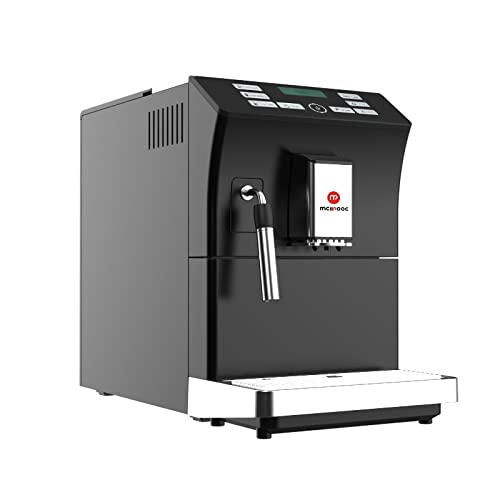
Mcilpoog WS-201 Automatic Espresso Machine User Manual
Model: WS-201 | Brand: Mcilpoog
1. 제품 오버view
The Mcilpoog WS-201 is a fully automatic espresso machine designed for convenience and versatility. It supports both whole coffee beans and pre-ground coffee powder, offering a wide range of beverage options through its intuitive touch screen interface. Key features include an adjustable grinding thickness, automatic cleaning functions, and a manual steam wand for milk frothing.
Image 1: Product Features. This image highlights the main functionalities of the Mcilpoog WS-201, including the steam pipe, soy flour dual-purpose, adjustable brewing dose, bean/water shortage alarm, automatic cleaning, adjustable grinding thickness, and adjustable coffee outlet height.Image 2: Touch Screen Interface. 클로즈업 view of the machine's full touch screen, showing various beverage options and control buttons for easy operation.
2. Components and Parts Diagram
Familiarize yourself with the various parts of your Mcilpoog WS-201 espresso machine.
Image 3: Product Parts Diagram. This diagram illustrates the main components of the WS-201 machine, including the Water Tank, Warm Cup area, Touch Screen, Water Pans, Manual Steam Pipe, Bean Box, Main Power Switch (Machine Back), Brewing Door, and Coffee Grounds Box.
수조: Located at the side, holds water for brewing.
Warm Cup Area: 윗면은 컵을 예열하는 데 사용합니다.
터치 스크린: Front-facing display for selecting beverages and settings.
Water Pans: Collects excess water and drips.
Manual Steam Pipe: For frothing milk manually.
Bean Box: Top compartment for whole coffee beans.
주 전원 스위치 : 기계 뒷부분에 위치해 있습니다.
Brewing Door: Side access panel for the brewing unit.
Coffee Grounds Box: 사용한 커피 찌꺼기를 모읍니다.
3. 설정
짐 풀기: 기계에서 모든 포장재와 보호 필름을 조심스럽게 제거하세요.
놓기: Place the machine on a stable, flat surface away from heat sources and direct sunlight. Ensure adequate ventilation.
수조: Remove the water tank, rinse it, and fill it with fresh, purified water up to the MAX level. Insert it back into the machine.
Bean Box: Open the lid of the bean box and fill it with your preferred whole coffee beans. Close the lid securely.
전원 연결: 전원 코드를 접지된 콘센트에 꽂으세요.
초기 헹굼: 세탁기를 켜세요. 자동 헹굼 과정이 진행됩니다. 화면에 나타나는 안내에 따라 진행하세요.
물 경도 시험: Perform a water hardness test using the provided strip (if included) and adjust the machine's settings accordingly for optimal performance and descaling reminders.
4. 사용 설명서
4.1. 에스프레소 만들기
The machine offers various espresso options. Select your desired espresso type (e.g., Espresso, Double Espresso) from the touch screen. You can customize coffee strength and volume before brewing.
Image 4: Espresso Brewing. This image shows the machine dispensing a double espresso into a cup, demonstrating the brewing process.
4.2. Using Whole Beans or Ground Coffee
The Mcilpoog WS-201 supports both whole beans and pre-ground coffee. For whole beans, simply fill the bean box. For ground coffee, use the dedicated powder warehouse.
Image 5: Bean Tank and Powder Warehouse. This image displays the top compartments of the machine, showing the Bean Tank filled with whole coffee beans and the separate Powder Warehouse for pre-ground coffee.
Adjust the grinding thickness using the knob inside the bean box. Turn towards 'Fine' for high roast or cinnamon roast coffee beans, suitable for brewing fancy coffee. Turn towards 'Coarse' for full-city roast or high roast coffee beans, suitable for brewing black coffee.
4.3. Manual Milk Frothing
Utilize the manual steam pipe to froth milk for lattes, cappuccinos, or other milk-based beverages. Ensure the milk container is properly connected and the steam function is selected on the touch screen.
5. 유지관리
정기적인 유지관리는 에스프레소 머신의 수명과 최적의 성능을 보장합니다.
자동 청소: The machine features an auto-clean function. Follow the prompts on the touch screen to initiate cleaning cycles.
Emptying Coffee Grounds Box: Regularly empty the coffee grounds box to prevent overflow and maintain hygiene.
Cleaning Water Pans: Empty and clean the water pans as needed.
석회질 제거 : The machine will indicate when descaling is required. Use a suitable descaling solution and follow the instructions in the service menu.
브루 그룹 클리닝: The brewing unit can be removed for manual cleaning. Refer to the parts diagram for its location.
6. 문제 해결
문제가 발생하면 고객 지원팀에 문의하기 전에 이 섹션을 참조하십시오.
커피 제공 없음: Check water tank level, coffee bean level, and ensure the brew group is correctly inserted.
연한 커피: Adjust coffee strength settings, check grinding thickness (finer grind for stronger coffee), and ensure fresh beans are used.
기계가 켜지지 않음: Verify power connection and check the main power switch at the back.
오류 메시지: Follow on-screen instructions for specific error codes. Common issues include low water, full grounds box, or descaling required.
7. 사양
특징
세부 사항
상표
맥실푸그
모델명
WS-201
색상
검은색
제품 치수
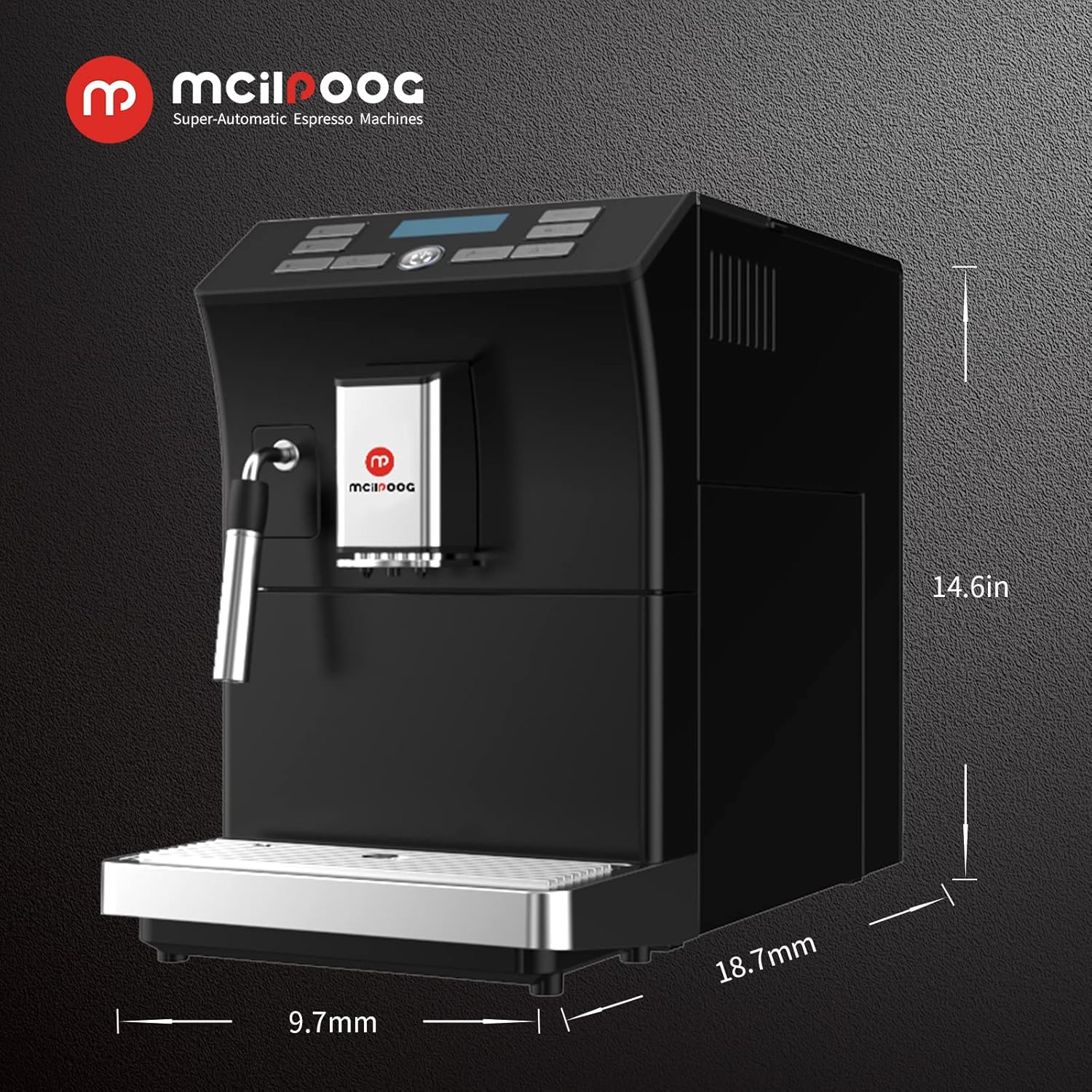
18.7인치 깊이 x 9.7인치 너비 x 14.6인치 높이
품목 무게
28파운드
특징
자동 청소 기능
커피 메이커 유형
에스프레소 머신
제품의 특정 용도
에스프레소 커피
포함된 구성 요소
우유 맛
항목 수
1
용량
1.8리터
이미지 6: 제품 치수. This image provides a visual representation of the machine's dimensions: 18.7 inches deep, 9.7 inches wide, and 14.6 inches high.
8. 보증 및 지원
For warranty information, technical support, or service inquiries, please refer to the documentation included with your product or contact Mcilpoog customer service directly. Keep your purchase receipt as proof of purchase.
Ask a question about this manual
Ask about setup, troubleshooting, compatibility, parts, safety, or missing instructions. Manuals+ will review the question and use this page’s manual context to help answer it.