
1. 서론
Thank you for choosing the Edifier X1 Lite True Wireless Earbuds. This manual provides detailed instructions for setting up, operating, and maintaining your new earbuds to ensure optimal performance and longevity. Please read this manual thoroughly before use.

Image: Edifier X1 Lite True Wireless Earbuds in their open charging case.
2. 상자 안에 무엇이 들어있나요?
The Edifier X1 Lite package includes the following components:
- 에디파이어 X1 라이트 완전 무선 이어버드 (좌우 세트)
- 충전 케이스
- USB 충전 케이블
- 사용 설명서 (본 문서)
3. 설정
3.1 초기 충전
처음 사용하기 전에 이어버드와 충전 케이스를 완전히 충전하세요.
- 양쪽 이어버드를 충전 케이스에 넣습니다.
- USB 충전 케이블을 케이스의 충전 포트와 전원(예: USB 벽면 어댑터, 컴퓨터 USB 포트)에 연결하세요.
- 충전 케이스의 표시등으로 충전 상태를 확인할 수 있습니다. 자세한 내용은 LED 표시등 부분을 참조하십시오.
- 일반적으로 케이스와 이어버드를 완전히 충전하는 데 약 1.5시간이 소요됩니다.
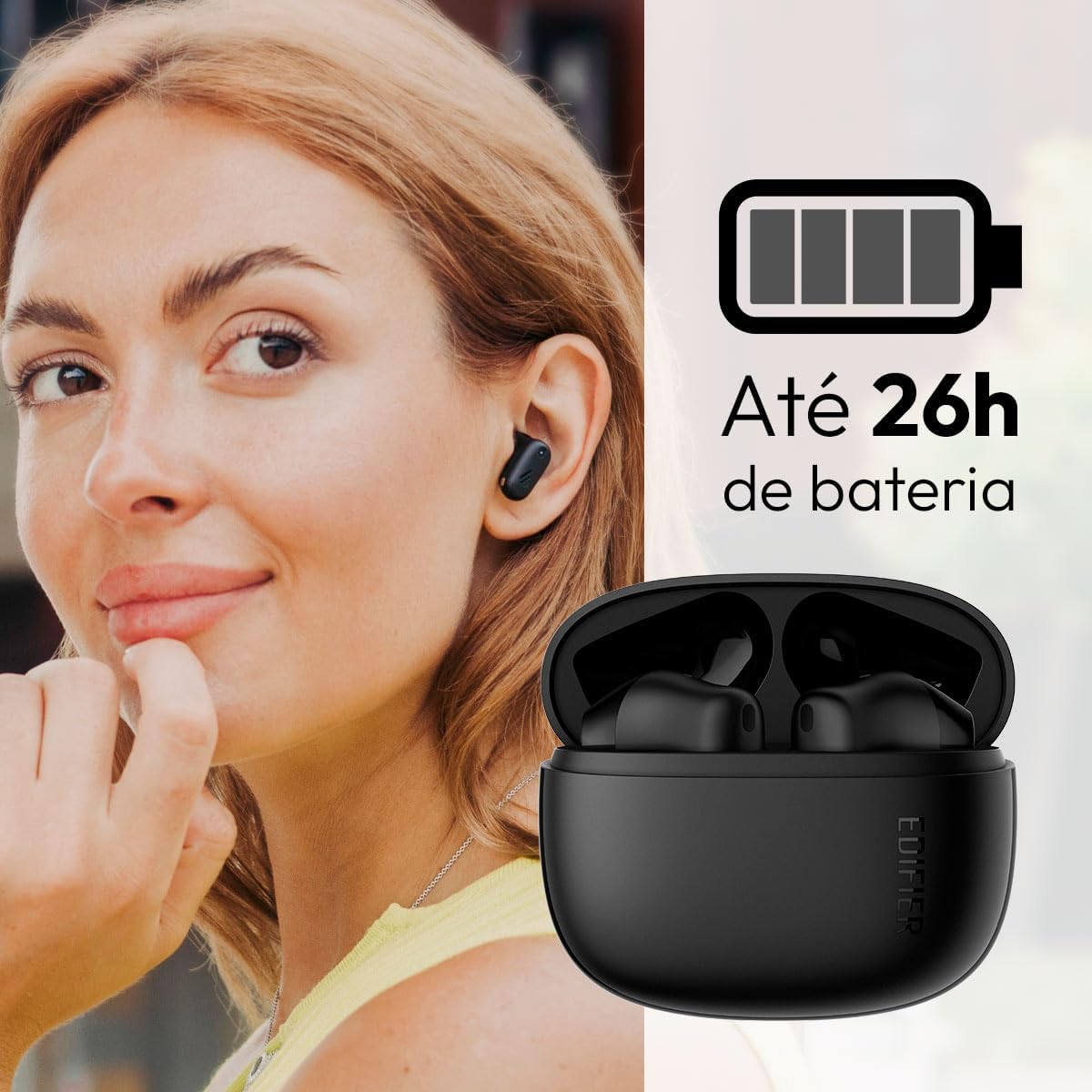
Image: Woman wearing an earbud, with the charging case and a battery icon indicating charging.
고속 충전 기능:
A 15-minute quick charge can provide approximately 1.5 hours of playtime for the earbuds.

Image: Visual representation of battery life and fast charging capabilities.
3.2 블루투스 페어링
Follow these steps to pair your Edifier X1 Lite earbuds with your device:
- 처음 페어링: Open the charging case. The earbuds will automatically power on and enter pairing mode. The indicator light on the earbuds will flash rapidly.
- 기기(스마트폰, 태블릿, 노트북)에서 Bluetooth를 활성화하세요.
- 검색 사용 가능한 블루투스 장치 목록에 "EDIFIER X1 Lite"가 표시됩니다.
- Select "EDIFIER X1 Lite" to connect. Once connected, the indicator lights on the earbuds will turn off, and you will hear a confirmation tone.
- Re-pairing/Connecting to a New Device: If the earbuds are already connected to another device, disconnect them first. Alternatively, with the earbuds in the case and the lid open, press and hold the button on the charging case for 3 seconds to enter pairing mode.

Image: Man using earbuds, highlighting Bluetooth 5.4 connectivity.
3.3 Edifier ConneX 앱 설치
For enhanced features and customization, download the EDIFIER ConneX app:
- Scan the QR code provided in the image below or visit the official Edifier app download page.
- 스마트폰이나 태블릿에 앱을 설치하세요.
- Open the app and follow the on-screen instructions to connect your X1 Lite earbuds.
- The app allows for sound effect customization, game mode activation, and touch control settings.

Image: EDIFIER ConneX app interface with QR code. Download the Edifier ConneX App
4. 사용 설명서
4.1 이어버드 착용하기
Proper fit ensures optimal sound quality and comfort:
- 왼쪽(L) 및 오른쪽(R) 이어버드를 식별합니다.
- 각 이어버드를 해당 귀의 귀에 조심스럽게 삽입하세요.
- 이어버드를 살짝 돌려 안정적이고 편안하게 느껴질 때까지 조정하십시오.

Image: Man demonstrating proper earbud placement.
4.2 전원 켜기/끄기
- 전원 켜기: 이어버드는 충전 케이스에서 꺼내면 자동으로 전원이 켜집니다.
- 전원 끄기 : 이어버드를 충전 케이스에 다시 넣고 뚜껑을 닫으면 자동으로 전원이 꺼지고 충전이 시작됩니다.
4.3 터치 컨트롤
The Edifier X1 Lite earbuds feature touch-sensitive controls on each earbud. These controls can be customized via the EDIFIER ConneX app.
| 행동 | 왼쪽 이어버드(L) | 오른쪽 이어버드(R) |
|---|---|---|
| 전화 받기/종료하기 | 더블 탭 | 더블 탭 |
| 전화 거부 | 트리플 탭 | 트리플 탭 |
| 음악 재생/일시 정지 | 더블 탭 | 더블 탭 |
| 다음 트랙 | N/A (Customize via App) | 트리플 탭 |
| 이전 트랙 | 트리플 탭 | N/A (Customize via App) |
| 게임 모드 켜기/끄기 | 쿼드러플 탭 | 쿼드러플 탭 |
Note: These are default settings. Functions can be reconfigured using the EDIFIER ConneX app.

Image: Visual guide to earbud touch controls.
5. 유지관리
5.1 청소
- 부드럽고 마른 보푸라기 없는 천으로 이어버드와 충전 케이스를 정기적으로 청소하세요.
- 연마성 세척제, 알코올, 화학 용제는 사용하지 마세요.
- 적절한 충전을 유지하려면 이어버드와 케이스의 충전 접점이 깨끗하고 이물질이 없는지 확인하세요.
5.2 방수(IP54)
The Edifier X1 Lite earbuds are IP54 rated, meaning they are protected against dust ingress and splashing water from any direction. This makes them suitable for workouts and light rain.
- 이어버드를 물에 담그지 마세요.
- 충전 케이스는 방수 기능이 없습니다. 물에 젖지 않도록 보관하십시오.
- If earbuds get wet, wipe them dry completely before placing them back in the charging case to prevent damage.

Image: Demonstrating IP54 sweat resistance during exercise.
5.3 배터리 관리
- 이어버드와 케이스를 극한 온도(더위나 추위)에 노출시키지 마세요.
- 사용하지 않을 때는 장치를 서늘하고 건조한 곳에 보관하십시오.
- 배터리 수명 유지를 위해 자주 사용하지 않더라도 기기를 정기적으로 충전하십시오.
6. 문제 해결
If you encounter issues with your Edifier X1 Lite earbuds, refer to the following common problems and solutions:
6.1 소리가 나지 않거나 연결이 간헐적으로 끊김
- 배터리 확인: 이어버드와 충전 케이스 모두 충분히 충전되었는지 확인하십시오.
- 수리하다: 이어폰을 기기의 블루투스 설정에서 연결 해제한 다음 다시 연결하세요.
- 거리: Ensure the earbuds are within the Bluetooth range (typically 10 meters) of your device.
- 간섭: Move away from strong Wi-Fi signals or other Bluetooth devices that might cause interference.
- 재설정 : Place both earbuds in the charging case, close the lid, wait a few seconds, then open the lid and try pairing again.
6.2 이어버드가 충전되지 않음
- 케이블 확인: USB 충전 케이블이 케이스와 전원에 모두 단단히 연결되어 있는지 확인하세요.
- 전원: 다른 USB 포트나 벽면 어댑터를 사용해 보세요.
- 깨끗한 연락처: Clean the charging contacts on the earbuds and inside the charging case with a dry cotton swab.
- 적절한 배치: 이어폰이 충전 케이스에 올바르게 끼워져 있는지 확인하세요.
6.3 통화 품질 불량
- 마이크 방해: Ensure the microphone on the earbuds is not covered.
- 환경: Move to a quieter environment if possible. The AI algorithm helps, but extreme noise can still affect clarity.
- 연결 안정성: 안정적인 Bluetooth 연결을 보장하세요.

Image: Man using earbuds for a clear call, highlighting AI voice pick-up technology.
6.4 앱 연결 문제
- 블루투스 켜기: Ensure Bluetooth is enabled on your device and the earbuds are connected.
- 앱 권한: Check if the EDIFIER ConneX app has necessary Bluetooth and location permissions.
- Restart App/Device: 앱을 닫았다가 다시 열거나 스마트폰을 다시 시작하세요.
- 앱 업데이트: 앱이 최신 버전으로 업데이트되었는지 확인하세요.
7. 사양
| 특징 | 세부 사항 |
|---|---|
| 모델명 | X1 라이트 |
| 연결 기술 | 무선(블루투스) |
| 블루투스 버전 | 5.4 |
| 오디오 드라이버 유형 | Dynamic Driver (Φ13mm) |
| 주파수 범위 | 20Hz-20kHz |
| 배터리 수명 | 최대 7시간(이어버드), 최대 26시간(충전 케이스 사용 시) |
| 빠른 충전 | 15분 충전으로 1.5시간 재생 가능 |
| 낮은 대기 시간 | 60ms |
| 방수성 | IP54 (이어폰만 해당) |
| 마이크로폰 | Single Mic AI algorithm voice pick-up |
| 제어 방법 | Touch Control, App (EDIFIER ConneX) |
| 재료 | 플라스틱 |
| 이어 버드 무게 | 이어버드당 약 4g |
| 색상 | 검은색 |
8. 보증 및 지원
Edifier products are designed with quality and reliability in mind. For warranty information and customer support, please refer to the official Edifier web사이트를 방문하거나 고객 서비스에 직접 문의하세요.
- 공식적인 Web대지: 방문하다 www.edifier.com 제품 등록, FAQ, 지원 리소스를 확인하세요.
- 고객 서비스: Contact Edifier customer support for technical assistance or warranty claims. Contact details can typically be found on the official web사이트 또는 제품 포장.
보증을 위해 구매 증빙서류를 보관하세요.