
소개
Thank you for choosing the Vieta Pro Silence 3 Bluetooth 5.4 Active Noise Cancelling Headphones. These headphones are designed to provide a superior audio experience with advanced features for comfort and convenience. Please read this manual carefully before using your headphones to ensure proper operation and to maximize their lifespan.
패키지 내용
- Vieta Pro Silence 3 Headphones
- USB-C 충전 케이블
- 3.5mm 오디오 케이블
- 사용자 설명서
제품 끝view
Familiarize yourself with the various parts and controls of your Vieta Pro Silence 3 headphones.
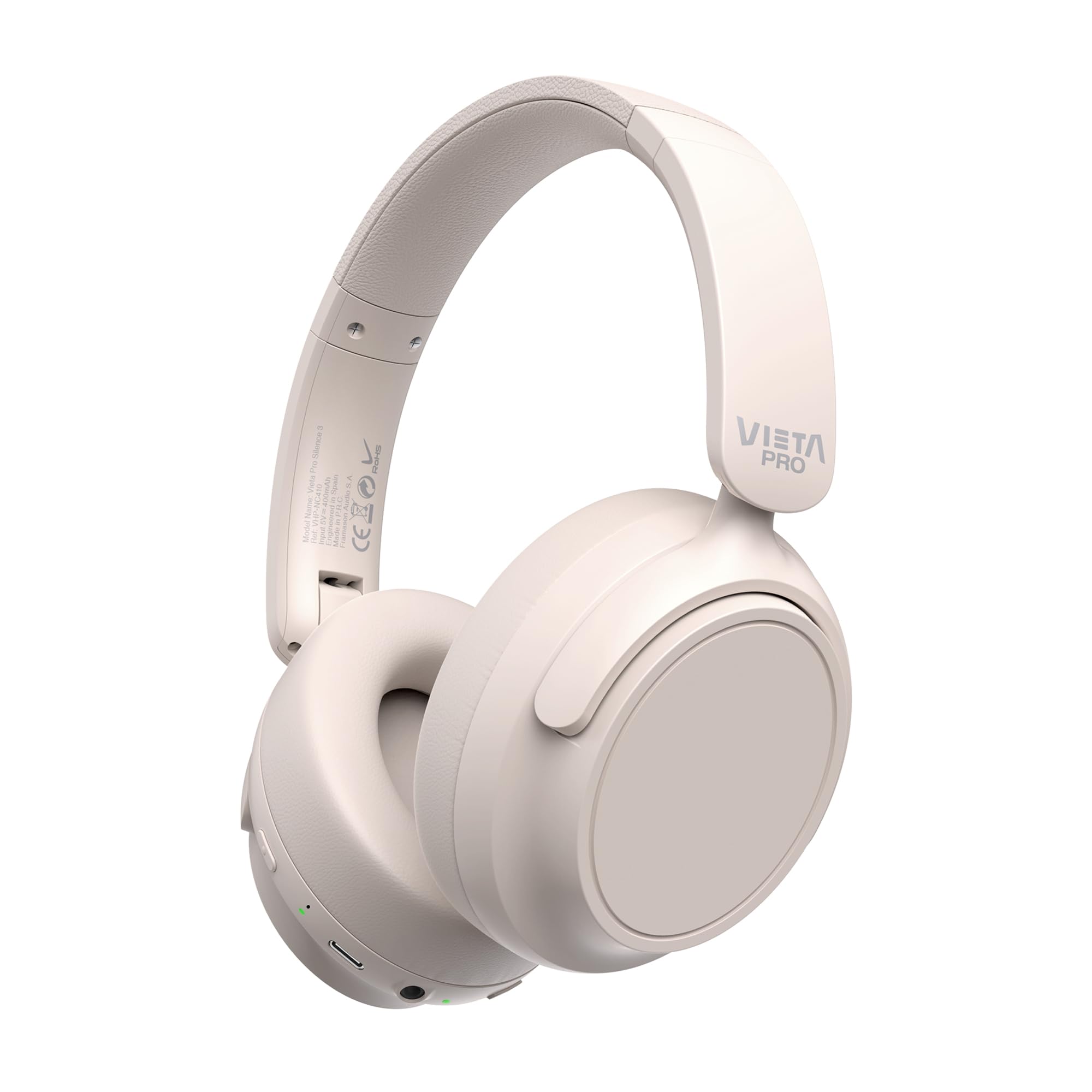
이미지: 앞면 view of the Vieta Pro Silence 3 headphones, showcasing their overall design.

이미지: 측면 view of the Vieta Pro Silence 3 headphones, highlighting the earcups and adjustable headband.

Image: Close-up of a Vieta Pro Silence 3 earcup, illustrating the control buttons, charging port, and 3.5mm audio jack.
The headphones feature a foldable design for easy portability.

Image: Vieta Pro Silence 3 headphones in their folded state, demonstrating their compact design for travel and storage.
설정
1. 헤드폰 충전
Before first use, fully charge your headphones. Connect the supplied USB-C cable to the charging port on the headphones and the other end to a USB power source (e.g., wall adapter, computer USB port).
- The LED indicator will show charging status (e.g., red for charging, blue/off for fully charged).
- 완충 시 최대 50시간 동안 재생할 수 있습니다.
- Fast charging via USB-C allows for quick power-ups.
2. 전원 켜기 / 끄기
- 전원을 켜려면: 전원 버튼을 약 3초간 길게 눌러 LED 표시등이 켜지고 음성 안내가 들리도록 합니다.
- 전원을 끄려면: LED 표시등이 꺼지고 음성 안내가 들릴 때까지 약 3초 동안 전원 버튼을 길게 누릅니다.
3. 블루투스 페어링
- 헤드폰의 전원이 꺼져 있는지 확인하십시오.
- 전원 버튼을 5~7초 동안 길게 누르면 LED 표시등이 파란색과 빨간색으로 번갈아 깜빡이며 페어링 모드에 진입합니다.
- 기기(스마트폰, 태블릿, 컴퓨터)에서 Bluetooth를 활성화하고 사용 가능한 기기를 검색하세요.
- Select "Vieta Pro Silence 3" from the list of found devices.
- 페어링이 완료되면 LED 표시등이 파란색으로 천천히 깜빡이고 확인음이 들립니다.
헤드폰의 전원을 켜면 마지막으로 페어링된 기기에 자동으로 다시 연결을 시도합니다.
4. Wired Connection (Auxiliary Input)
You can use the headphones with a wired connection when Bluetooth is not available or preferred. Connect one end of the 3.5mm audio cable to the auxiliary input port on the headphones and the other end to your audio source's 3.5mm jack.
- When using the wired connection, Bluetooth functionality is disabled.
- Active Noise Cancellation (ANC) can still be used in wired mode.
작동 지침
1. 음악 재생
- 재생/일시 중지: 다기능 버튼을 한 번 누릅니다.
- 다음 트랙: 볼륨 높이기 버튼을 길게 누르세요.
- 이전 트랙 : 볼륨 낮추기 버튼을 길게 누릅니다.
- 볼륨 업: 볼륨 높이기 버튼을 짧게 누르세요.
- 볼륨 작게 : 볼륨 낮추기 버튼을 짧게 누르세요.
2. 통화 관리
- 전화 받기/종료: 다기능 버튼을 한 번 누릅니다.
- 전화 거부: 다기능 버튼을 2초 동안 길게 누릅니다.
- 음성 어시스턴트 : 다기능 버튼을 두 번 누르면 기기의 음성 비서(Siri, Google Assistant 등)가 활성화됩니다.
3. 능동 소음 제거(ANC)
ANC 기능은 주변 소음을 줄여 더욱 몰입감 있는 청취 경험을 제공합니다.
- ANC 활성화/비활성화: Press the dedicated ANC button once. The LED indicator for ANC will light up (e.g., green) when active.
- ANC can be used independently or with Bluetooth/wired audio.
4. Dual Pairing Function
The Dual Pairing feature allows you to connect your headphones to two Bluetooth devices simultaneously.
- "블루투스 페어링" 섹션에 설명된 대로 헤드폰을 첫 번째 장치와 페어링합니다.
- 첫 번째 기기에서 Bluetooth를 비활성화합니다.
- 헤드폰을 다시 페어링 모드로 전환하고 두 번째 기기와 페어링하세요.
- Enable Bluetooth on the first device. The headphones should now be connected to both devices.
- Audio will play from the device that is actively transmitting.
유지
- 부드럽고 마른 천으로 헤드폰을 닦으세요. 연마성 세제나 용제를 사용하지 마세요.
- 헤드폰을 극한의 온도, 습도 또는 직사광선에 노출시키지 마세요.
- Store the headphones in a cool, dry place when not in use, preferably in their folded state to protect them.
- 헤드폰을 분해하거나 개조하려고 하지 마십시오. 그럴 경우 보증이 무효화됩니다.
문제 해결
| 문제 | 가능한 해결책 |
|---|---|
| 헤드폰의 전원이 켜지지 않습니다. | 헤드폰이 충전되어 있는지 확인하세요. USB-C 케이블을 사용하여 전원에 연결하세요. |
| 블루투스로 페어링할 수 없습니다. |
|
| 소리가 나지 않거나 볼륨이 작습니다. |
|
| ANC가 효과적으로 작동하지 않습니다. |
|
명세서
| 특징 | 세부 사항 |
|---|---|
| 모델명 | 침묵 3 |
| 모델 번호 | RM |
| 연결 기술 | Bluetooth 5.4, 유선(3.5mm 잭) |
| 소음 제거 | 능동 잡음 제거 (ANC) |
| 배터리 수명 | 최대 50시간 |
| 충전 포트 | USB-C(고속 충전) |
| 마이크로폰 | Integrated for hands-free calls |
| 폼 팩터 | Circum-Auricular (Over-Ear) |
| 임피던스 | 32옴 |
| 특별 기능 | Dual Pairing, Foldable Design, Low Latency Mode |
안전 정보
- 청력 손상을 방지하기 위해 장시간 높은 볼륨으로 헤드폰을 사용하지 마십시오.
- 주변 소리가 들리지 않는 상황(예: 운전, 자전거 타기, 교통 체증 속 걷기)에서는 헤드폰을 사용하지 마십시오.
- 어린이의 손이 닿지 않는 곳에 보관하세요.
- 현지 규정에 따라 책임감 있게 제품을 폐기하십시오.
보증 및 지원
For warranty information and technical support, please refer to the documentation provided with your purchase or visit the official Vieta Pro web사이트. 보증 청구를 위해 구매 증빙 자료를 보관하세요.
Note: Information regarding specific warranty duration or direct support contacts was not available in the provided product data.