
제품 끝view
The SimpliSafe Smart Lock Series 2 is designed to integrate seamlessly with your SimpliSafe Gen 3 Home Security System, providing enhanced door security and convenient access control. This smart lock ensures your door is secured automatically when your system is armed and offers multiple unlocking methods.

Image: The SimpliSafe Smart Lock Series 2 (Black) and its accompanying PIN Pad, showcasin두 구성 요소 모두의 세련된 디자인이 돋보입니다.

Image: An installed SimpliSafe Smart Lock on a door, illustrating its function in securing the home when the system is armed.
설정 및 설치
The SimpliSafe Smart Lock is designed for straightforward installation without the need for drilling. It requires a single-cylinder deadbolt and is compatible with the SimpliSafe Gen 3 Home Security System.
호환성 요구 사항
- Requires the latest SimpliSafe Home Security system (Gen 3).
- Compatible with single-cylinder deadbolts.
설치 단계
- Remove your existing deadbolt's interior thumb turn. The exterior portion of the deadbolt remains in place.
- Attach the SimpliSafe Smart Lock interior unit over the existing deadbolt mechanism. Ensure proper alignment.
- Secure the Smart Lock with the provided screws. No drilling is typically required.
- Pair the Smart Lock with your SimpliSafe Base Station following the instructions in the SimpliSafe App.
- Calibrate the lock through the SimpliSafe App to ensure smooth operation.
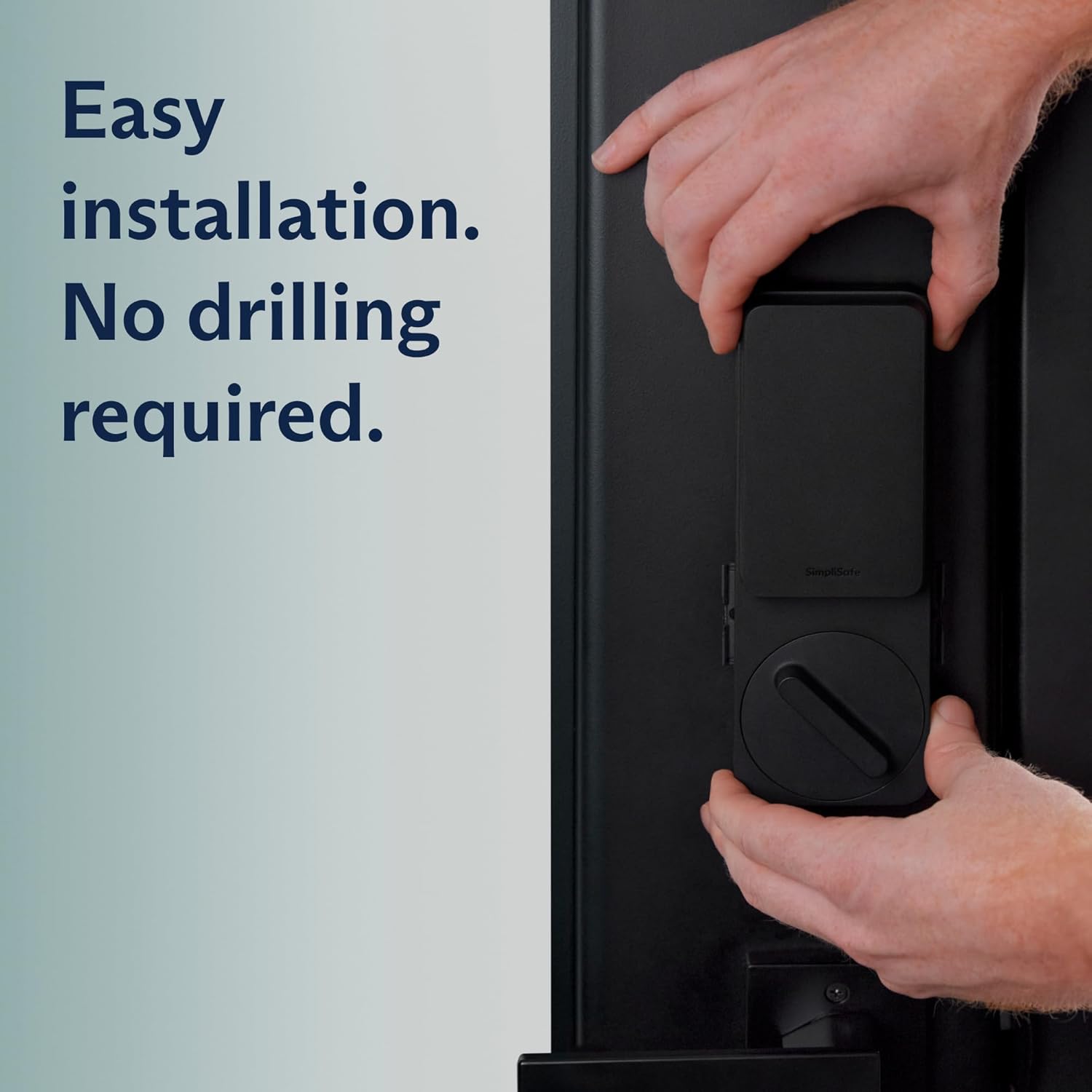
Image: A close-up of hands installing the SimpliSafe Smart Lock onto a door, demonstrating the screw-in installation process.

Image: Visual representation of the easy installation process, highlighting compatibility with existing keys, screwdriver-only installation, and no drilling required.
스마트 잠금 장치 작동
The SimpliSafe Smart Lock offers multiple ways to secure and access your home, integrating with your security system for automated locking and remote control.
자동 잠금
- The lock automatically secures your door when you arm your SimpliSafe system.
- You can set a timer within the SimpliSafe App for automatic locking at specific intervals or after a set duration.

Image: The SimpliSafe Smart Lock on a door, emphasizing its automatic locking feature when the system is armed or a timer is set.
Manual and Remote Control
- PIN Pad: Use the included PIN Pad to enter your access code for unlocking. The PIN Pad lights up for visibility in low light conditions.
- SimpliSafe App: Lock and unlock your door remotely from anywhere using the SimpliSafe App on your smartphone or tablet.
- SimpliSafe Key Fob (sold separately): For quick access, use a SimpliSafe Key Fob to unlock the door.

Image: A user interacting with the SimpliSafe PIN Pad, demonstrating how to manually unlock the door using a code.

Image: The SimpliSafe PIN Pad mounted on a door, highlighting its design and functionality as a primary access method.

Image: A user operating the SimpliSafe app on a smartphone to control the smart lock remotely.

Image: The SimpliSafe app interface on a smartphone, illustrating the ability to grant remote access and manage user codes.
보안 기능
- Instant Phone Alerts: Receive notifications via the SimpliSafe App when your door is locked or unlocked.
- 침입자 방지: If an incorrect PIN is entered five times, the Smart Lock will notify you, indicating a potential security breach.
- 안정적인 연결성: Maintains a stable connection to your SimpliSafe system and wireless network for continuous protection.
유지
Regular maintenance ensures the optimal performance and longevity of your SimpliSafe Smart Lock.
배터리 교체
The Smart Lock is battery-powered. When battery levels are low, you will receive notifications through the SimpliSafe App and potentially on the device itself. Replace batteries promptly to avoid interruption of service.
- Use alkaline batteries as specified by SimpliSafe.
- Refer to the SimpliSafe App for specific instructions on accessing the battery compartment and replacing batteries.
청소
Wipe the exterior of the Smart Lock and PIN Pad with a soft, dry cloth. Avoid using abrasive cleaners or solvents that could damage the finish.
문제 해결
This section addresses common issues you might encounter with your SimpliSafe Smart Lock.
Lock is Noisy or Requires Frequent Recalibration
- Ensure the deadbolt mechanism operates smoothly without the Smart Lock installed. Stiffness in the deadbolt can affect Smart Lock performance.
- Re-run the calibration process through the SimpliSafe App.
- Check that the Smart Lock is securely mounted and not loose.
Unreliable Status Reporting or Random Unlocking
- Verify the Smart Lock's connection to your SimpliSafe Base Station. Ensure the Base Station is within range and not obstructed.
- 배터리 잔량을 확인하고 부족하면 교체하십시오.
- Ensure your SimpliSafe system firmware and app are up to date.
PIN Pad Not Responding
- Check the PIN Pad's batteries.
- Ensure the PIN Pad is properly paired with your SimpliSafe system.
For further assistance, refer to the SimpliSafe support web사이트를 방문하거나 고객 서비스에 문의하세요.
명세서
| 특징 | 세부 사항 |
|---|---|
| 상표 | 심플리세이프 |
| 모델 번호 | CA010-02RUS |
| 색상 | 검은색 |
| 전원 | 배터리 구동 |
| 호환 장치 | SimpliSafe Gen 3 Home Security System, Personal Computer, Smartphone, Tablet |
| 치수(길이 x 너비 x 높이) | 7.67 x 2.75 x 1.27 인치 |
| 품목 무게 | 15.2 온스 |
| 연결 기술 | 무선 전화 |
| 설치 유형 | Screw-In (No drilling required) |
| 제어 방법 | App, Touch (PIN Pad) |
| 배터리 셀 구성 | 알칼리성 |
| 포함된 구성 요소 | Smart Lock, PIN Pad |
| 특별 기능 | Alarm, Auto-Lock, Break-in Detection, Fob Unlock, Passcode Unlock |
| 한국어: | 843261113986 |
보증 및 지원
For detailed warranty information and customer support, please refer to the official SimpliSafe website or contact SimpliSafe customer service directly. Keep your purchase receipt for warranty claims.
SimpliSafe Support: simplisafe.com/support
SimpliSafe Store: SimpliSafe Amazon Store