1. 서론
This manual provides comprehensive instructions for the setup, operation, maintenance, and troubleshooting of your new Universal TV Remote Control. Designed for ease of use, this remote is compatible with a wide range of major TV brands, offering a convenient replacement for your original remote.
최적의 성능과 제품 수명 연장을 위해 리모컨을 사용하기 전에 본 설명서를 꼼꼼히 읽어 주십시오.

Figure 1: Universal TV Remote Control

Figure 2: Compatible with Major TV Brands
2. 설정 지침
Before first use, insert two AAA batteries into the remote control. Ensure correct polarity (+/-) as indicated inside the battery compartment.
2.1. Brand Setting (Recommended Method)
This method is recommended for major TV brands that have a dedicated button on the remote control (e.g., Samsung, LG, Sony, TCL, Vizio, Hisense, Sanyo, Insignia, Philips, Panasonic, Sharp, Toshiba, Hitachi, JVC, Vestel, Seiki, RCA, Magnavox, Westinghouse, Haier).
- Identify the button on the remote control corresponding to your TV brand.
- Press and hold the corresponding brand button for approximately 3 seconds.
- The LED indicator on the remote will flash three times, indicating that the setting is complete.

Figure 3: Brand Setting Method
유용한 팁: Under the Initial Setting Mode, this remote can directly control many TV brands, including LG, SAMSUNG, PHILIPS, SONY, PANASONIC, SHARP and other TV brands listed on the remote control.
2.2. Code Setting Method
Use this method for TV brands that do not have a dedicated brand button on the remote, or if the Brand Setting method does not work.
- 를 누르고 계세요 무음 버튼과 힘 버튼을 몇 초간 동시에 누르세요.
- Release both buttons when the LED indicator light illuminates.
- Refer to the provided code list in the physical manual (not included here) and enter the 3 or 4-digit code for your TV brand using the number buttons.
- If the code is correct, the LED will turn off, indicating successful setup. If the code is incorrect, the LED will remain lit, and you will need to re-enter the code.

Figure 4: Code Setting Method
메모: The new chip provides stronger power-off memory. Once set up, the TV brand memory will be maintained permanently, even after power off.
3. 사용 설명서
Once set up, your universal remote control functions similarly to your original TV remote. Below are some common button functions:

Figure 5: Other Button Functions
- 전원 버튼: TV를 켜거나 끕니다.
- 입력 버튼: Cycles through video input sources (HDMI, AV, etc.).
- CC(자막) 버튼: 자막 기능을 켜거나 끕니다.
- 스마트 버튼: Accesses the Smart TV hub or home screen.
- NETFLIX 버튼: Netflix 애플리케이션에 직접 접속하세요.
- 3D 버튼: Activates or deactivates 3D mode (if supported by TV).
- 탐색 패드(위, 아래, 왼쪽, 오른쪽, 확인): 메뉴 탐색 및 선택에 사용됩니다.
- 메뉴 버튼: TV의 메인 메뉴를 엽니다.
- Apps Button: Accesses the TV's application list.
- Vol +/- Buttons: 볼륨 레벨을 조절합니다.
- Ch +/- Buttons: 채널을 변경합니다.
- 음소거 버튼: TV 오디오를 음소거하거나 음소거 해제합니다.
- 숫자 버튼(0-9): 채널 직접 입력.
- 종료 버튼 : 현재 메뉴 또는 애플리케이션을 종료합니다.
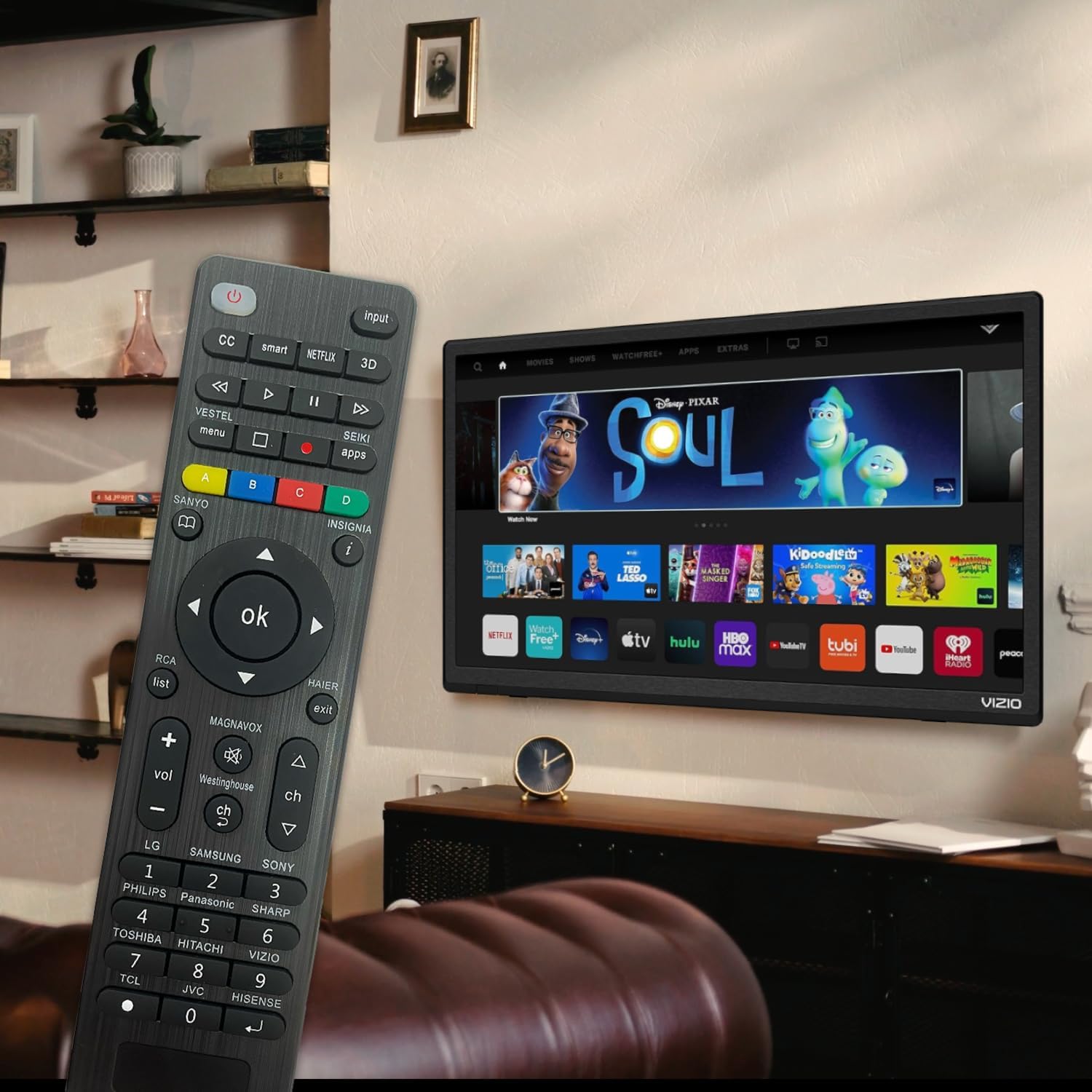
Figure 6: Remote in use with a Smart TV
4. 유지관리
- 청소: 부드럽고 마른 천을 사용하여 리모컨을 닦으세요. 액체 세제나 연마제는 표면이나 내부 부품을 손상시킬 수 있으므로 사용하지 마세요.
- 배터리 교체: Replace batteries when the remote's response becomes sluggish or the LED indicator does not light up. Always replace both batteries at the same time with new AAA batteries. Do not mix old and new batteries or different types of batteries.
- 저장: 장기간 리모컨을 사용하지 않을 경우, 누액 및 손상을 방지하기 위해 배터리를 제거하십시오. 리모컨은 직사광선과 극한 온도 변화를 피해 서늘하고 건조한 곳에 보관하십시오.
- 내구성: The remote features upgraded material with a metal dome added to the control buttons for enhanced flexibility and extended life. Avoid dropping the remote or exposing it to excessive force.
5. 문제 해결
| 문제 | 가능한 원인 | 해결책 |
|---|---|---|
| 리모컨이 작동하지 않습니다. | Batteries are dead or inserted incorrectly. Remote is not paired with the TV. Obstruction between remote and TV. | Check and replace batteries, ensuring correct polarity. Re-attempt Brand Setting or Code Setting. Ensure clear line of sight to TV's IR receiver. |
| 일부 버튼이 작동하지 않습니다. | Incorrect code or partial pairing. TV does not support certain functions. | Try a different code from the manual's code list. Verify if your TV model supports the specific function. |
| Remote is slow to respond. | 배터리 잔량 부족. 간섭. | 배터리를 교체하십시오. 강한 광원이나 다른 적외선 장치가 간섭하지 않는지 확인하십시오. |
| LED indicator keeps lighting up during code setting. | 잘못된 코드를 입력하셨습니다. | Re-enter the correct 3 or 4-digit code from the manual's code list. |
| Cannot find my TV brand button. | Brand not listed on dedicated buttons. | Use the Code Setting Method (Section 2.2) with the provided code list. |
If issues persist, please refer to the original product packaging for customer support contact information or visit the manufacturer's web대지.
6. 사양
- 모델 번호: BVTVRemote-01
- 제품 크기: 1.38 x 0.6 x 6.5 인치
- 품목 무게: 2.39 온스
- 필요한 배터리: AAA 2개(포함되지 않음)
- 색상: 검은색
- 특징: Programmable, Power-off Memory
- 지원되는 최대 장치 수: 3 (typically for TV, DVD/Blu-ray Player, though primarily designed for TV)
- 호환 장치: Television, DVD/Blu-ray Player (Universal compatibility with major TV brands)
- 제조업체: BoostVision
- 원산지: 중국
7. 보증 및 지원
For warranty information, please refer to the documentation included with your purchase or contact the seller directly. This product is typically covered by a standard manufacturer's warranty against defects in materials and workmanship.
For technical support or further assistance, please contact BoostVision customer service through their official website or the contact details provided on the product packaging.
파는 사람: BoostVision TV Remote
Amazon 제품 페이지: https://www.amazon.com/dp/B0DHCZB2DT


