Global Walkie Talkie User Manual
Model: c312033b-b33d-489d-95d0-232af0d42a9c
소개
This manual provides comprehensive instructions for the safe and effective use of your Global Walkie Talkie. Designed for unlimited communication, this device offers unparalleled connectivity for various professional and recreational scenarios. Please read this manual thoroughly before operating the device.
The Global Walkie Talkie includes a SIM card for clear, fee-free calls for one year. With 200 channels and a limitless range, it offers unparalleled connectivity for individual or group calls, ensuring seamless communication among team members. It is ideal for use in law enforcement, firefighting, construction, logistics, outdoor event planning, international collaboration, and hunting. The device features powerful LED lighting, making it perfect for camping, hiking, hunting, or working in low-light environments.
상자 안에 무엇이 들어있나요?
패키지에 다음 구성품이 모두 포함되어 있는지 확인하세요.
- Host (Walkie Talkie Unit)
- 충전기
- 매는 밧줄
- 백 클립
- 유심 카드 (사전 설치됨 또는 별도 제공됨)
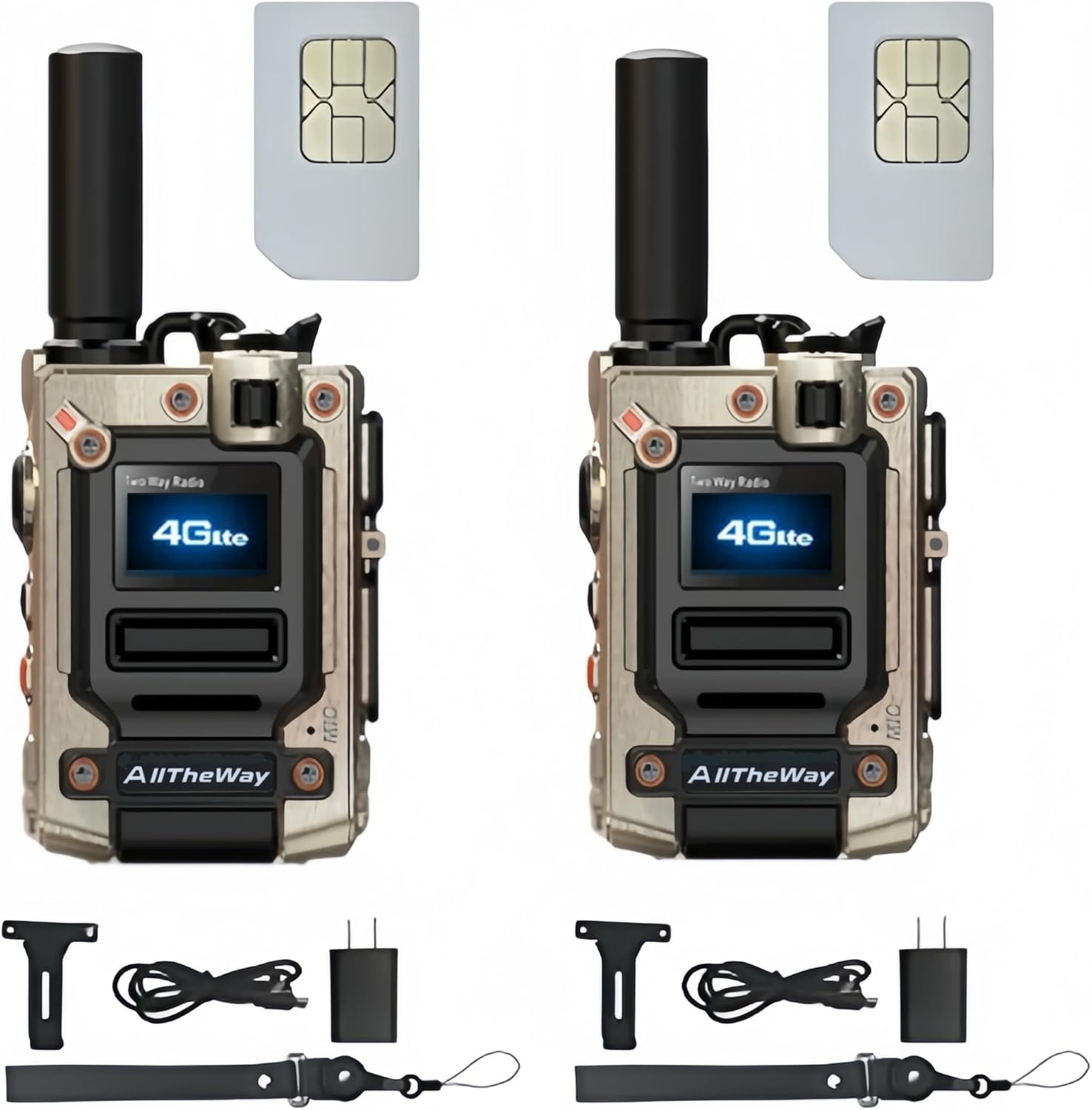
Image: Contents of the Global Walkie Talkie package, showing two walkie-talkie units, two SIM cards, two chargers, two lanyards, and two back clips.
설정
1. SIM 카드 삽입
Your Global Walkie Talkie requires a SIM card for network connectivity. The SIM card may be pre-installed or included separately. If separate, locate the SIM card insertion machine slot on the side of the device. Carefully insert the SIM card into the designated slot until it clicks into place.

Image: A detailed diagram of the walkie-talkie, pointing out key components such as the antenna, PTT button, menu keys, on/off button, speaker, flashlight/volume/menu keys, Type-C charging port, screen, SIM card insertion machine, and microphone. The SIM card slot is clearly labeled.
2. 장치 충전
Before first use, fully charge the walkie-talkie. Connect the provided Type-C charging cable to the Type-C charging port on the device and plug the other end into a compatible USB power source (e.g., wall adapter, computer, power bank, car charger). The charging indicator will show the charging status.

Image: The walkie-talkie being charged via its Type-C port, illustrating various charging methods including USB direct, computer, car, and power bank charging.
3. 액세서리 부착
Attach the back clip to the rear of the device for easy carrying on a belt or pocket. The lanyard can be attached to the designated loop for secure handling.
작동 지침
1. 전원 켜기/끄기
To power on the device, press and hold the On/Off button located on the side of the walkie-talkie until the screen illuminates. To power off, press and hold the same button until the device shuts down.
2. Making Calls (Single and Group)
The Global Walkie Talkie supports both single and group calls. To initiate a call, press the Push-To-Talk (PTT) button. For group calls, ensure your device is configured for the desired group. Contact the seller to set up specific groups if needed.

Image: The walkie-talkie screen indicating its capability for both single and group calls, emphasizing its versatile communication modes.
3. 볼륨 조절
Use the Volume Up/Down keys (often combined with flashlight/menu keys) to adjust the listening volume during calls or standby.
4. 손전등 사용
The device features a powerful LED flashlight. Press the designated Flashlight button (often combined with volume/menu keys) to turn the flashlight on or off. This feature is useful in low-light conditions.

Image: The walkie-talkie's integrated flashlight in operation, showing a strong beam of light, highlighting its utility in dark environments.
5. Enhanced Noise Reduction
The Global Walkie Talkie incorporates advanced wind and background noise suppression technology. High-performance digital microphones and audio signal processing ensure clear voice transmission even in noisy or extreme conditions.

Image: A graphic illustrating the key features of the walkie-talkie, such as unlimited distance communication, single and group call capabilities, large battery capacity (6000mAh), fast Type-C charging, a powerful flashlight, and an ergonomic design for comfortable handling.
유지
1. 청소
Wipe the device with a soft, dry cloth. Do not use harsh chemicals or abrasive cleaners. Ensure the charging port and other openings are free from dust and debris.
2. 배터리 관리
To prolong battery life, avoid fully discharging the battery frequently. Charge the device regularly, especially if it will not be used for an extended period. Store the device in a cool, dry place.
3. 방수성
The device is water resistant. However, avoid submerging it in water or exposing it to heavy rain for prolonged periods. Ensure all port covers are securely closed to maintain water resistance.
문제 해결
- 기기의 전원이 켜지지 않습니다: 배터리가 충전되어 있는지 확인하십시오. 충전기를 연결하고 다시 시도해 보세요. 문제가 지속되면 고객 지원팀에 문의하십시오.
- No signal or poor connection: Check if the SIM card is properly inserted. Ensure you are within network coverage. Move to an area with better signal.
- Unclear audio: Verify that the microphone and speaker are not obstructed. Ensure the volume is adjusted appropriately. The device features enhanced noise reduction, but extreme environments may still affect clarity.
- 배터리가 빨리 소모됩니다. Reduce screen brightness. Limit continuous use of the flashlight. Ensure no background applications are consuming excessive power.
명세서
| 특징 | 세부 사항 |
|---|---|
| 상표 | 일반적인 |
| 제조업체 | 올더웨이 |
| 모델 번호 | c312033b-b33d-489d-95d0-232af0d42a9c |
| 채널 수 | 200 |
| 통화 범위 최대 | 20000 킬로미터 |
| 특별 기능 | Long Range, Rechargeable, Lightweight, LED Lighting, Noise Suppression |
| 튜너 기술 | 초단파 |
| 방수 레벨 | 방수 |
| 연결 프로토콜 | LTE(4세대) |
| 배터리 용량 | 3000mAh |
| 충전 포트 | C타입 |
| 치수 | 2.83인치 x 2.08인치 x 1.22인치 |
| 호환 장치 | Smartphone (for app-based features, if applicable) |
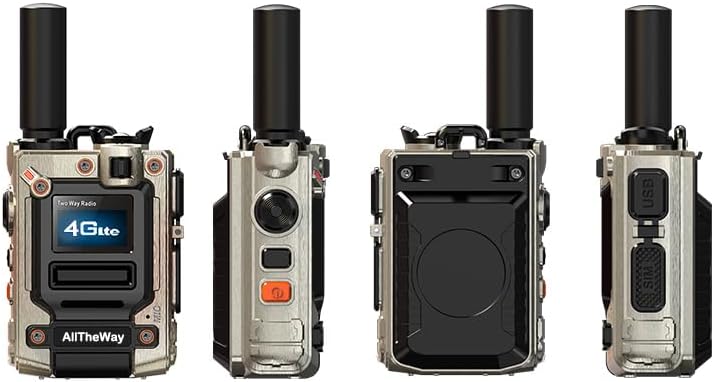
Image: Various perspectives of the walkie-talkie, showcasing its compact design and different sides.
보증 및 지원
보증 정보
This product comes with a 3-month warranty from the date of purchase. Please retain your proof of purchase for warranty claims. The warranty covers manufacturing defects but does not cover damage caused by misuse, accidents, or unauthorized modifications.
고객 지원
If you have any questions, encounter issues, or require assistance with your Global Walkie Talkie, please contact the seller or manufacturer for support. Refer to your purchase documentation for specific contact details.
