
1. 제품 오버view
The KKB 4G LTE Cellular Security Camera (Model CD-01) is designed for surveillance in locations without Wi-Fi access, relying on a 4G LTE cellular network connection. This camera requires a continuous power supply and is suitable for both indoor and outdoor environments. Key features include 24/7 continuous recording, 2K resolution with color night vision, PIR motion detection, two-way audio communication, and a wide 360-degree view능력을 가지고 있습니다.

Image 1.1: The KKB 4G LTE Cellular Security Camera (Model CD-01) in white, featuring dual antennas and a built-in 4G SIM card icon.
2. 상자 안에 무엇이 들어있나요?
모든 구성 요소가 있는지 확인해 주십시오.
- 1 x KKB 4G LTE Cellular Security Camera
- 1 x 사용자 설명서
- 1 x Set of Installation Accessories (screws, wall plugs)
3. 설정 가이드
3.1 전원 연결
Connect the camera to a power source using the provided Type-C cable and a 5V/2A power adapter. The camera requires continuous power for operation.
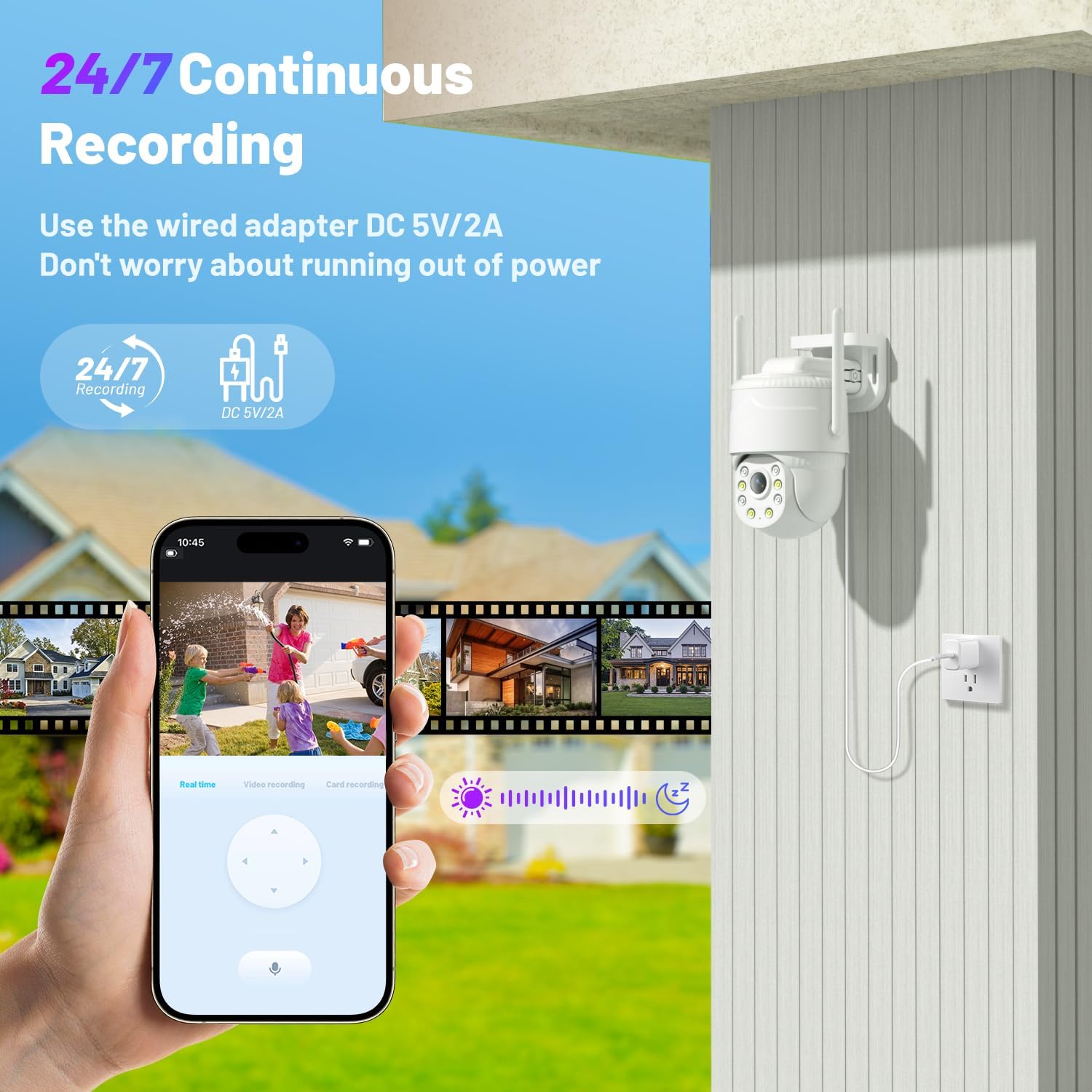
Image 3.1: The KKB camera connected to a power outlet, illustrating its 24/7 continuous recording capability.
3.2 SIM Card Activation and Data Plan
The camera features a built-in, non-removable SIM card. It automatically recognizes and connects to Verizon, AT&T, and T-Mobile networks. An initial 300MB of prepaid data is included. Data plans can be renewed through the iCam365 application.

Image 3.2: Details on the camera's built-in SIM card, network compatibility (AT&T, T-Mobile, Verizon), and data plan renewal options.
3.3 앱 설치
Download the "iCam365" application from your smartphone's app store (available for Android and iOS devices).
3.4 카메라 페어링
Open the iCam365 app and follow the on-screen instructions to register an account and add your camera. This typically involves scanning a QR code located on the camera unit.
3.5 마이크로 SD 카드 설치 (선택 사항)
For local video storage, insert a Micro SD card (up to 128GB, not included) into the designated slot on the camera. Ensure the camera is powered off before inserting or removing the card.
3.6 장착
The camera supports both wall and ceiling mount installations. Use the provided installation accessories to securely attach the camera. Choose a location with a clear field of view and adequate cellular signal strength.

Image 3.3: Illustration of the two installation methods: wall mount and ceiling mount, providing flexibility for optimal view각도를 나타냅니다.
4. 사용 설명서
4.1 라이브 View 및 원격 제어
Access the live video feed from your camera through the iCam365 app. Use the app's controls to remotely pan the camera 355° horizontally and tilt it 90° vertically, providing comprehensive coverage of the monitored area.

Image 4.1: A smartphone screen demonstrating the 355° pan and 90° tilt functionality of the camera, allowing for remote adjustment of the view잉 각도.
4.2 Continuous Recording and Storage
When continuously powered, the camera records 24/7. Video footage can be stored locally on an inserted Micro SD card (up to 128GB) or uploaded to optional cloud storage services, accessible via the iCam365 app.

Image 4.2: The camera's 24/7 continuous recording feature, highlighting options for both SD card and cloud storage.
4.3 동작 감지 및 알림
The camera's sensitive PIR sensor detects movement from people or animals. Upon detection, the system sends immediate push notifications to your mobile device. Configurable options include activating a 90dB siren and motion-activated spotlights to deter unwanted activity.

Image 4.3: Illustration of the intelligent motion detection system, showing push alerts, siren activation, motion spotlights, and two-way talk functionality.
4.4 야간 투시 모드
The camera offers 2K color night vision in low-light conditions. In complete darkness, it automatically switches to infrared night vision to ensure continuous monitoring.

Image 4.4: Comparison of the camera's 2K color night vision mode and infrared night mode, demonstrating clear visibility in various lighting conditions.
4.5 양방향 오디오
Engage in real-time two-way communication through the iCam365 app. This feature allows you to speak to individuals near the camera and hear their responses.
5. 유지관리
- 청소: Regularly clean the camera lens and exterior housing with a soft, dry cloth to prevent dust and smudges from affecting image clarity. Do not use harsh chemicals or abrasive materials.
- 전원 공급 장치 점검: Periodically inspect the power cable and adapter for any signs of wear or damage. Ensure connections are secure.
- 펌웨어 업데이트: Check the iCam365 app for available firmware updates. Keeping your camera's firmware up-to-date ensures optimal performance, security, and access to new features.
- Data Plan Management: Monitor your cellular data usage through the iCam365 app and renew your data plan as necessary to avoid service interruptions.
6. 문제 해결
- 네트워크 연결 없음:
- 카메라의 전원이 켜져 있는지 확인합니다.
- Verify that the built-in SIM card has an active data plan.
- Check the cellular signal strength in the camera's installation location.
- 전원 케이블을 뽑았다가 다시 꽂아 카메라를 다시 시작하세요.
- 녹음 없음:
- If using local storage, confirm a Micro SD card is properly inserted and not full. Format the card if necessary (backup data first).
- If using cloud storage, verify your subscription status.
- Ensure continuous recording is enabled in the iCam365 app settings.
- 모션 감지가 작동하지 않음:
- Adjust PIR sensitivity settings within the iCam365 app.
- 카메라를 가로막는 물리적 장애물이 없는지 확인하십시오. view 또는 PIR 센서.
- Check notification settings on your smartphone and within the iCam365 app to ensure alerts are enabled.
- 이미지 품질이 좋지 않음:
- 카메라 렌즈를 청소하세요.
- Ensure adequate ambient lighting for optimal color night vision.
- 카메라 시야에 방해물이 있는지 확인하세요. view.
- 앱 연결 문제:
- 스마트폰의 인터넷 연결이 안정적인지 확인하세요.
- Update the iCam365 app to the latest version.
- Restart the iCam365 app or your smartphone.
7. 사양
| 특징 | 사양 |
|---|---|
| 모델 번호 | CD-01 |
| 연결 기술 | 4G LTE 셀룰러 |
| 실내/실외 사용 | 실내, 실외 |
| 전원 | 코드형 전기(5V, 15W) |
| 비디오 캡처 해상도 | 2K |
| 나이트 비전 범위 | 50 피트 |
| 특별 기능 | 2-Way Audio, Built-In Light, Motion Sensor, Night Vision |
| 컨트롤러 유형 | Android, iOS (via iCam365 App) |
| 장착 유형 | 벽걸이형 |
| 플래시 메모리 지원 크기 최대 | 128GB(마이크로SD) |
| 국제 보호 등급 | IP65(방수) |
| 품목 치수(L x W x H) | 4.1 x 4.9 x 4.9 인치 |
| 품목 무게 | 1.1파운드 |
8. 보증 및 지원
KKB provides professional technical support for its products. For assistance with your KKB 4G LTE Cellular Security Camera, please utilize the following support channels:
- 기술 지원: Enjoy 7x24 hours professional technical support.
- 연락 방법: Reach out via the in-app online contact feature or email.

Image 8.1: KKB customer support team ready to provide multi-channel and 24/7 technical assistance.