
Sharp BNDL_4TC55FS1UR-WALTS-FM4390-SC
샤프 AQUOS OLED 4K UHD Roku TV 사용 설명서
모델: 4T-C55FS1UR
Includes Walts TV Full Motion Mount and Screen Cleaner Kit
소개
This manual provides essential information for setting up, operating, maintaining, and troubleshooting your new Sharp 4T-C55FS1UR 55 Inch AQUOS OLED 4K Ultra HD Roku TV. It also covers the included Walts TV Large/Extra Large Full Motion Mount and Walts HDTV Screen Cleaner Kit. Please read this manual thoroughly before using your product to ensure optimal performance and safety.

The Sharp 55-inch AQUOS OLED 4K UHD Roku TV, bundled with a full motion mount and screen cleaner kit.
설치 가이드
1. 언박싱 및 배치
Carefully remove all components from the packaging. The TV weighs approximately 38.5 pounds and has product dimensions of 9.84"D x 48.27"W x 31.18"H. Ensure you have adequate space for placement.
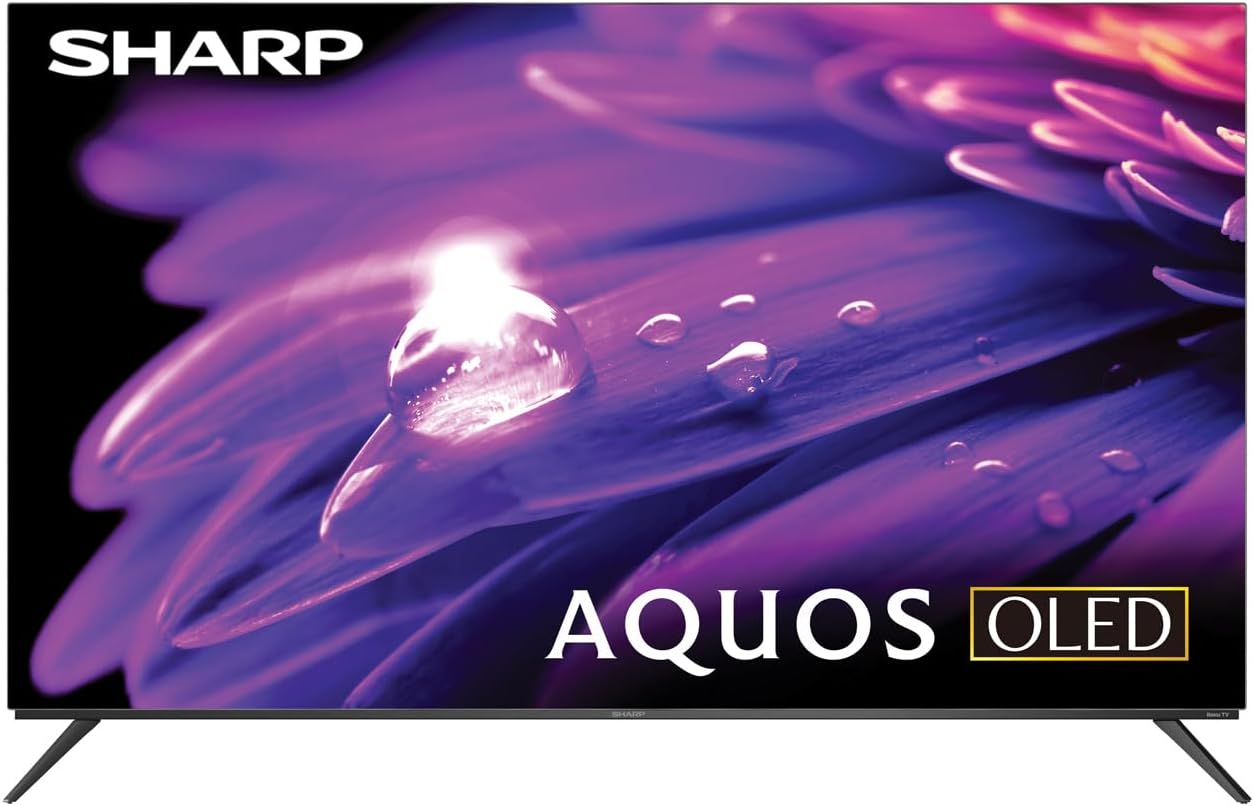
The Sharp AQUOS OLED TV, showcasin세련된 디자인과 생생한 디스플레이가 특징입니다.
스탠드 설치
The TV comes with two legs that attach to the outer edges of the TV. These stands provide approximately 3.5 inches of clearance, allowing space for a soundbar or other accessories beneath the TV. Ensure the stands are securely fastened before placing the TV on a flat, stable surface.
Full Motion Mount Installation
The Walts TV Large/Extra Large Full Motion Mount is designed for 43-90 inch compatible TVs and supports VESA compatibility up to 700mm x 500mm. This articulating mount allows for extensive movement, including tilting up or down, angling side to side, and extending away from the wall. Refer to the separate mount instruction manual for detailed installation steps and safety guidelines.

The Walts TV Full Motion Mount, shown in an extended position, offering flexible view각도를 나타냅니다.
2. 연결
The TV features side-angled inputs for easy access, whether wall-mounted or on a stand. Connect your devices to the appropriate ports:
- HDMI 포트: 4 HDMI inputs, including one with eARC for enhanced audio return channel functionality.
- USB 포트: 2 USB ports for media playback or connecting compatible devices.
- 이더넷: 유선 인터넷 연결의 경우.
- 안테나 입력: For connecting an over-the-air antenna.
- 디지털 오디오 출력: 외부 오디오 시스템에 연결합니다.

자세한 view of the conveniently located side-angled input ports on the Sharp TV.
3. 초기 전원 켜기 및 Roku 설정
Once all connections are made, plug in the TV and press the power button on the remote. Follow the on-screen instructions to complete the initial Roku TV setup, including connecting to your Wi-Fi network and logging into your Roku account. The intuitive Roku interface provides access to a wide range of streaming services.

The Sharp Roku TV home screen, showing popular streaming applications and navigation options.
TV 작동하기
화질
The Sharp AQUOS OLED TV delivers stunning visuals with its 4K Ultra HD resolution, providing 8.3 million pixels for incredible detail. It supports HDR10, HLG, and Dolby Vision IQ, enhancing contrast and color accuracy for a more immersive viewing experience. The OLED technology ensures true blacks and vibrant colors.
For gamers, the TV features a 120Hz refresh rate and Variable Refresh Rate (VRR) with Low Latency, ensuring smooth gameplay and reduced input lag, especially with next-gen consoles.
공식 제품 재view video for the Sharp FS1UR Series TV, highlighting its features and performance.
오디오 기능
Experience rich and clear sound with Dolby Audio. The TV features built-in speakers designed to complement the visual experience. For enhanced audio, utilize the eARC HDMI port to connect a compatible soundbar or audio receiver.
Smart Features (Roku TV)
The integrated Roku TV platform provides access to a vast library of streaming content. Supported internet services include Netflix, Disney+, Apple TV, Roku Channel, Discovery+, HBO Max, Paramount+, and many more. The included voice remote control allows for convenient navigation and content search.
Viewing Angles and Reflection Handling
The Sharp AQUOS OLED TV offers excellent viewing angles, ensuring consistent picture quality even when viewed from the side. Its reflection handling is also exceptional, minimizing glare in most environments. However, in extremely bright rooms, some reflections may still be visible due to the nature of OLED panels.
유지
화면 청소
Use the included Walts HDTV Screen Cleaner Kit to keep your screen pristine. This non-ammonia and alcohol-free solution cleans without dripping, streaking, or staining, leaving no film or residue. It effectively removes dust, dirt, and fingerprints. Apply the solution to a soft, lint-free cloth (not directly to the screen) and gently wipe the display.

The Walts HDTV Screen Cleaner Kit, designed for safe and effective cleaning of display screens.
일반 관리
- 과열을 방지하려면 TV를 통풍이 잘 되는 곳에 두세요.
- 텔레비전을 직사광선이나 극한 온도에 노출시키지 마십시오.
- TV 위에 무거운 물건을 올려놓지 마세요.
- 번개가 칠 때나 장시간 사용하지 않을 때는 TV의 플러그를 콘센트에서 뽑아 두세요.
문제 해결
If you encounter issues with your Sharp AQUOS OLED TV, refer to the following common troubleshooting tips:
- 전원 없음: 전원 코드가 TV와 정상적으로 작동하는 콘센트에 모두 단단히 꽂혀 있는지 확인하세요. 다른 콘센트에 연결해 보세요.
- 화면/소리 없음: Verify that the correct input source is selected. Check all cable connections (HDMI, antenna, etc.) for looseness.
- 원격이 작동하지 않음: 리모컨의 배터리를 교체하세요. 리모컨과 TV IR 센서 사이에 장애물이 없는지 확인하세요.
- 네트워크 연결 문제: Restart your Wi-Fi router. Go to the Roku TV settings to re-establish the network connection or try a wired Ethernet connection.
- 화질 문제: Adjust picture settings (brightness, contrast, color) in the TV's menu. Ensure your content source is high-quality (e.g., 4K content for 4K resolution).
보다 자세한 문제 해결 방법이나 지속적인 문제가 발생하는 경우 고객 지원팀에 문의하십시오.
명세서
| 특징 | 설명 |
|---|---|
| 브랜드 이름 | 날카로운 |
| 모델명 | 4T-C55FS1UR |
| 화면 크기 | 55 인치 |
| 디스플레이 기술 | OLED |
| 해결 | 4K 울트라 HD |
| 새로 고침 빈도 | 120Hz |
| 특별 기능 | HDR10, HLG, Dolby Vision IQ, Full Roku TV Experience, Dolby Digital Audio, Variable Refresh Rate (VRR) with Low Latency, Voice Remote Control |
| 연결성 | HDMI 4개(eARC 1개 포함), USB 2개, Wi-Fi 지원, 이더넷 |
| 지원되는 인터넷 서비스 | 넷플릭스, 디즈니+, 애플 TV, 로쿠 채널, 디스커버리+, HBO 맥스, 파라마운트+ 등 |
| 제품 치수 | 9.84인치 깊이 x 48.27인치 너비 x 31.18인치 높이 |
| 품목 무게 | 38.5 파운드 |
| 색상 | 검은색 |
보증 및 지원
보증 정보 및 고객 지원은 제품에 동봉된 설명서를 참조하거나 샤프 공식 웹사이트를 방문하십시오. web사이트에서 추가 지원 자료와 FAQ도 찾아보실 수 있습니다. 아마존의 샤프 스토어.

Dedicated customer support is available for assistance.
Ask a question about this manual
Ask about setup, troubleshooting, compatibility, parts, safety, or missing instructions. Manuals+ will review the question and use this page’s manual context to help answer it.