
소개
Thank you for choosing the Claiks Electric Height Adjustable Desk. This manual provides essential information for the safe and efficient assembly, operation, and maintenance of your new desk. Please read these instructions carefully before use and retain them for future reference.
안전 정보
경고:
Please use the desk with caution, especially during height adjustment and assembly. Ensure the desk is properly anchored before use. Observe weight restrictions and use the desk only for its intended purpose. Keep children and pets away from the desk during operation to prevent injury. Do not place hands or objects near moving parts during height adjustment.
패키지 내용
조립하기 전에 모든 구성품이 포함되어 있고 손상되지 않았는지 확인하세요. 부품이 누락되었거나 손상된 경우 고객 지원 센터에 문의하세요.
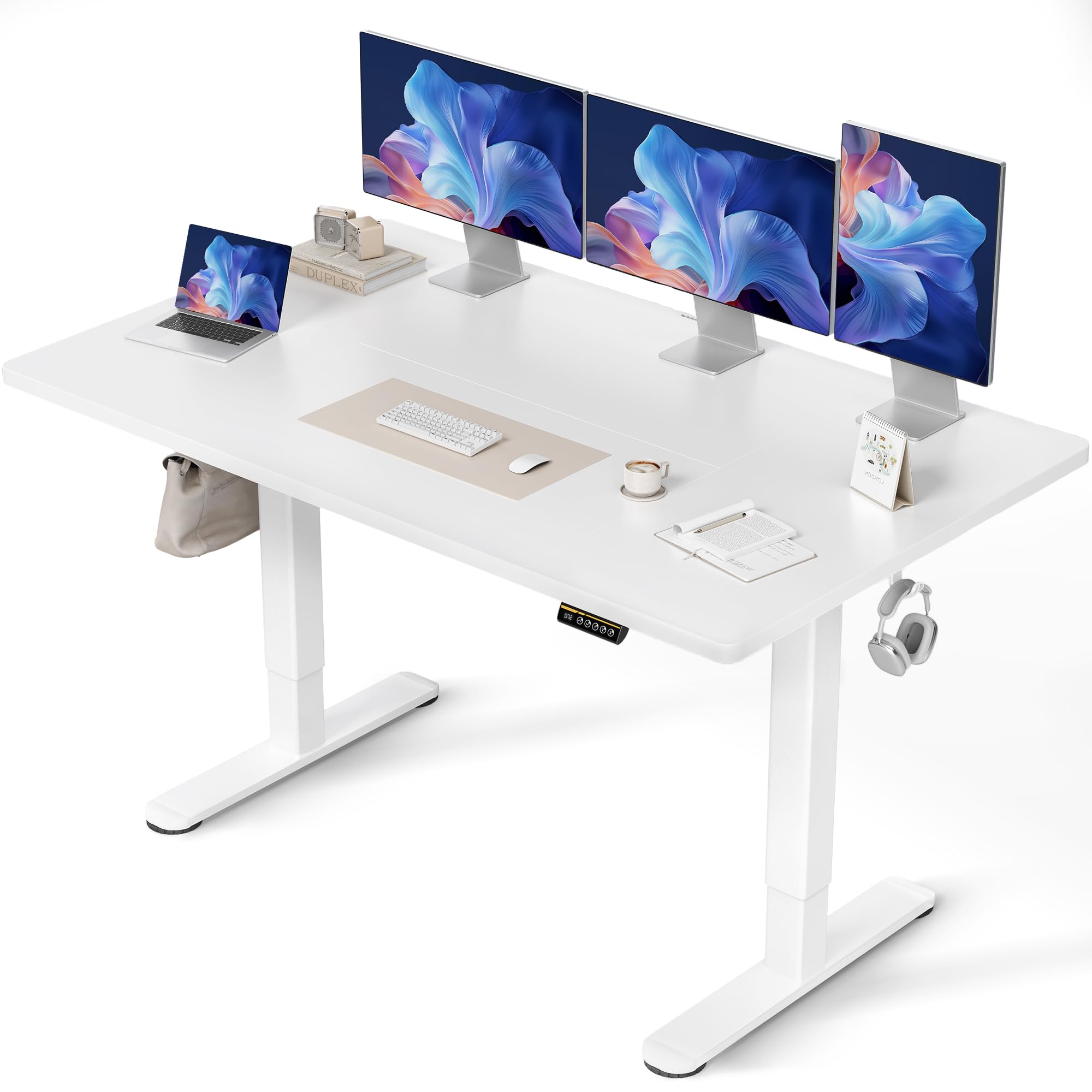
- 책상 프레임(다리 및 가로대)
- Tabletop (Multi-part)
- 메모리 사전 설정이 있는 제어판
- 전원 어댑터 및 케이블
- Assembly Hardware (Screws, Allen Keys)
- Cable Management Tray and Hooks
- 사용자 설명서
조립 설명서
Assembly typically takes approximately 15 minutes. A screwdriver is required (not included). Follow these steps carefully:
- 구성 요소 풀기: 모든 부품을 포장에서 조심스럽게 꺼낸 후 긁힘을 방지하기 위해 깨끗하고 부드러운 표면에 놓으세요.
- 책상 프레임 조립: 제공된 나사를 사용하여 책상 다리를 가로대에 부착하십시오. 모든 연결부가 단단히 고정되었는지 확인하십시오.
- 테이블탑 부착: Place the tabletop sections onto the assembled frame. Align the pre-drilled holes and secure the tabletop to the frame using the designated screws. Note that the tabletop may consist of multiple sections.
- 제어판 설치: Mount the control panel to the underside of the tabletop in the desired position.
- 배선 연결: 다리에서 나오는 모터 케이블을 제어 박스에 연결하고, 제어 패널 케이블도 제어 박스에 연결합니다. 마지막으로 전원 어댑터를 제어 박스에 연결하고 전원 콘센트에 꽂습니다.
- 액세서리 설치: Attach the cable management tray and hooks to the underside of the desk as desired.

작동 지침
높이 조정
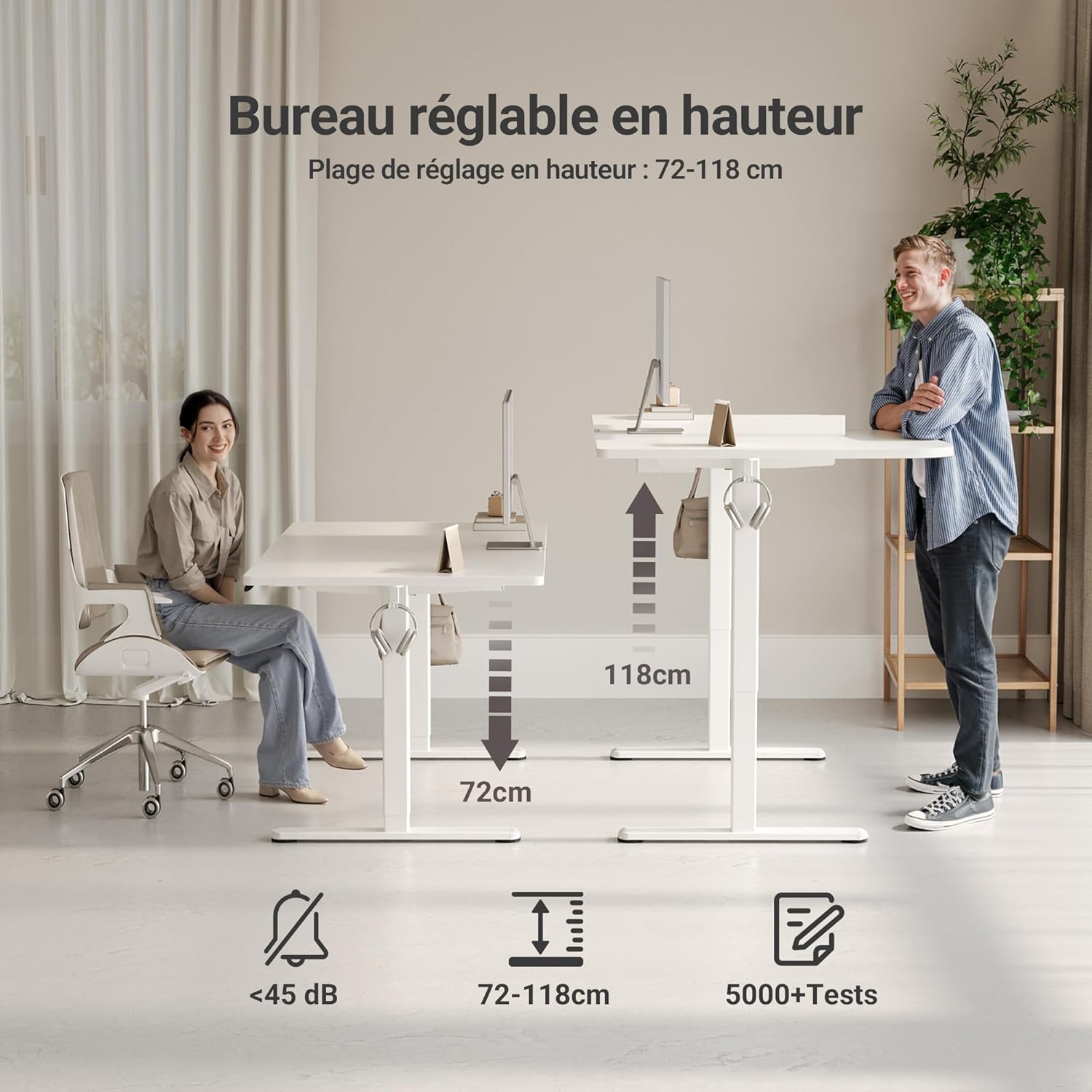
The desk features an electric motor for smooth height adjustment between 72 cm and 118 cm. Use the up and down arrow buttons on the control panel to adjust the desk to your desired height.
메모리 사전 설정
The control panel includes three memory preset buttons (1, 2, 3) to save your preferred sitting and standing heights.
- 메모리 사전 설정을 하려면: Adjust the desk to your desired height using the up/down arrows. Press the 'M' or 'Set' button (if available, otherwise hold the number button) followed by the desired number button (1, 2, or 3). The display will show 'S-' or a beep will confirm the setting.
- 메모리 사전 설정을 사용하려면: 해당 숫자 버튼(1, 2 또는 3)을 누르기만 하면 책상이 저장된 높이로 자동으로 이동합니다.


주요 특징
- FSC Certified Tabletop: The desk features an FSC-certified engineered wood tabletop, promoting responsible forest management.
- 넓은 작업 공간: 제공합니다 ample space for multiple monitors and office supplies.
- 무소음 모터: Operates quietly (under 45 dB) for minimal disruption in any environment.
- 견고한 구조: Stable steel frame supports up to 120 kg, ensuring stability even at maximum height.
- 통합 케이블 관리: Includes cable pass-throughs and hooks to keep your workspace organized.
- 내구성 있는 표면: The tabletop is resistant to dirt and water, and features rounded, scratch-resistant edges.

유지
To ensure the longevity and optimal performance of your Claiks desk, follow these maintenance guidelines:
- 청소: 부드러운 천으로 책상 표면을 닦으세요.amp 천으로 닦으세요. 마감재를 손상시킬 수 있는 연마성 세제나 강한 화학 물질은 피하세요.
- 케이블 관리 : 높이 조절 시 원활한 작동을 위해 케이블이 꼬이는 것을 방지하고 주기적으로 점검 및 정리하십시오.
- 모터 케어: The motor is designed for durability. Avoid overloading the desk beyond its maximum weight capacity (120 kg) to prevent strain on the motor.
- 정기 점검: Periodically inspect all screws and connections to ensure they remain tight and secure.
문제 해결
책상에 문제가 발생하면 다음의 일반적인 문제와 해결 방법을 참조하세요.
| 문제 | 가능한 원인 | 해결책 |
|---|---|---|
| 책상이 움직이지 않아요 | 전원 케이블 분리됨, 모터 오류, 과부하 | Check power connections. Unplug and replug the power cable. Reduce weight on the desk. Perform a reset (refer to control panel instructions). |
| 고르지 못한 높이 조정 | 장애물, 불균형 하중 | Ensure no objects are obstructing the desk legs. Distribute weight evenly on the tabletop. |
| 제어판이 응답하지 않음 | Loose connection, power issue | Check the control panel cable connection to the control box. Verify power supply. |
| 책상이 조정 도중에 멈춥니다 | Overheat protection, obstruction | Allow the motor to cool down for 20 minutes. Remove any obstructions. |
이러한 해결 방법을 시도한 후에도 문제가 지속되면 Claiks 고객 지원팀에 문의하세요.
명세서
| 기인하다 | 세부 사항 |
|---|---|
| 상표 | 클락스 |
| 모델 번호 | 피1.01.016 |
| 색상 | 하얀색 |
| 제품 크기(L x W x H) | 70 x 140 x 75cm |
| 품목 무게 | 25 킬로그램 |
| 재료 | 가공 목재(상판), 금속(받침대) |
| 높이 조절 범위 | 72cm - 118cm |
| 최대 하중 용량 | 120kg |
| 특징 | Ergonomic, Adjustable, Scratch-resistant, Silent Motor, Memory Presets, Cable Management |
| 마무리 유형 | 래커칠 |
보증 및 지원
The Claiks Electric Height Adjustable Desk comes with a 5년 보증 on the motor and frame, covering manufacturing defects and malfunctions under normal use. Please retain your proof of purchase for warranty claims.
For technical assistance, troubleshooting not covered in this manual, or warranty inquiries, please contact Claiks customer support through the retailer where you purchased the product or visit the official Claiks web연락처 정보 사이트.