
1. 서론
Thank you for choosing the CZEview ZY-Q6 2K Outdoor Battery Surveillance Camera. This manual provides essential information for the proper installation, operation, and maintenance of your device. This robust security camera is designed for outdoor use, featuring a waterproof construction suitable for various weather conditions. It offers versatile installation options, including magnetic mounting, and provides clear surveillance with 2K resolution, 300° horizontal PTZ, motion detection, and night vision capabilities.
For optimal performance and safety, please read this manual thoroughly before using the camera and retain it for future reference.
2. 제품 구성품
패키지에는 다음 품목이 포함됩니다.
- 체코view ZY-Q6 2K Outdoor Battery Surveillance Camera
- 충전 케이블
- 장착 브래킷
- 사용 설명서
Unboxing Videos
비디오 설명: This video demonstrates the unboxing process for a JSX Electronics camera, showing the contents typically found in the package, including the camera, mounting accessories, and cables.
비디오 설명: This unboxing video for the ieGeek S2 camera (a similar model) showcases the camera and its accessories, providing a visual guide to what to expect in your package.
3. 설정 및 설치
3.1 물리적 설치
체코view ZY-Q6 camera offers versatile installation options, including magnetic mounting for easy placement on metallic surfaces or screw mounting for more permanent fixtures.
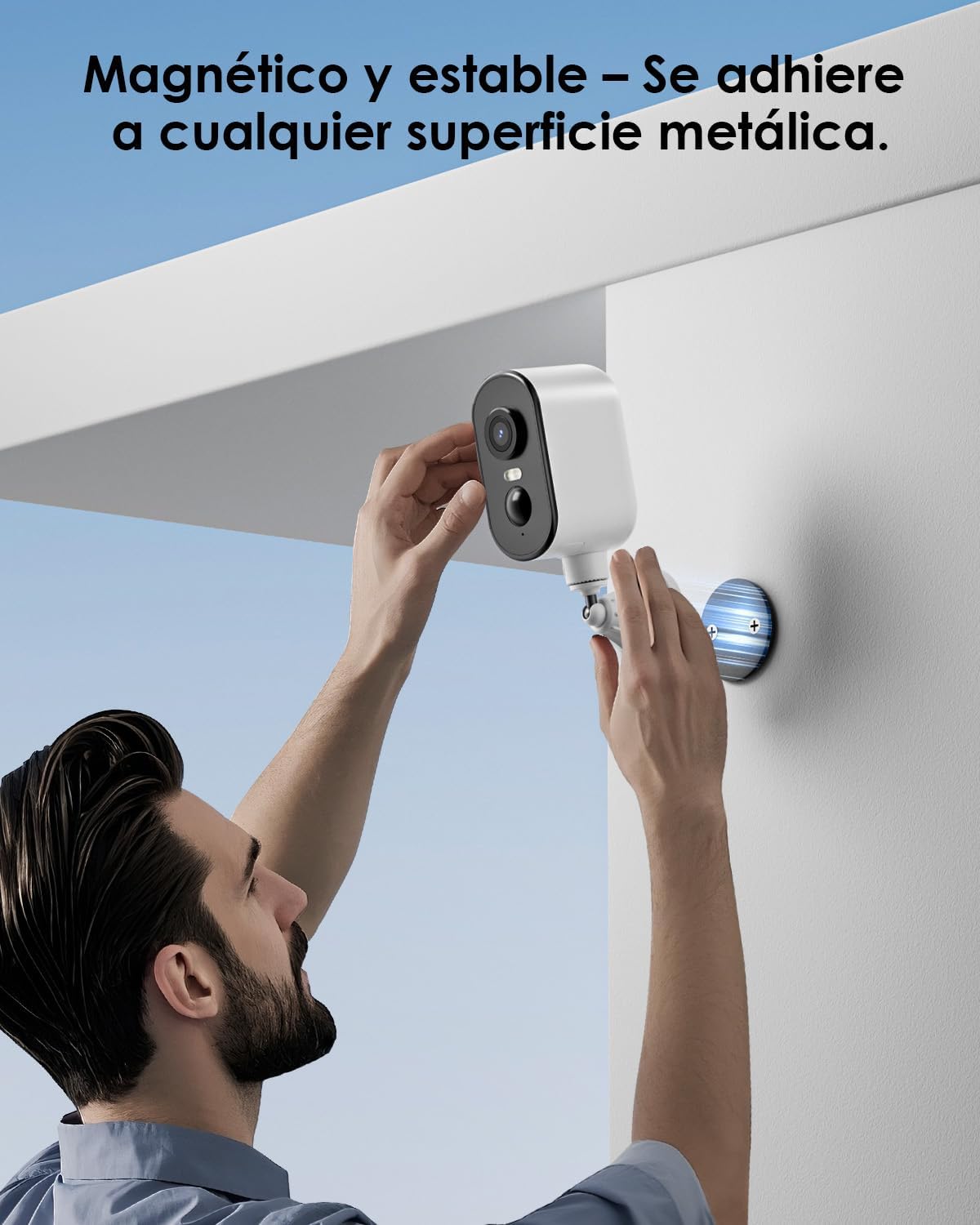
이미지 설명: A man is shown easily attaching the CZEview ZY-Q6 camera to a metallic surface on a wall using its magnetic base, highlighting its stable and convenient mounting.
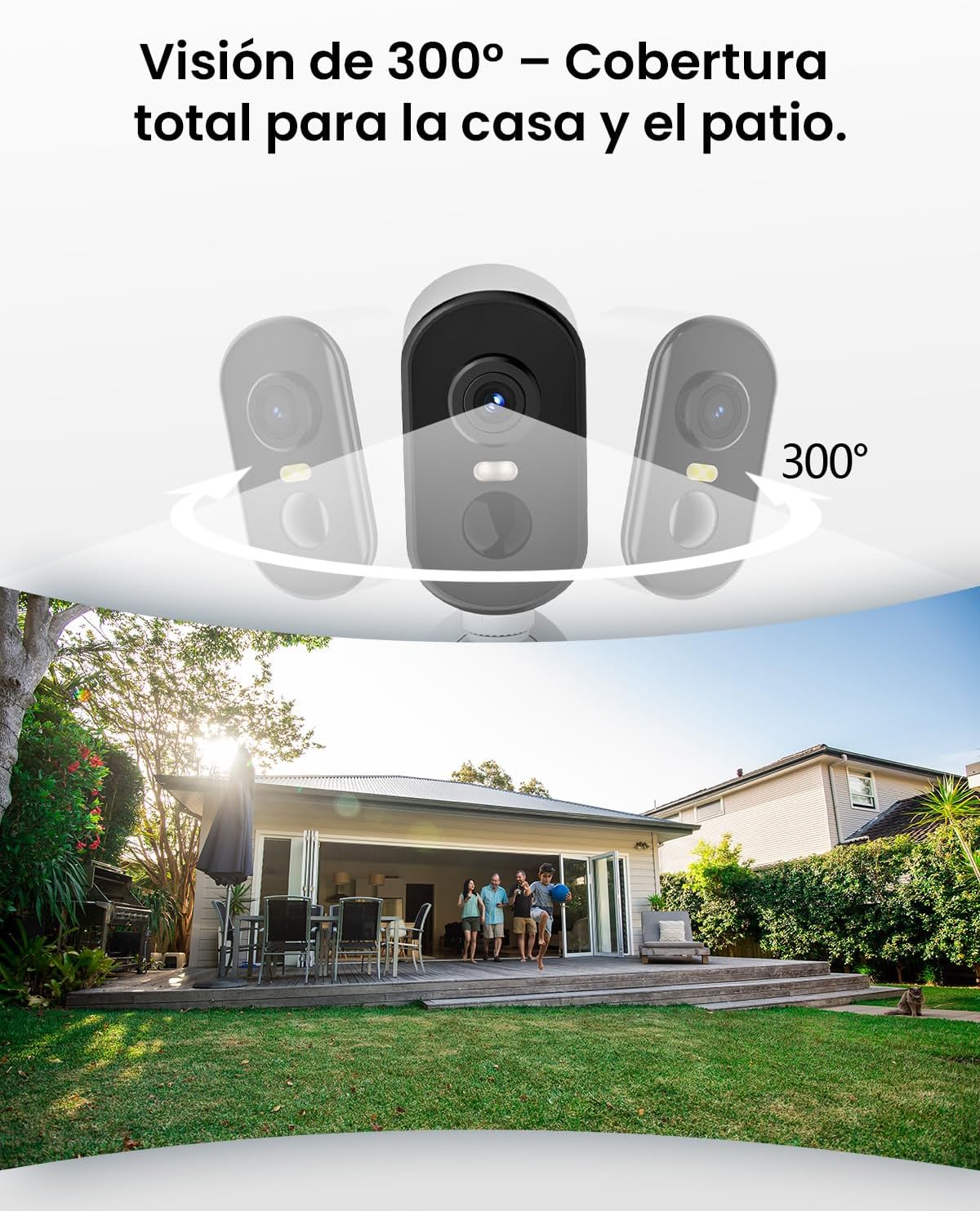
이미지 설명: This image illustrates the camera's 300-degree horizontal PTZ (Pan-Tilt-Zoom) capability, showing how multiple cameras can provide total coverage for a house and patio area.
3.2 앱 연결
To connect your camera to your smartphone, follow the instructions in the app. Ensure your phone is connected to a 2.4G WiFi network.
비디오 설명: This video provides a step-by-step guide on how to connect your outdoor WiFi battery surveillance camera to your smartphone application, covering initial setup and pairing.
비디오 설명: This video demonstrates the setup process for an outdoor WiFi battery camera, including app configuration and initial connection steps for remote monitoring.
비디오 설명: This video illustrates the installation process for a portable 4G camera. While this model is 2.4G WiFi, the physical mounting steps may offer general guidance.
4. 사용 설명서
4.1 동작 감지 및 알림
The camera features automatic activation upon detecting motion, recording important events. It can differentiate between people, animals, vehicles, and packages to reduce false alarms.

이미지 설명: This image shows the camera's automatic activation feature, detecting and recording important events triggered by people, animals, vehicles, and packages.
4.2 Night Vision and Security Features
In night mode, upon detecting motion, the camera illuminates and emits an audible alarm, enhancing security during low-light conditions. The infrared illumination system provides clear and sharp surveillance even in total darkness.
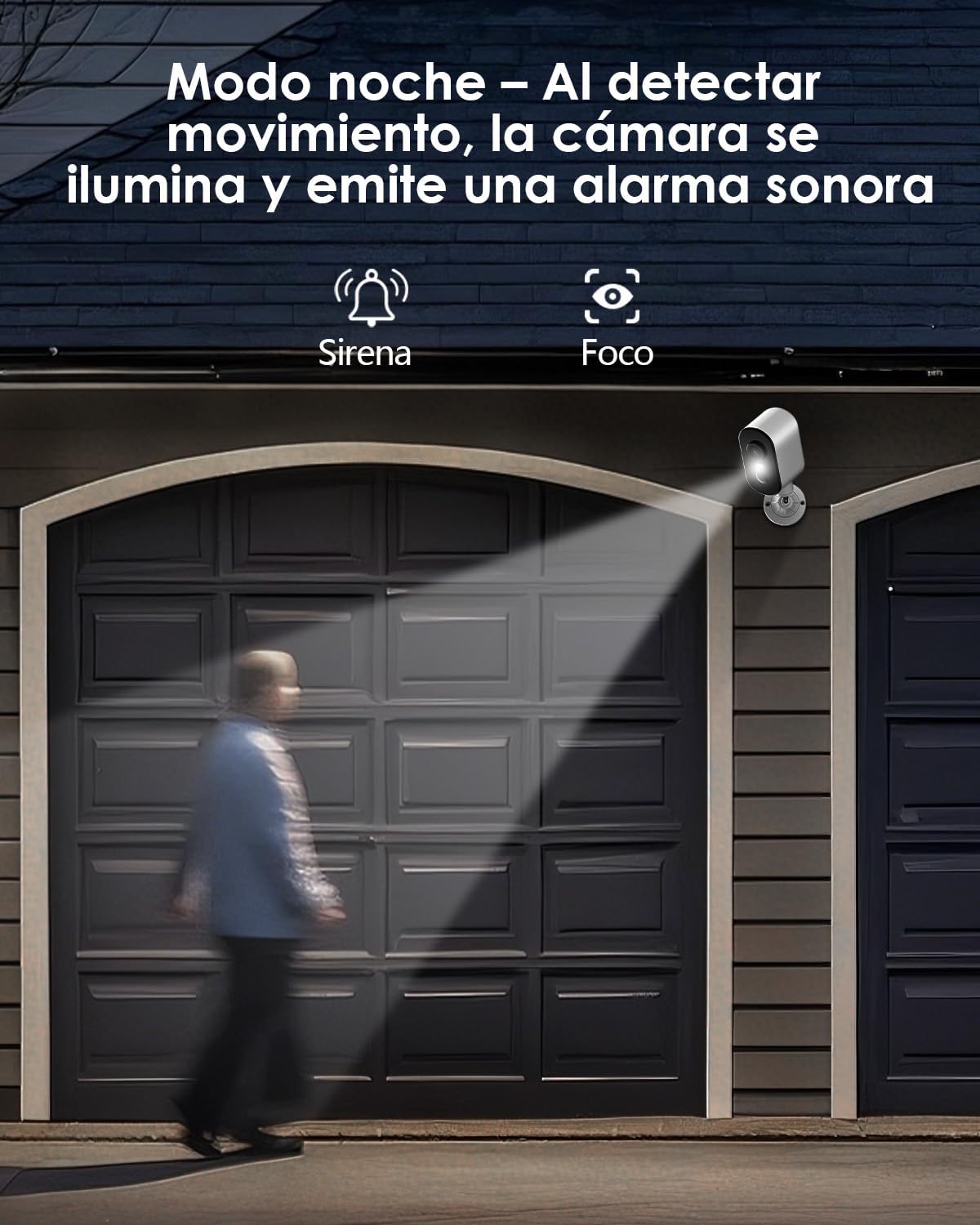
이미지 설명: The camera is depicted in night mode, with its spotlight and siren activating upon motion detection to deter intruders and provide clear visibility.
4.3 Remote Monitoring and Multi-User Access
The camera supports remote monitoring, allowing real-time video streaming access from your smartphone. Multiple users can simultaneously access the camera feed.
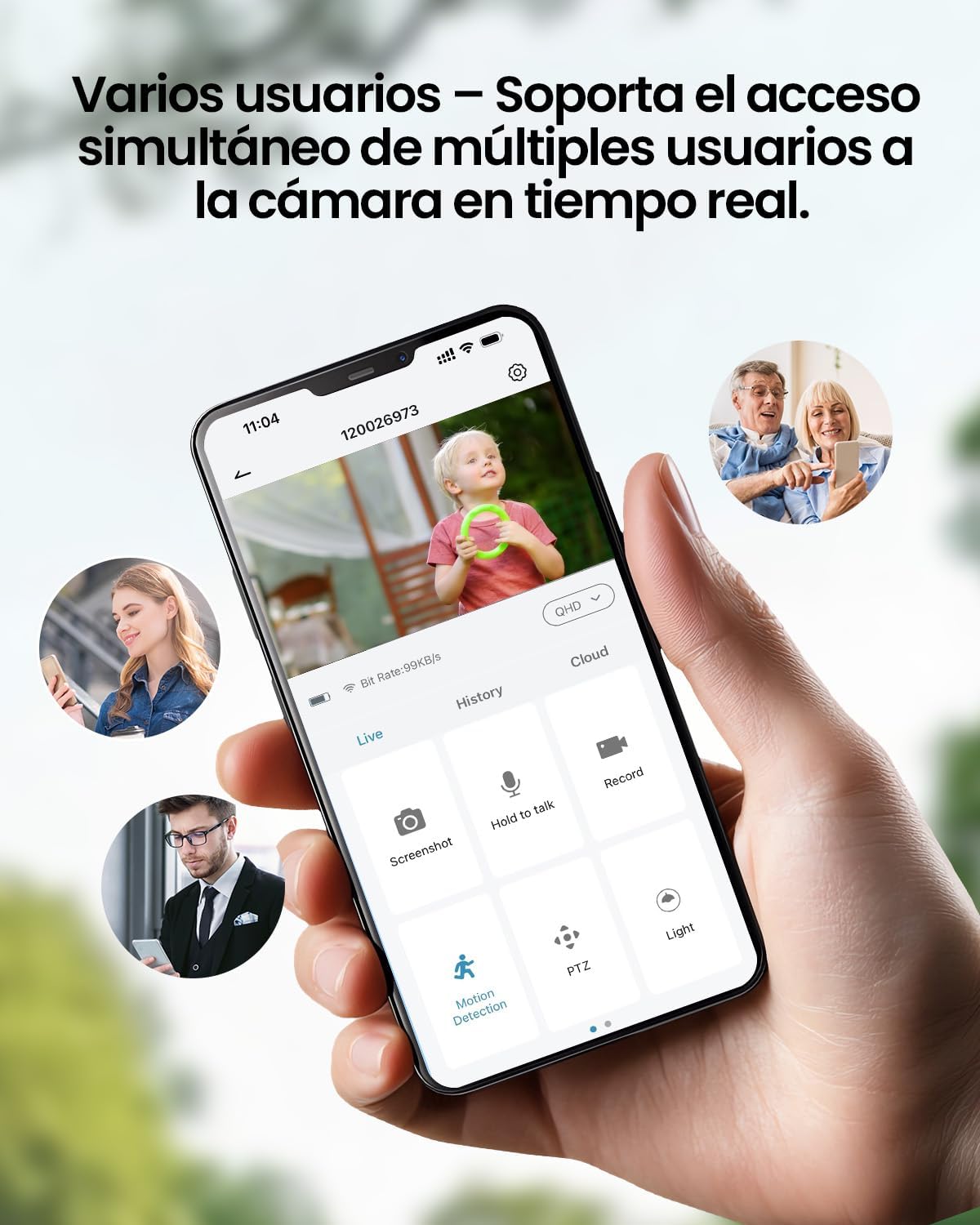
이미지 설명: A smartphone displays the live feed from the camera, with icons indicating support for simultaneous access by multiple users, enabling shared monitoring.
5. 내후성
체코view ZY-Q6 camera is designed to withstand various outdoor conditions. Its fully dustproof and waterproof construction ensures continuous surveillance in any climate, from heavy rain to direct sun exposure.

이미지 설명: 체코view ZY-Q6 camera is shown mounted outdoors during rainfall, demonstrating its fully dustproof and waterproof design, ideal for continuous outdoor use.
6. 사양
| 특징 | 세부 사항 |
|---|---|
| 제조업체 | 체코view |
| 제품 치수 | 6 x 6.5 x 12 cm; 530g |
| 배터리 | 1 9V battery required, included |
| 모델 번호 | ZY-Q6 |
| 색상 | 하얀색 |
| 재료 | ABS 플라스틱 |
| 전원 | 배터리 |
| 권tage | 12 볼트 |
| 전기 전력 | 5 와트 |
| 설치 방법 | 벽걸이형 |
| 전구 유형 | 적외선 LED |
| 장착 유형 | 테이블 마운트 |
| 특별 기능 | Motion Detection, Night Vision |
| 추천 용도 | Property Monitoring, Home Security, Outdoor Surveillance |
| 제품 무게 | 530g |
| 최대 범위 | 20 미터 |
| 호환 장치 | 스마트폰 |
7. 유지관리
- 청소: 카메라 렌즈와 바디는 부드러운 천으로 정기적으로 닦아주세요.amp 먼지와 오물을 제거하는 천. 표면을 손상시킬 수 있는 강한 화학 물질을 사용하지 마십시오.
- 배터리 관리: Monitor the battery level through the app. Recharge the camera promptly when the battery is low to ensure continuous operation.
- 펌웨어 업데이트: Check for and install any available firmware updates through the companion app to ensure optimal performance and security.
- 장착 확인: Periodically inspect the mounting bracket and ensure the camera is securely attached, especially after severe weather conditions.
8. 문제 해결
- 카메라가 WiFi에 연결되지 않음:
- 라우터가 2.4GHz WiFi 신호를 송출하고 있는지 확인하세요. 카메라는 5GHz 네트워크를 지원하지 않습니다.
- Verify that the WiFi password entered in the app is correct.
- Place the camera closer to the WiFi router during the initial setup process.
- Reset the camera by pressing the reset button for 5 seconds and attempt to reconnect.
- 낮은 비디오 품질:
- Check your WiFi signal strength. A weak signal can affect video quality.
- Clean the camera lens to ensure it is free from dirt or smudges.
- 카메라를 가리는 장애물이 없는지 확인하십시오. view.
- 동작 감지가 작동하지 않음:
- Verify that motion detection is enabled in the camera's app settings.
- 동작 감지 감도 설정을 조정하세요.
- 카메라의 시야각을 확인하십시오 view covers the desired monitoring area.
- 배터리가 빨리 소모됩니다:
- 잦은 동작 감지 이벤트 또는 실시간 viewing can consume more battery power. Adjust sensitivity or reduce live view시간.
- Ensure the camera is installed in an area with optimal WiFi signal to avoid excessive power consumption from searching for a connection.
- 극한의 온도는 배터리 성능에 영향을 미칠 수 있습니다.
9. 안전 정보
- 카메라를 분해하거나 개조하지 마십시오. 보증이 무효화될 수 있으며 손상이 발생할 수 있습니다.
- Use only the provided charging cable or a compatible certified cable for charging.
- Keep the camera away from extreme heat sources, open flames, or corrosive substances.
- Ensure the camera is securely mounted to prevent it from falling and causing injury or damage.
- 배터리는 지역 규정에 따라 폐기하십시오. 배터리를 불 속에 버리지 마십시오.
10. 보증 및 지원
For warranty information, technical support, or any inquiries regarding your CZEview ZY-Q6 camera, please refer to the contact details provided in the product packaging or visit the official CZEview web대지.
보증 청구를 위해 구매 증빙서류로 구매 영수증을 보관하세요.