
소개
Thank you for choosing the VBESTLIFE 56MP 4K Digital Camera. This manual provides essential information for setting up, operating, and maintaining your camera. This camera is designed to capture high-definition 4K videos and crisp 56MP photos, featuring a 16X digital zoom and a versatile 3-inch rotating touchscreen for various shooting angles.
제품 특징
- Clear Quality 4K Video and 56MP Photos: Equipped with a CMOS sensor for high-definition 4K video and 56MP photos.
- Easy Selfies and Distant Shots: Features a 3-inch touchscreen that rotates 270 degrees and 16X digital zoom.
- Vibrant Colors and Rich Details: Captures 56MP static photos with accurate colors and fine details.
- Multifunctional Video Camera: 다음과 같이 사용할 수 있습니다. webcam for video chatting and live streaming.
- Connectivity for Easy Sharing: Supports wireless transmission for seamless viewing, transferring, and sharing of images and videos via a dedicated application.
1. 설정
1.1 배터리 설치 및 충전
Before first use, ensure the battery is fully charged. Insert the provided battery into the battery compartment located at the bottom of the camera. Connect the camera to a power source using the USB cable and charger to begin charging. The charging indicator will show the status.

Image: The VBESTLIFE 4K 56MP Digital Camera shown with its included accessories, such as the battery, charger, USB cable, lens caps, and card reader.
1.2 메모리 카드 삽입
Locate the memory card slot, typically on the side or bottom of the camera. Insert a compatible SD card (not included) into the slot until it clicks into place. Ensure the card is inserted in the correct orientation to avoid damage.
2. 사용 설명서
2.1 전원 켜기/끄기
Press and hold the power button, usually located on the top of the camera, to turn the camera on or off. The screen will illuminate upon startup.
2.2 사진 촬영
To take a photo, switch the camera to photo mode. Frame your shot using the rotating touchscreen. Press the shutter button halfway to focus, then press it fully to capture the image.

이미지: 앞면 view of the VBESTLIFE 4K 56MP Digital Camera with its rotating screen displaying a close-up of red tulips, illustrating photo capture.
2.3 비디오 녹화
Switch the camera to video recording mode. Press the record button to start and stop video capture. The camera will record 4K resolution video.
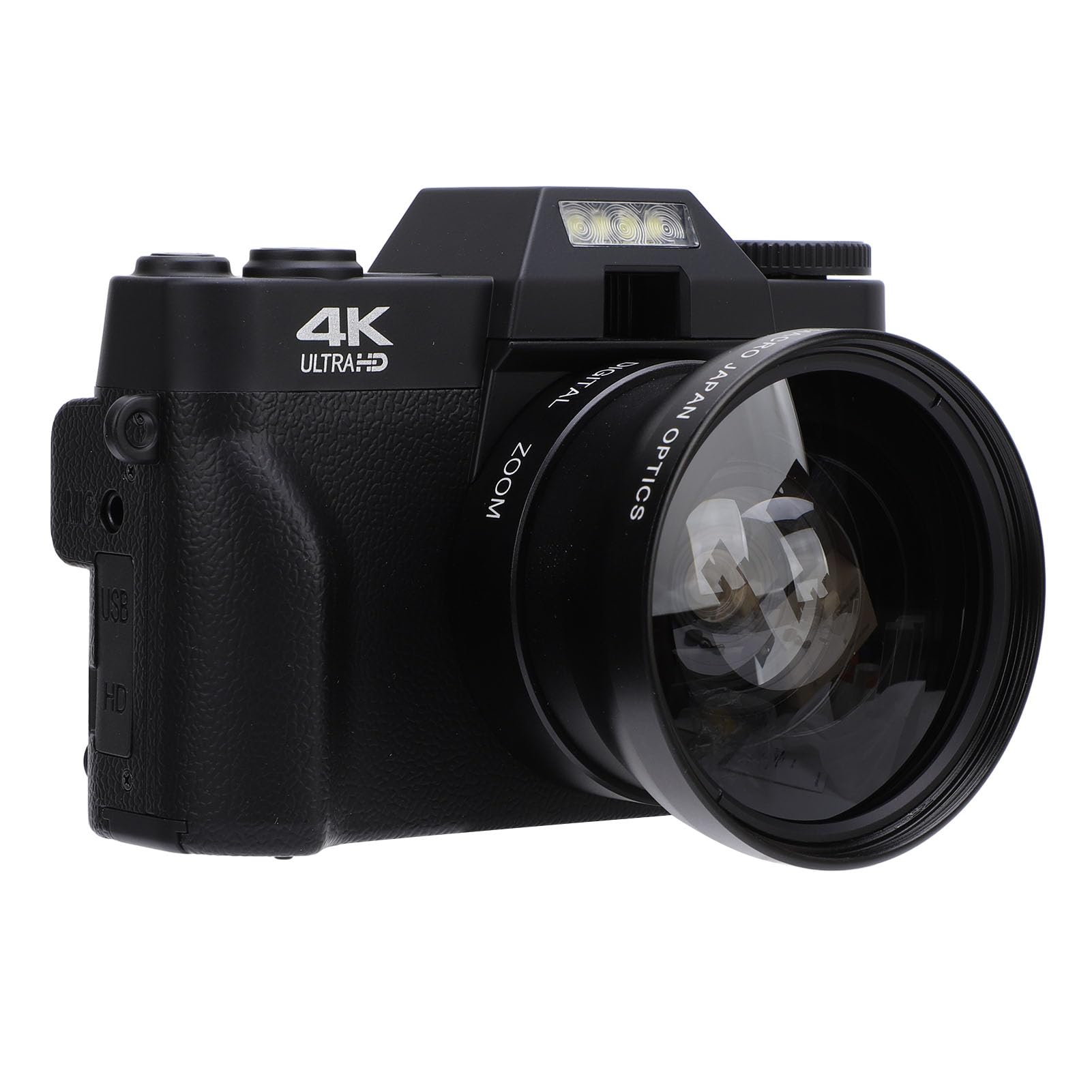
Image: The VBESTLIFE 4K 56MP Digital Camera with a wide-angle lens attached, and its rotating screen displaying a serene landscape, indicating video recording capability.
2.4 디지털 줌 사용
While in photo or video mode, use the zoom controls (often marked 'W' for Wide and 'T' for Telephoto) to adjust the 16X digital zoom. This allows for closer shots of distant subjects.
2.5 Rotating Touchscreen Operation
The 3-inch touchscreen can be rotated up to 270 degrees. Adjust the screen to face forward for selfies or vlogging, or to various angles for creative shots. The touchscreen allows for intuitive navigation of menus and settings.

Image: The VBESTLIFE 4K 56MP Digital Camera with its screen rotated to face forward, displaying a group of smiling individuals, suitable for selfies or group photos.
2.6 TV에 연결하기
에게 view photos and videos on a larger screen, connect the camera to a TV using an HD Multimedia Interface cable (not included). Ensure both devices are powered off before connecting, then power them on and select the correct input on your TV.
2.7 Web캠 기능
Connect the camera to your computer via USB. Select the webcam mode on the camera (if prompted) or in your computer's settings. This allows the camera to function as a webcam for video calls and live streaming.
2.8 Wi-Fi 연결 및 앱 사용
Download the dedicated application from your device's application store. Enable Wi-Fi on the camera and connect your smartphone or tablet to the camera's Wi-Fi network. This enables seamless transfer and sharing of images and videos.

Image: The VBESTLIFE 4K 56MP Digital Camera positioned next to a smartphone, with visual cues indicating wireless connectivity for data transfer.
3. 유지관리
3.1 카메라 청소
Use a soft, lint-free cloth to clean the camera body. For the lens and screen, use a specialized lens cleaning cloth and solution. Avoid abrasive materials or harsh chemicals.
3.2 배터리 관리
To prolong battery life, avoid extreme temperatures. Store the battery in a cool, dry place when not in use. Fully charge the battery before extended storage and periodically recharge it if stored for long periods.
3.3 보관
When not in use, store the camera in a protective case or bag to prevent dust and scratches. Keep it away from direct sunlight, moisture, and extreme temperatures.
4. 문제 해결
- 카메라가 켜지지 않음: 배터리가 완전히 충전되었는지, 그리고 올바르게 삽입되었는지 확인하십시오. 배터리를 최소 30분 동안 충전해 보십시오.
- 메모리 카드 오류: Check if the memory card is inserted correctly. Ensure the card is compatible and not full. Try formatting the card (this will erase all data).
- 이미지/비디오 품질이 좋지 않음: Ensure the lens is clean. Check lighting conditions. Adjust camera settings such as resolution or exposure if necessary.
- Wi-Fi 연결 문제: Ensure Wi-Fi is enabled on both the camera and your smart device. Restart both devices and try connecting again. Verify the correct app is installed.
5. 사양
| 특징 | 사양 |
|---|---|
| 상표 | 브이베스트라이프 |
| 모델명 | VBESTLIFE4tfqzh32xd |
| 모델 번호 | VBESTLIFE4tfqzh32xd |
| 이미지 안정화 | 디지털 |
| 제조업체 | 브이베스트라이프 |
| ASIN | B0DGRDPT8S |
6. 보증 및 지원
For warranty information or technical support, please refer to the documentation included with your purchase or contact VBESTLIFE customer service directly. Keep your proof of purchase for any warranty claims.