
소개
This manual provides detailed instructions for the safe and effective use of your Acouto F6 Three-Axis Handheld Stabilizer. Please read this manual thoroughly before operating the device and retain it for future reference.
The Acouto F6 is designed to provide enhanced stability for smartphone video recording, eliminating unwanted picture shake with its high-precision brushless motor and advanced anti-shake technology. It supports both horizontal and vertical shooting modes and offers intelligent tracking features for dynamic content creation.
제품 구성 요소
Carefully unpack your Acouto F6 Stabilizer and ensure all components are present:
- Acouto F6 Three-Axis Handheld Stabilizer
- 미니 삼각대
- USB 충전 케이블
- 사용 설명서 (본 문서)

Image: The Acouto F6 Three-Axis Handheld Stabilizer, mini tripod, USB charging cable, and a small instruction booklet.
설치 가이드
1. 스태빌라이저 충전
Before first use, fully charge the stabilizer. Connect the provided USB charging cable to the charging port on the stabilizer and to a 5V USB power adapter (not included). The charging time is approximately 2.5 hours.
2. Attaching the Mini Tripod (Optional)
For stable standing, live broadcasting, or time-lapse photography, attach the mini tripod to the 1/4-inch screw hole located at the bottom of the stabilizer handle. Rotate clockwise until secure.
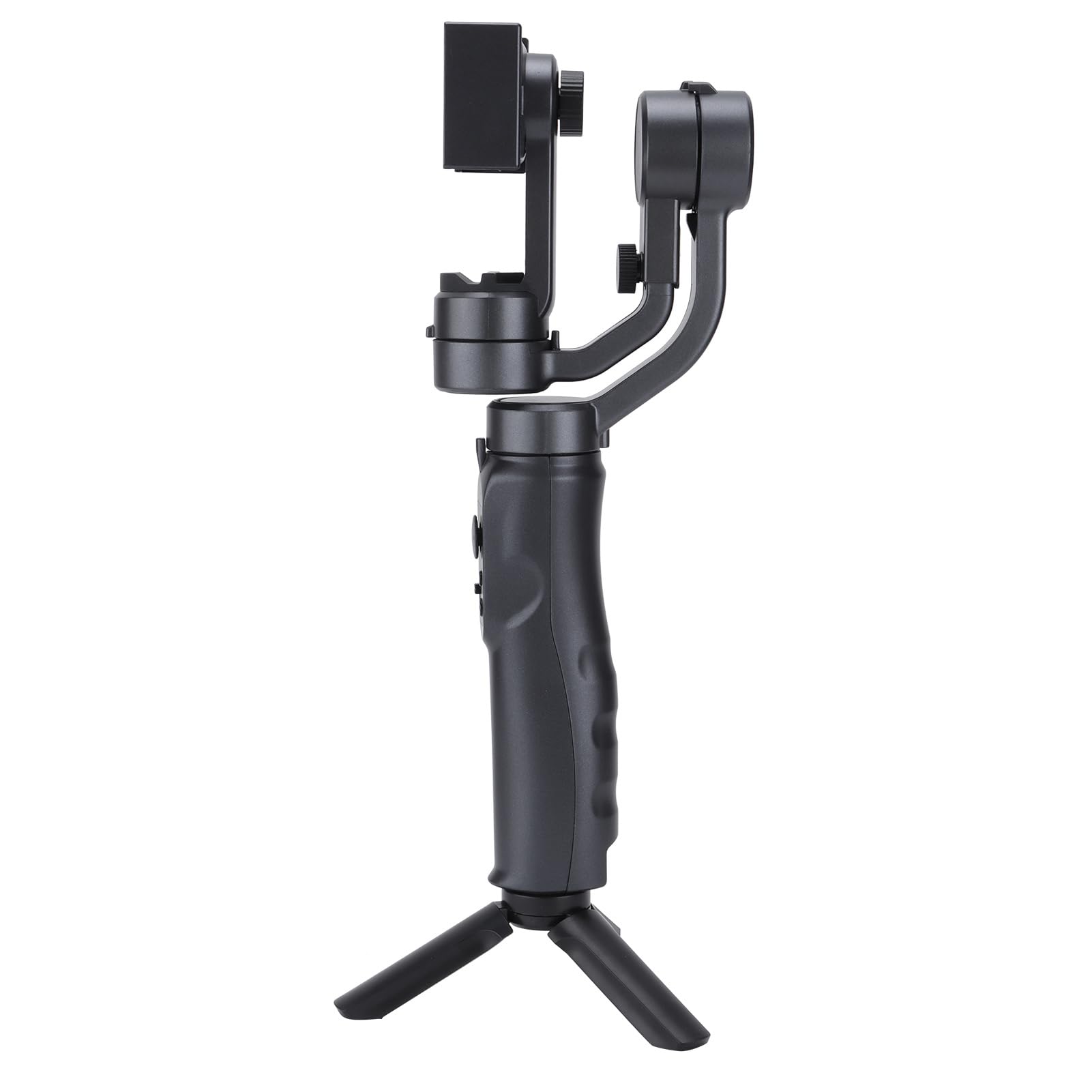
Image: The Acouto F6 Stabilizer shown upright with the mini tripod attached to its base.
3. 스마트폰 거치하기
- 전화선을 연장하세요amp on the stabilizer.
- 스마트폰을 조심스럽게 클립에 넣으세요amp중앙에 위치하고 안전한지 확인합니다.
- Adjust the horizontal bar by stretching it to quickly level the screen, whether for horizontal or vertical orientation. The stabilizer supports phones up to 280g.

이미지: 클로즈업 view 전화 clamp mechanism on the Acouto F6 Stabilizer, ready to hold a smartphone.
작동 지침
1. 전원 켜기/끄기
Locate the power button on the handle. Press and hold for a few seconds to power on or off the stabilizer.

이미지: 자세한 view of the control panel on the Acouto F6 Stabilizer handle, showing buttons and ports.
2. Switching Between Horizontal and Vertical Modes
The stabilizer allows seamless switching between horizontal (landscape) and vertical (portrait) shooting modes. When your arm tilts to the left more than 70 degrees, the stabilizer can automatically rotate the phone to vertical portrait mode. You can also manually adjust as needed.

Image: The Acouto F6 Stabilizer displayed with a smartphone mounted in both horizontal and vertical orientations, demonstrating its versatility.
3. Anti-Shake and Tracking Features
The high-precision brushless motor provides real-time compensation to eliminate picture shake. In full follow mode, the DC stepping motor upgrades to 150°/SEC, allowing quick locking onto targets.
The stabilizer also features accurate human face tracking and object tracking, ensuring your subjects remain in focus during recording.
4. 컴패니언 앱 사용하기
Connect your smartphone to the stabilizer's companion app (if available, check your phone's app store for "Acouto Stabilizer" or similar). The app may offer additional features such as:
- 타임랩스 사진
- Slow-motion photography
- Advanced camera controls
유지
To ensure the longevity and optimal performance of your Acouto F6 Stabilizer, follow these maintenance guidelines:
- 청소: Use a soft, dry cloth to wipe the stabilizer. Do not use harsh chemicals or abrasive materials.
- 저장: Store the stabilizer in a cool, dry place away from direct sunlight and extreme temperatures.
- 배터리 관리 : 장기간 보관할 경우, 배터리가 심하게 방전되는 것을 방지하기 위해 3개월마다 배터리를 약 50%까지 충전하세요.
- 충격 방지: Protect the stabilizer from drops and impacts, which can damage internal components.
문제 해결
If you encounter issues with your Acouto F6 Stabilizer, refer to the following common problems and solutions:
- Stabilizer does not power on:
- 배터리가 완전히 충전되었는지 확인하십시오.
- Press and hold the power button for the required duration.
- Phone is not stable/shaking:
- Ensure the smartphone is properly centered and securely clamp편집.
- Verify the horizontal bar is stretched to level the phone correctly.
- Check if the phone's weight exceeds the maximum load capacity (280g).
- Gimbal motors are unresponsive:
- Restart the stabilizer.
- 운동 동작을 방해하는 장애물이 없는지 확인하십시오.
- 앱에 연결할 수 없습니다:
- 스마트폰에서 Bluetooth가 활성화되어 있는지 확인하세요.
- Restart both the stabilizer and your smartphone.
- 앱이 최신 버전으로 업데이트되었는지 확인하세요.
If problems persist, please contact Acouto customer support.
명세서
| 품목 유형 | Three-axis Handheld Stabilizer |
| 상표 | 아쿠토 |
| 모델 | Acouto4smwt0ihg1 |
| 색상 | 검은색 |
| 재료 | ABS |
| 무게 | 약 595g / 21oz |
| 작업 전류 | Minimum 80mA, Standard 120mA, Maximum 3000mA |
| 작업 볼륨tage | 5V |
| 작동 온도 | 0°C - 40°C |
| Pitch Axis Movement Range | -165° ~ +165° |
| Roll Axis Movement Range | -90° ~ +90° |
| Yaw Axis Movement Range | -165° ~ +165° |
| 충전 시간 | 2.5시간 |
| 근무시간 | 6-8 Hours (depending on balance and phone size) |
| 최대 하중 용량 | 280그램 |
| 호환 장치 | 스마트폰 |
안전 정보
다음 안전 예방 조치를 준수하십시오.
- Do not disassemble or modify the stabilizer.
- 장치를 물과 기타 액체에서 멀리하세요.
- Avoid exposing the stabilizer to extreme temperatures or direct heat sources.
- 제공된 충전 케이블이나 인증된 동등 제품만 사용하세요.
- 어린이의 손이 닿지 않는 곳에 보관하세요.