
소개
The Oclean X Lite is an advanced smart sonic electric toothbrush designed to enhance your oral hygiene routine. It features a large smart screen for instant feedback, 8-area tracking, and a simple one-click operation, eliminating the need for a separate application. This manual provides essential information for the proper setup, operation, maintenance, and troubleshooting of your Oclean X Lite toothbrush.
Key features include 5 distinct brushing modes, up to 40 days of battery life, IPX7 waterproof rating, and convenient USB-C charging.
제품 끝view
The Oclean X Lite Smart Sonic Electric Toothbrush package includes the following components:
- 1 x Brush Handle
- 1 x 브러쉬 헤드
- 1 x Type-C 충전 케이블
- 1 x 사용자 설명서
Familiarize yourself with the main parts of your toothbrush:
- Brush Handle: Contains the motor, battery, smart screen, and control button.
- 브러시 헤드: Detachable head with bristles for cleaning teeth.
- 스마트 스크린: Displays brushing feedback, modes, and battery status.
- 제어 버튼: 전원 켜기/끄기 및 모드 선택에 사용됩니다.
- USB-C 충전 포트: Located at the bottom of the handle for charging.

Image: The Oclean X Lite Smart Sonic Electric Toothbrush, showing the handle and a brush head.
설정
1. 브러시 헤드 부착
- Align the brush head with the metal shaft on the brush handle.
- 칫솔모를 딸깍 소리가 날 때까지 아래로 단단히 눌러 제자리에 고정하세요. 칫솔모가 단단히 고정되었는지 확인하세요.
2. 초기 충전
Before first use, fully charge the toothbrush. The Oclean X Lite features a long-lasting battery and quick charging capabilities.
- Open the protective cover at the bottom of the brush handle to expose the USB-C charging port.
- Connect the provided Type-C charging cable to the toothbrush and plug the other end into a compatible USB power adapter (not included) or a USB port.
- The screen will indicate charging status. A full charge typically takes approximately 3 hours.
- Once fully charged, disconnect the cable and close the protective cover to maintain the IPX7 waterproof seal.

Image: The Oclean X Lite toothbrush connected to a USB-C charging cable, illustrating the charging process. The toothbrush offers up to 40 days of battery life on a single 3-hour charge.
작동 지침
1. 전원 켜기/끄기 및 모드 선택
- 전원 켜기: Press and hold the control button for 2 seconds to turn on the toothbrush.
- 모드 선택: Briefly press the control button to cycle through the available brushing modes. The selected mode will be displayed on the smart screen.
- 전원 끄기 : Press and hold the control button for 2 seconds to turn off the toothbrush. It will also automatically turn off after the brushing cycle is complete.
2. 브러싱 모드
오클린 X 라이트는 다양한 구강 관리 요구에 맞춰 5가지의 개별적인 양치 모드를 제공합니다.
- 매일 청소: Standard mode for everyday plaque removal. (Intensity: Medium, Duration: 2 mins 30s)
- 딥 클리닝 : More intense cleaning for thorough plaque removal. (Intensity: High, Duration: 2 mins 30s)
- 호분: Designed to help remove surface stains. (Intensity: High, Duration: 2 mins 30s)
- Massage Soothing: Gentle mode for gum stimulation and comfort. (Intensity: Low, Duration: 2 mins)
- Sensitive Gum Care: Extra gentle mode for sensitive teeth and gums. (Intensity: Very Low, Duration: 2 mins)
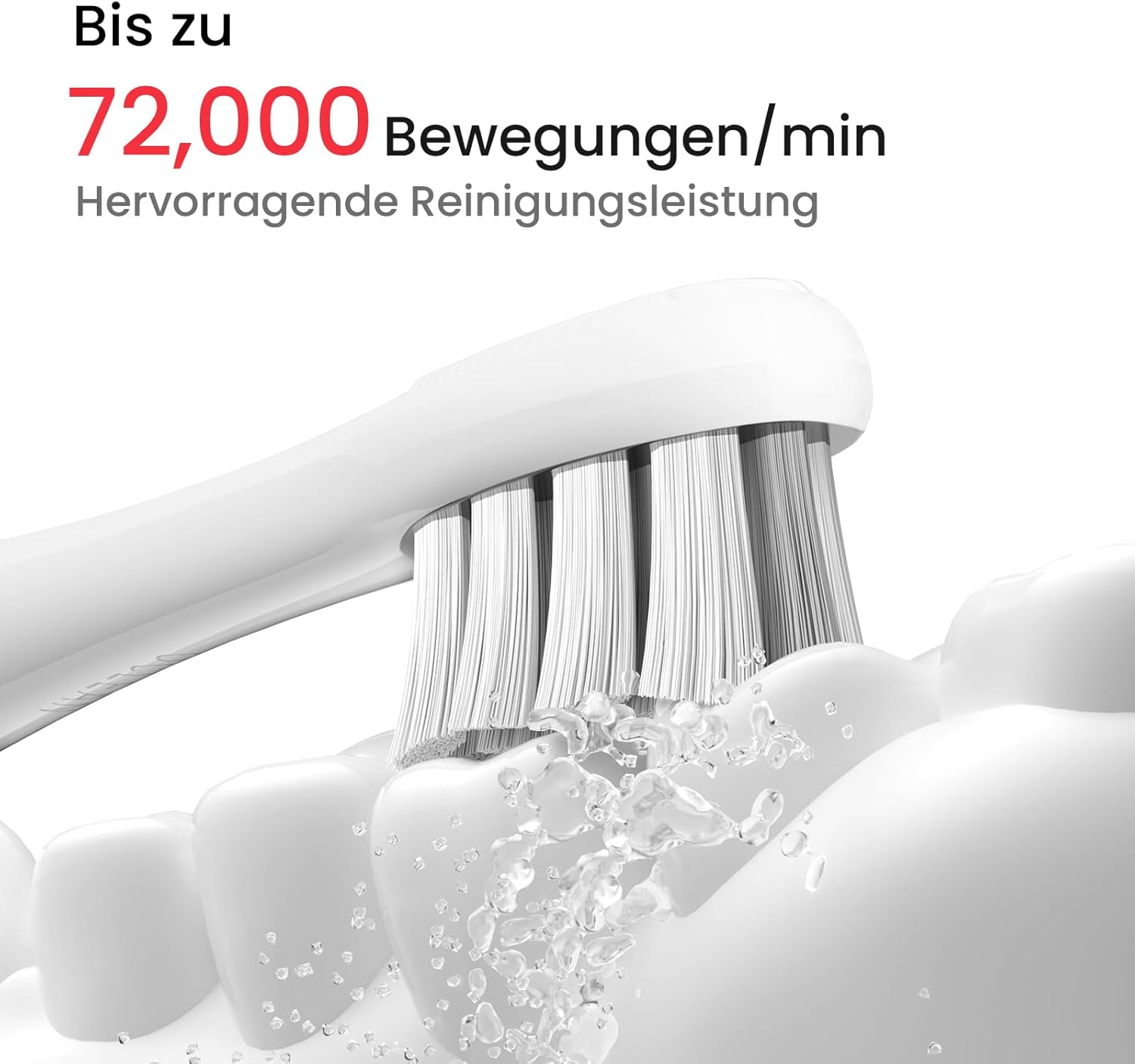
Image: Illustration of the Oclean X Lite's five brushing modes: Daily Cleaning, Deep Cleaning, Whitening, Massage Soothing, and Sensitive Gum Care, each with recommended intensity and duration.
3. Smart Screen Feedback and Area Tracking
The Oclean X Lite features a 6-axis gyro sensor that tracks 8 brushing areas in real-time. After each brushing session, the large smart screen provides instant feedback on your brushing performance.
- 시각적 피드백: The screen displays a visual representation of your teeth, highlighting areas that have been thoroughly cleaned (white) and areas that may have been overlooked (red).
- Brushing Guidance: If areas are missed, the toothbrush can automatically provide auxiliary brushing guidance, offering additional time to clean those specific spots, potentially removing up to 38% more plaque.

Image: The Oclean X Lite smart screen displaying brushing feedback. White areas indicate thoroughly cleaned zones, while red areas indicate missed spots requiring additional attention. The image also shows the one-button operation.

Image: A three-step guide demonstrating the auto-setup for additional brushing on the Oclean X Lite. Step 1 shows immediate feedback on missed areas. Step 2 illustrates starting additional brushing with one click. Step 3 depicts thorough oral care after completing the guided brushing.
4. 칫솔질 기법
For optimal cleaning, follow these general guidelines:
- 칫솔모에 소량의 치약을 바릅니다.
- 칫솔모를 잇몸선 방향으로 약간 기울여 치아에 대십시오.
- Move the brush slowly from tooth to tooth, allowing the sonic vibrations to clean each surface. Do not scrub aggressively.
- 치아의 모든 면, 즉 바깥쪽, 안쪽, 씹는 면을 모두 닦으세요.
- The built-in timer will guide you through the recommended brushing duration.
유지
1. 칫솔 세척
- 매번 사용 후: Rinse the brush head thoroughly under running water while the toothbrush is briefly turned on to remove any remaining toothpaste and debris.
- Brush Handle: Wipe the brush handle with a damp cloth. Do not immerse the handle in water for extended periods, although it is IPX7 waterproof.
- 충전 포트: Ensure the USB-C charging port cover is closed when not charging to maintain its waterproof integrity.

Image: The Oclean X Lite toothbrush submerged in water, demonstrating its IPX7 waterproof rating, which allows for easy cleaning and use in wet environments.
2. 칫솔모 교체
Dentists recommend replacing your toothbrush head every 3 months, or sooner if the bristles become frayed. The Oclean X Lite uses professional clean brush heads with W-shaped DuPont bristles and an integrated tongue cleaner.
- To remove: Pull the brush head straight up and off the handle.
- To attach: Align the new brush head and push it down firmly until it clicks into place.

이미지: 클로즈업 view of the Oclean X Lite professional clean brush head, highlighting its W-shaped design, DuPont bristles, and integrated fine tongue cleaner.
문제 해결
If you encounter issues with your Oclean X Lite toothbrush, please refer to the following common solutions:
- 칫솔이 켜지지 않음: Ensure the toothbrush is fully charged. If the battery is depleted, connect it to the charger for at least 30 minutes before attempting to turn it on again.
- 칫솔이 충전되지 않음: Check that the USB-C cable is securely connected to both the toothbrush and the power source. Try using a different USB-C cable or power adapter. Ensure the charging port is clean and free of debris.
- Weak vibrations or poor performance: The brush head may be worn out and needs replacement. Ensure the brush head is securely attached to the handle. If the battery is low, charge the toothbrush.
- 화면이 응답하지 않습니다: Try restarting the toothbrush by pressing and holding the control button. If the issue persists, ensure the battery is charged.
- 이상한 소음: Ensure the brush head is correctly and securely attached. If the noise persists, contact customer support.
명세서
| 상표 | 오클린 |
| 모델 | X 라이트 |
| 진동 | Up to 72,000 movements/min |
| 배터리 수명 | 최대 40일 |
| 충전 중 | USB-C, approximately 3 hours for full charge |
| 방수 등급 | IPX7 |
| 브러싱 모드 | 5 (Daily Cleaning, Deep Cleaning, Whitening, Massage Soothing, Sensitive Gum Care) |
| 감지기 | 6-axis gyro sensor for 8-area tracking |
| 무게 | 130그램 |
| 치수 | 25.2 x 2.6 x 2.6cm |
| 강모 소재 | 듀폰 나일론 |
| 손잡이 재질 | 플라스틱 |
| 연령대 | 성인 |
| 특별 기능 | Brushing Timer, Large Smart Screen, Area Tracking |

Image: A close-up of the Oclean X Lite brush head in action, illustrating the powerful sonic movements of up to 72,000 per minute for effective cleaning.
보증 및 지원
For warranty information and customer support, please refer to the warranty card included in your product packaging or visit the official Oclean website. You may also contact Oclean customer service directly for assistance with product inquiries, technical support, or warranty claims.
보증 관련 서비스를 받으시려면 구매 증빙 자료를 보관해 주십시오.