
소개
Thank you for choosing TTQ Hearing Aids. This device is designed to provide clear and natural sound, enhancing your hearing experience in various environments. It combines advanced hearing aid technology with the convenience of wireless Bluetooth headphones, offering a versatile solution for individuals with moderate hearing loss. Please read this manual carefully to ensure proper use and maintenance of your device.

제품 끝view
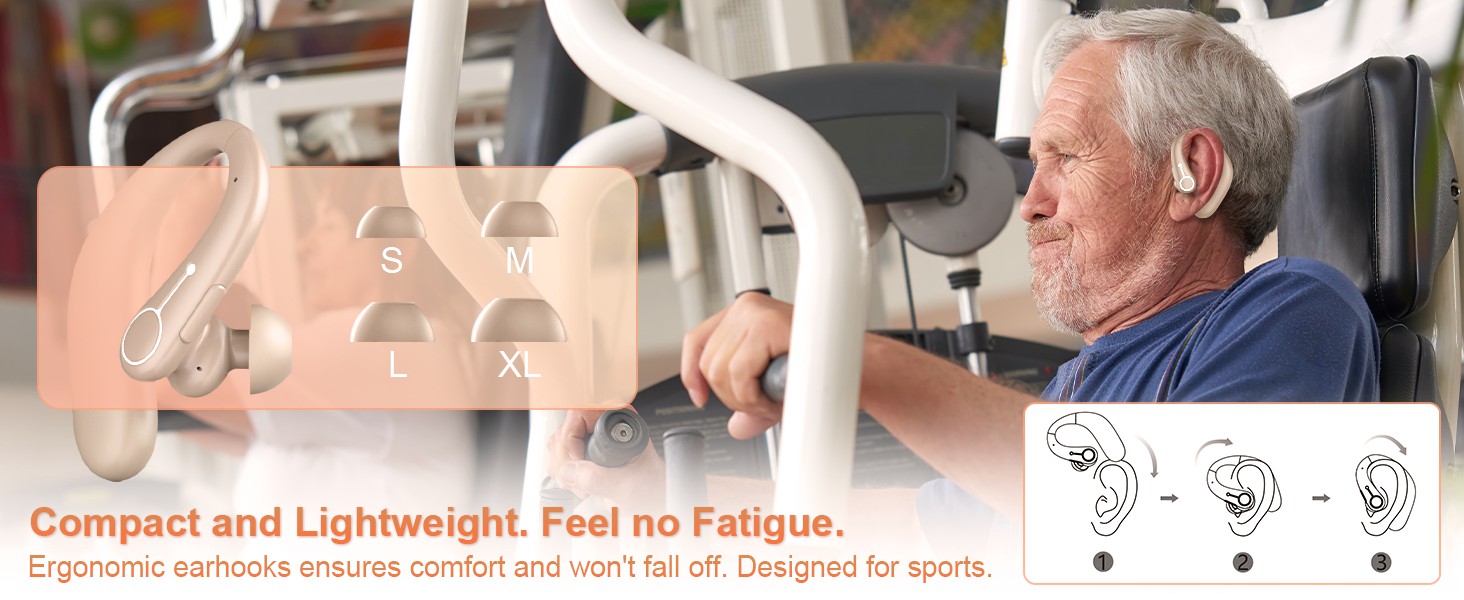
The TTQ Hearing Aids are compact, lightweight, and designed for comfortable long-term wear. They feature an ergonomic earhook design and come with multiple ear dome sizes to ensure a secure and comfortable fit.
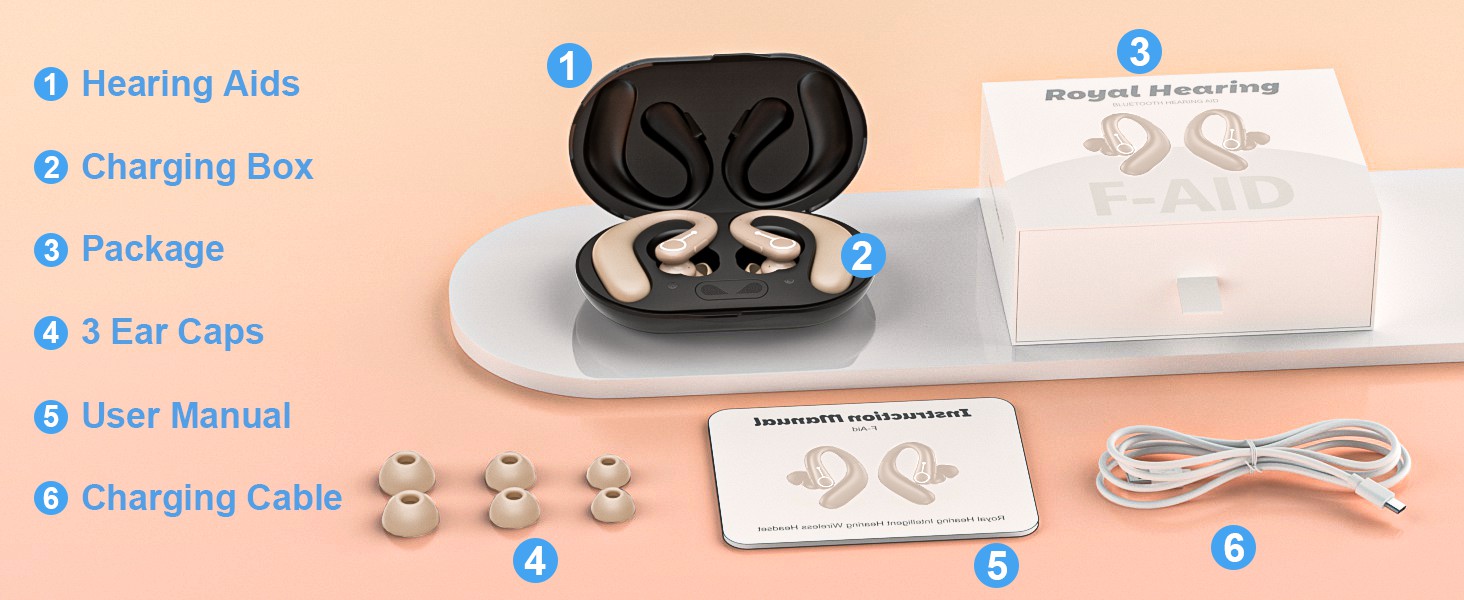
구성 요소 및 기능
- 보청기: Main units with integrated DSP chip for sound processing.
- 충전 박스 : Portable case for charging and dehumidification.
- 귀 돔: Six different sizes (S, M, L, XL) for optimal fit.
- 기능 버튼: Single button for volume control, mode switching, and call management.
- Advanced Microphone: For clear sound capture and noise cancellation.
- 표시등: 상태정보를 제공합니다.

설정
1. 장치 충전
Before first use, fully charge the hearing aids and the charging box. The charging box features an LED display to show the remaining power and includes overcharge protection circuitry.
- Place the hearing aids into the charging slots in the charging box.
- 제공된 USB 케이블을 사용하여 충전 박스를 전원에 연결하세요.
- A full charge takes approximately 2 hours. The hearing aids provide up to 18 hours of hearing aid use or 13 hours of Bluetooth headphone use on a single charge.

2. Selecting and Fitting Ear Domes
Choose the ear domes that provide the most comfortable and secure fit in your ear canal. An improper fit can lead to whistling or reduced sound quality.
- Experiment with the different sizes (S, M, L, XL) provided.
- Gently insert the hearing aid into your ear, ensuring the earhook rests comfortably over your ear.
3. 블루투스 페어링
Your hearing aids can also function as wireless Bluetooth headphones, allowing you to connect to your smartphone or other Bluetooth-enabled devices.
- Ensure the hearing aids are powered on.
- 기기에서 Bluetooth 설정으로 이동하여 사용 가능한 기기를 검색하세요.
- Select "F-Aid" from the list to pair. Once connected, you can stream audio or make calls.

작동 지침
전원 켜기/끄기
The hearing aids automatically power on when removed from the charging case and power off when placed back in the case.
볼륨 조절
Adjust the volume using the single function button on the hearing aid.
- 짧은 보도: Increases volume level. There are 5 adjustable levels (20%, 30%, 50%, 80%, 100%).
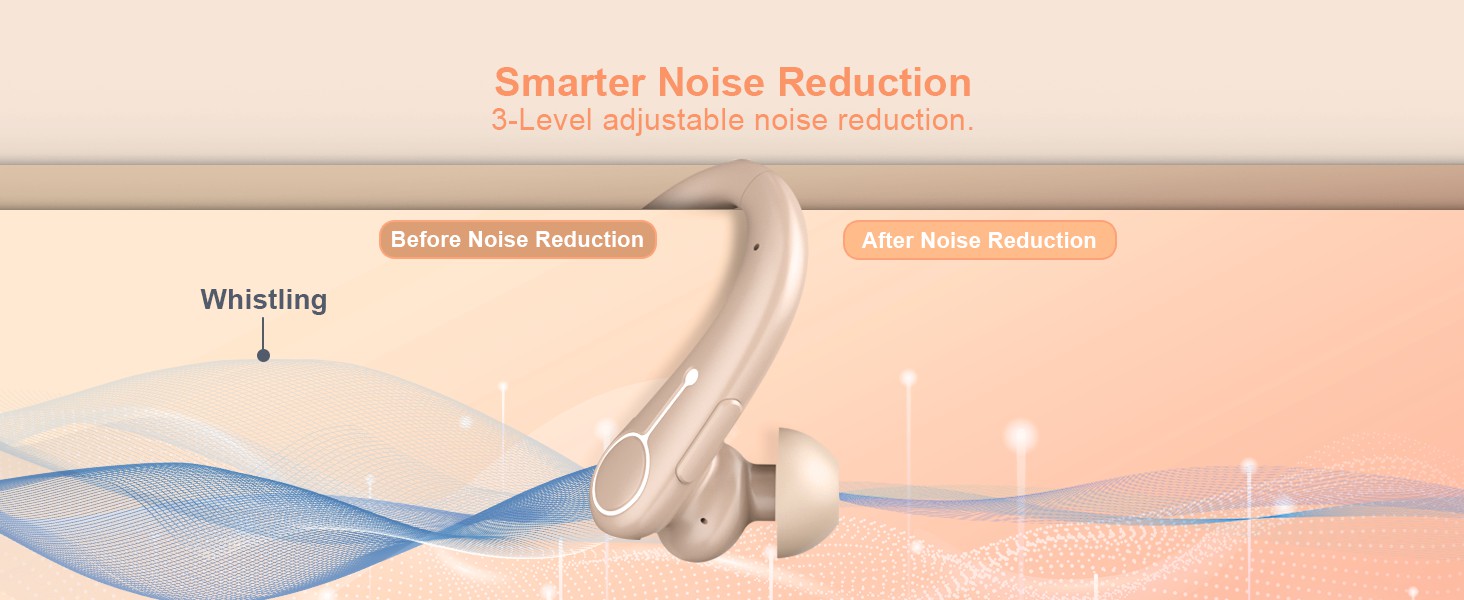
소음 제거 모드
Switch between different noise reduction modes to suit your environment.
- 길게 누르기 : Cycles through 3 noise reduction modes: Universal, Noise Reduction, and Strong Noise Reduction.
Bluetooth Functionality (Calls & Music)
When connected via Bluetooth, the function button also manages calls and media playback.
- Short Press (during call): 전화 받기/종료하기.
- Long Press (during call): 전화를 거부합니다.
- Short Press (music playback): 재생/일시 중지.

유지
청소
- Regularly clean the ear domes and the body of the hearing aids with a soft, dry cloth.
- 보청기에 물이나 세척액을 직접 사용하지 마십시오.
- Ensure no earwax or debris accumulates in the sound outlet or microphone ports.
제습
The charging box supports a dehumidification function to vaporize sweat and moisture, extending the life of your hearing aids.
- Place the hearing aids in the charging box after each use, especially if exposed to moisture or sweat.
- The dehumidification process occurs automatically when the hearing aids are in the charging box.
문제 해결
| 문제 | 가능한 원인 | 해결책 |
|---|---|---|
| 소리가 나지 않거나 소리가 약함 | Low battery; Ear dome clogged; Incorrect volume level; Improper fit. | Charge the device; Clean ear dome; Adjust volume; Re-fit the hearing aid or try a different ear dome size. |
| 휘파람 또는 피드백 | Improper fit; Ear dome too small; Earwax buildup. | Ensure a snug fit; Try a larger ear dome; Clean ear canal and hearing aid. |
| 블루투스 연결 문제 | 기기가 페어링 모드가 아닙니다. 범위를 벗어났습니다. 간섭이 발생했습니다. | Ensure hearing aids are on and in pairing mode; Move closer to the connected device; Restart both devices. |
| 충전이 안됨 | Cable or adapter issue; Poor contact in charging case. | Check cable and adapter; Ensure hearing aids are correctly seated in the charging case. |
명세서
| 특징 | 세부 사항 |
|---|---|
| 모델명 | FAID |
| 상표 | TTQ |
| 색상 | 베이지색 |
| 재료 | 플라스틱 |
| 전원 | 배터리 구동 |
| 보청기 배터리 수명 | 최대 18시간 |
| Bluetooth Headphone Battery Life | 최대 13시간 |
| 충전 시간 | 약 2시간 |
| 볼륨 레벨 | 5단계(20%, 30%, 50%, 80%, 100%) |
| 노이즈 감소 모드 | 3 modes (Universal, Noise Reduction, Strong Noise Reduction) |
| 패키지 크기 | 5.31 x 4.17 x 2.13 인치 |
| 품목 무게 | 8.78 온스 |
중요한 안전 정보
식이 보충제에 대한 진술은 FDA에서 평가하지 않았으며, 어떠한 질병이나 건강 상태를 진단, 치료, 치유 또는 예방하기 위한 것이 아닙니다.
Always consult with a healthcare professional before using any hearing device, especially if you have pre-existing medical conditions or experience sudden hearing loss.
보증 및 지원
Specific warranty details and customer support contact information are not provided in this manual. Please refer to the product packaging or the manufacturer's official web보증 등록 및 지원 문의를 위한 사이트입니다.