
SIMATE K3
SIMATE 6.5" Self-Balancing Scooter Instruction Manual
모델: K3
1. 서론
구매해주셔서 감사합니다asing the SIMATE 6.5" Self-Balancing Scooter. This manual provides essential information for the safe operation, maintenance, and troubleshooting of your scooter. Please read this manual thoroughly before first use and retain it for future reference.
2. 안전 정보
Your safety is paramount. Always wear appropriate safety gear, including a helmet, knee pads, and elbow pads, when operating the scooter. Ensure you understand and comply with all local laws and regulations regarding the use of self-balancing scooters.
- This product is UL2272 Safety Certified, ensuring compliance with U.S. safety regulations.
- 알코올이나 약물의 영향으로 스쿠터를 작동하지 마십시오.
- Avoid riding on uneven surfaces, steep slopes (over 15 degrees), or in wet conditions.
- 보행자 및 다른 차량과 안전 거리를 유지하십시오.
- Children should be supervised by an adult during operation.
- Maximum load capacity is 220 lbs. Do not exceed this limit.
3. 패키지 내용
패키지에 모든 품목이 들어 있는지 확인하세요.
- SIMATE 6.5" Self-Balancing Scooter
- 충전기
- 사용 설명서(본 문서)
4. 제품 오버view
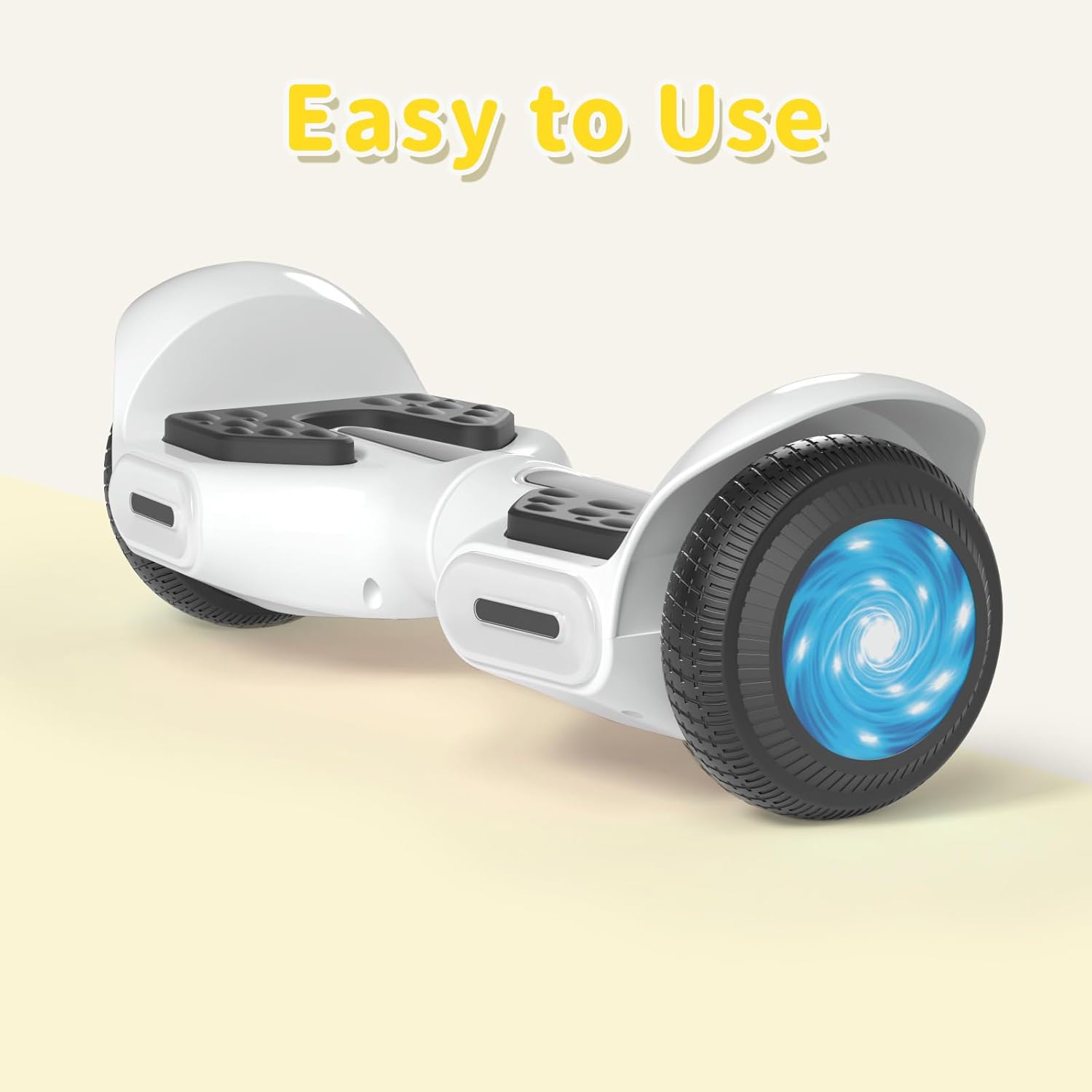
The SIMATE 6.5" Self-Balancing Scooter features dual 250W motors, LED lights, and a self-balancing control system. It is designed for ease of use and enjoyment.

이미지 4.1: 앞면 view of the SIMATE 6.5" Self-Balancing Scooter in white.
주요 특징:
- 자체 균형 시스템: Assists in maintaining balance for easier learning and riding.
- LED 조명: Includes head lights and central lights for enhanced visibility and aesthetics.
- Bluetooth Music Speaker: Allows connection to a device for audio playback.
- APP 제어 : Compatible with the "XsCar" app for advanced control and monitoring.
- 듀얼 250W 모터: Provides power for speeds up to 7.5 mph and a range of 7.5 miles.

Image 4.2: Diagram illustrating the self-balancing function and basic movement controls (Go Ahead, Back, Self-Balancing).
이미지 4.3: 클로즈업 view of the head and central LED lights on the scooter.
5. 설정
5.1 초기 충전
- Before first use, fully charge the scooter. Connect the charger to the charging port on the scooter and then to a power outlet.
- The indicator light on the charger will change (e.g., from red to green) when charging is complete. Charging typically takes 2-3 hours.
- 배터리를 과충전하지 마세요. 충전이 완료되면 충전기를 분리하세요.
5.2 전원 켜기/끄기
- To power on, press and hold the power button located on the scooter.
- 전원을 끄려면 전원 버튼을 다시 길게 누르세요.
6. 사용 설명서
6.1 First Ride Guidelines
- 스쿠터를 평평하고 수평인 곳에 놓으십시오.
- Step onto one footpad, then quickly and confidently step onto the other footpad. Use a wall or another person for support initially.
- 앞으로 나아가려면 몸을 살짝 앞으로 기울이고, 속도를 줄이거나 후진하려면 몸을 뒤로 기울이세요.
- To turn, apply gentle pressure with your left foot to turn right, and with your right foot to turn left.
- To dismount, step off one foot at a time, ensuring the scooter remains stable.
Video 6.1: Demonstration of basic riding techniques and self-balancing features for the SIMATE Kids Scooter.
6.2가지 속도 모드
이 스쿠터는 세 가지 속도 조절 모드를 제공합니다.
- 안전 모드: Maximum speed 5 mph (suitable for beginners).
- 초보자 모드: Maximum speed 6.5 mph (suitable for novices).
- 스포츠 모드: Maximum speed 8.5 mph (suitable for proficient users).

Image 6.2: Visual representation of the three speed modes: Safe, Beginner, and Sports.
6.3 App Control ("XsCar")
Download the exclusive "XsCar" app to unlock additional features and control options:
- Scan the QR code (if provided on packaging or scooter) or search for "XsCar" in your device's app store.
- Pair your scooter with the app via Bluetooth.
- 이 앱을 통해 다음을 수행할 수 있습니다.
- Power on/off the scooter.
- Adjust LED lights.
- Monitor speed and battery power.
- Set speed modes.
- Access other control features.

Image 6.3: Illustration of the "XsCar" app interface and its control capabilities for lights, speed, and battery.
6.4 Bluetooth Music Speaker
To use the built-in Bluetooth speaker:
- 스쿠터 전원이 켜져 있는지 확인하십시오.
- 모바일 기기에서 Bluetooth를 활성화하세요.
- 검색 available Bluetooth devices and select "SIMATE Scooter" (or similar name).
- 페어링이 완료되면 스쿠터의 스피커를 통해 음악을 재생할 수 있습니다.
7. 유지관리
7.1 청소
- 광고로 스쿠터를 닦으세요amp cloth after use. Avoid using excessive water or harsh cleaning agents.
- Do not use high-pressure water jets to clean the scooter, as this can damage electronic components.
7.2 배터리 관리
- 스쿠터를 사용하지 않더라도 배터리 상태를 유지하려면 배터리를 정기적으로 충전하세요.
- 스쿠터는 직사광선과 극한의 온도를 피해 시원하고 건조한 곳에 보관하세요.
- If the scooter will not be used for an extended period, charge it to approximately 50% before storage.
7.3 보관
- Store the scooter indoors to protect it from weather elements.
- 스쿠터를 가연성 물질로부터 멀리 두십시오.
8. 문제 해결
| 문제 | 가능한 원인 | 해결책 |
|---|---|---|
| 스쿠터의 전원이 켜지지 않습니다. | 배터리가 부족하거나 전원 버튼을 제대로 누르지 않았습니다. | Charge the scooter fully. Ensure the power button is pressed and held for a few seconds. |
| 스쿠터가 균형을 잡지 못합니다. | Rider weight distribution is incorrect or surface is uneven. | Ensure feet are centered on the footpads. Practice on a flat, smooth surface. |
| 블루투스 스피커가 연결되지 않습니다. | Bluetooth not enabled on device or scooter, or device is too far. | Ensure scooter is on and Bluetooth is enabled on your device. Move device closer to the scooter. Re-pair if necessary. |
| 범위나 속도가 감소함. | Low battery, heavy load, or riding on inclines. | Charge the battery fully. Reduce load. Avoid steep inclines. |
9. 사양
| 특징 | 세부 사항 |
|---|---|
| 모델명 | 6.5" Scooter (K3) |
| 상표 | 시메이트 |
| 휠 크기 | 6.5인치 |
| 모터 파워 | 듀얼 250W 모터 |
| 최대 속도 | 7.5 mph (3 adjustable speed modes) |
| 최대 범위 | 7.5마일 |
| 최대 부하 | 220파운드 |
| 충전 시간 | 2-3시간 |
| 재료 | 알루미늄, 고무 |
| 특별 기능 | Built-In Bluetooth speaker, LED Lights, App Control |
| 안전인증 | UL2272 |
10. 보증 정보
The SIMATE 6.5" Self-Balancing Scooter comes with a 1년 보증 구매일로부터. 본 보증은 정상적인 사용 중 발생한 제조상의 결함에 적용됩니다. 오용, 사고, 무단 개조 또는 정상적인 마모로 인한 손상은 보증되지 않습니다.
보증 청구를 위해 구매 증명서를 보관하십시오.
11. 고객 지원
For any questions, technical assistance, or warranty claims, please contact SIMATE customer support:
- 온라인 서비스: SIMATE provides 7*24 hours online service.
- 연락하다: Refer to the contact information provided on the product packaging or the official SIMATE web최신 지원 채널을 제공하는 사이트입니다.

Image 11.1: Illustration of a customer support representative, symbolizing available assistance.
Ask a question about this manual
Ask about setup, troubleshooting, compatibility, parts, safety, or missing instructions. Manuals+ will review the question and use this page’s manual context to help answer it.