
1. 안전 정보
Please read all safety instructions carefully before using the TOMLOV TriL110 Digital Microscope. Retain this manual for future reference.
- 전원 공급 장치: 지정된 전원 어댑터만 사용하세요. 볼륨을 확인하세요.tage는 제품 요구 사항과 일치합니다.
- 환경: Operate the microscope in a dry, clean environment. Avoid exposure to extreme temperatures, humidity, dust, or corrosive substances.
- 손질: 기기를 조심스럽게 다루십시오. 떨어뜨리거나 강한 충격을 주지 마십시오.
- 청소: 청소하기 전에 전원을 차단하십시오. 부드럽고 마른 천을 사용하십시오. 액체 세제나 용제를 사용하지 마십시오.
- 분해 : Do not attempt to disassemble or repair the microscope yourself. Unauthorized repairs will void the warranty and may cause damage or injury.
- 어린이들: This device is not a toy. Adult supervision is recommended when children are using the microscope.
2. 제품 오버view
The TOMLOV TriL110 is a versatile digital microscope featuring a 10.1-inch IPS display, 2K video recording, and 24MP photo capture. It comes equipped with three interchangeable lenses offering magnifications up to 2500x, making it suitable for various applications including coin inspection, circuit board soldering, and biological slide observation. The device supports HDMI and USB output for real-time viewing on larger screens and includes a comprehensive lighting system for optimal illumination.
2.1 패키지 내용
- TOMLOV TriL110 Digital Microscope Unit
- 1000X Lens (Pre-installed)
- 1500X Soldering Lens
- 2500X Biological Lens
- 받침대가 있는 높이 조절 스탠드
- Gooseneck Side Lights (2)
- Slide Glass Bottom Transmitted Light
- 전원 어댑터
- HDMI 케이블
- USB 케이블
- 무선 원격 제어
- 64GB SD 카드
- 사용자 설명서
2.2 제품 특징
- 3-Lens System: Easily switch between 1000X (coin/stamp), 1500X (soldering/watch repair), and 2500X (biological slides) lenses by rotating the lens barrel.
- 고해상도 디스플레이: 10.1-inch IPS screen with 178° viewing angle, 24MP photo resolution, and 2K video resolution for clear, vibrant images.
- 다양한 조명: Features 12 main LED lights, 2 gooseneck side lights, and 1 slide glass bottom transmitted light, all with independent brightness adjustment.
- 외부 출력: Real-time HDMI and USB output for connecting to larger monitors or computers.
- 저장: Includes a 64GB SD card for storing photos and videos.
- 무선 원격 제어: Conveniently capture images, record videos, and adjust zoom without touching the microscope.
- 조정 가능한 스탠드: Provides a stable and spacious working area, with adjustable height for different observation needs.

이미지: 이상view of the TOMLOV TriL110 Digital Microscope highlighting its 3-lens system and 10.1-inch display.
Video: A demonstration of the TOMLOV TriL110 Digital Microscope's features, including lens switching, focusing, and various applications.
3. 설정
3.1 조립
- 디스플레이 장치를 부착하십시오: Securely mount the display unit onto the adjustable stand.
- Install Lenses: The 1000X lens is typically pre-installed. To switch lenses, gently rotate the lens barrel to detach the current lens and attach the desired lens (1500X or 2500X).
- 연결 조명: Plug the gooseneck side lights into their designated ports on the base.
- SD 카드 삽입: Insert the provided 64GB SD card into the SD card slot on the side of the display unit.
- 전원 연결: Connect the power adapter to the microscope and then to a power outlet.

Image: Visual guide showing the simple steps for setting up and using the microscope, including powering on, lens selection, height adjustment, and focusing.
3.2 전원 켜기/끄기
Press and hold the power button on the display unit to turn the microscope on or off.
3.3 초기 설정
Upon first use, you may need to adjust language, date, and time settings through the on-screen menu. Refer to the 'Operation' section for menu navigation.
4. 운영
4.1 Lens Switching and Magnification
The TriL110 features three specialized lenses. To switch between them, gently rotate the lens barrel to detach the current lens and attach the desired one. Each lens is designed for specific magnification ranges and applications:
- 1000X Lens: Magnification 2X-1000X. Object distance 8mm-500mm. Ideal for observing coins, stamps, and other larger objects.
- 1500X Soldering Lens: Magnification 10X-1500X. Object distance 38mm-180mm. Optimized for detailed work like PCB soldering and watch repair.
- 2500X Biological Lens: Magnification 2000X-2500X. Object distance 3mm-4mm. Best suited for observing biological slides and microscopic mites.

Image: Illustrates the process of rotating the lens barrel to easily switch between the three available lenses.
4.2 포커싱
To achieve a clear image, rotate the focus wheel on the microscope body until the object appears sharp on the display. Adjust the height of the microscope stand as needed for different lenses and object distances.

Image: A user observing a coin using the 1000X lens, demonstrating its suitability for coin and stamp 관찰.

Image: The microscope in use for soldering a circuit board, showcasing the 1500X lens for precision tasks.

Image: A user observing a biological slide, demonstrating the high magnification capabilities of the 2500X lens.
4.3 조명 제어
The microscope is equipped with multiple light sources for optimal illumination. The 12 main LED lights, 2 gooseneck side lights, and 1 slide glass bottom transmitted light can be adjusted independently using the controls on the device or the remote control. Adjust the brightness to eliminate shadows and achieve clear visibility of your specimen.

Image: Details of the microscope's lighting system, including the 12 main LEDs, two adjustable side lights, and the transmitted light for transparent specimens.
4.4 사진 및 비디오 캡처
To capture images or record videos, use the dedicated buttons on the display unit or the wireless remote control. The captured media will be saved to the inserted SD card.
- 사진 모드 : Press the 'Photo' button to take a still image.
- 비디오 모드: Press the 'Video' button to start/stop video recording.
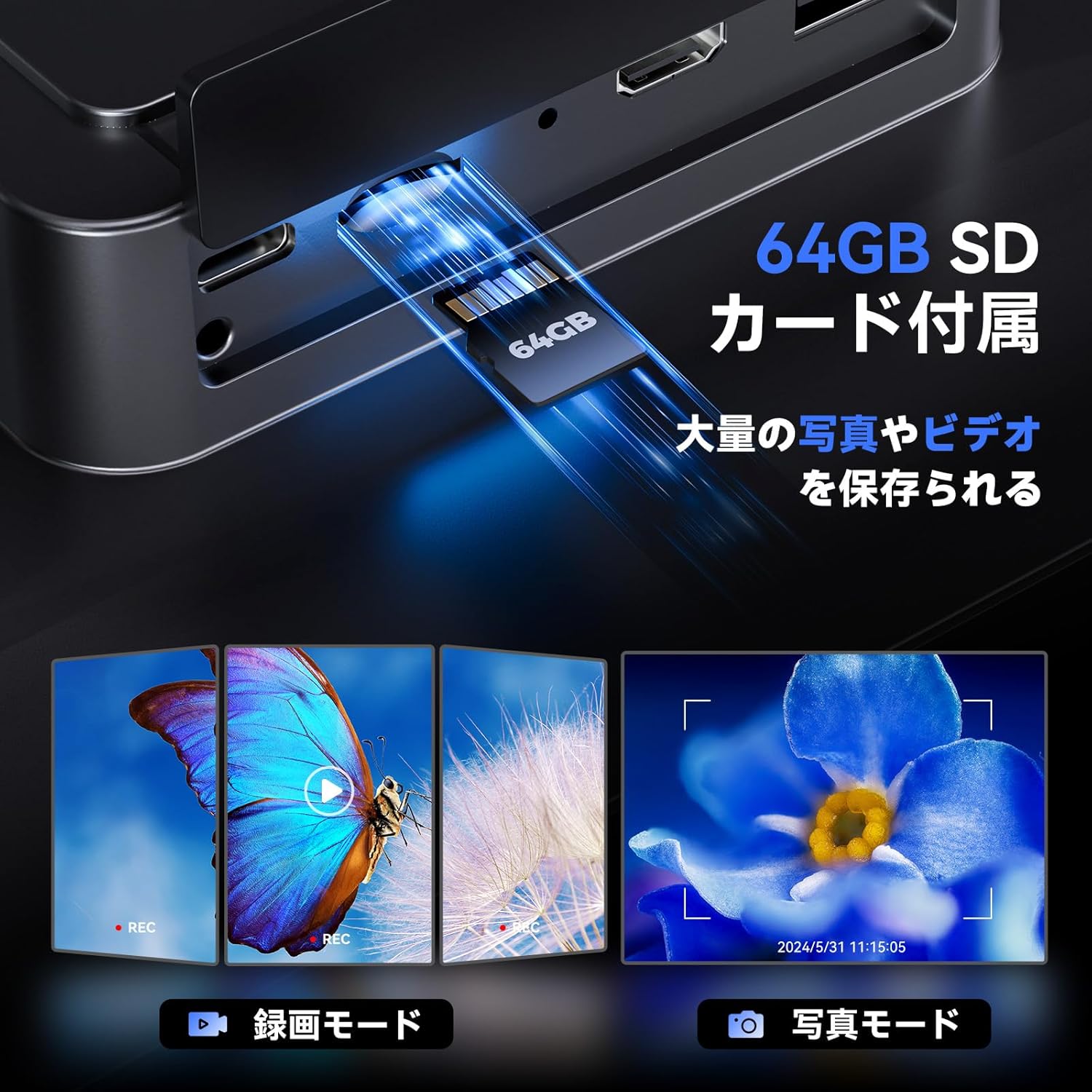
Image: Illustrates the inclusion of a 64GB SD card for extensive photo and video storage.
4.5 Connecting to External Displays (HDMI & USB)
The microscope can output its display to a larger screen for collaborative viewing or detailed analysis:
- HDMI 출력: Connect an HDMI cable from the microscope to an HDMI-enabled monitor or TV. The microscope display will automatically switch to output mode.
- USB 출력: Connect a USB cable from the microscope to a computer. You may need to install specific software (not included, usually available from manufacturer's web사이트)에 view the live feed on your computer.

Image: Shows the microscope connected to a larger TV and a laptop, demonstrating its HDMI and USB output capabilities for real-time view주고받음.
4.6 무선 리모콘
The included wireless remote control allows for convenient operation without disturbing the microscope. Functions include:
- 확대/축소
- 사진 캡처
- 비디오 녹화
- Menu Navigation (depending on model features)
Image: Depicts the wireless remote control and its functions for convenient operation of the microscope.
5. 유지관리
5.1 청소
- 렌즈: 광학 렌즈 전용으로 제작된 부드럽고 보풀 없는 천을 사용하십시오. 잘 지워지지 않는 얼룩의 경우, 렌즈 세척액을 천에 소량 묻혀 사용하십시오 (렌즈에 직접 묻히지 마십시오).
- 디스플레이 화면: Wipe the screen gently with a microfiber cloth. Avoid harsh chemicals.
- 몸: Use a soft, dry cloth to wipe the microscope body.
5.2 보관
When not in use, store the microscope in a clean, dry place away from direct sunlight and extreme temperatures. It is recommended to cover the lenses to prevent dust accumulation.
6. 문제 해결
| 문제 | 가능한 원인 | 해결책 |
|---|---|---|
| 전원이 없습니다 | Power adapter not connected; Power outlet faulty; Battery drained | Ensure power adapter is securely connected; Try a different outlet; Charge the battery. |
| 이미지가 흐릿함 | Not in focus; Incorrect lens for object distance; Lens dirty | Rotate the focus wheel; Adjust microscope height; Clean the lens. |
| No image on external display | Cable not connected properly; Incorrect input selected on TV/monitor; Missing USB driver | Check HDMI/USB cable connections; Select correct input source on TV/monitor; Install necessary USB drivers for PC connection. |
| SD 카드 오류 | SD card not inserted correctly; SD card full or corrupted | Reinsert SD card; Format SD card (this will erase all data); Try a different SD card. |
| 리모컨이 작동하지 않습니다 | Battery drained; Obstruction between remote and microscope | Replace remote control battery; Ensure clear line of sight to the microscope's IR receiver. |
7. 사양
| 특징 | 세부 사항 |
|---|---|
| 상표 | 톰로프 |
| 모델 | TriL110 |
| 표시하다 | 10.1-inch IPS Screen, 178° View잉 각도 |
| 사진 해상도 | 24메가픽셀 |
| 비디오 해상도 | 2K |
| Magnification (1000X Lens) | 2X-1000X |
| Magnification (1500X Lens) | 10X-1500X |
| Magnification (2500X Lens) | 2000X-2500X |
| 광원 | 12 Main LEDs, 2 Gooseneck Side Lights, 1 Slide Glass Bottom Transmitted Light |
| 출력 포트 | HDMI, USB |
| 저장 | 64GB SD 카드(포함) |
| 배터리 수명 | Approx. 3 hours continuous operation (3000mAh microscope, 1800mAh base light) |
| 색상 | 검은색 |
8. 보증 및 지원
The TOMLOV TriL110 Digital Microscope comes with a 1년 제조사 보증 구매일로부터. 이 보증은 정상적인 사용 하에서 재료 및 제조상의 결함을 포함합니다.
보증은 다음 사항을 포함하지 않습니다:
- 오용, 남용, 사고 또는 방치로 인해 발생한 손상.
- 무단 개조 또는 수리로 인한 손상.
- 정상적인 마모 및 파손.
For technical support, warranty claims, or any questions regarding your TOMLOV TriL110 Digital Microscope, please contact our customer service team through the retailer where you purchased the product or visit the official TOMLOV web연락처 정보 사이트.