
AKEEYO AKEEYO-EYES-01
AKEEYO EYES 3-Channel Dash Cam User Manual
Model: AKEEYO-EYES-01
1. 서론
This manual provides comprehensive instructions for the installation, operation, and maintenance of your AKEEYO EYES 3-Channel Dash Cam. This device is designed to enhance driving safety and provide reliable video evidence with its advanced features, including AI driver assistance, multi-lens recording, and 24/7 parking surveillance.
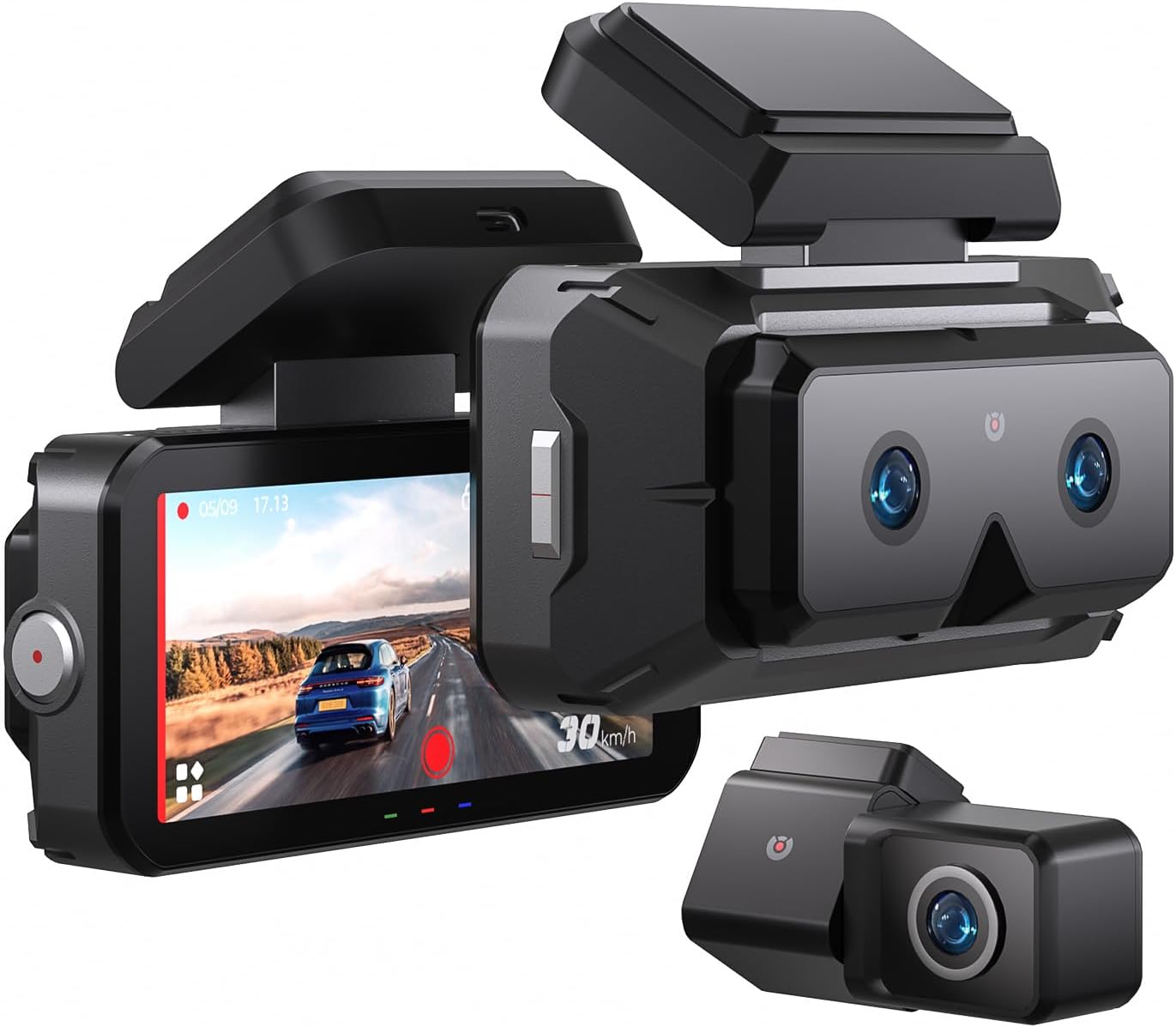
Image 1.1: The AKEEYO EYES 3-Channel Dash Cam, showing the main unit with its 4-inch IPS touchscreen and the separate rear camera.
2. 제품 특징
- 3채널 녹음: Simultaneous recording from front (telephoto and wide-angle) and rear cameras.
- 2K 해상도: 선명한 디테일을 위한 고화질 비디오 촬영.
- 4인치 IPS 터치스크린: Intuitive interface for live view 및 설정 조정.
- AI Driver Assistance (ADAS & BSD): Real-time alerts for collision, lane departure, blind spot detection, pedestrian detection, and front vehicle start reminders.
- WDR 야간 투시경: 저조도 환경에서의 선명도 향상.
- 음성 제어: Hands-free operation for key functions.
- 내장 GPS: Records speed and location data.
- 5G Wi-Fi 연결: Fast data transfer to mobile devices via app.
- G-센서: Automatic emergency recording upon impact.
- 루프 녹음: Continuous recording, overwriting oldest files when storage is full (emergency videos are protected).
- 24시간 연중무휴 주차 모드: Monitors vehicle activity when parked (requires separate hardware kit).
- 슈퍼 커패시터: Provides durability and resistance to extreme temperatures.
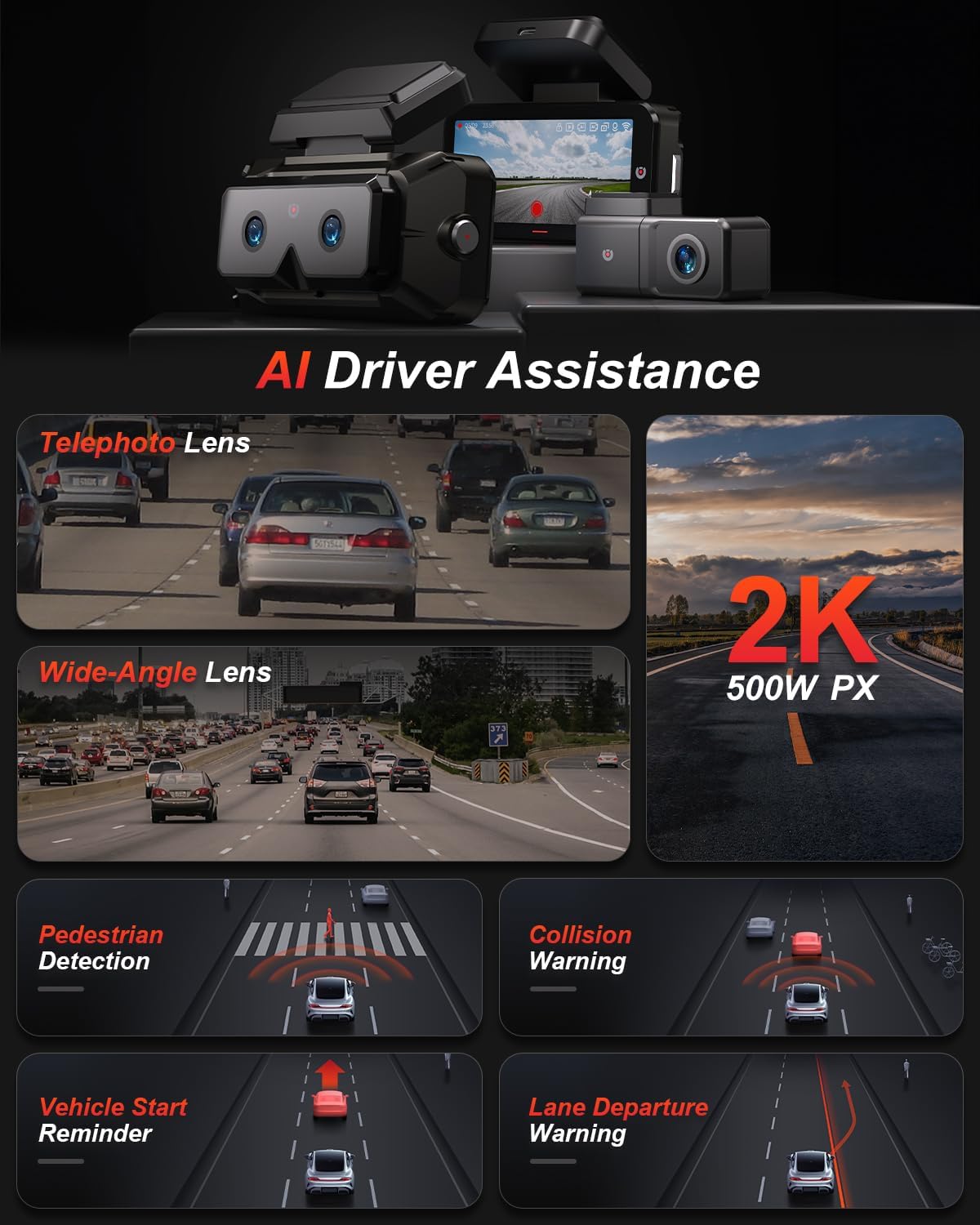
이미지 2.1: 이상view of AI Driver Assistance features, including ADAS and BSD.

이미지 2.2: 상세 view of the dash cam's main unit and rear camera, highlighting the 3.99-inch display, wide-angle and telephoto lenses, and 360-degree rotating rear camera.
3. 패키지 내용
패키지에 모든 품목이 들어 있는지 확인하세요.
- AKEEYO EYES Dash Cam (Main Unit)
- 후방 카메라
- 자동차 충전기
- 후방 카메라 케이블
- PC Data Transmission Wire
- 크로우바(케이블 라우팅용)
- Static Electricity Sticker
- 바디 마운트
- 3M 접착 패드

Image 3.1: All components included in the AKEEYO EYES Dash Cam package.
4. 설정 및 설치
4.1 MicroSD 카드 설치
- 대시캠의 전원이 꺼져 있는지 확인하세요.
- Insert a compatible MicroSD card (Class 10 or higher, U3 V30 A2 recommended, up to 256GB) into the designated slot on the main unit until it clicks.
- 제거하려면 카드가 튀어나올 때까지 살짝 누르세요.
4.2 전방 대시캠 설치
- 대시캠이 장착될 앞유리 부분을 청소하세요.
- Attach the static electricity sticker to the chosen area on the windshield.
- Affix the body mount with 3M adhesive to the static electricity sticker.
- Slide the main dash cam unit onto the body mount.
- 대시캠 각도를 조정하여 깨끗한 화면을 확보하세요. view 앞으로의 길에 대하여.
4.3 후방카메라 설치
- Choose a mounting location for the rear camera, either inside the rear window or outside near the license plate (IP67 rated for outdoor use).
- 장착면을 깨끗이 청소하십시오.
- 제공된 3M 접착제를 사용하여 후면 카메라를 부착합니다.
- Route the rear camera cable to the main dash cam unit, ensuring it does not interfere with airbags or vehicle operation. Use the crowbar to tuck cables neatly.
- 후방 카메라 케이블을 본체의 AV-IN 포트에 연결하십시오.
- If the rear camera is installed upside down, detach it from its quick-release mount and reattach it in the correct orientation. No software adjustment is needed.
4.4 전원 연결
- Connect the car charger to the Type-C port on the main dash cam unit.
- 차량 충전기를 차량의 시가 라이터 소켓에 꽂으세요.
- 전원 케이블은 걸림돌이 되지 않도록 깔끔하게 정리하십시오.

Image 4.1: Visual guide for the installation of the dash cam system.
5. 사용 설명서
5.1 전원 켜기/끄기
- 차량의 시동을 걸면 대시캠이 자동으로 켜지고 녹화를 시작합니다.
- 시동을 끄면 자동으로 전원이 꺼집니다.
- 수동으로 전원을 켜거나 끄려면 전원 버튼을 길게 누르십시오.
5.2 Using the 4-inch IPS Touchscreen
The touchscreen allows for easy navigation and viewing:
- 살다 View: 실시간 foo 표시tage from the cameras. You can view all three channels simultaneously or focus on a single camera.
- 설정: Access various settings such as resolution, loop recording duration, G-sensor sensitivity, and Wi-Fi.
- 재생: Review recorded videos directly on the screen.
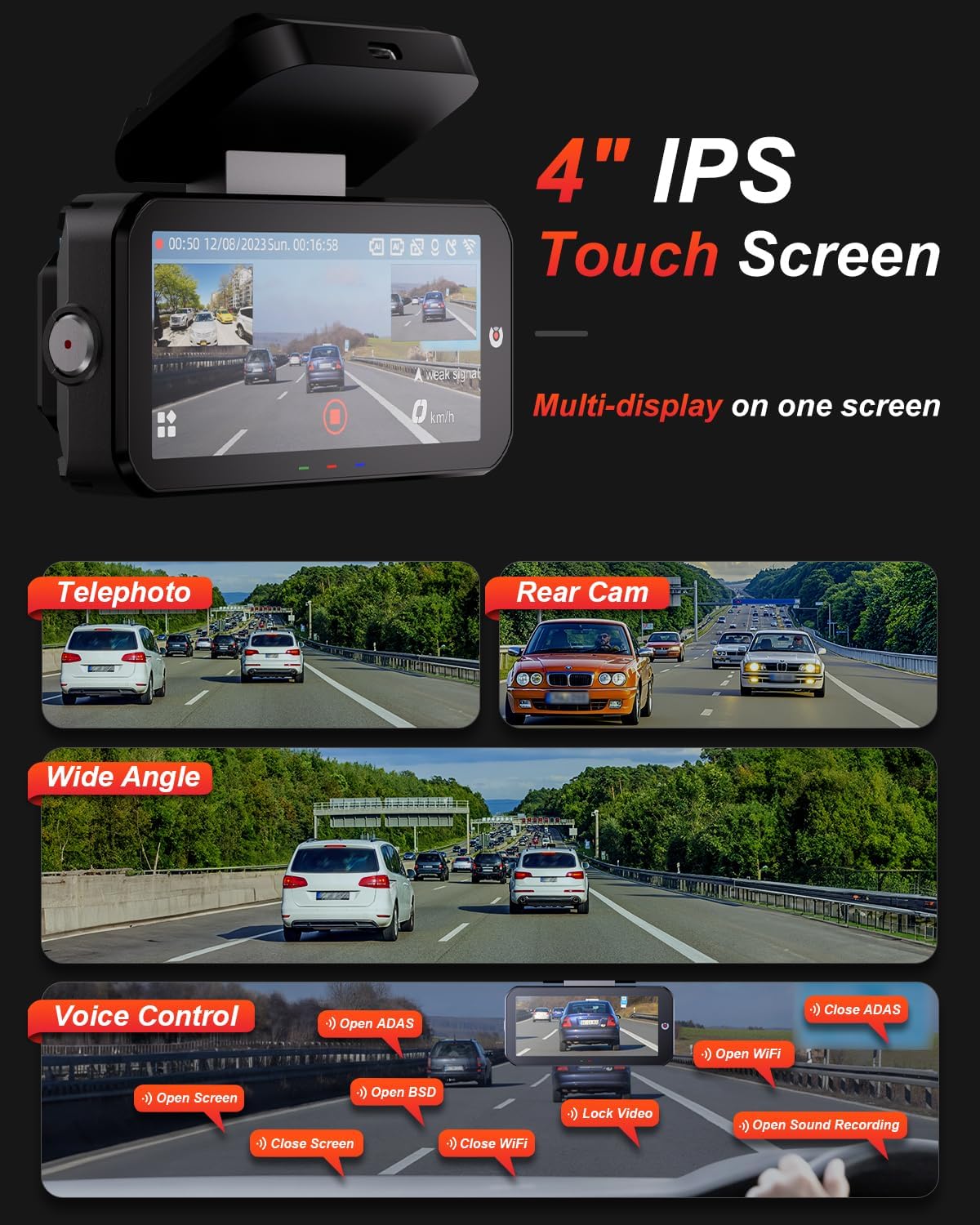
Image 5.1: The dash cam's 4-inch IPS touchscreen interface.
5.3 음성 제어
Operate key functions hands-free using voice commands. Examples에는 다음이 포함됩니다.
- "Open ADAS" / "Close ADAS"
- "Open BSD" / "Close BSD"
- "Open Screen" / "Close Screen"
- "Open WiFi" / "Close WiFi"
- "Lock Video" (to protect current recording)
- "Open Sound Recording"

Image 5.2: Voice control commands for hands-free operation.
5.4 녹음 모드
- 루프 녹음: The dash cam records continuously in segments. When the memory card is full, it automatically overwrites the oldest unlocked files.
- G-센서: In the event of a sudden impact or collision, the built-in G-sensor automatically detects the event and locks the current video segment to prevent it from being overwritten.

Image 5.3: Loop Recording mechanism.
5.5 24시간 주차 모드
When properly configured with the optional AKEEYO hardware kit (ASIN B0DHZPR4XW, sold separately), the dash cam can monitor your vehicle 24/7. It detects vibrations and records abnormal events, providing security against theft or collisions while parked. Low framerate recording can conserve storage during parking surveillance.

Image 5.4: 24/7 Parking Monitor functionality.
5.6 GPS and Wi-Fi Connectivity
- GPS: The built-in GPS module records your vehicle's speed and location data, which can be reviewed via the mobile app or PC player.
- 5G Wi-Fi : Connect your smartphone to the dash cam via the AKEEYO app (available on App Store and Google Play) using 5G Wi-Fi for fast video download, playback, editing, and sharing.

Image 5.5: 5G Wi-Fi and Global GPS connectivity.
5.7 AI Driver Assistance (ADAS & BSD)
The dash cam provides real-time alerts to enhance driving safety:
- 충돌 경고: Alerts you if your vehicle is too close to the vehicle ahead or if a car slows down abruptly.
- 차선 이탈 경고: 차량이 방향지시등 없이 차선을 이탈할 경우 알려줍니다.
- 사각지대 감지(BSD): Monitors vehicles in your blind spots and provides alerts when changing lanes.
- 보행자 감지: Identifies pedestrians in front of you at low speeds and issues an alarm.
- 앞 차량 시동 알림: Reminds you when the vehicle ahead starts to move.

Image 5.6: Collision Warning system in action.

Image 5.7: Blind Spot Detection system.
6. 유지관리
6.1 장치 청소
- 부드럽고 마른 천으로 블랙박스 본체와 화면을 닦으세요.
- For lenses, use a specialized lens cleaning cloth to avoid scratches.
- 연마성 세척제나 용제를 사용하지 마십시오.
6.2 MicroSD 카드 관리
- Regularly format the MicroSD card (at least once a month) through the dash cam's settings to ensure optimal performance and prevent data corruption.
- Replace the MicroSD card periodically, as continuous overwriting can degrade its lifespan.
6.3 온도 고려 사항
The dash cam is designed to withstand temperatures up to 176°F (80°C). However, prolonged exposure to extreme heat can affect performance. If the device becomes excessively hot, allow it to cool down before handling or removing the SD card.
7. 문제 해결
- 대시캠 전원이 켜지지 않음: Check the power connection to the car charger and ensure the vehicle's cigarette lighter socket is functional.
- 녹음 문제: Ensure a compatible MicroSD card is inserted and formatted. Check if the card is full or corrupted. Try formatting the card or using a new one.
- Camera shutting down randomly: This could be due to a faulty SD card or extreme temperatures. Try replacing the SD card. If the issue persists, contact customer support.
- Rear camera fogging/malfunctioning: Ensure the rear camera is properly sealed if mounted externally. If mounted internally, check for condensation.
- AI features (ADAS/BSD) providing false alerts or not working: Ensure the camera lenses are clean and unobstructed. Calibrate the system if an option is available in settings. Adjust sensitivity if alerts are too frequent.
- Wi-Fi 연결 문제: Ensure Wi-Fi is enabled on the dash cam and your smartphone. Restart both devices and try connecting again.
- GPS가 추적되지 않음: 대시캠이 깨끗한지 확인하세요. view 하늘의.
For further assistance, please contact AKEEYO customer support.
8. 사양
| 특징 | 사양 |
|---|---|
| 제품 치수 | 10.24 x 7.48 x 2.76 인치 |
| 품목 무게 | 2.34파운드 |
| 모델 번호 | AKEEYO-EYES-01 |
| 비디오 캡처 해상도 | 1440p(2K) |
| 표시하다 | 4인치 IPS 터치스크린 |
| 연결 기술 | Powerline, USB, Voice, Wi-Fi (5G) |
| 특별 기능 | 3-Channel 2K+2K+2K, GPS, Night Vision, Voice Control, Touch Control, AI ADAS & BSD Assistance, Wide-Angle, Loop Recording, G-Sensor, Telephoto Lens, 24H Parking Mode |
| 장착 유형 | 윈드 실드 마운트 |
| 색상 | 검은색 |
| 분야의 View | 160 Feet (Front Telephoto) / 135° (Front Wide-Angle) / 154° (Rear) |
| 스토리지 지원 | Up to 256GB MicroSD (Class 10, U3 V30 A2 recommended) |
| 작동 온도 | 최대 176 ° C (80 ° F) |
9. 보증 및 지원
- 보증: The AKEEYO EYES Dash Cam comes with an 18-month warranty.
- 보고: You are eligible for returns within 30 days of purchase.
- 고객 서비스: AKEEYO provides 24-hour customer service. For support, please visit the official AKEEYO web사이트를 방문하거나 고객 서비스 팀에 직접 문의하세요.
Ask a question about this manual
Ask about setup, troubleshooting, compatibility, parts, safety, or missing instructions. Manuals+ will review the question and use this page’s manual context to help answer it.