
소개
Thank you for choosing the OnePlus Nord Buds 3 Pro wireless earbuds. These earbuds are designed to provide an immersive audio experience with features like Hybrid Active Noise Cancellation, deep bass, and extended battery life. This manual provides detailed instructions for setting up, operating, maintaining, and troubleshooting your device to ensure optimal performance.
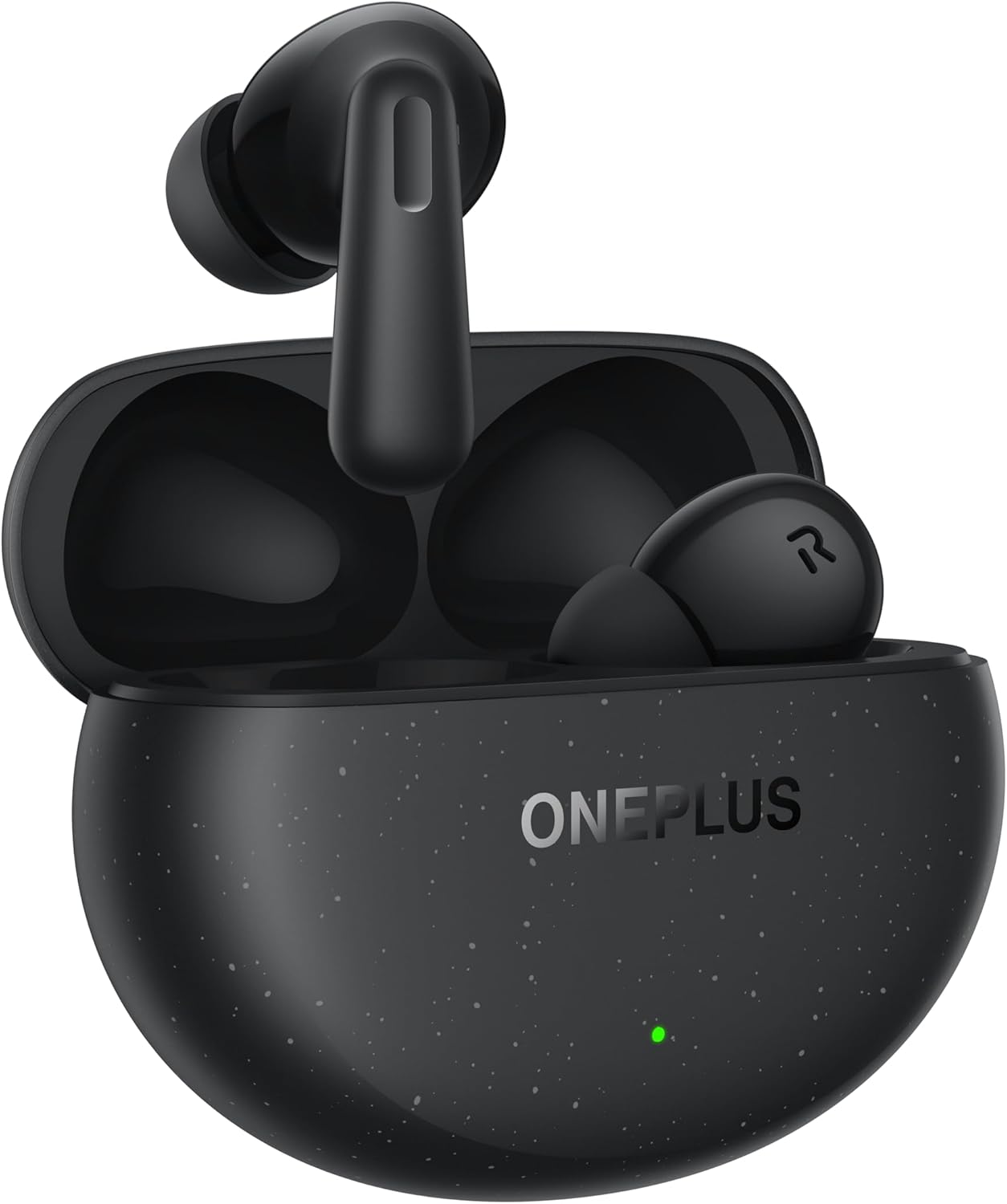
Image: The OnePlus Nord Buds 3 Pro earbuds, in Starry Black, are shown inside their open charging case. The case has a speckled finish and the OnePlus logo. A small green LED indicator is visible on the front of the case.
상자 안에 무엇이 들어있나요?
Carefully unpack your OnePlus Nord Buds 3 Pro and ensure all items are present:
- OnePlus Nord Buds 3 Pro earbuds (1 pair)
- OnePlus Nord Buds 3 Pro charging case (1 unit)
- Silicon eartips (3 pairs: S, M, L)
- USB Type-C charging cable (1 unit)
- 사용자 설명서 (1부)
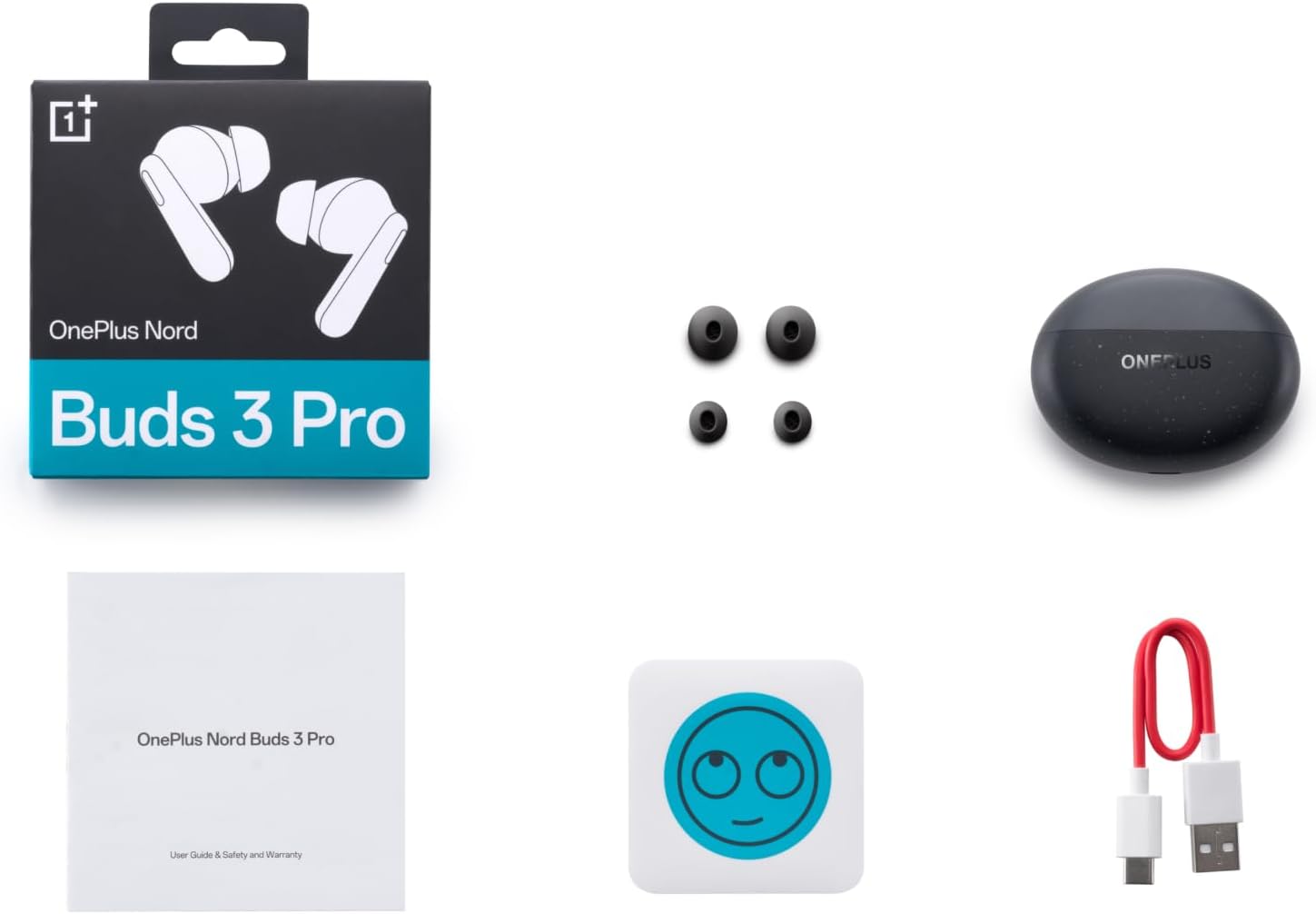
Image: A flat lay of the OnePlus Nord Buds 3 Pro package contents, including the retail box, the charging case, three pairs of silicone eartips, a USB Type-C charging cable, and the user guide.
설정
1. 초기 충전
처음 사용하기 전에 이어버드와 충전 케이스를 완전히 충전하세요. 제공된 USB Type-C 케이블을 케이스의 충전 포트와 전원에 연결하세요. 케이스의 표시등이 충전 상태를 표시합니다.
2. 기기와 페어링
- 이어버드가 충전 케이스에 들어 있고 케이스 뚜껑이 열려 있는지 확인하세요.
- Press and hold the function button on the charging case for 2 seconds until the indicator light flashes white, indicating pairing mode.
- On your device (smartphone, tablet, etc.), go to Bluetooth settings and select "OnePlus Nord Buds 3 Pro" from the list of available devices.
- For Android devices, the earbuds support Google Fast Pair for quick connection. Simply open the case near your Android device and follow the on-screen prompts.

Image: A person holding a OnePlus Nord Buds 3 Pro charging case and a smartphone. The smartphone screen displays a prompt for Google Fast Pair, showing the earbuds ready to connect, illustrating the pairing process.
3. HeyMelody App
For enhanced features and customization, download the HeyMelody app from your device's app store. The app allows you to manage settings, update firmware, and locate your earbuds.
작동 지침
터치 컨트롤
The OnePlus Nord Buds 3 Pro feature intuitive touch controls on each earbud. Default controls are as follows, but can often be customized via the HeyMelody app:
- 단일 탭 : 음악 재생/일시 정지, 전화 받기/끊기.
- 두 번 탭 : 다음 트랙, 통화 거부.
- 트리플 탭 : 이전 트랙.
- 길게 누르기(1초): 능동 소음 제거(ANC)와 투명 모드 사이를 전환합니다.
능동 소음 제거(ANC) 및 투명 모드
The earbuds offer Hybrid Active Noise Cancellation up to 49dB to minimize ambient noise. Transparency mode allows you to hear your surroundings without removing the earbuds. Toggle between these modes by pressing and holding the earbud touch area.

Image: An infographic detailing key features of the OnePlus Nord Buds 3 Pro, including up to 44 hours listening time, 49dB Hybrid Active Noise Cancellation, 12.4mm Titanized Diaphragm, and Basswave 2.0 technology.
음질
Equipped with a 12.4mm titanium-coated diaphragm and Basswave 2.0 technology, the Nord Buds 3 Pro deliver rich bass, clear vocals, and an immersive sound experience.
배터리 및 충전
- 이어버드 배터리 수명: Up to 44 hours with ANC off, up to 20 hours with ANC on (including charging case).
- 빠른 충전: 10분 충전으로 최대 11시간 동안 사용할 수 있습니다.
- 충전 케이스: Recharge the case using the provided USB Type-C cable.
유지
- 청소: 부드럽고 마른 보풀 없는 천으로 이어버드와 충전 케이스를 정기적으로 닦으세요. 강한 화학 물질이나 연마재는 사용하지 마세요.
- 이어팁: Remove and clean the silicone eartips with water and mild soap if necessary. Ensure they are completely dry before reattaching.
- 충전 연락처: 충전이 제대로 되도록 이어버드와 케이스 내부의 충전 접점을 깨끗하게 유지하고 이물질이 끼지 않도록 하십시오.
- 저장: 사용하지 않을 때는 이어버드를 충전 케이스에 보관하여 보호하고 충전 상태를 유지하세요. 극한의 온도는 피하세요.
문제 해결
이어버드가 페어링 또는 연결되지 않음:
- 이어버드가 충전되어 있는지 확인하세요.
- 이어버드를 케이스에 넣고 뚜껑을 닫았다가 다시 열면 페어링 모드로 다시 진입합니다.
- 기기의 Bluetooth 설정을 확인하고 Bluetooth가 활성화되어 있는지 확인하세요.
- 블루투스 설정에서 기기를 연결 해제한 후 다시 연결해 보세요.
- 기기를 다시 시작하세요.
소리가 나지 않거나 음질이 좋지 않음:
- 기기와 이어버드의 볼륨 레벨을 확인하세요.
- Ensure the earbuds are properly seated in your ears and the correct size eartips are used.
- 이어버드 스피커와 충전 접점에 묻은 이물질을 깨끗이 닦아내십시오.
- 간섭을 피하려면 연결된 장치에 더 가까이 다가가세요.
이어폰이 충전되지 않음:
- 충전 케이블이 케이스와 전원에 모두 단단히 연결되어 있는지 확인하세요.
- 전원이 활성화되어 있는지 확인하세요.
- 이어버드와 케이스 내부의 충전 접점을 깨끗이 닦으세요.
명세서
| 특징 | 세부 사항 |
|---|---|
| 모델명 | Nord Buds 3 Pro (E511A) |
| 상표 | 원플러스 |
| 연결 기술 | 블루투스 |
| 블루투스 버전 | 5.4 |
| 소음 제어 | 하이브리드 액티브 노이즈 캔슬링(최대 49dB) |
| 드라이버 크기 | 12.4mm Titanized Diaphragm |
| 주파수 범위 | 20Hz - 20,000Hz |
| 감광도 | 38데시벨 |
| 임피던스 | 32옴 |
| 배터리 수명(이어버드 + 케이스) | 최대 44시간(ANC 꺼짐), 최대 20시간(ANC 켜짐) |
| 급한 요금 | 10분 충전으로 11시간 재생 가능 |
| 충전 인터페이스 | USB 타입-C |
| 귀 위치 | 귀에 |
| 품목 무게 | 3.52온스(0.1킬로그램) |
| 제품 치수 | 1.09 x 0.92 x 0.82 인치 |
보증 및 지원
The OnePlus Nord Buds 3 Pro are covered by a limited warranty. Please refer to the warranty card included in your package for specific terms and conditions, or visit the official OnePlus web자세한 보증 정보는 사이트를 참조하십시오.
기술 지원, 문제 해결 지원 또는 서비스 문의는 다음 웹사이트를 방문하십시오. OnePlus 지원 web대지 또는 고객 서비스에 직접 문의하세요.