
1. 서론
This manual provides detailed instructions for setting up, operating, and maintaining your YOOSEE KAP X330 Wireless WiFi Repeater Router. Please read this manual carefully before using the device to ensure optimal performance, extended network coverage, and safety. This device is designed to easily expand the range of your existing WLAN network or create a new access point.
2. 제품 오버view
2.1 주요 특징
- Extends the range of your WLAN network easily.
- Provides Internet access for computers located at the edge or outside the range of your main access point.
- Supports both Wireless Repeater Mode and standard Access Point (AP) Mode.
- Utilizes WLAN 802.11N for high-speed wireless access.
- Compatible with 802.11G (54 Mbps) and 802.11B (11 Mbps) standards.
- Operates on the 2.4GHz WLAN frequency.
- Ensures maximum WLAN network security with WPA2, WPA, and WEP (64/128-bit) encryptions.
- Features integrated antennas for compact design.
- Bivolt (110V / 220V) power input for versatile use.
- Supports WPS (Wi-Fi Protected Setup) for easy connection.
2.2 패키지 내용
- 1x YOOSEE KAP X330 Wireless WiFi Repeater Router
- 1x 사용자 설명서
2.3. 신체적 설명
The KAP X330 is a compact, white device designed to plug directly into a wall outlet. It features indicator lights on the front panel and an Ethernet port on the side for wired connections.
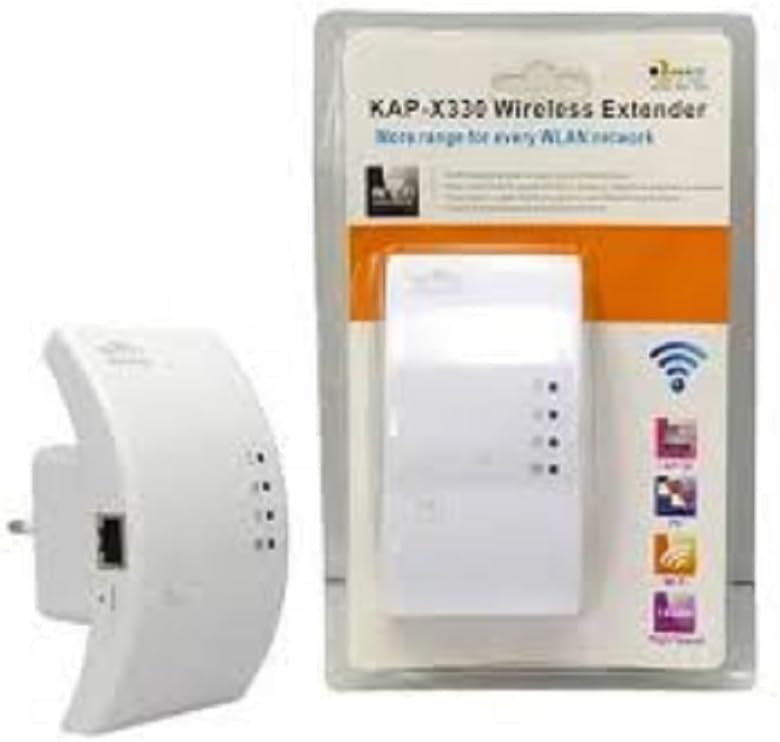
Figure 2.1: YOOSEE KAP X330 Wireless Repeater in its retail packaging and as a standalone unit. The packaging highlights its 'KAP-X330 Wireless Extender' name and 'More range for every WLAN network' slogan. The device itself is white with indicator lights and an Ethernet port visible.
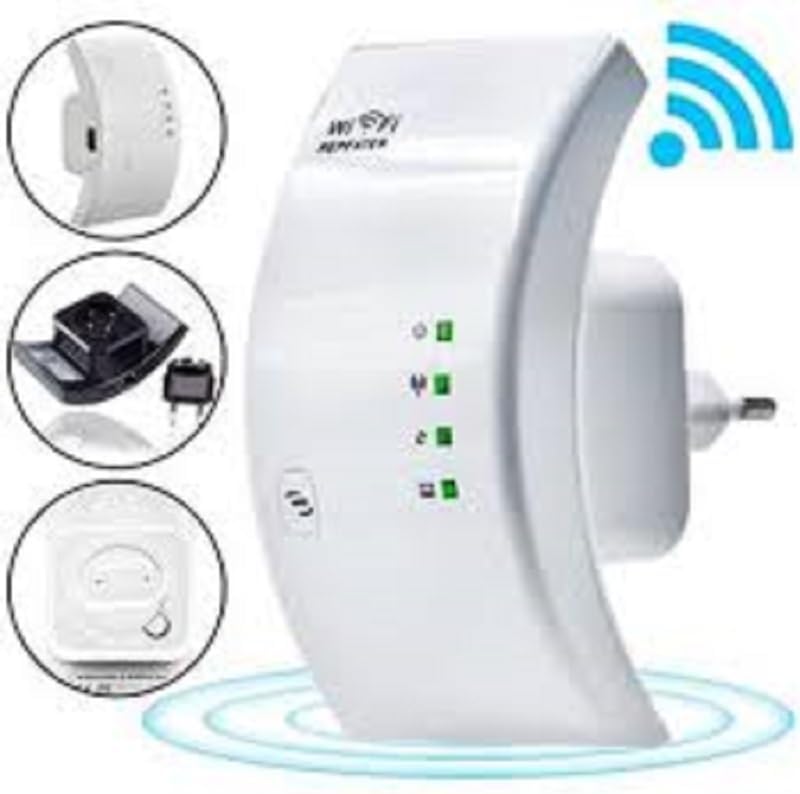
Figure 2.2: A closer look at the YOOSEE KAP X330 Wireless Repeater, emphasizing its design and features. It shows the device plugged into an outlet, with indicator lights illuminated. Insets highlight the side view with an Ethernet port, the power plug, and a reset button, along with a prominent WiFi signal icon.
3. 설정 가이드
3.1 전원 켜기
- Plug the KAP X330 into a standard electrical outlet within the range of your existing WiFi network (for Repeater Mode) or near your wired internet source (for AP Mode).
- Wait for the power indicator light to turn on, indicating the device is ready.
3.2 연결 모드
The KAP X330 supports two main operational modes:
- 리피터 모드: 기존 무선 네트워크의 적용 범위를 확장합니다.
- AP(액세스 포인트) 모드: Creates a new wireless network from a wired Ethernet connection.
3.3 Configuration Steps (Repeater Mode)
- 리피터에 연결하세요: On your computer or smartphone, connect to the repeater's default WiFi network (SSID usually starts with 'Wireless-N' or similar, without a password).
- 입장 Web 인터페이스: 열기 web 브라우저를 열고 기본 IP 주소를 입력하세요(예:
192.168.1.1or192.168.10.1) or the default domain name (e.g.,repeater.net). Refer to the label on the device or the quick start guide for the exact address. - 로그인: Enter the default username and password (commonly 'admin' for both).
- 리피터 모드를 선택하세요: On the setup page, select 'Repeater Mode'.
- 네트워크 검색: The device will scan for available wireless networks. Select your home WiFi network from the list.
- 비밀번호를 입력하세요: Enter the password for your home WiFi network.
- Configure Extended SSID (Optional): You can choose to keep the same SSID as your main network or create a new one (e.g., 'YourNetwork_EXT').
- 설정 저장: Click 'Apply' or 'Save'. The repeater will restart.
- 다시 연결 : After the restart, connect your devices to the extended WiFi network.
3.4 Configuration Steps (AP Mode)
- 이더넷 케이블 연결: Connect an Ethernet cable from your router or modem to the LAN/WAN port on the KAP X330.
- 리피터에 연결하세요: On your computer or smartphone, connect to the repeater's default WiFi network (SSID usually starts with 'Wireless-N' or similar, without a password).
- 입장 Web 인터페이스: 열기 web 브라우저를 열고 기본 IP 주소를 입력하세요(예:
192.168.1.1or192.168.10.1) or the default domain name (e.g.,repeater.net). - 로그인: Enter the default username and password (commonly 'admin' for both).
- AP 모드 선택: On the setup page, select 'AP Mode'.
- Configure New Network: 새로운 무선 네트워크에 사용할 새 SSID(네트워크 이름)와 강력한 비밀번호를 설정하세요.
- 설정 저장: Click 'Apply' or 'Save'. The device will restart.
- 다시 연결 : After the restart, connect your devices to the newly created WiFi network.
3.5 WPS 설정(Wi-Fi Protected Setup)
WPS allows for a quick and easy connection to your main router without needing to enter the password manually.
- Plug in the KAP X330 and wait for it to power on.
- 메인 라우터의 WPS 버튼을 누르세요.
- Within two minutes, press the WPS button on the KAP X330.
- The devices will automatically connect and configure the repeater. The signal indicator lights on the repeater should show a strong connection.
4. 운영
4.1개의 표시등
The KAP X330 features several indicator lights on its front panel to provide status information:
- 전원 LED: 장치의 전원이 켜져 있는지 여부를 나타냅니다.
- WLAN/WiFi LED: Shows wireless activity and connection status.
- LAN/WAN LED: 이더넷 포트의 활동을 나타냅니다.
- 신호 강도 LED: (If present) Indicate the strength of the signal received from the main router in Repeater Mode. More lights usually mean a stronger signal.
4.2 최적의 배치
For best performance in Repeater Mode, place the KAP X330 halfway between your main router and the area where you need extended WiFi coverage. Avoid placing it near large metal objects, concrete walls, or other devices that emit radio frequency interference (e.g., microwaves, cordless phones).
5. 유지관리
5.1 청소
To clean the device, unplug it from the power outlet. Use a soft, dry cloth to wipe the exterior. Do not use liquid cleaners or aerosol sprays.
5.2 펌웨어 업데이트
Periodically check the YOOSEE official web펌웨어 업데이트 사이트입니다. 펌웨어 업데이트는 성능을 향상시키고, 새로운 기능을 추가하고, 버그를 수정할 수 있습니다. 펌웨어 업데이트 패키지와 함께 제공된 지침을 주의 깊게 따르세요.
6. 문제 해결
6.1 설치 후 인터넷 접속 불가
- Ensure the repeater is receiving a strong signal from your main router (check signal strength LEDs).
- Verify that you entered the correct WiFi password for your main network during setup.
- Try restarting both your main router and the KAP X330.
- If in AP Mode, ensure the Ethernet cable is securely connected and your main router is providing internet.
6.2 신호 약함 또는 속도 저하
- Relocate the KAP X330 closer to your main router, ensuring it's still within the desired coverage area.
- Avoid physical obstructions like thick walls or large metal objects.
- 다른 전자 장치의 간섭을 확인하십시오.
6.3 접근할 수 없습니다 Web 인터페이스
- Ensure your device is connected to the repeater's WiFi network (or via Ethernet if in AP mode).
- 브라우저에 입력한 IP 주소 또는 도메인 이름이 올바른지 확인하십시오.
- 브라우저 캐시를 지우거나 다른 브라우저를 사용해 보세요.
- 컴퓨터에서 VPN이나 방화벽 소프트웨어를 일시적으로 비활성화하세요.
6.4 공장 초기화
문제가 지속되거나 로그인 자격 증명을 잊어버린 경우 공장 초기화를 수행할 수 있습니다.
- With the device powered on, use a paperclip or a thin object to press and hold the reset button (usually located in a small pinhole) for about 5-10 seconds.
- Release the button when the indicator lights flash or the device restarts.
- The device will revert to its factory default settings, and you will need to reconfigure it.
7. 사양
| 특징 | 사양 |
|---|---|
| 제조업체 | 유시 |
| 모델 | KAP-X330 |
| 무선 표준 | 802.11n (compatible with 802.11g/b) |
| 빈도 | 2.4GHz |
| 보안 프로토콜 | WPA2, WPA, WEP (64/128비트) |
| 특별 기능 | WPS, Standard AP Mode |
| 전원 입력 | Bivolt 110V / 220V |
| 치수(길이 x 너비 x 높이) | 15 x 12 x 8cm |
| 무게 | 200그램 |
| 호환 장치 | Laptop, Smartphone, Tablet, Smart TV |
8. 보증 및 지원
For warranty information and technical support, please refer to the contact details provided by your retailer or visit the official YOOSEE web사이트. 보증 청구를 위해 구매 증빙 자료로 구매 영수증을 보관하세요.