
무어 GE150
MOOER GE150 Multi Effects Pedal and AIR P05 Wireless System User Manual
Model: GE150 | Brand: MOOER
소개
The MOOER GE150 is a portable multi-effects pedal designed for electric, acoustic, and bass guitars, offering a wide range of tones and features. It integrates 151 effects, 55 amplifier models, a looper, drum machine, and an expression pedal. This manual also covers the included AIR P05 2.4 GHz wireless system, providing high-quality, low-latency audio transmission for enhanced performance flexibility.
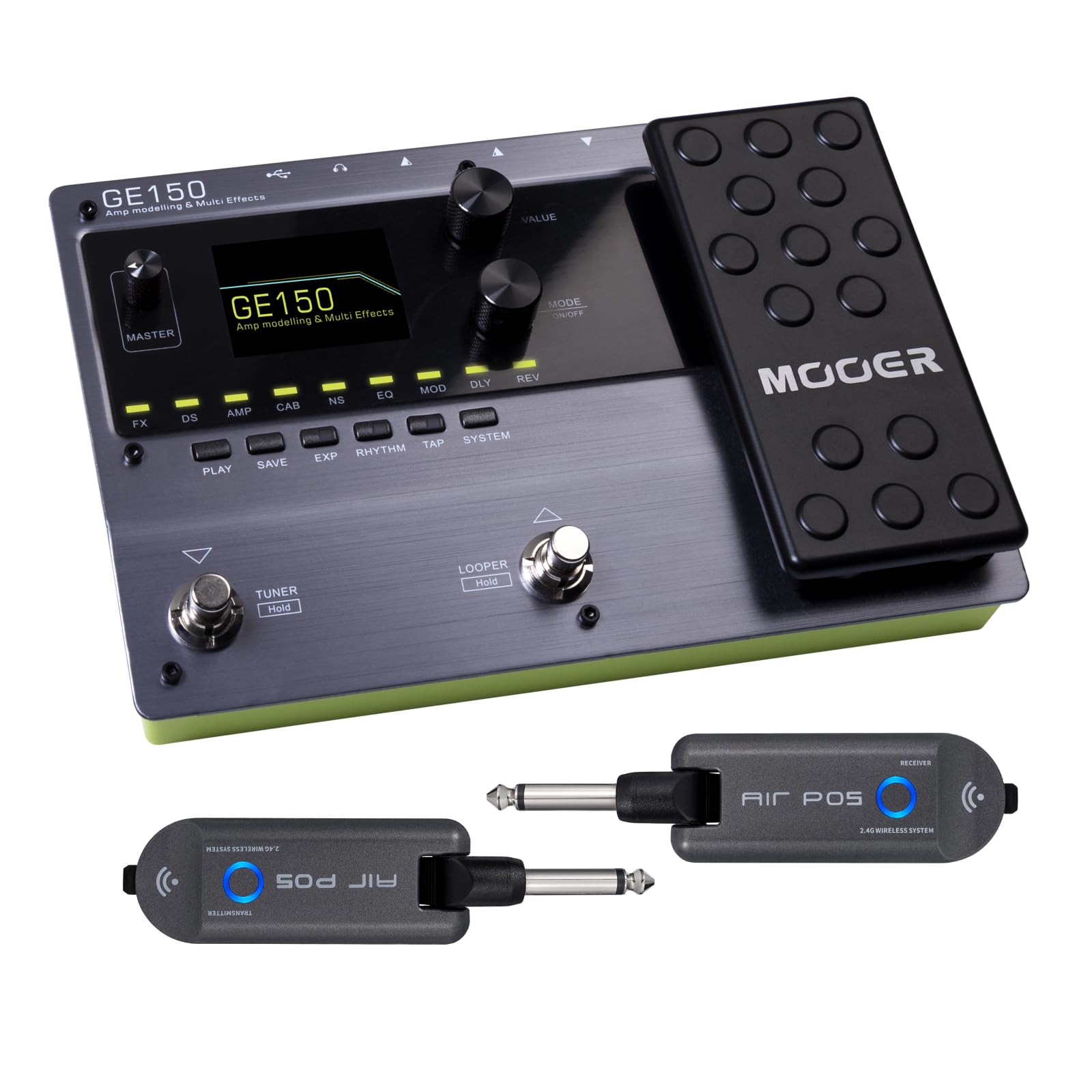
앞쪽 view of the MOOER GE150 Multi Effects Pedal, showing the display, control knobs, footswitches, and expression pedal.
설정
GE150 Pedal Connection
- 전원 연결: Connect the included DC 9V 300mA power adapter to the GE150's power input.
- 기기 입력: Connect your guitar to the GE150's 1/4" mono input jack.
- 오디오 출력: Connect the GE150's 1/4" mono output jacks (L/R) to your amplifier, 믹서 또는 오디오 인터페이스.
- 헤드폰: 조용한 연습을 위해 1/8인치 스테레오 헤드폰 잭에 헤드폰을 연결하세요.
- 보조 입력: Use the 1/8" stereo AUX IN to connect external audio sources like an MP3 player for jamming.
- USB 연결: Connect the GE150 to a computer via the USB port for firmware updates, software editing, or USB audio recording.

The GE150 connected in a home studio setup, demonstrating connections to a laptop and headphones.

옆 view of the GE150 showing input, output, and power connections.
AIR P05 Wireless System Setup
- 요금: Ensure both the transmitter and receiver units are fully charged using the included USB cable. The built-in 400mAh rechargeable battery provides up to 8 hours of operation.
- 송신기 연결: Plug the AIR P05 transmitter into your guitar's output jack.
- 수신기 연결: Plug the AIR P05 receiver into the GE150's input jack or directly into your amp리퍼.
- 편성: The units should automatically pair. If not, press the pairing button on both units to establish a connection.
- 채널 선택: The AIR P05 offers 4 selectable channels. Press the channel button to cycle through available channels and find the optimal one for interference-free performance.
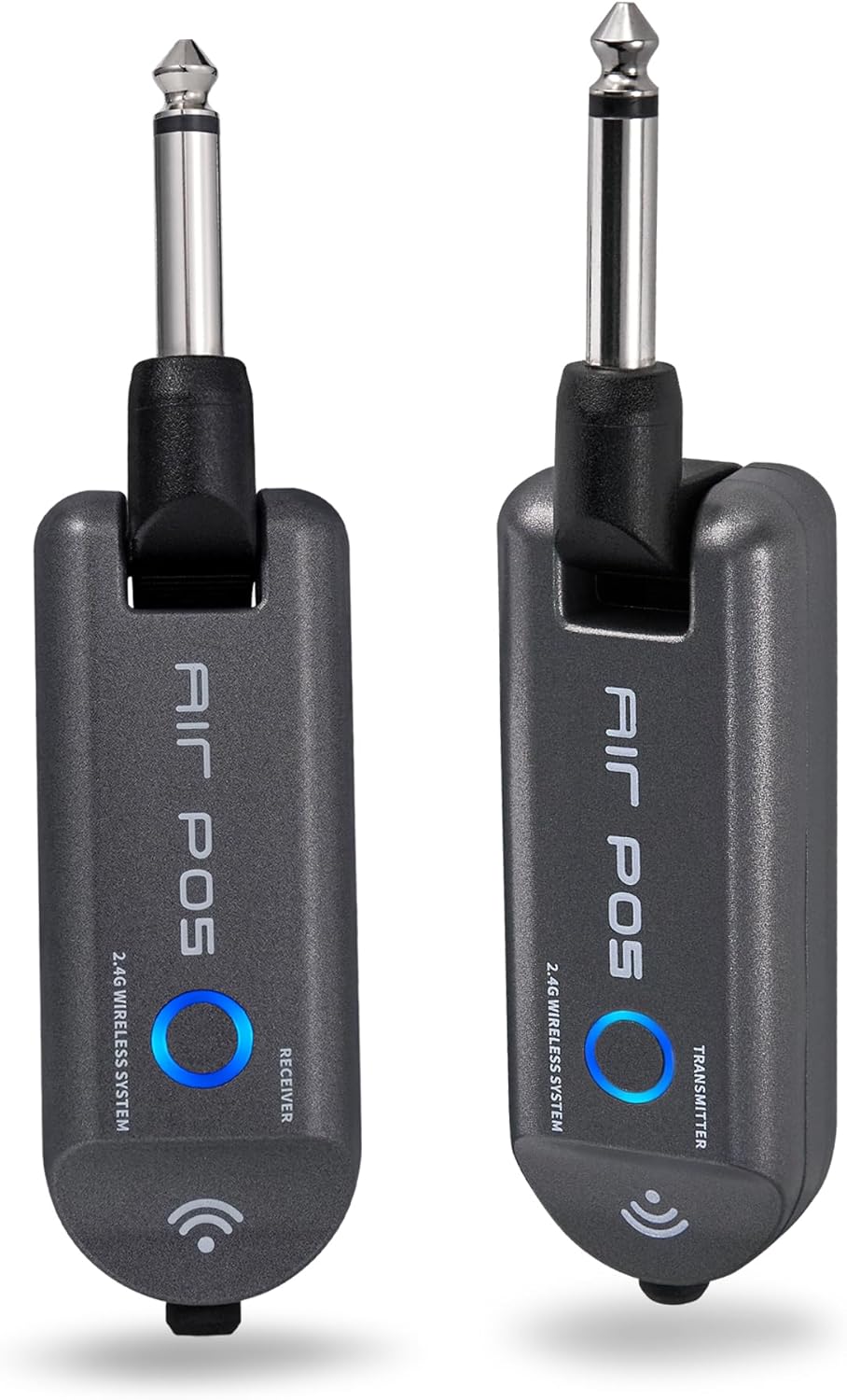
The MOOER AIR P05 wireless system, showing the transmitter and receiver units.

The AIR P05 wireless system highlighting its 4 selectable channels for optimal signal.

Diagram illustrating the wireless connection from guitar to pedal and amplifier using the AIR P05 system.
작동 지침
GE150 Multi-Effects Pedal
- 전원 켜기/끄기: 전원 버튼을 길게 눌러 장치를 켜거나 끄세요.
- 항해: Use the main display and control knobs to navigate through menus and adjust parameters.
- 효과: The GE150 features 151 different effects. Use the dedicated FX, DS, AMP, CAB, NS, EQ, MOD, DLY, REV buttons to access and edit effect blocks.
- AMP 모델: Access 55 high-quality AMP models utilizing MNRS technology. These models simulate the dynamics and feel of real tube amp정수기.
- IR Files: The pedal supports 26 user slots for loading third-party Impulse Response (IR) files, allowing for custom cabinet simulations.
- 익스프레션 페달: Utilize the built-in expression pedal to control various effects parameters or volume levels in real-time.
- 자벌레: The 80-second looper allows for recording and overdubbing phrases. Activate it using the dedicated footswitch.
- Drum Rhythms & Metronome: Access 40 types of drum rhythms and 10 metronome settings for practice or songwriting.
- 조율사: Engage the built-in tuner by holding the designated footswitch.
- 사전 설정 저장: After adjusting effects and settings, save your custom tones to user presets for quick recall.

The GE150 display showing a selected preset and the active effect modules.
AIR P05 Wireless System
- 자동 절전 모드: The AIR P05 features an automatic sleep mode to conserve battery life when not in use. It will reactivate upon detecting signal.
- 2.4GHz ISM Technology: The system uses 2.4GHz ISM worldwide technology for low-distortion and low-signal-loss audio transmission.
- 호환성: The wireless system is suitable for electric guitar, bass guitar, acoustic guitar, and other instruments with a 1/4" output.

The AIR P05 wireless system demonstrating its plug-and-play functionality with various instruments and a multi-effects pedal.
유지
- 청소: Use a soft, dry cloth to clean the pedal and wireless units. Avoid abrasive cleaners or solvents.
- 저장: 본 기기는 직사광선과 극한의 온도를 피해 시원하고 건조한 곳에 보관하세요.
- Battery Care (AIR P05): For optimal battery life, avoid fully discharging the AIR P05 units frequently. Recharge regularly.
- 펌웨어 업데이트: Periodically check the MOOER official web최적의 성능을 보장하고 새로운 기능을 이용할 수 있도록 펌웨어 업데이트를 제공하는 사이트입니다.
문제 해결
- 사운드 출력 없음:
-
- 모든 케이블 연결 상태(기기, 출력, 전원)를 확인하십시오.
- Ensure the GE150 is powered on and not in bypass mode.
- Verify volume levels on the GE150, your amplifier, and instrument.
- For the AIR P05, ensure both transmitter and receiver are charged, paired, and on the same channel.
- Wireless Signal Interference:
-
- Change the channel on the AIR P05 wireless system to avoid interference from other 2.4GHz devices.
- Ensure there are no large metal objects or other wireless transmitters directly between the AIR P05 units.
- 페달이 반응하지 않음:
-
- 전원 공급 장치를 분리했다가 다시 연결하십시오.
- Perform a factory reset if necessary (refer to the full manual for specific instructions).
명세서
| 상표 | 무어 |
| 모델명 | GE150 |
| 오디오 출력 효과 | Distortion, Delay, Chorus, Reverb, Modulation, Preamp, Pitch-Shifting, Overdrive, Flanger, Multi-Effect |
| 컨트롤 타입 | Footswitch, Expression Pedal |
| 전원 | Battery Powered (AIR P05), DC 9V 300mA (GE150) |
| 하드웨어 인터페이스 | HP-HSC, USB |
| 신호 형식 | 비슷한 물건 |
| 커넥터 유형 | USB, 1/4" Mono Jack, 1/8" Stereo Jack |
| 포함된 구성 요소 | AIR P05 Wireless System |
| Samp링율 | 44.1 kHz (XNUMX kHz) |
| Samp링 정확도 | 24비트 |
| 다이나믹 레인지 | 98데시벨 |
| IR Format | 웨이브 |
| IR Samp링율 | 44.1K |
| IR Samp링 정확도 | 24 비트 |
| IR Samp링 포인트 | 512 |
| 치수 | 230 X 155.99 X 32.8mm |
| 무게 | 1kg |

Detailed specifications for the MOOER GE150 and AIR P05 wireless system.
보증 정보
MOOER products typically come with a manufacturer's warranty. Please refer to the warranty card included with your product or visit the official MOOER web자세한 보증 약관은 해당 지역 및 구매일에 따라 다를 수 있으므로, 웹사이트를 참조하십시오. 보증 청구를 위해 구매 증빙 자료를 보관하십시오.
지원하다
For further assistance, technical support, or to download the latest firmware and software, please visit the official MOOER web대지:
You may also contact MOOER customer service through the contact information provided on their web대지.
Ask a question about this manual
Ask about setup, troubleshooting, compatibility, parts, safety, or missing instructions. Manuals+ will review the question and use this page’s manual context to help answer it.