
1. 제품 오버view
The GUOANVISION S100 is an advanced outdoor PTZ (Pan-Tilt-Zoom) security camera featuring a unique dual-lens system. It combines a fixed wide-angle lens with a rotatable tracking lens to provide comprehensive surveillance without blind spots. Equipped with 6MP resolution, AI human detection, automatic tracking, two-way audio, and IP66 waterproofing, this camera is designed for robust outdoor monitoring.

Figure 1: GUOANVISION S100 Dual Lens Outdoor PTZ Security Camera
2. 패키지 내용
설치를 진행하기 전에 패키지에 모든 구성품이 포함되어 있는지 확인하십시오.
- GUOANVISION S100 Outdoor PTZ Camera
- 장착 브래킷
- 전원 어댑터(유선형)
- 장착 나사 및 벽면 플러그
- Waterproof Caps for Connectors
- 사용자 설명서
Video 1: Unboxing and Package Contents of the GUOANVISION S100 Camera.
3. 설정 가이드
3.1 물리적 설치
The GUOANVISION S100 camera supports both wall and ceiling mounting. Choose a location that provides optimal coverage and a stable Wi-Fi signal.
- 장착 브래킷 부착: Secure the mounting bracket to the camera using the provided screws.
- 드릴링 지점 표시: Hold the camera with the attached bracket against the desired installation surface. Mark the drilling points.
- 드릴 구멍: 표시된 위치에 구멍을 뚫고 벽 플러그를 삽입하십시오.
- 카메라 장착: Align the bracket with the drilled holes and secure the camera using the mounting screws.
- 전원 연결: Connect the power adapter to the camera and plug it into a power outlet. Ensure the connection is secure and protected from weather using the waterproof caps.

Figure 2: Illustration of wall and ceiling mounting options.
3.2 앱 설치 및 페어링
To control and monitor your camera, download the iCSee app from your smartphone's app store (available for Android and iOS).
- 앱 다운로드 : Scan the QR code in the included user manual or search for 'iCSee' in your app store.
- 계정 등록: iCSee 앱을 열고 화면의 지시에 따라 새 계정을 등록하거나 이미 계정이 있는 경우 로그인하세요.
- 블루투스 및 Wi-Fi를 활성화하세요: Ensure your smartphone's Bluetooth and 2.4GHz Wi-Fi are enabled.
- 장치 추가: In the app, tap the '+' icon to add a new device. The app should automatically detect the camera via Bluetooth. Confirm the device.
- Wi-Fi에 연결: Select your 2.4GHz Wi-Fi network and enter the password. The camera will connect to your network.
- MicroSD 카드 삽입(선택 사항): For local recording, insert a MicroSD card (up to 128GB) into the designated slot on the camera.

Figure 3: Visual guide for iCSee app installation and device pairing.
Video 2: Detailed steps for connecting the camera to the iCSee app.
4. 사용 설명서
4.1 라이브 View 듀얼 스크린 모니터링
Access the live feed from your camera through the iCSee app. The S100 features a dual-screen display, allowing you to view both the fixed wide-angle lens and the rotatable PTZ lens simultaneously.

Figure 4: Simultaneous display of both camera lenses in the iCSee app.
4.2 PTZ 제어
The lower lens of the camera can be controlled remotely via the app, offering a horizontal pan of 350° and a vertical tilt of 90°.
- 팬/틸트: 앱 내 방향 컨트롤을 사용하여 카메라의 방향을 조정하세요. view잉 각도.
- 사전 설정 위치: Save frequently monitored areas as preset positions for quick navigation.

Figure 5: Diagram illustrating the 350° pan and 90° tilt functionality.
4.3 AI 인간 감지 및 자동 추적
The camera utilizes AI to accurately detect human movement and automatically track the subject within its field of view. This minimizes false alarms from animals or environmental factors.
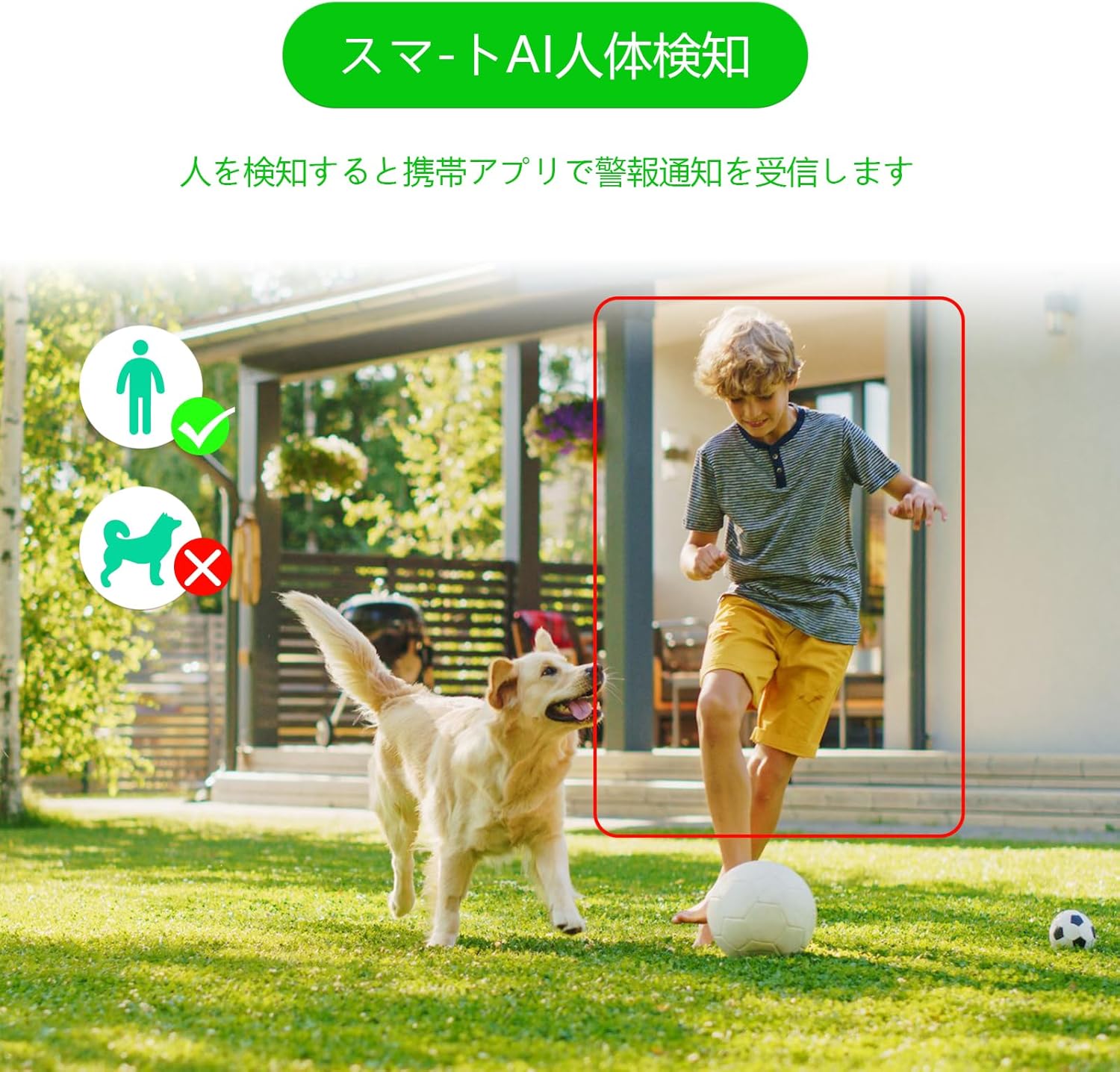
Figure 6: AI human detection feature, focusing on human figures.
Video 3: Demonstration of the camera's automatic motion tracking feature.
4.4 야간 투시 모드
The S100 offers multiple night vision modes to suit different lighting conditions:
- 적외선 모드 : 표준 흑백 야간 투시경.
- 풀 컬러 모드: Utilizes built-in lights to provide color images even in low light.
- 스마트 모드 : 움직임 감지에 따라 적외선 야간 투시 모드와 컬러 야간 투시 모드 사이를 자동으로 전환합니다.

Figure 7: Comparison of infrared, smart, and full-color night vision modes.
Video 4: Demonstration of the camera's night vision capabilities in various settings.
4.5 Two-Way Audio & Alarm Functions
Communicate with visitors or deter intruders using the built-in microphone and speaker. The camera also features a light and sound alarm that can be triggered upon detection of suspicious activity.
- 양방향 대화: Use the app to speak through the camera's speaker and listen through its microphone.
- Light & Sound Alarm: Configure the camera to activate flashing blue/red lights and an audible siren when human motion is detected at night.

Figure 8: Illustrates the two-way audio feature for remote communication.
5. 유지관리
Regular maintenance ensures optimal performance and longevity of your GUOANVISION S100 camera.
- 청소: 카메라 렌즈와 본체는 부드러운 천으로 주기적으로 닦아주세요.amp 먼지와 오물을 닦아낼 때는 천을 사용하세요. 연마성 세제는 사용하지 마세요.
- 펌웨어 업데이트: Check the iCSee app regularly for available firmware updates. Keeping the firmware updated ensures you have the latest features and security enhancements.
- 연결 확인: Periodically verify the power and network connections to ensure they are secure and free from damage.
- SD 카드 관리 : If using a MicroSD card, ensure it is functioning correctly and has sufficient storage space. Format the card through the app if necessary.
6. 문제 해결
카메라에 문제가 발생하면 다음의 일반적인 문제와 해결 방법을 참조하세요.
- 카메라 오프라인:
- Check power supply: Ensure the camera is properly connected to power.
- Check Wi-Fi connection: Verify your Wi-Fi network is active and the camera is within range. Re-pair the camera if necessary.
- Router settings: Ensure your router is broadcasting a 2.4GHz Wi-Fi signal.
- No Recording/SD Card Not Detected:
- Ensure MicroSD card is correctly inserted.
- Check if the MicroSD card is damaged or full. Format it via the app or replace it.
- Verify recording settings in the iCSee app.
- 이미지 품질이 좋지 않음:
- 카메라 렌즈를 청소하세요.
- 특히 컬러 야간 투시경의 경우, 적절한 조명을 확보하십시오.
- 네트워크 안정성을 확인하세요. 와이파이 신호가 약하면 스트리밍 품질에 영향을 줄 수 있습니다.
- 허위 경보:
- Adjust AI human detection sensitivity in the app.
- Ensure the camera is positioned to minimize detection of non-human movement (e.g., swaying branches).
7. 사양
| 특징 | 세부 사항 |
|---|---|
| 상표 | 구오비전 |
| 모델명 | S100 |
| 권장 사용 | Baby Monitor, Pet Monitor, Indoor Security, Outdoor Security |
| 연결성 | Wired, Wi-Fi (2.4GHz) |
| 특징 | HD Resolution, Dual Lens, PTZ, AI Human Detection, Auto-Tracking, Two-Way Audio, Light/Sound Alarm |
| 실내/실외 사용 | 실내, 실외 |
| 호환 장치 | 스마트폰 (iOS, 안드로이드) |
| 전원 | 코드식 전기 |
| 연결 프로토콜 | 온비프 |
| 장착 유형 | Wall Mount, Ceiling Mount (Screw-in) |
| Product Exterior Material | 플라스틱 |
| 방수 등급 | IP66 |
| 경보 종류 | Audio & Motion (Light & Sound) |
| 효과적인 스틸 해상도 | 6 MP (2x 3MP lenses) |
| 관리 방법 | 앱(iCSee) |
| 필요한 배터리 | 아니요 |
| 비디오 인코딩 형식 | MPEG-4 |
| 비디오 캡처 형식 | MP4 |
| 나이트 비전 범위 | 15 미터 |
| 나이트 비전 | Color Night Vision, Infrared, Smart Mode |
| 적외선 LED가 | 8 |
| 제품 크기 | 22.9 x 12.7 x 22.9cm |
| Max Flash Memory Support | 128GB(마이크로SD) |
8. 보증 및 지원
GUOANVISION is committed to providing high-quality products and excellent customer service. If you have any questions, concerns, or encounter product defects during the warranty period, please do not hesitate to contact us.
8.1 연락처 정보
- 이메일 지원: support@guoanvision.net (24-hour response)
- 아마존 고객 서비스: Navigate to 'Customer Service' > 'Your Orders' > 'Sold by' > 'Ask a question' for assistance with your purchase.
We will respond promptly to provide warranty service and support.