
1. 서론
Thank you for choosing the Dexter 800AG2-125.5AB1 Angle Grinder. This manual provides essential information for the safe and efficient operation, maintenance, and troubleshooting of your new tool. Please read this manual thoroughly before first use and keep it for future reference.
This angle grinder is designed for cutting and grinding metal and various coatings. Its 800W motor delivers 11,500 RPM, accommodating 4.1/2" / 5" (115/125mm) discs. The tool features a 3-meter power cord for extended reach and an ergonomic grip for comfortable handling.
2. 안전 지침
전동 공구를 작동할 때는 화재, 감전, 신체 부상의 위험을 줄이기 위해 항상 기본적인 안전 예방 조치를 따르세요.
- 적절한 개인 보호 장비(PPE)를 착용하세요: Always wear safety glasses, hearing protection, and gloves. A dust mask is recommended for dusty operations.
- 공작물 고정: Always clamp or secure the workpiece to prevent movement during operation.
- Maintain a clean work area: Cluttered areas invite accidents. Ensure your workspace is well-lit.
- 위험한 환경을 피하십시오: Do not use power tools in damp or wet locations, or expose them to rain. Keep the work area well-ventilated.
- 어린이와 구경꾼을 멀리하십시오: All visitors should be kept a safe distance from the work area.
- 유휴 도구 저장: When not in use, tools should be stored in a dry, high, or locked-up place, out of reach of children.
- 도구를 강제로 사용하지 마십시오.: It will do the job better and more safely at the rate for which it was designed.
- 올바른 도구를 사용하세요: Do not force a small tool or attachment to do the job of a heavy-duty tool.
- 손상된 부품 확인: Before using the tool, check for any damaged parts. A guard or other part that is damaged should be properly repaired or replaced by an authorized service center.
- 전원 차단: Always disconnect the tool from the power source before making any adjustments, changing accessories, or storing the tool.
- 보조 손잡이를 사용하세요: Always operate the angle grinder with the auxiliary handle securely attached for maximum control.
3. 제품 오버view
Familiarize yourself with the components of your Dexter Angle Grinder.
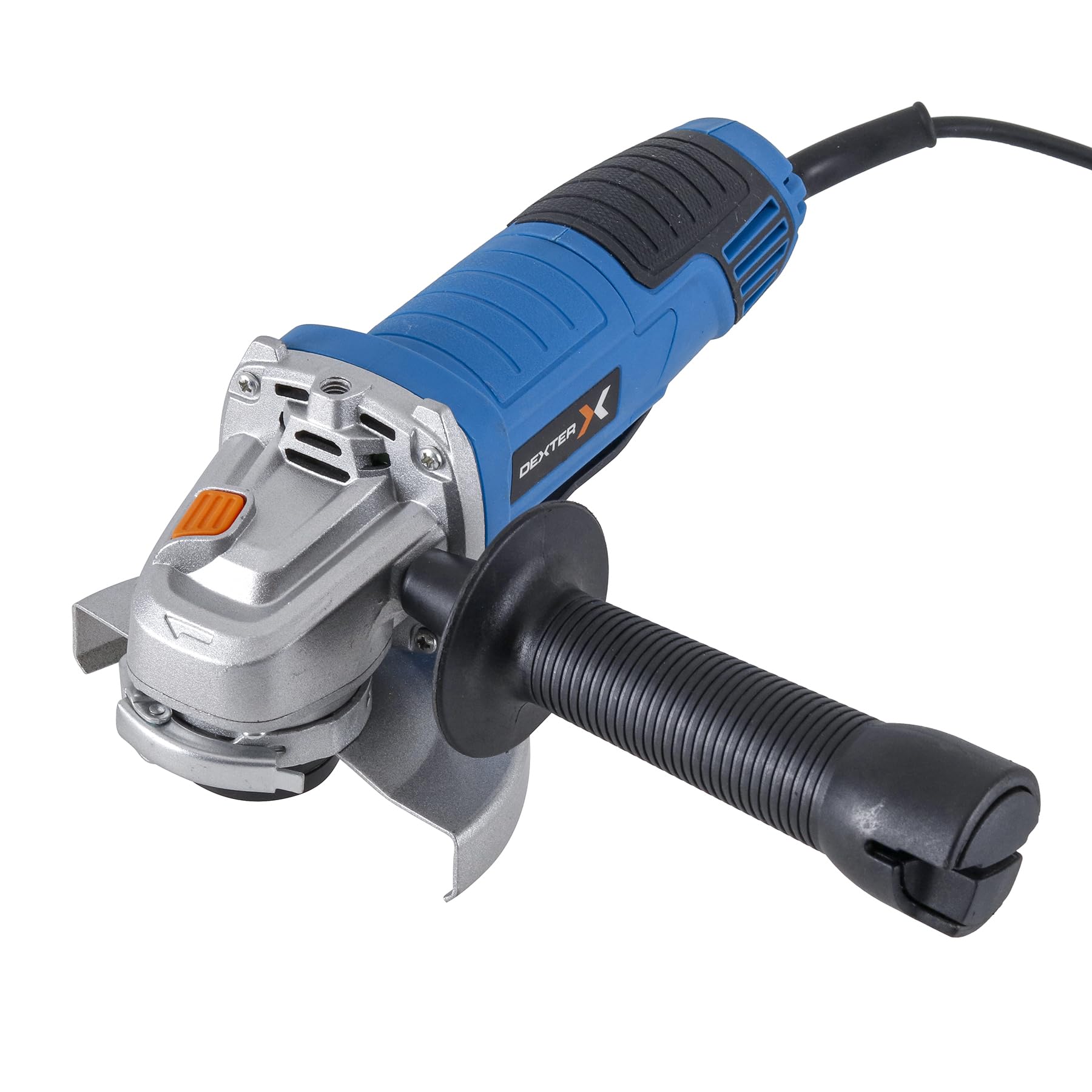
그림 1: 전반적인 view of the Dexter Angle Grinder, highlighting its powerful motor suitable for heavy-duty tasks.

그림 2: Detail of the power switch, indicating the tool's robust power for demanding work.

그림 3: View of the disc mounting area, designed for simple and quick disc changes.

그림 4: Close-up of the spindle lock button, essential for secure disc changes.

그림 5: The ergonomic handle design, ensuring light and comfortable use.
포함된 구성 요소:
- 1 x Dexter 5" Angle Grinder
- 1 x 렌치
- 1 x 보조 핸들
- 1 x Disc Guard 115mm
- 1 x Disc Guard 125mm
4. 설정
4.1 Attaching the Disc Guard
- 분쇄기가 전원에서 분리되었는지 확인하세요.
- Select the appropriate disc guard (115mm or 125mm) for your chosen disc size.
- Position the disc guard over the spindle housing, ensuring it aligns with the mounting points.
- Secure the guard firmly using the provided screws or clamping mechanism. Ensure it is oriented to provide maximum protection during operation.
4.2 보조 손잡이 설치
The auxiliary handle can be attached in three different positions (left, right, or top) to suit your working preference and ensure optimal control.
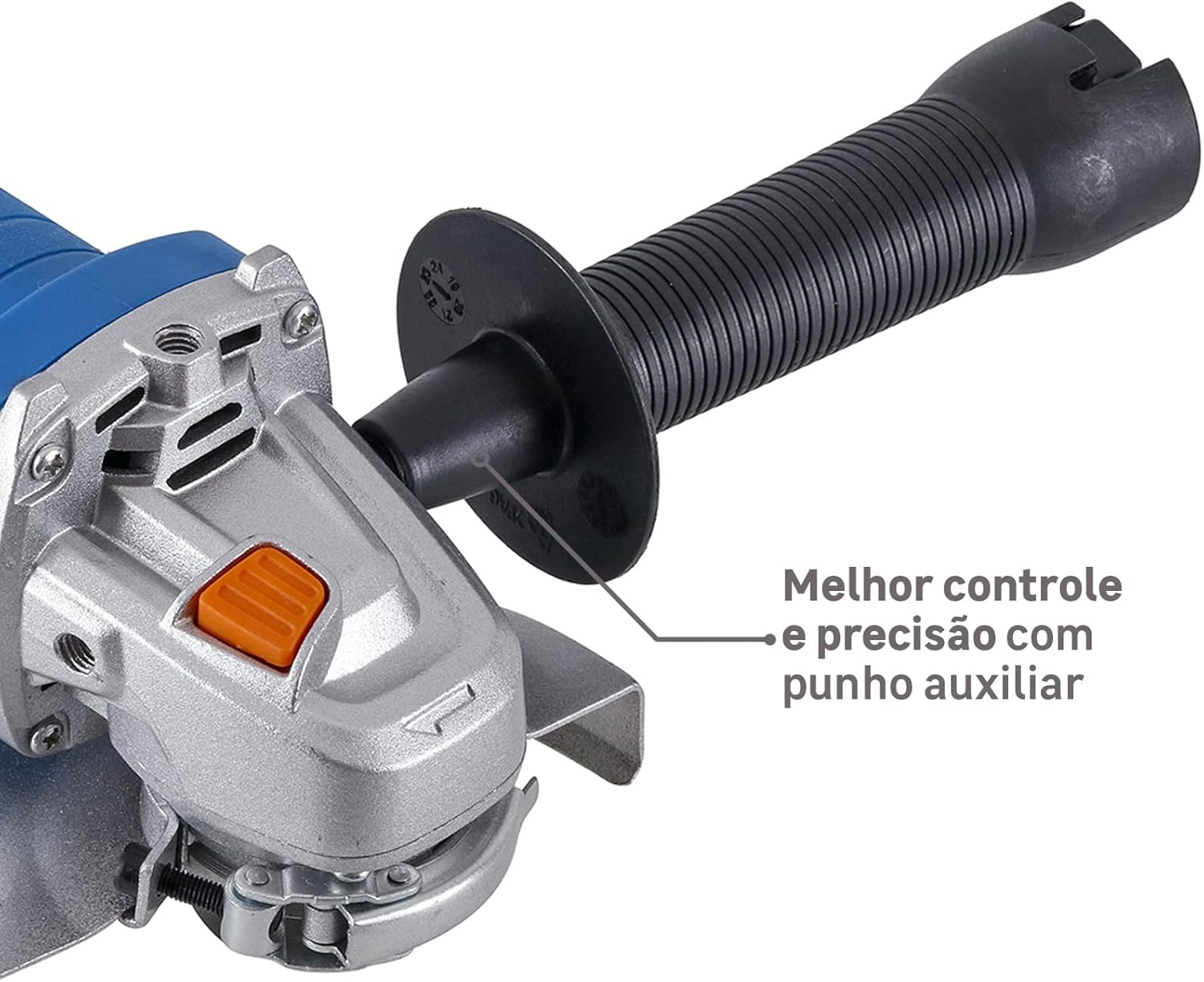
그림 6: Angle grinder with auxiliary handle attached, providing enhanced control and precision.
- Identify the threaded holes on the grinder's gear housing.
- Screw the auxiliary handle clockwise into the desired position until it is securely tightened.
4.3 Mounting a Grinding/Cutting Disc
- 분쇄기의 플러그가 뽑혀 있는지 확인하세요.
- Press and hold the spindle lock button (Figure 4) to prevent the spindle from rotating.
- 내부 플랜지를 스핀들에 놓습니다.
- 연삭 또는 절단 디스크를 내부 플랜지에 놓고 평평하게 놓이도록 합니다.
- Screw the outer flange onto the spindle, hand-tightening it.
- Use the provided wrench to firmly tighten the outer flange, ensuring the disc is securely mounted. Release the spindle lock button.
5. 사용 설명서
5.1 전원 켜기/끄기
- To turn on the grinder, slide the power switch (Figure 2) forward.
- To turn off the grinder, slide the power switch backward to the 'OFF' position.
5.2 연삭 및 절단 기술
분쇄기를 사용할 때는 항상 메인 손잡이와 보조 손잡이를 모두 사용하여 양손으로 단단히 잡으십시오.
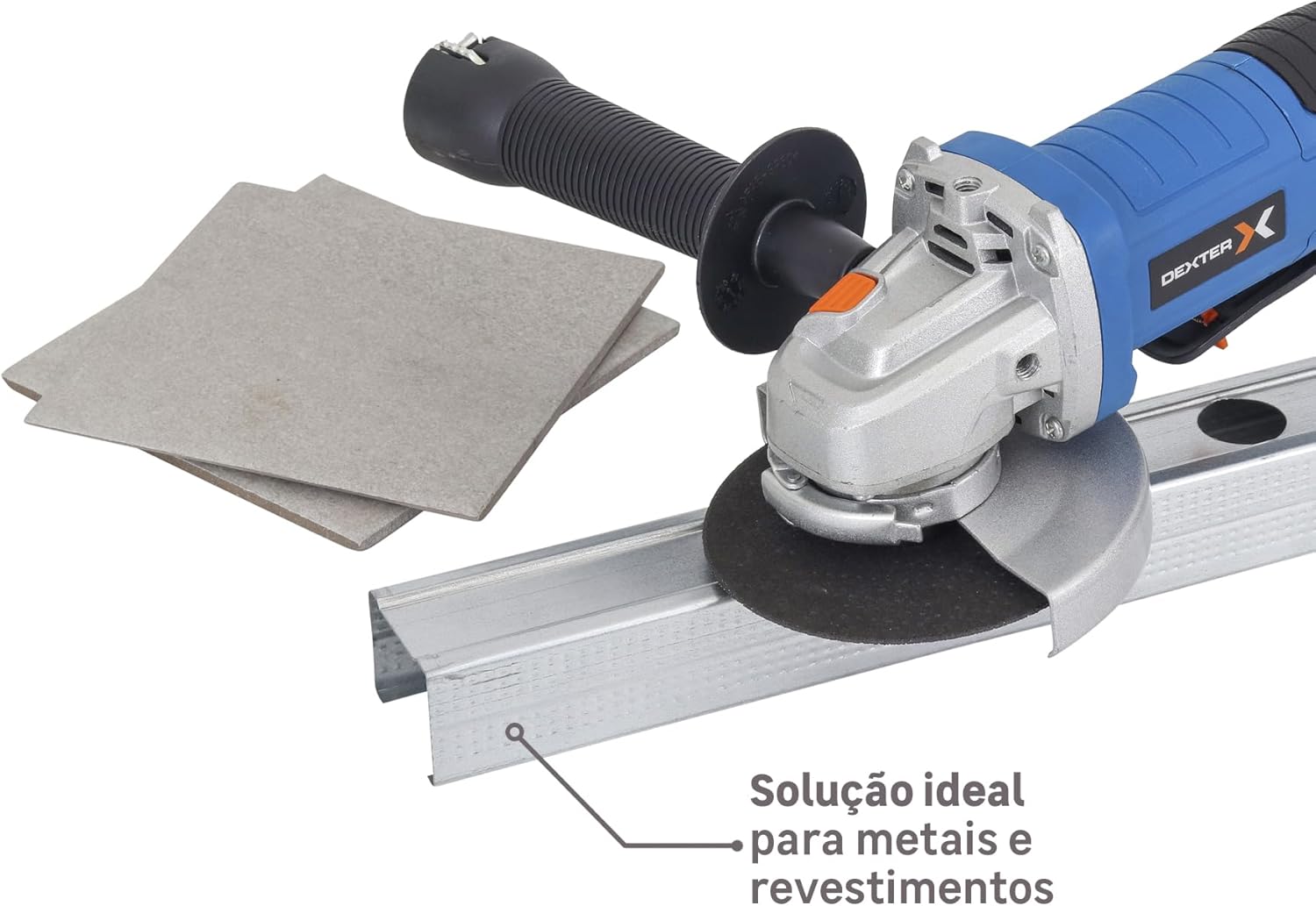
그림 7: Angle grinder in use, demonstrating its effectiveness for cutting metal profiles and coatings.

그림 8: Angle grinder being used for sanding a wooden surface, showcasin다재다능함.
- 연삭용: 그라인더를 공작물에 대해 약 15~30도 각도로 잡으십시오. 적당한 압력을 가하고 공구를 표면 전체에 걸쳐 고르게 움직이십시오.
- For Cutting: Hold the grinder perpendicular to the workpiece. Allow the disc to cut through the material without forcing it. Ensure the workpiece is stable and supported.
- 과부하를 피하세요: Do not apply excessive pressure, as this can reduce disc life and motor efficiency.
- Allow the tool to reach full speed: Before making contact with the workpiece, allow the disc to reach its full operating speed.
6. 유지관리
정기적인 유지관리는 각도 그라인더의 수명과 안전한 작동을 보장합니다.
- 청소: Regularly clean the ventilation openings to prevent dust buildup, which can cause overheating. Use a soft brush or compressed air.
- 카본 브러쉬: This tool uses a brushed motor. Carbon brushes are wear parts and should be checked periodically. If they are worn down, they must be replaced by qualified personnel.
- 전원 코드: Inspect the power cord for any damage before each use. Do not use the tool if the cord is damaged.
- 디스크 교체: Replace worn or damaged discs immediately. Always use discs rated for the grinder's speed and application.
- 저장: 도구는 어린이의 손이 닿지 않는 건조하고 안전한 곳에 보관하세요.
7. 문제 해결
| 문제 | 가능한 원인 | 해결책 |
|---|---|---|
| 그라인더가 시작되지 않습니다. | 전원 공급이 없습니다. 전원 스위치에 결함이 있습니다. 마모된 카본 브러시. | 전원 콘센트와 코드를 확인하세요. 서비스센터에 문의하세요. Have brushes replaced by qualified personnel. |
| 과도한 진동. | Disc improperly mounted. 디스크가 손상되었거나 균형이 맞지 않습니다. | Re-mount disc securely. Replace disc. |
| 과열. | 환기구가 막혔습니다. 도구에 과부하가 걸립니다. | 통풍구를 청소하십시오. 압력을 줄이고 도구를 식히세요. |
| Sparks excessively. | 마모된 카본 브러시. | Have brushes replaced by qualified personnel. |
8. 사양
| 특징 | 사양 |
|---|---|
| 모델 | 800AG2-125.5AB1 |
| 상표 | 덱스터 |
| 전원 | 코드식 전기 |
| 권tage | 220V |
| 힘 | 800와트 |
| 최대 회전 속도 | 11,500 RPM |
| 모터 유형 | 브러시 모터 |
| 속도 제어 | 아니요 |
| Disc Diameter (mm) | 125mm (XNUMXmm) |
| Disc Diameter (inches) | 5인치 |
| Disc Included | 아니요 |
| 제품 무게 | 1.77kg |
| 스핀들 잠금 | 예 |
| 스핀들 스레드 | M14 |
| 권장 사용 | Cutting and grinding metal and coatings |
| 사용 강도 | Moderate use up to 5 hours/day |
9. 보증 및 지원
For warranty information, technical support, or service inquiries, please refer to the warranty card included with your product or contact your local Dexter authorized service center. Keep your purchase receipt as proof of purchase.


