
Coolski IM150B
Coolski Commercial Ice Maker Machine User Manual
모델: IM150B
1. 서론
Thank you for choosing the Coolski Commercial Ice Maker Machine. This manual provides essential information for the safe and efficient operation, installation, and maintenance of your new ice maker. Please read this manual thoroughly before operating the appliance and retain it for future reference.
This high-efficiency commercial ice maker is designed to produce up to 150 pounds of clear ice cubes per day, featuring a 35-pound storage capacity. Its compact design makes it suitable for various settings, including homes, bars, restaurants, offices, and more.
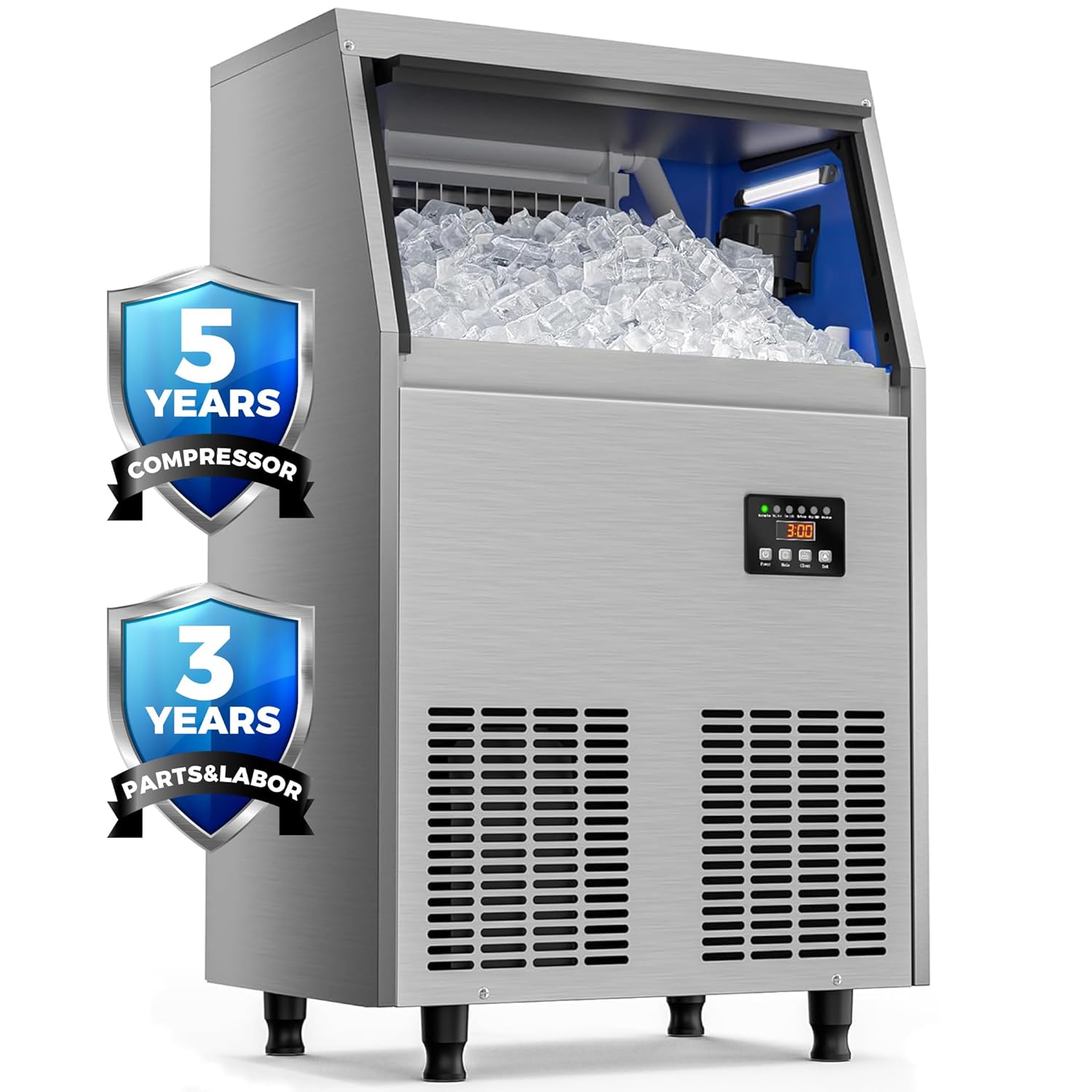
이미지 1.1: 앞면 view of the Coolski Commercial Ice Maker Machine, highlighting its warranty coverage for the compressor (5 years) and parts & labor (3 years).
2. 중요한 안전 정보
제빙기를 사용할 때 화재, 감전 또는 부상의 위험을 줄이려면 다음의 기본 예방 조치를 따르세요.
- 기기를 사용하기 전에 모든 지침을 읽으세요.
- Ensure the ice machine is kept upright for at least 24 hours before initial use to allow the refrigerant to settle.
- 식수 공급장치에만 연결하세요.
- 코드나 플러그가 손상된 경우 또는 기기가 오작동하거나 어떤 식으로든 손상된 경우에는 기기를 작동하지 마십시오.
- 전원 코드, 플러그 또는 기기 자체를 물이나 다른 액체에 담그지 마십시오.
- This appliance is designed for commercial and household use.
- The appliance has passed DOE energy efficiency certification.
3. 설정 및 설치
제빙기의 최적 성능과 수명 연장을 위해서는 올바른 설치가 매우 중요합니다.
3.1 포장 풀기 및 배치
- 모든 포장재를 조심스럽게 제거하세요.
- Place the ice maker on a flat, stable surface. The adjustable legs can be used to level the unit on uneven surfaces.
- Allow the unit to stand upright for at least 24 hours before plugging it in.
3.2 물 및 배수 연결
The ice maker requires a continuous water supply and a drain connection.
- Connect the water inlet hose (included) to a potable water supply. A water filter is provided for clean ice production.
- Connect the drain hose (included) to a suitable drain. Ensure the drain hose is properly sloped to allow for gravity drainage.
- 모든 연결 부분이 안전하고 누출이 없는지 확인하세요.

Image 3.1: Illustration of the ice maker's connections, including the power cord, water inlet, water filter, tap water connection, and drain hose for easy installation.
3.3 전기 연결
- Plug the ice maker into a grounded electrical outlet. Refer to the specifications section for voltag요구사항
4. 사용 설명서
The Coolski ice maker features a multi-function LCD control panel for easy operation.

이미지 4.1: 상세 view of the LCD control panel, showing various indicators and control buttons for operation and settings.
4.1 제어판 기능
- 전원 버튼: 장치를 켜거나 끄려면 누릅니다.
- 모드 버튼: Press to switch between different operation modes.
- 클린 버튼:
- Short press to turn on or off the blue internal light.
- Long press to enter or exit the self-cleaning mode.
- 설정 버튼: Press and hold for more than 3 seconds to enter the ice cube thickness setting.
4.2 얼음 두께 조절하기
The ice cube size can be adjusted by changing the ice making time. Longer times result in thicker ice cubes.
- Press and hold the "Set" button for more than 3 seconds.
- Use the "Mode" or "Set" buttons to adjust the ice making time (e.g., 12 minutes for thin, 15 minutes for medium, 18 minutes for thick).
- The machine will automatically save the setting and begin producing ice according to the new thickness.

Image 4.2: Visual guide for adjusting ice cube thickness by modifying the ice making cycle time.
4.3 Ice Production and Storage
The machine produces approximately 150 pounds of ice per day with a cycle time of 12-18 minutes. The thickened ice bin has a 35-pound storage capacity, designed to reduce melting over 5-7 hours.

이미지 4.3: 이상view of the ice maker's production capacity and cycle time.

Image 4.4: Dimensions of the ice maker and the capacity of its 35-pound ice storage bucket.

이미지 4.5: 단면도 view highlighting the 1.22-inch thickened insulation layer for extended ice freshness.
5. 유지관리 및 청소
정기적인 유지보수는 제빙기의 수명 연장과 위생적인 작동을 보장합니다.
5.1 자체 세척 기능
The ice maker is equipped with a self-cleaning function for convenience.
- Ensure the ice maker is connected to a water supply and drain.
- Long press the "Clean" button on the control panel to initiate the self-cleaning cycle.
- The machine will automatically run through a cleaning process. Do not interrupt the cycle.
- Once complete, the machine will return to normal operation or standby mode.
5.2 External and Internal Cleaning
- 외부: Wipe the stainless steel exterior with a soft cloth and mild detergent. Avoid abrasive cleaners.
- 공기 배출구: The air outlet at the front is detachable for quick cleaning and maintenance. Regularly clean the vents to ensure proper airflow.
- 얼음통: Periodically clean the ice storage bin with a solution of water and mild soap. Rinse thoroughly before use.
- 정수 필터: The included water filter should be replaced periodically based on water quality and usage to ensure clean ice production.
6. 문제 해결
The built-in diagnostic system can display common problems on the LCD digital control panel. Refer to the indicators on the control panel (e.g., "No Water", "High TEMP", "Overtime") for quick identification of issues.
- "No Water" Indicator: Check the water supply connection and ensure the water tap is open.
- "High TEMP" Indicator: Ensure the ice maker is in a well-ventilated area and not exposed to direct heat sources. Clean the air vents if necessary.
- "Overtime" Indicator: This may indicate an issue with ice production or harvesting. Consult the full user manual for detailed troubleshooting steps or contact customer support.
- For any other issues or persistent problems, please refer to the comprehensive troubleshooting guide in the complete user manual or contact Coolski customer support.
7. 제품 사양
| 특징 | 사양 |
|---|---|
| 상표 | Coolski |
| 모델명 | IM150B |
| 제품 크기(D x W x H) | 37.1 x 50 x 83.6 센티미터 (14.6 x 19.7 x 32.9 인치) |
| 일일 얼음 생산량 | 150파운드/24시간 |
| 얼음 저장 용량 | 35파운드(15.88kg) |
| 왓tage | 255 와트 |
| 권tage | 115 볼트 |
| 냉각제 | R290a |
| 재료 | 스테인리스 스틸 |
| 첫 번째 가능한 날짜 | 10년 2025월 XNUMX일 |
8. 보증 및 지원
Coolski stands behind the quality of its products. This ice maker comes with the following warranty:
- 압축기: 5년
- 부품 및 인력: 3년
We also provide lifelong technical support services. If you encounter any usage problems or quality issues, please contact Coolski customer support for assistance.
9. 포함된 액세서리
Your Coolski Commercial Ice Maker Machine comes with the following accessories to facilitate installation and use:
- 얼음 국자
- 정수 필터
- 배수 호스
- Water Hoses (various lengths)

Image 9.1: A visual representation of the ice maker and all standard accessories included with the product.
Ask a question about this manual
Ask about setup, troubleshooting, compatibility, parts, safety, or missing instructions. Manuals+ will review the question and use this page’s manual context to help answer it.