
1. 서론
The Auronic Electric Air Dehumidifier AU3270 is designed to effectively remove excess moisture from indoor environments, helping to prevent mold growth and maintain a healthy humidity level. This appliance is suitable for spaces up to 15 square meters and can extract up to 10 liters of moisture per day. This manual provides essential information for the safe and efficient use of your dehumidifier.

Image: The Auronic Electric Air Dehumidifier AU3270 positioned in a living room, illustrating its compact design and 10-liter daily capacity for optimal dehumidification.
2. 안전 지침
부상이나 제품 손상을 방지하기 위해 제품 사용 전에 모든 안전 지침을 주의 깊게 읽어 주십시오.
- 전원 공급 장치 볼륨을 확인하십시오.tage는 제습기의 등급 라벨과 일치합니다.
- 전원 코드나 플러그가 손상된 상태로 제습기를 작동하지 마십시오.
- 기기를 열원, 직사광선, 가연성 물질로부터 멀리 두십시오.
- 공기 흡입구 또는 배출구를 막지 마십시오. 제품 주변에 최소 20cm의 여유 공간을 확보하십시오.
- 제습기는 물이 쏟아지는 것을 방지하기 위해 항상 안정적이고 평평한 곳에 놓으십시오.
- 청소, 유지 보수 또는 장기간 사용하지 않을 때는 제품의 전원을 뽑으십시오.
- 장치, 전원 코드 또는 플러그를 물이나 다른 액체에 담그지 마십시오.
- 본 기기는 신체적, 감각적 또는 정신적 능력이 저하된 사람(어린이 포함)이나 경험 및 지식이 부족한 사람이 사용하도록 의도된 것이 아니며, 안전을 책임질 사람으로부터 기기 사용에 관한 감독이나 지시를 받은 경우에만 사용할 수 있습니다.
- 어린이가 이 제품을 가지고 놀지 않도록 감독해야 합니다.
3. 설정
3.1 포장 풀기 및 패키지 내용물
Carefully remove the dehumidifier from its packaging. Check that all components are present and undamaged. The package typically includes the dehumidifier unit, a drainage hose, and this user manual.

Image: Contents of the Auronic Dehumidifier package, displaying the main unit, continuous drainage hose, and user manual, along with key product dimensions.
3.2 배치
Place the dehumidifier on a firm, level surface in the desired location. Ensure there is at least 20 cm of free space around the air inlet and outlet for optimal airflow. The unit is effective for rooms up to 15 square meters. Avoid placing it in direct sunlight or near heat-emitting appliances.
3.3 전원 연결
Plug the power cord into a grounded electrical outlet. Ensure the outlet meets the power requirements specified on the appliance's rating label.
3.4 배수 옵션
제습기는 두 가지 배수 방법을 제공합니다.
- 수조: The unit collects condensed water in its internal 2-liter water tank. The appliance will automatically stop operating when the tank is full, and an indicator will illuminate.
- 연속 배수: For uninterrupted operation, attach the included drainage hose to the continuous drainage port on the back of the unit. Route the hose to a suitable drain or larger container, ensuring it is sloped downwards to allow water to flow freely by gravity.
4. 사용 설명서
4.1 제어판 이상view
The dehumidifier features an intuitive digital LED display and control buttons for easy operation.
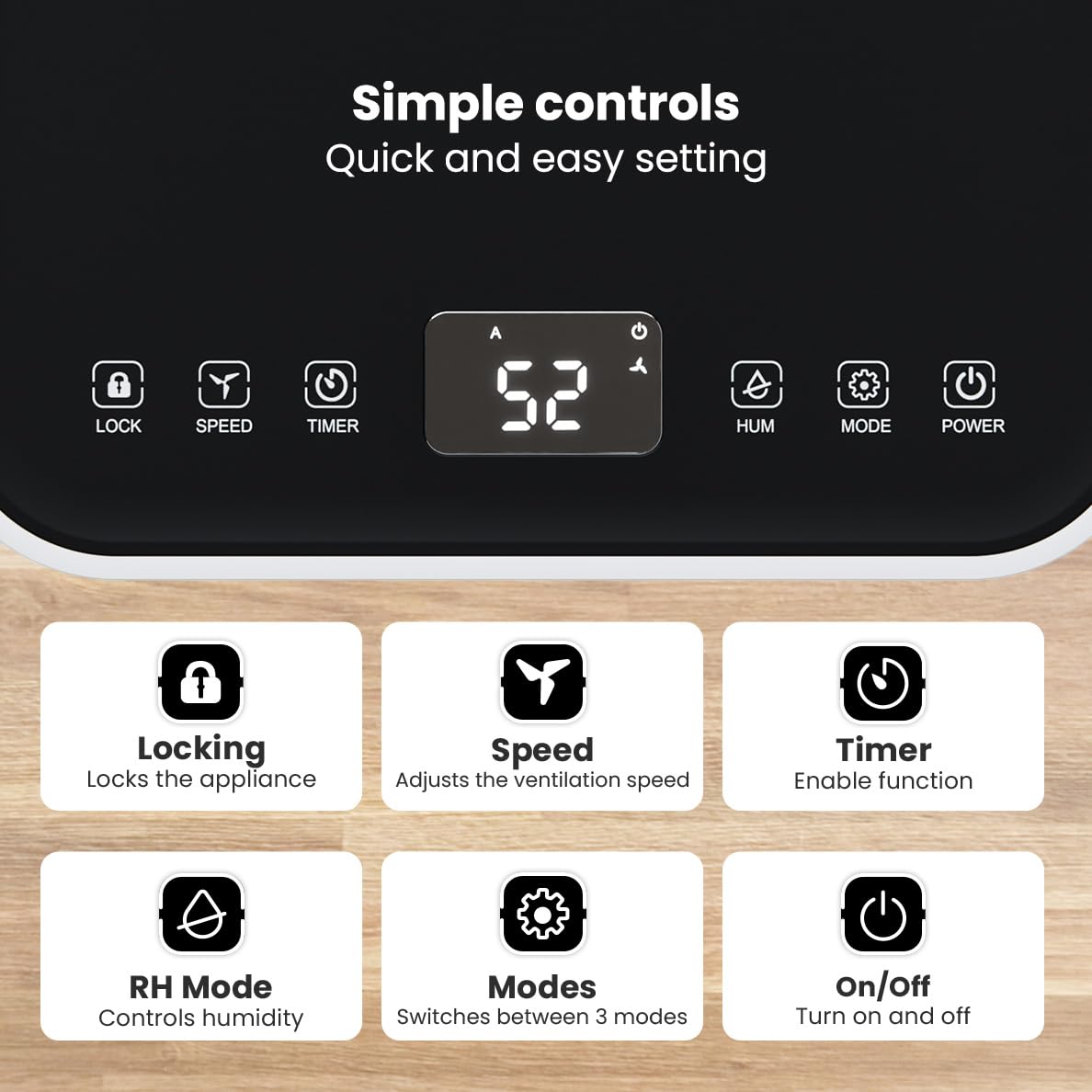
이미지: 상세 view of the dehumidifier's control panel, highlighting each button's function for easy setting adjustments.
- 전원 버튼 (⏻): 기기를 켜거나 끕니다.
- 모드 버튼(⚙): Switches between the three operating modes: Automatic, Continuous, and Quiet.
- RH Mode Button (💧): Controls the desired relative humidity level. Press to set the target humidity.
- 타이머 버튼(⏱): Enables the timer function for scheduled operation.
- 속도 버튼(⇋): Adjusts the ventilation speed (fan speed).
- 잠금버튼(🔒): 실수로 변경되는 것을 방지하기 위해 제어판을 잠급니다.
4.2 작동 모드
Press the Mode button to cycle through the available operating modes:
- 자동 모드: The device automatically adjusts its operation based on the current room humidity to maintain a comfortable level.
- 연속 모드: 매우 d에 이상적입니다amp environments like wet basements. The dehumidifier operates continuously regardless of the humidity level until the water tank is full or continuous drainage is active.
- 조용한 모드: Designed for night-time use or in areas where low noise is preferred. The dehumidifier operates at a reduced fan speed, ensuring a peaceful environment with a noise level below 36dB.

Image: A chart comparing the noise level of the Auronic Dehumidifier (42dB) to common sounds like breathing, whispering, and loud conversation, highlighting its quiet operation.
4.3 Humidity Sensor and Display
The integrated humidity sensor monitors the room's humidity level, which is displayed on the digital screen. The color of the display indicates the current humidity status:
- 파란색: Humidity level is below 45%.
- 녹색: Humidity level is between 45% and 64%.
- 빨간색: Humidity level is above 65%.
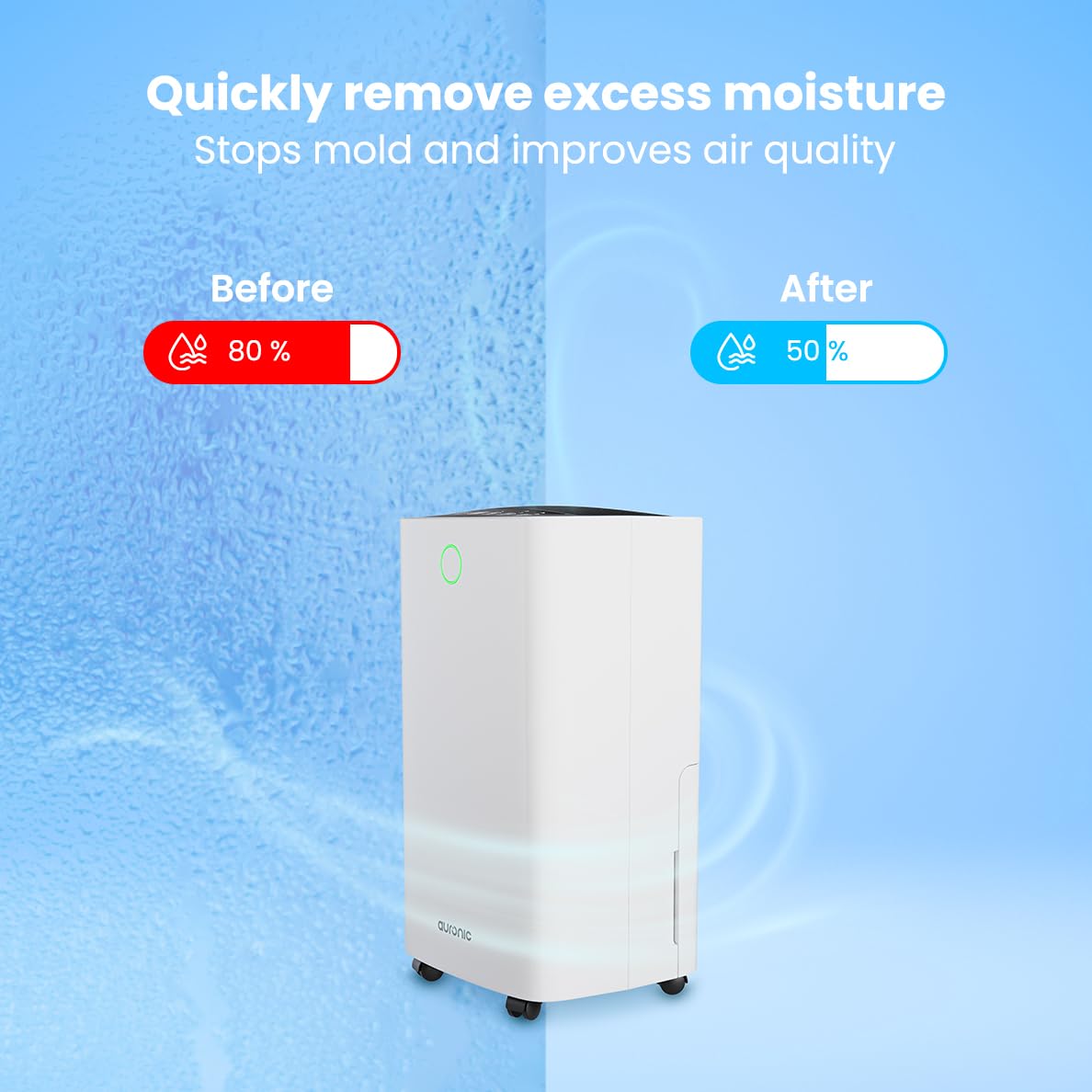
Image: A visual representation demonstrating the dehumidifier's effectiveness, showing a reduction in humidity from 80% to 50% in a room.
4.4 Laundry Drying Function
The Auronic dehumidifier includes a laundry drying function to assist in reducing the drying time of clothes, sheets, and towels. Place the appliance in your laundry room or near drying clothes to utilize this feature, which helps to remove moisture from the air and accelerate the drying process.

Image: The dehumidifier in a bathroom setting, demonstrating its ability to extract up to 10 liters of moisture and its suitability for rooms up to 15 square meters, alongside its intelligent humidity meter, wash-dry function, and silent operation.
5. 유지관리
정기적인 유지관리는 제습기의 수명과 효율적인 작동을 보장합니다.
5.1 물탱크 비우기
When the water tank is full, the dehumidifier will stop operating, and an indicator light will turn on. Carefully pull out the water tank from the unit, empty the collected water, and then reinsert the tank firmly until it clicks into place. Ensure the tank is properly seated to resume operation.
5.2 에어 필터 청소
The air filter should be cleaned regularly (e.g., every two weeks or as needed) to maintain optimal performance. A dirty filter can reduce efficiency and increase energy consumption.
- 제습기의 플러그를 전원 콘센트에서 뽑으세요.
- 공기 필터를 찾아 제거합니다(일반적으로 장치 뒷면이나 측면에 있음).
- Clean the filter using a vacuum cleaner to remove dust and debris. For heavily soiled filters, wash gently with lukewarm water and a mild detergent.
- Allow the filter to air dry completely before reinserting it into the dehumidifier.
5.3 일반 청소 및 보관
부드러운 천으로 제습기의 외부를 닦고 damp cloth. Do not use abrasive cleaners or solvents. For long-term storage, ensure the water tank is empty and clean, the filter is clean and dry, and the unit is unplugged. Store the dehumidifier in a cool, dry place, preferably in its original packaging.
6. 문제 해결
제습기에 문제가 발생하면 다음의 일반적인 문제와 해결 방법을 참조하세요.
| 문제 | 가능한 원인 | 해결책 |
|---|---|---|
| 제습기가 켜지지 않습니다. | 전원 공급이 없습니다. 전원 코드가 연결되어 있지 않습니다. 전원 버튼이 눌러져 있지 않습니다. | Check power connection; Ensure outlet is functional; Press the Power button. |
| 물 수집이 안 되거나 제습 기능이 약합니다. | Room temperature too low; Humidity level already low; Air filter clogged; Air inlet/outlet blocked; Water tank not properly inserted. | Ensure room temperature is above 5°C; Check current humidity; Clean the air filter; Clear any obstructions; Reinsert water tank correctly. |
| 이 장치는 시끄럽습니다. | 장치가 평평한 표면에 있지 않음; 공기 필터가 막힘; 내부 구성 요소가 진동함. | Place on a stable, level surface; Clean the air filter; If noise persists, contact customer support. |
| 물탱크 만수 표시등이 켜져 있지만 탱크가 가득 차지 않았습니다. | Float switch malfunction; Water tank not properly seated. | Remove and reinsert the water tank; Check float switch for obstructions. |
| 디스플레이에 오류 코드가 표시됩니다. | Internal sensor error or malfunction. | 제품의 전원 코드를 5분간 뽑아두었다가 다시 꽂으세요. 오류가 계속 발생하면 고객 지원 센터에 문의하십시오. |
7. 사양
Technical specifications for the Auronic Electric Air Dehumidifier AU3270:
| 특징 | 세부 사항 |
|---|---|
| 상표 | 오로닉 |
| 모델명 | AU3270 |
| 용량 | 10리터/일 |
| 물탱크 용량 | 2리터 |
| 바닥 면적 적용 | Up to 15 m² (150000 Square Centimeters) |
| 왓tage | 185 와트 |
| 제품 크기(D x W x H) | 50D x 30.5W x 26.5H 센티미터 |
| 품목 무게 | 10 킬로그램 |
| 색상 | 하얀색 |
| 소음 수준 | Below 36dB (in Quiet Mode) |
8. 보증 및 지원
8.1 보증 정보
Your Auronic Electric Air Dehumidifier AU3270 comes with a standard manufacturer's warranty. Please refer to the warranty card included in your package for specific terms, conditions, and duration. Keep your proof of purchase for warranty claims.
8.2 고객 지원
For any questions, technical assistance, or warranty claims, please contact Auronic customer support. Contact details can typically be found on the product packaging, the official Auronic web사이트나 보증서를 참조하세요.