
소개
The Linsoul Kiwi Ears Allegro Mini is a compact and portable Digital-to-Analog Converter (DAC) and amplifier designed to elevate your audio experience. It provides high-fidelity sound for your in-ear monitors (IEMs) and headphones, connecting seamlessly to various devices via USB-C. This manual will guide you through the setup, operation, and maintenance of your Allegro Mini to ensure optimal performance.

Image: The Kiwi Ears Allegro Mini, a compact silver DAC with a USB-C connector and audio output ports.
상자 안에 무엇이 들어있나요?
- Kiwi Ears Allegro Mini Portable IEM DAC
- 사용자 설명서
설정
- 장치에 연결: Insert the USB-C connector of the Allegro Mini into the USB-C port of your smartphone, tablet, or computer. Ensure a secure connection.
- Connect Headphones/IEMs: Plug your 3.5mm single-ended or 4.4mm balanced headphones/IEMs into the corresponding output port on the Allegro Mini.
- 자동 인식: Most modern Android devices (version 5.1 and above), PCs, and other compatible devices will automatically recognize the Allegro Mini as an external audio output device. No additional drivers are typically required for basic functionality.
- 볼륨 조절: Adjust the volume using your connected device's volume controls.
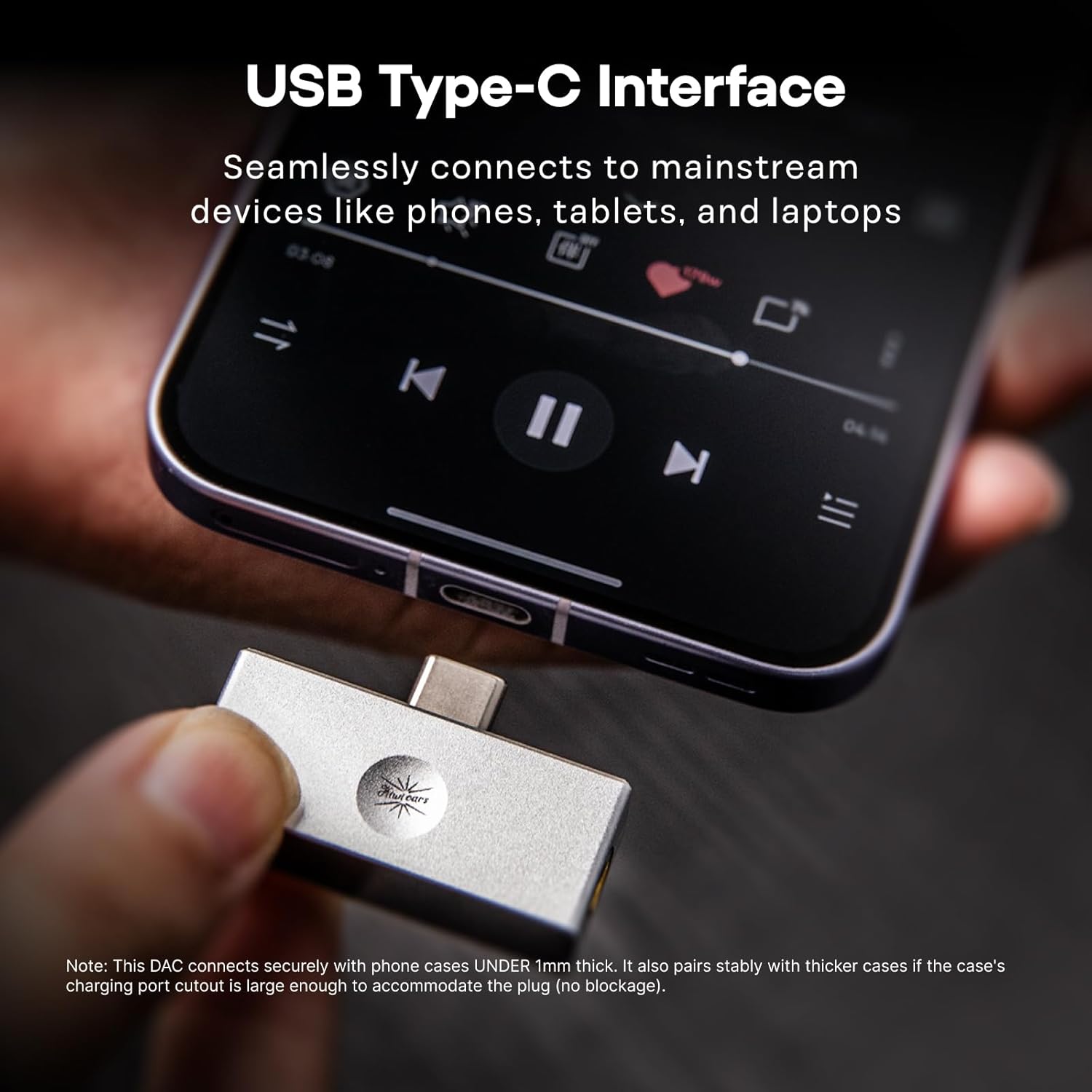
Image: The Allegro Mini connected to a smartphone via its USB-C port, with an IEM cable plugged into the 3.5mm output.
작동 지침
- 플러그 앤 플레이: The Allegro Mini is designed for immediate use. Simply connect it to your source device and audio output.
- 오디오 재생: Begin playing audio from your device. Sound will be routed through the Allegro Mini to your connected headphones or IEMs.
- 볼륨 조절: Use the volume buttons on your connected smartphone, tablet, or computer to adjust the playback volume.
- 출력 옵션: The Allegro Mini features both 3.5mm single-ended and 4.4mm balanced output ports. Choose the appropriate port for your headphones or IEMs. The 4.4mm balanced output may offer improved sound quality and power for compatible headphones.

Image: The Allegro Mini connected to a smartphone, demonstrating its plug-and-play functionality for audio playback.
특징
- 컴팩트하고 휴대하기 편리한 디자인: Inspired by the original Allegro, the Mini version offers high-fidelity sound in a smaller, all-aluminum alloy body for enhanced durability and a minimalist aesthetic.
- 다양한 출력 옵션: Equipped with both 4.4mm balanced and 3.5mm single-ended outputs to accommodate a wide range of headphones and IEMs.
- High-Resolution Audio Performance: Supports PCM up to 32bit/384kHz and DSD up to DSD128, ensuring detailed and clear audio reproduction.
- 보편적 인 호환성 : Features a USB Type-C interface for seamless plug-and-play connection with most modern Android devices (version 5.1 and above), as well as PCs and other compatible devices.
- 뛰어난 오디오 선명도: Achieves an ultra-low THD+N of 0.004% at 32 Ohms, providing pure, undistorted sound with a wide frequency response and excellent signal-to-noise ratio.

Image: The Allegro Mini highlighting its 3.5mm single-ended and 4.4mm balanced output options.
명세서
| 기인하다 | 값 |
|---|---|
| 상표 | 린솔 |
| 모델명 | Kiwi Ears Allegro Mini |
| 색상 | 은 |
| 연결 기술 | Wired (USB Type-C input) |
| 출력 포트 | 3.5mm 싱글 엔드, 4.4mm 밸런스드 |
| PCM 지원 | 최대 32비트/384kHz |
| DSD 지원 | 최대 DSD128 |
| 총 고조파 왜곡률 + N | 0.004% (at 32 Ohms) |
| 폼 팩터 | 미니 휴대용 |
| 제조업체 | 린솔 |
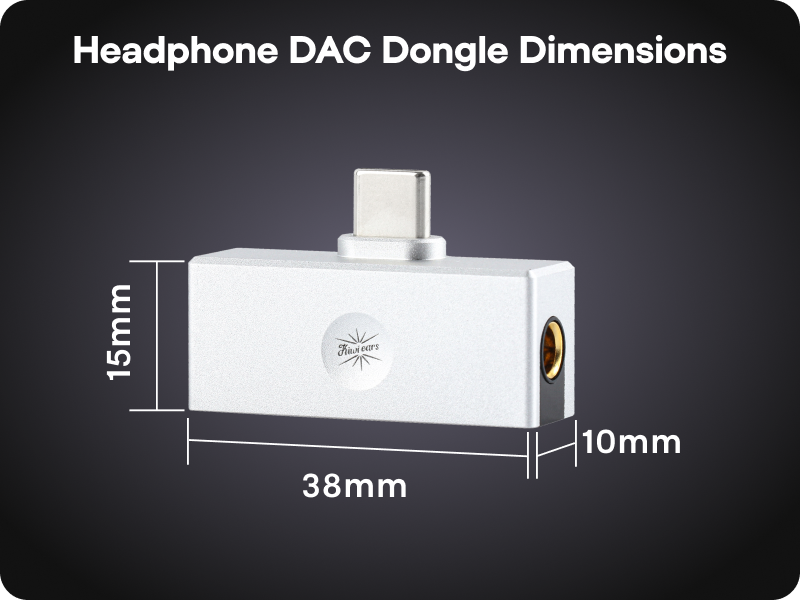
Image: A diagram illustrating the compact dimensions of the Kiwi Ears Allegro Mini.
유지
- 청소: Use a soft, dry cloth to wipe the exterior of the Allegro Mini. Avoid using liquid cleaners or abrasive materials.
- 저장: 본 기기는 직사광선과 극한의 온도를 피해 시원하고 건조한 곳에 보관하세요.
- 조심스럽게 다루십시오: 내구성이 뛰어나지만, 기기를 떨어뜨리거나 강한 충격을 가하지 않도록 주의하십시오.
- 포트 보호: When not in use, consider using dust caps for the USB-C and audio ports to prevent dust and debris accumulation.
문제 해결
- 사운드 출력 없음:
- Ensure the Allegro Mini is securely connected to both your source device and headphones/IEMs.
- 기기의 볼륨 설정을 확인하고 음소거되어 있지 않은지 확인하세요.
- Verify that your source device recognizes the Allegro Mini as the active audio output. This can usually be checked in your device's sound settings.
- Test with different headphones/IEMs to rule out an issue with your audio output device.
- 낮은 볼륨 또는 왜곡된 사운드:
- 음원 기기의 볼륨을 높이세요.
- Ensure your headphones/IEMs are fully plugged into the Allegro Mini. A partial connection can cause distortion or sound only in one channel.
- If using a phone case, ensure it does not obstruct the USB-C connection, as this can prevent a full connection.
- For optimal performance, especially with demanding headphones, use the 4.4mm balanced output if your headphones support it.
- 인식되지 않는 장치:
- Disconnect and reconnect the Allegro Mini.
- Try connecting to a different USB-C port or a different compatible device to isolate the issue.
- 기기의 운영체제가 최신 상태인지 확인하세요.
공식 제품 영상
Linsoul Kiwi Ears Allegro Mini Portable IEM DAC Overview
영상: 공식 발표view of the Linsoul Kiwi Ears Allegro Mini Portable IEM DAC, showcasin그 특징과 디자인.
Linsoul Kiwi Ears In-Ear Monitor Manufacturing Process
Video: A detailed look into the manufacturing process of Linsoul Kiwi Ears in-ear monitors, demonstrating the craftsmanship and quality control.
보증 및 지원
The Linsoul Kiwi Ears Allegro Mini comes with a 1년 보증 구매일로부터. 본 보증은 제조상의 결함 및 정상적인 사용으로 인해 발생하는 문제에 적용됩니다.
For technical support, warranty claims, or any questions regarding your product, please contact Linsoul Audio customer service through their official web제품을 구매하신 웹사이트 또는 판매점에 문의하십시오. 보증 적용을 위해 구매 증빙 자료를 보관해 주십시오.
You can visit the Linsoul Store for more information: Linsoul Official Store