
1. 서론
Welcome to the user manual for your new Xiaomi X Pro QLED Series Smart Google TV L55MA-SIN. This guide provides essential information for setting up, operating, maintaining, and troubleshooting your television. Please read this manual thoroughly before using your TV to ensure optimal performance and safety.
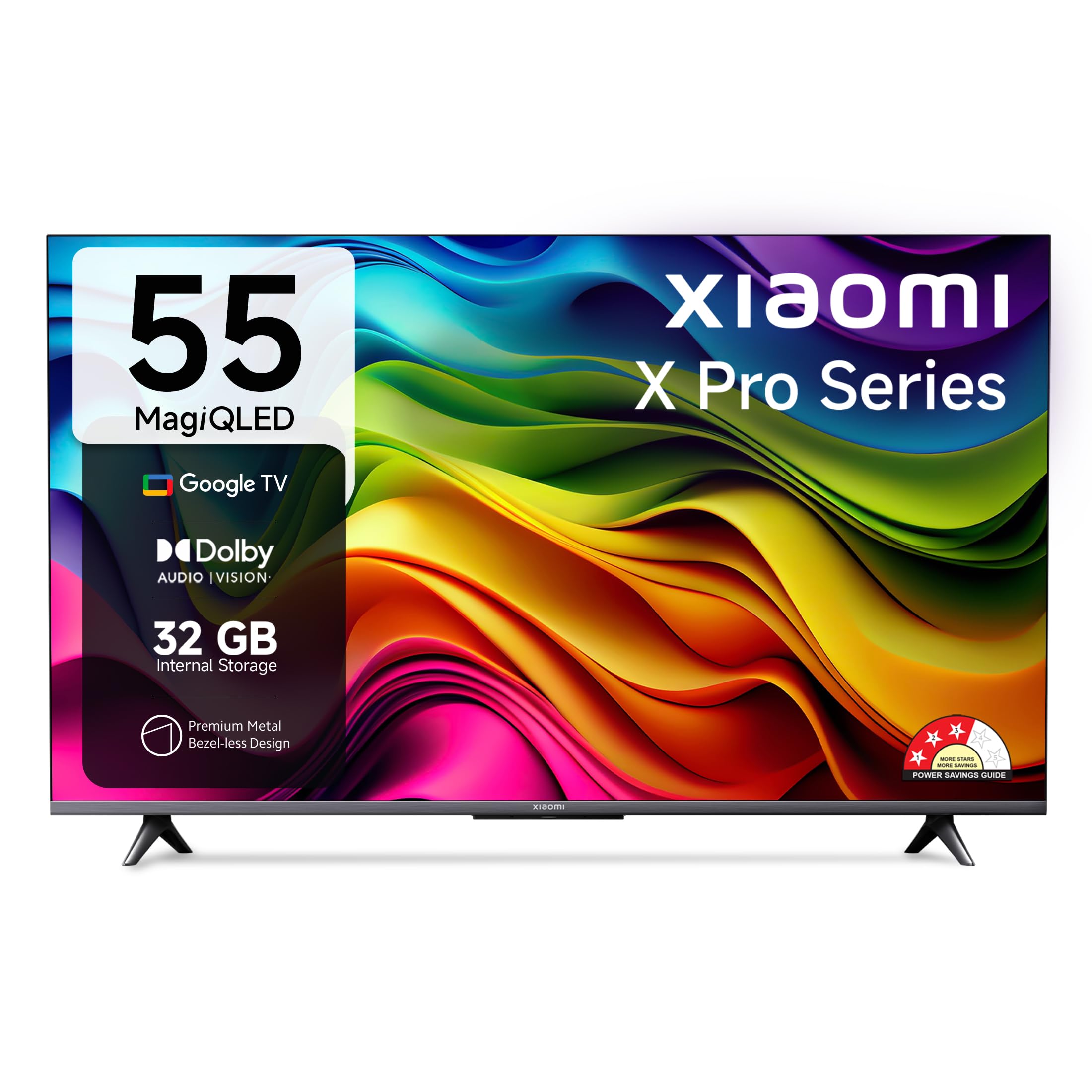
Figure 1: Xiaomi X Pro QLED Series Smart Google TV
2. 안전 정보
화재, 감전, 부상의 위험을 줄이려면 이 제품을 사용할 때 항상 기본적인 안전 예방 조치를 따르세요.
- TV를 비나 습기에 노출시키지 마세요.
- TV를 열지 마세요asing; 모든 서비스는 자격을 갖춘 인력에게 의뢰하세요.
- TV 주변의 환기가 잘 되는지 확인하세요.
- TV와 함께 제공된 전원 코드만 사용하세요.
- TV를 열원과 직사광선으로부터 멀리 두세요.
3. 상자 안에 무엇이 들어있나요?
개봉 후 모든 구성품이 있는지 확인하십시오.
- 1 LED TV 유닛
- 테이블 스탠드 받침대 2개
- 1 리모컨
- 1 AC 전원 코드
- AAA 배터리 2개
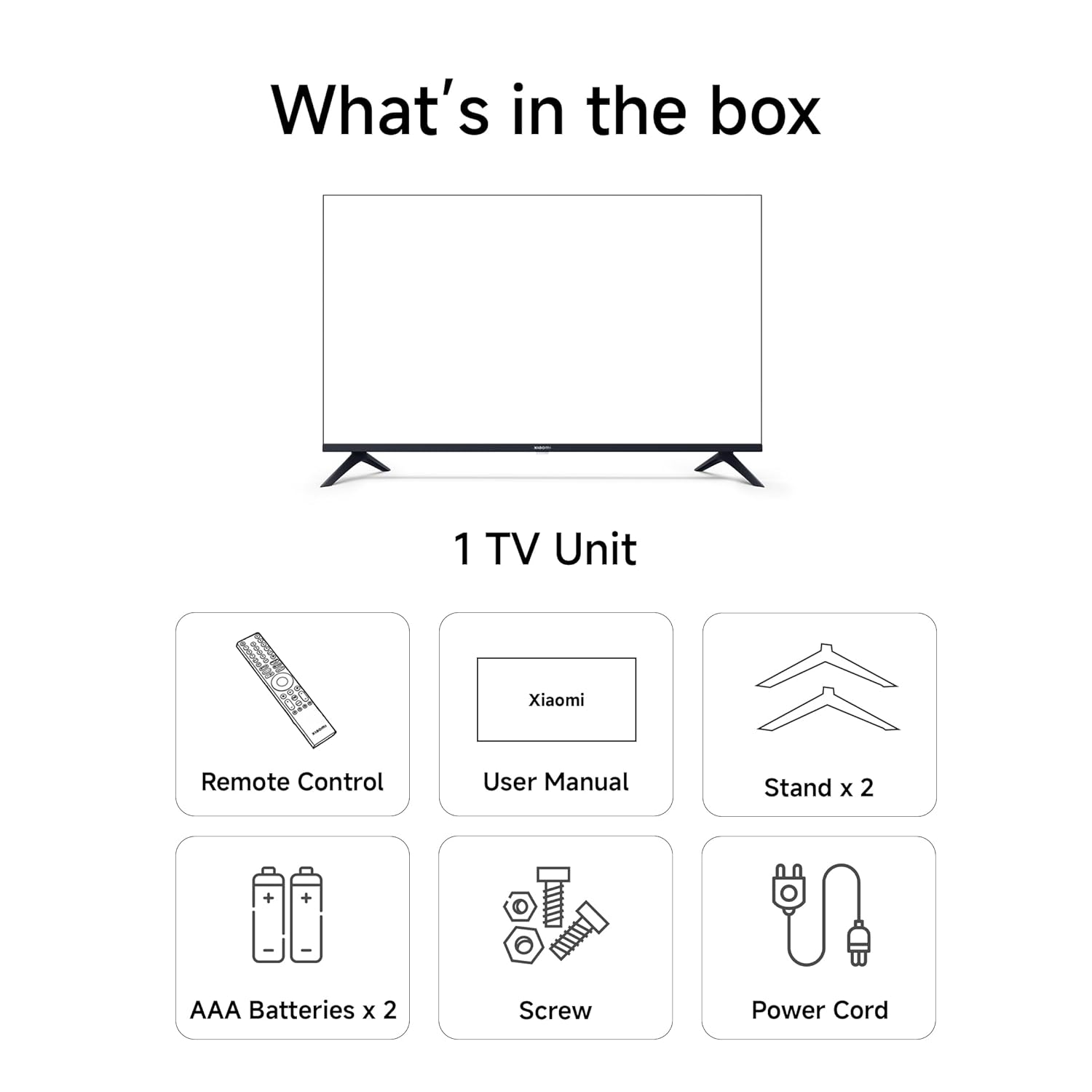
Figure 2: Included accessories with your Xiaomi TV
4. 설정
4.1 물리적 설치
Your Xiaomi TV can be installed on a tabletop using the provided stands or wall-mounted (wall mount kit sold separately).
테이블탑 설치:
- TV 화면을 아래로 향하게 하여 부드럽고 평평한 표면에 조심스럽게 놓으세요.
- Attach the two table stand bases to the bottom of the TV using the screws provided.
- Ensure the stands are securely fastened.
- Place the TV on a stable, level surface, ensuring adequate ventilation.
벽 장착 설치:
For wall mounting, consult a professional installer and use a compatible VESA wall mount kit. Refer to the TV's specifications for VESA mounting pattern details.

Figure 3: TV dimensions for planning installation
4.2 초기 전원 켜기 및 네트워크 연결
- Connect the AC power cord to the TV and a power outlet.
- TV 또는 리모컨의 전원 버튼을 눌러 켜세요.
- 화면의 지시에 따라 언어 선택, 지역, 네트워크 연결을 포함한 초기 설정을 완료하세요.
- Wi-Fi 네트워크에 연결하거나 유선으로 연결하려면 이더넷 케이블을 사용하세요.
- Sign in with your Google account to access Google TV features.
5. TV 작동하기
5.1 리모컨
The included remote control allows you to navigate your Smart Google TV. Insert the two AAA batteries into the remote control before use.
- 전원 버튼: TV를 켜거나 끕니다.
- Google 어시스턴트 버튼: 음성 명령을 활성화합니다.
- 탐색 패드: 메뉴 탐색을 위해.
- 볼륨 +/- : 볼륨을 조정합니다.
- 채널 +/-: 채널을 변경합니다.
- 전용 앱 버튼: Quick access to Netflix, Prime Video, Disney+ Hotstar, YouTube, SonyLIV.

Figure 4: Xiaomi Smart TV Remote Control
5.2 Smart TV Features (Google TV & PatchWall)
Your TV runs on Google TV, offering a personalized content experience, and also features Xiaomi's PatchWall for curated content.
- 구글 TV: Organizes movies, shows, live TV, and more from your apps and subscriptions. Features include Content First UI, Recommendations, Google Assistant, Chromecast Built-in, Watchlist, Ambient Mode, Kids Profile그리고 Personal Profiles.
- 구글 어시스턴트: Use voice commands to find content, stream apps, play music, control smart home devices, and get answers. Press the Google Assistant button on your remote to activate.
- 패치월: A content-first user interface that curates content from various streaming services, providing a seamless view경험.
- Chromecast 내장: 휴대폰이나 태블릿에서 영화, 쇼, 사진 등을 바로 TV로 간편하게 전송하세요.

Figure 5: Google TV and PatchWall interface
5.3 연결성
The TV offers multiple connectivity options for your devices.
- HDMI 포트(3): 게임 콘솔, 셋톱박스, 블루레이 플레이어를 연결하세요. ALLM 및 eARC를 지원합니다.
- USB 포트(2): Connect hard drives and other USB devices.
- 듀얼 밴드 Wi-Fi: 무선 인터넷 연결을 위해.
- 블루투스 5.0 : 헤드폰이나 스피커와 같은 무선 액세서리를 연결하는 데 사용합니다.
- 광학: 디지털 오디오 출력용.
- 이더넷: 유선 인터넷 연결의 경우.

Figure 6: Connectivity features of the TV
5.4 디스플레이 및 오디오
Experience stunning visuals and immersive audio with your Xiaomi QLED TV.
- 4K 울트라 HD(3840 x 2160): Delivers crystal clear clarity and exquisite detail.
- QLED 디스플레이: 양자점 기술을 적용하여 풍부한 색상 스펙트럼, 놀라운 대비, 향상된 밝기를 제공합니다.
- 돌비 비전, HDR10, HLG: Supports multiple HDR formats for dynamic and vibrant picture quality.
- 현실 흐름 MEMC: Ensures blur-free visuals and smoother transitions in fast-paced action scenes.
- 30와트 출력 스피커: Powerful audio output for clear, room-filling sound.
- 돌비 오디오, DTS-X, DTS Virtual:X: Provides immersive sound experiences with exceptional depth and clarity.

Figure 7: MagiQLED Display Technology

Figure 8: High-resolution 4K display clarity

Figure 9: Billion Colour Display for true-to-life visuals

Figure 10: Cinematic Audio experience
5.5 Internal Storage and Processor
The TV is equipped with ample storage and a powerful processor for smooth performance.
- 32GB 내부 저장소: Install your favorite apps, stream movies, and play games without storage concerns.
- Quad-core Processor (A55): Delivers efficient processing power for a responsive user experience.

그림 11: Ample 32GB internal storage
Figure 12: Quad-core A55 processor
6. 유지관리
6.1 TV 청소
- 청소하기 전에는 항상 TV의 플러그를 뽑아 두세요.
- 부드럽고 마른 천으로 화면과 캐비닛을 닦으세요.
- 완고한 자국의 경우 가볍게 damp천에 물이나 부드럽고 연마성이 없는 화면 세척제를 묻힙니다.
- 세척제를 화면에 직접 뿌리지 마십시오.
6.2 소프트웨어 업데이트
TV는 성능 향상 및 새로운 기능 추가를 위해 정기적으로 소프트웨어 업데이트를 받을 수 있습니다. 업데이트를 받으려면 TV가 인터넷에 연결되어 있는지 확인하십시오. 일반적으로 TV 설정 메뉴에서 업데이트를 확인할 수 있습니다.
7. 문제 해결
TV에 문제가 발생하면 다음의 일반적인 해결책을 참조하세요.
| 문제 | 해결책 |
|---|---|
| 전원이 없습니다 | 전원 코드가 TV와 콘센트에 제대로 꽂혀 있는지 확인하세요. 다른 콘센트에 꽂아 보세요. |
| 화면은 나오지 않지만 소리는 나옵니다 | 입력 소스를 확인하십시오. 모든 케이블이 올바르게 연결되어 있는지 확인하십시오. TV를 재시작해 보십시오. |
| 소리는 나지 않지만 화면은 보입니다 | Check the volume level and mute settings. Verify audio cables are connected properly. Check external audio device settings if applicable. |
| 리모컨이 작동하지 않음 | 배터리를 교체하세요. 리모컨과 TV 사이에 장애물이 없는지 확인하세요. 필요한 경우 블루투스 리모컨을 다시 페어링하세요. |
| 네트워크 연결 문제 | 라우터와 모뎀을 재시작하세요. Wi-Fi 비밀번호를 확인하세요. 유선 이더넷 연결을 시도해 보세요. |
8. 사양
| 특징 | 세부 사항 |
|---|---|
| 상표 | 샤오미 |
| 모델 | L55MA-SIN |
| 화면 크기 | 55 인치 (138cm) |
| 디스플레이 기술 | QLED |
| 해결 | 4K 울트라 HD(3840 x 2160) |
| 새로 고침 빈도 | 60Hz |
| 운영 체제 | 구글 티비 |
| 프로세서 | Mali G52 MC1 (Graphics Coprocessor) |
| 숫양 | 2GB (XNUMX기가바이트) |
| 내부 저장소 | 32GB (XNUMX기가바이트) |
| 연결성 | 3 HDMI ports, 2 USB ports, Dual Band Wi-Fi, Bluetooth 5.0, Optical, Ethernet |
| 오디오 출력 | 30 Watts, Dolby Audio, DTS-X, DTS Virtual:X |
| HDR 지원 | 돌비 비전, HDR10, HLG |
| View잉 각도 | 178도 |
| 제품 크기(LxWxH) | 8.17 x 122.6 x 71.5cm |
| 품목 무게 | 10.3kg |
9. 보증 및 지원
Xiaomi TV에는 다음이 포함되어 있습니다. 1년 종합 보증. To avail warranty services, please retain your Amazon invoice.
For any assistance, reach out to Xiaomi Care, which provides reliable after-sales service. You can contact their dedicated helpline at 1800 103 6286오전 9시부터 오후 9시까지 이용 가능합니다.

Figure 13: Xiaomi Care Support Information
10. 제품 비디오
10.1 Xiaomi X Pro QLED Series Showcase
Video 1: A visual showcase of the Xiaomi X Pro QLED Series, highlighting its display and audio capabilities.
10.2 Google TV Interface Overview
비디오 2: 오버view of the Google TV interface on the Xiaomi Smart TV, demonstrating app navigation and content display.