
1. 서론
This manual provides detailed instructions for the installation, operation, and maintenance of your Rebluum RB-5PT2 5MP Solar Powered Outdoor Wireless Security Camera. Please read this manual thoroughly before using the product to ensure proper function and safety. Keep this manual for future reference.

Image: The Rebluum RB-5PT2 camera with its solar panel and a smartphone displaying a live feed.
2. 패키지 내용
아래 나열된 모든 품목이 패키지에 포함되어 있는지 확인하세요. 품목이 누락되었거나 손상된 경우 고객 지원팀에 문의하세요.
- 1 × 5MP Solar PTZ Camera
- 1 × 태양광 패널
- 1 × 사용자 설명서
- 경고 스티커 1개
- 2 × Stands (1 for Camera, 1 for Panel)
3. 제품 오버view
The Rebluum RB-5PT2 is a 5-megapixel (2560x1920) outdoor wireless security camera featuring 360° pan and tilt capabilities, solar power, and advanced motion detection. It is designed for continuous outdoor surveillance with minimal maintenance.

Image: The camera's pan and tilt functionality provides extensive coverage.
4. 설정 가이드
4.1 초기 충전
Before installation, fully charge the camera's built-in 9600mAh battery using the provided USB cable and a standard 5V/2A USB power adapter (not included). The camera can also be charged by the solar panel once installed, but an initial full charge is recommended for optimal performance.
4.2 앱 다운로드 및 계정 생성
- Download the "CloudEdge" app from the App Store (iOS) or Google Play Store (Android).
- 앱을 열고 화면의 지시에 따라 새 계정을 만들거나 이미 계정이 있는 경우 로그인하세요.

Image: Visual representation of the three-step setup process: app download, Wi-Fi connection, and installation.
4.3 카메라 페어링(Wi-Fi 연결)
- 스마트폰이 다음에 연결되어 있는지 확인하세요. 2.4GHz Wi-Fi 네트워크. This camera does not support 5GHz Wi-Fi. If you have a dual-band router, select the 2.4GHz option.
- In the CloudEdge app, tap "Add Device" or the "+" icon.
- 목록에서 카메라 모델을 선택하세요.
- Follow the app's instructions to connect the camera to your Wi-Fi network. This typically involves scanning a QR code generated by the app with the camera lens.
4.4 설치(장착)
The camera supports both wall-mount and ceiling-mount installations. Choose a location that provides optimal viewing angles and sufficient sunlight for the solar panel.
- 카메라 배치 : Mount the camera at a height of 7-10 feet (2-3 meters) for optimal motion detection range and coverage.
- 태양광 패널 배치: Position the solar panel in a location that receives direct sunlight for several hours each day to ensure continuous charging. The solar panel comes with a separate stand and a long cable for flexible placement.
- Use the provided mounting screws and anchors to securely attach the camera and solar panel stands to the desired surfaces.
- 태양광 패널 케이블을 카메라의 충전 포트에 연결하세요.

Image: The camera and solar panel installed on an exterior wall, demonstrating a typical setup.

Image: Various installation scenarios for the camera and solar panel.
5. 사용 설명서
5.1 라이브 View 및 팬/틸트 제어
Once the camera is connected, open the CloudEdge app and select your camera to view the live feed. Use the on-screen controls to pan the camera horizontally (355°) and tilt it vertically (90°) to adjust your viewing area. The camera also supports 4x digital zoom.
5.2 양방향 오디오
카메라에는 마이크와 스피커가 내장되어 있어 양방향 소통이 가능합니다. 라이브 방송에서 마이크 아이콘을 탭하세요. view 카메라를 통해 말하고, 카메라 위치에서 나오는 소리를 듣는 것입니다.

Image: Remote access and two-way audio functionality via the smartphone app.
5.3 동작 감지 및 알림
The camera utilizes PIR motion detection with AI human detection to minimize false alarms. You can customize motion detection settings within the CloudEdge app:
- 감광도: Adjust the detection sensitivity (levels 1-10) to suit your environment.
- 활동 구역: 카메라 내의 특정 영역을 정의합니다. view 동작 감지를 활성화해야 하는 위치입니다.
- 녹화 일정: Set specific times or days for motion-triggered recording.
- 알림: 움직임이 감지되면 스마트폰으로 즉시 푸시 알림을 받으세요.

Image: The CloudEdge app interface for configuring intelligent motion detection settings.
5.4 Multi-Alarms (Spotlight and Siren)
The camera features multiple alarm modes to deter intruders and provide visual alerts:
- Voice Warning: Play a pre-recorded message or custom voice alert.
- Flashlight Warning: Activate the built-in spotlights to illuminate the area.
- 사이렌: Trigger an audible siren.
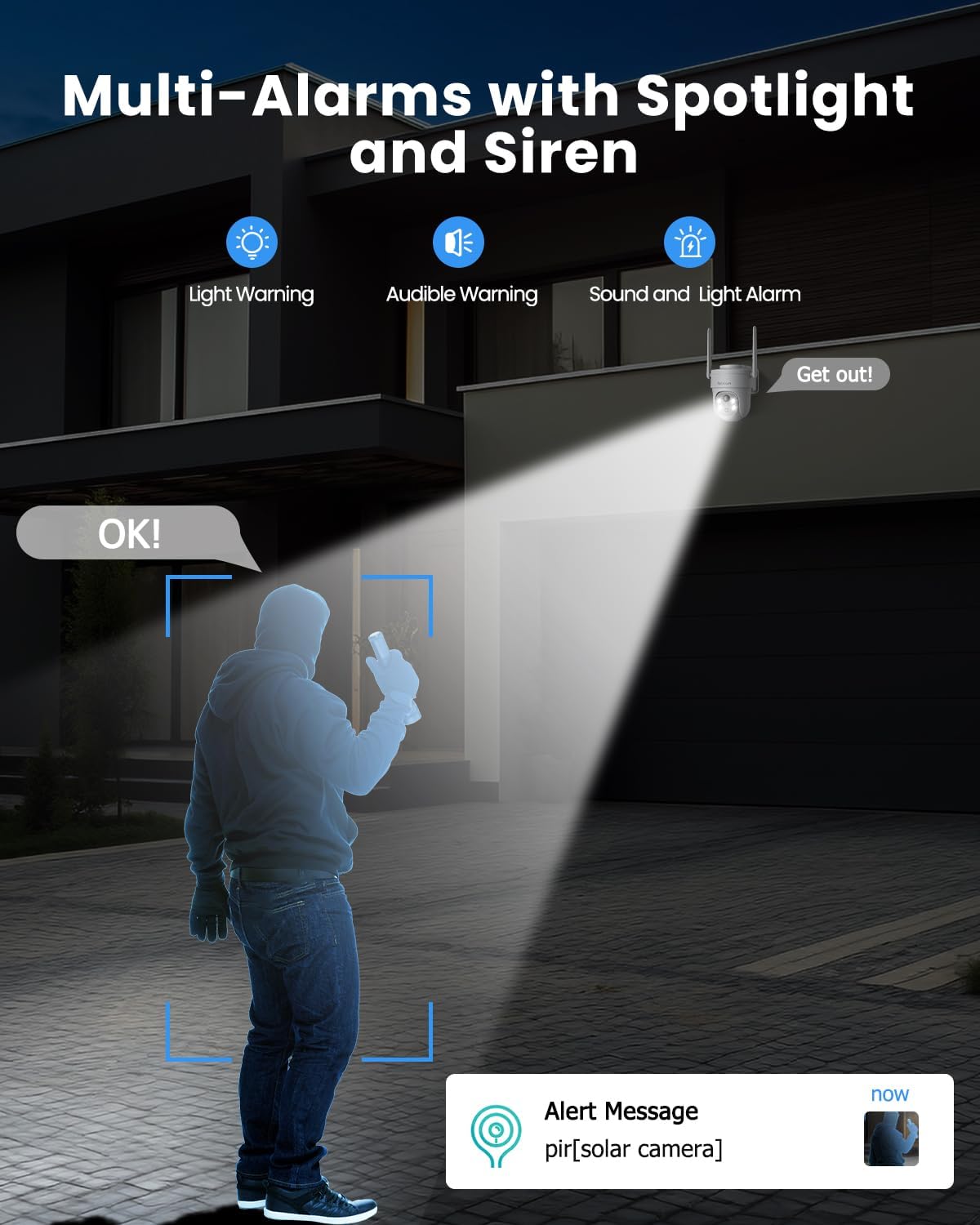
Image: The camera's multi-alarm system with spotlight and siren in action.
5.5 야간 투시 모드
The camera offers both infrared (IR) night vision and color night vision:
- 적외선 나이트 비전: 조명이 어두운 환경에서도 선명한 흑백 영상을 제공합니다.
- 컬러 나이트 비전: When spotlights are activated (either manually or by motion detection), the camera can capture full-color video at night.

Image: Demonstrating the camera's ability to capture vivid details day and night.
5.6 기록 및 저장
카메라는 두 가지 저장 옵션을 지원합니다.
- 마이크로 SD 카드 : Insert a Micro SD card (up to 128GB, not included) into the camera's slot for local storage of recordings.
- 클라우드 스토리지: The camera offers basic 6-second cloud storage for 7 days without monthly fees. Optional paid cloud plans are available for extended storage. All stored videos are encrypted for privacy.

Image: Storage options for recorded video footage.
5.7 스마트 홈 통합(알렉사)
The Rebluum RB-5PT2 camera is compatible with Amazon Alexa. You can use voice commands to view 호환되는 스마트 디스플레이에서 카메라의 실시간 영상을 볼 수 있습니다.
- Enable the CloudEdge skill in your Alexa app.
- Link your CloudEdge account.
- "알렉사, [카메라 이름]을 보여줘"와 같은 명령어를 사용하세요. view 피드.

Image: The camera integrates with smart home systems like Amazon Alexa.
5.8 접근 권한 공유
You can share access to your camera's live feed and recordings with family members or trusted individuals through the CloudEdge app. This allows multiple users to monitor the property simultaneously.
6. 유지관리
6.1 청소
- 카메라 렌즈와 태양광 패널 표면을 부드러운 천으로 정기적으로 닦아주세요.amp 먼지, 오물 또는 이물질을 제거하는 천입니다. 이렇게 하면 선명한 이미지 품질과 효율적인 태양광 충전이 보장됩니다.
- 표면을 손상시킬 수 있는 독한 화학 물질이나 연마재의 사용을 피하십시오.
6.2 배터리 관리
- The solar panel is designed to keep the battery charged. In periods of prolonged cloudy weather or heavy usage, the battery level may drop. Monitor the battery status in the app.
- If the battery level becomes critically low, you may need to temporarily remove the camera and charge it via USB.
6.3 펌웨어 업데이트
Periodically check the CloudEdge app for available firmware updates. Keeping your camera's firmware up-to-date ensures optimal performance, security, and access to new features.
7. 문제 해결
- 카메라가 Wi-Fi에 연결되지 않음: Ensure your Wi-Fi network is 2.4GHz. This camera does not support 5GHz. Check your Wi-Fi password and signal strength. Try moving the camera closer to the router during setup.
- 배터리가 충전되지 않음: Verify the solar panel is clean and receiving direct sunlight. Check the connection between the solar panel and the camera. In low light conditions, USB charging may be necessary.
- 잦은 오경보: Adjust the motion detection sensitivity in the app. Define specific activity zones to exclude areas with irrelevant motion (e.g., moving trees, busy roads).
- 녹음 없음: Ensure a Micro SD card is properly inserted and formatted, or that your cloud storage subscription is active. Check motion detection settings to confirm recording is enabled.
- 카메라 오프라인: Check your Wi-Fi connection. Restart the camera by pressing the reset button or power cycling it if accessible.
- 중요 참고 사항: This camera supports manual rotation control through the app and does not have an automatic tracking function.
8. 사양
| 특징 | 사양 |
|---|---|
| 모델명 | RB-5PT2 |
| 비디오 캡처 해상도 | 2560×1920(5MP) |
| 팬/틸트 범위 | 355° 수평, 90° 수직 |
| 전원 | Solar Powered and Battery Powered (9600mAh) |
| 연결 프로토콜 | Wi-Fi(2.4GHz만 해당) |
| 나이트 비전 범위 | 100 피트 |
| 저장 옵션 | Micro SD(최대 128GB), 클라우드 스토리지 |
| 방수 레벨 | IP66 방수 |
| 작동 온도 | -10°C ~ 55°C |
| 호환 장치 | Desktop, Laptop, Smartphone, Tablet (via CloudEdge app) |
| 컨트롤러 유형 | 아마존 알렉사, 안드로이드, 클라우드엣지, 구글 어시스턴트, iOS |
| 재료 | 아크릴로니트릴 부타디엔 스티렌(ABS) |
| 품목 치수(L x W x H) | 7 x 5 x 8 인치 |
| 품목 무게 | 2.35파운드 |
9. 보증 및 지원
Rebluum products are designed for reliability and performance. For specific warranty details, please refer to the warranty card included with your product or visit the official Rebluum website. For technical support, troubleshooting assistance, or any questions regarding your RB-5PT2 camera, please contact Rebluum customer service through the contact information provided on the product packaging or the official web대지.
You can also find additional resources and FAQs within the CloudEdge application.