
1. 서론
Thank you for choosing the ZOMBIES CAT Wireless Bluetooth 5.3 Headphones, Model QSWSB202-DE. This manual provides essential information for setting up, operating, and maintaining your new headphones. Please read it carefully before use to ensure optimal performance and longevity of your device.

Image 1.1: ZOMBIES CAT Wireless Bluetooth 5.3 Headphones and Charging Case.
2. 패키지 내용
다음 품목이 패키지에 포함되어 있는지 확인하세요.
- ZOMBIES CAT Wireless Bluetooth 5.3 Headphones (Left and Right earbuds)
- 충전 케이스
- USB 충전 케이블
- 사용 설명서(본 문서)
- 이어팁(다양한 사이즈)

이미지 2.1: 제품 포장 및 구성품.
3. 안전 정보
- 이어폰이나 충전 케이스를 극한의 온도, 습도 또는 액체에 노출시키지 마십시오.
- 기기를 떨어뜨리거나 과도한 힘을 가하지 마십시오.
- 어린이와 애완동물의 손이 닿지 않는 곳에 보관하세요.
- 기기를 직접 분해하거나 수리하려고 하지 마세요. 도움이 필요하면 고객 지원에 문의하세요.
- 제공된 충전 케이블이나 인증된 동등 제품만 사용하세요.
- 청력 손상을 예방하기 위해 적당한 음량으로 들으십시오.
4. 설정
4.1 초기 충전
- 충전 케이스를 열고 두 개의 이어버드를 꺼냅니다.
- 중요한: Before first use, carefully check the charging contacts on the earbuds. Some units may have small protective stickers on these contacts. Remove any stickers to ensure proper charging.
- 이어버드를 다시 충전 케이스에 넣으세요.
- USB 충전 케이블을 케이스의 충전 포트에 연결하고 다른 한쪽 끝을 USB 전원(예: 컴퓨터, 벽면 어댑터)에 꽂으세요.
- Allow the case and earbuds to fully charge. Charging typically takes approximately 1.5 hours. The LED indicator on the case will show charging status.
4.2 블루투스 페어링
To pair your ZOMBIES CAT headphones with a device:
- 이어버드가 충전되어 있는지 확인하세요.
- 충전 케이스를 여세요. 이어버드의 LED 표시등이 깜빡이며 자동으로 페어링 모드로 전환됩니다.
- 기기(스마트폰, 태블릿, 노트북)에서 Bluetooth를 활성화하세요.
- 검색 available Bluetooth devices. You should see "ZOMBIES CAT QSWSB202-DE" or a similar name in the list.
- Select the headphones to connect. Once connected, the earbud LEDs will stop flashing or change to a steady light, and you may hear an audible confirmation.
- If pairing fails, turn off Bluetooth on your device, place the earbuds back in the case, close the case, wait a few seconds, then repeat the steps.

이미지 4.1: 안정적인 페어링을 위한 블루투스 5.3 연결.
5. 사용 설명서
5.1 전원 켜기/끄기
- 전원 켜기: 충전 케이스를 열면 이어버드의 전원이 자동으로 켜집니다.
- 전원 끄기 : 이어버드를 충전 케이스에 다시 넣고 뚜껑을 닫으세요. 자동으로 연결이 해제되고 전원이 꺼집니다.
5.2 터치 컨트롤
The ZOMBIES CAT headphones feature intuitive touch controls on each earbud. Specific gestures may vary slightly, but common functions include:
- 재생/일시 중지: 양쪽 이어버드를 한 번 탭하세요.
- 다음 트랙: 오른쪽 이어버드를 두 번 탭하세요.
- 이전 트랙 : 왼쪽 이어버드를 두 번 탭하세요.
- 볼륨 업: 오른쪽 이어버드를 세 번 탭하세요.
- 볼륨 작게 : 왼쪽 이어버드를 세 번 탭합니다.
- 전화 받기/종료: 전화가 오는 동안 양쪽 이어버드를 한 번 탭하세요.
- 전화 거부: 전화가 오는 동안 한쪽 이어버드를 2초간 길게 누르세요.
- Voice Assistant 활성화 : 양쪽 이어버드를 3초 동안 길게 누릅니다.
5.3 오디오 품질 및 기능
These headphones are equipped with a 13mm dynamic driver for rich, detailed Hi-Fi stereo sound. The semi-in-ear design allows for natural sound reproduction while maintaining awareness of your surroundings.

Image 5.1: Hi-Fi sound quality components.
5.4 LED 조명 효과
The headphones feature integrated LED light effects. These lights activate during certain operations, such as pairing mode, and can provide a visual indication of status.
6. 유지관리
6.1 청소
- 부드럽고 마른 보푸라기 없는 천으로 이어버드와 충전 케이스를 닦으세요.
- 연마성 세척제, 알코올, 화학 용제는 사용하지 마세요.
- 최적의 충전을 위해 충전 접점이 깨끗하고 이물질이 없는지 확인하세요.
6.2 보관
- 헤드폰을 사용하지 않을 때는 충전 케이스에 보관하여 보호하고 충전 상태를 유지하세요.
- 직사광선 및 극한의 온도를 피해 서늘하고 건조한 곳에 보관하세요.
6.3 배터리 관리
배터리 수명을 최대화하려면:
- Charge the headphones regularly, even if not used frequently.
- 장시간 배터리를 완전히 방전시키지 마세요.
- 배터리를 고온에 노출시키지 마십시오.
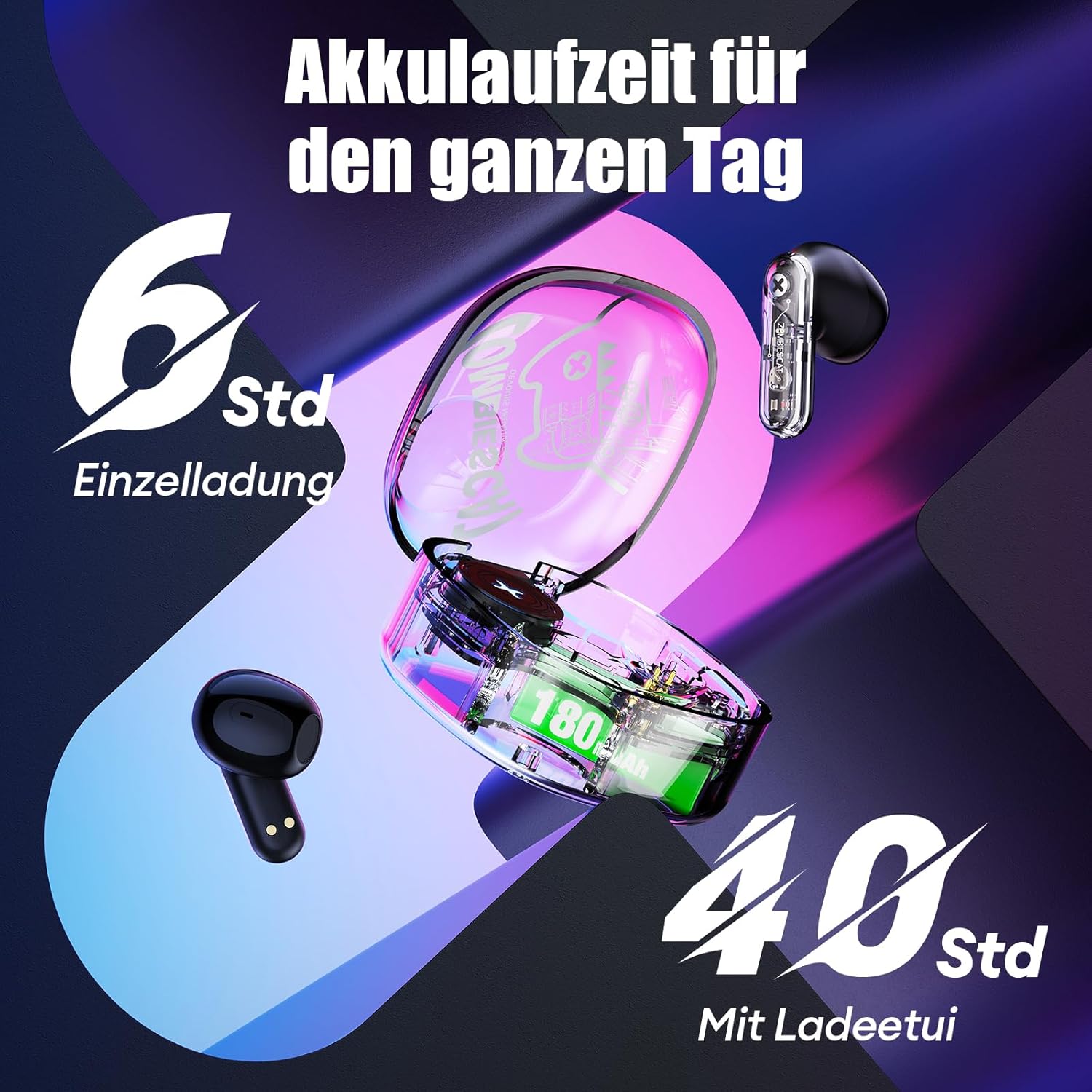
이미지 6.1: 배터리 수명view.
7. 문제 해결
헤드폰 사용에 문제가 발생하면 다음의 일반적인 해결 방법을 참조하십시오.
- Headphones not charging or turning on:
Ensure the protective stickers on the earbud charging contacts have been removed. Place earbuds correctly in the charging case. Connect the charging case to a power source and ensure it is charging. - 기기와 페어링할 수 없습니다:
Ensure Bluetooth is enabled on your device. Make sure the earbuds are in pairing mode (LEDs flashing). Turn off Bluetooth on your device, restart it, and try pairing again. Ensure the headphones are not already connected to another device. - 소리가 전혀 나지 않거나 간헐적으로 소리가 납니다.
Check the volume level on both your device and the headphones. Ensure the headphones are properly connected to your device. Try re-pairing the headphones. Move closer to your device to avoid interference. - 터치 컨트롤이 응답하지 않음:
손가락이 깨끗하고 건조한지 확인하세요. 헤드폰을 케이스에 넣었다가 다시 꺼내서 재부팅해 보세요. - 통화 품질이 좋지 않음:
마이크가 가려지지 않았는지 확인하십시오. 주변 소음이 적은 곳으로 이동하십시오. 기기의 네트워크 신호를 확인하십시오.
8. 사양
| 특징 | 사양 |
|---|---|
| 모델 | QSWSB202-DE |
| 블루투스 버전 | 5.3 |
| 이어버드 배터리 용량 | 30mAh |
| 충전 케이스 배터리 용량 | 180mAh |
| 평균 배터리 수명(이어버드) | 5.5 - 6시간 |
| 총 재생 시간(케이스 포함) | 최대 40시간 |
| 충전 시간 | 약 1.5시간 |
| 주파수 범위 | 20Hz - 20,000Hz |
| 임피던스 | 32옴 |
| 제어 유형 | 터치 컨트롤 |
| 방수성 | 방수 |
| 소음 제어 | 적응형 소음 제거 |
| 재료 | 플라스틱, 금속 |
| 제품 무게 | 42그램 |
| 제품 치수 | 5 x 2.5 x 5cm |
| 호환 장치 | Mobile phones, laptops, smartwatches, tablets |
9. 보증 및 지원
Your ZOMBIES CAT Wireless Bluetooth 5.3 Headphones are covered by a standard manufacturer's warranty. Please refer to the retailer's return policy for details regarding returns and replacements.
For technical support or warranty claims, please contact the retailer or ZOMBIES CAT customer service through their official channels. Keep your purchase receipt as proof of purchase.