1. 서론
This manual provides instructions for the Generic replacement infrared (IR) remote control, designed for use with X96Q Max and X96 Mate Android 10 Smart TV Boxes. This remote functions as a direct replacement for your original remote control. Please ensure your original remote matches the appearance of this replacement for full compatibility.

이미지 1.1: 앞쪽 view of the replacement remote control. This image displays the overall layout of the remote, including the power button, navigation cluster, volume controls, and numeric keypad.
2. 설정
2.1 배터리 설치
리모컨 작동에는 AAA 배터리 2개(별도 구매)가 필요합니다. 다음 단계에 따라 배터리를 설치하세요.
- 리모콘 뒷면에서 배터리함을 찾으세요.
- 탭을 누르고 배터리 덮개를 아래로 밀어서 엽니다.
- AAA 배터리 2개를 넣고 양극(+)과 음극(-) 단자가 배터리 보관함 내부 표시와 올바르게 맞춰지도록 합니다.
- 딸깍 소리가 날 때까지 배터리 덮개를 다시 제자리에 밀어 넣습니다.
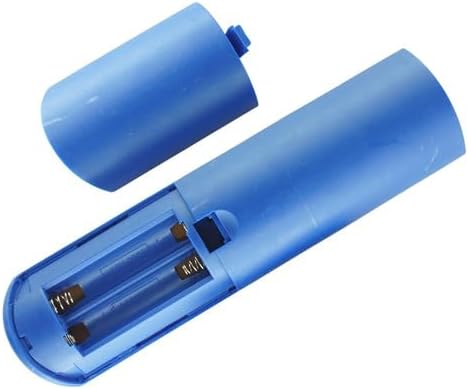
이미지 2.1: View of the remote control's battery compartment, showing the correct orientation for AAA battery insertion.
2.2 초기 사용
This is an infrared (IR) replacement remote control. No pairing is typically required. Once batteries are installed, point the remote directly at your X96Q Max or X96 Mate Android TV Box and begin operation. Ensure there are no obstructions between the remote and the TV box's IR receiver.
3. 사용 설명서
Familiarize yourself with the buttons on your remote control. Below is a general guide to common functions:
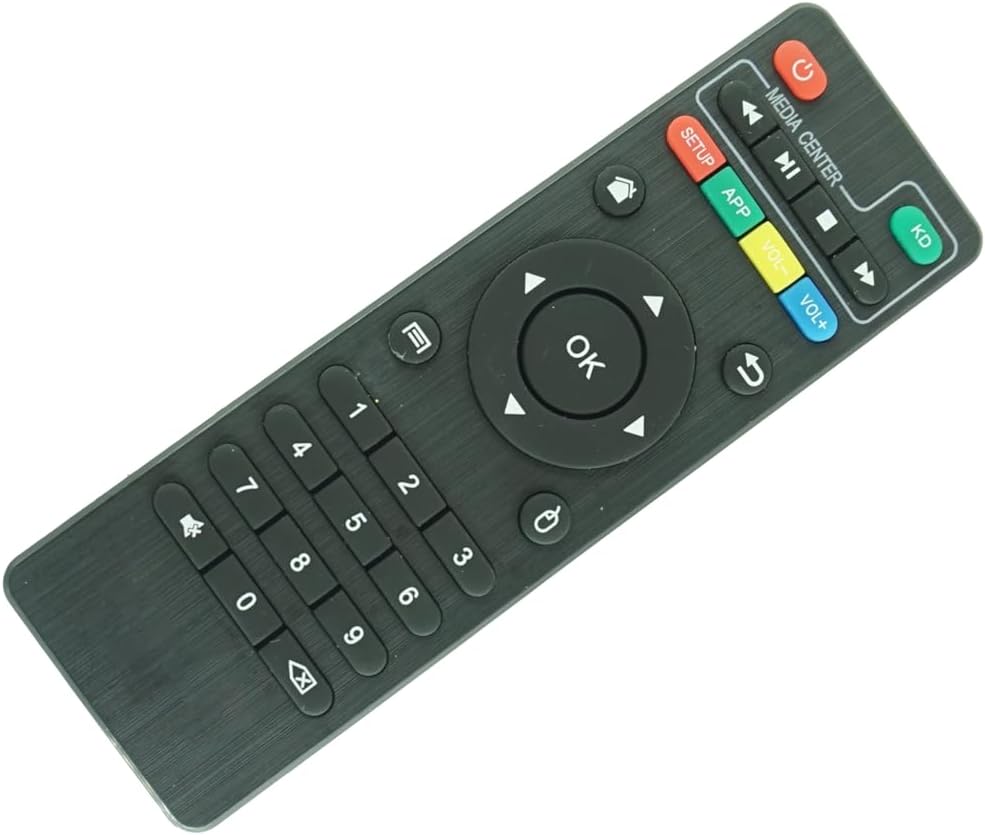
이미지 3.1: 클로즈업 view of the remote control's buttons, highlighting the navigation, media, and numeric keys.
- 전원 버튼 (●): Turns the TV box on or off.
- 탐색 패드(위, 아래, 왼쪽, 오른쪽, 확인): Used to navigate menus and select items. The OK 버튼을 누르면 선택 사항이 확정됩니다.
- 뒤쪽에 (↶): 이전 화면 또는 메뉴로 돌아갑니다.
- 집 (⌂): Returns to the main home screen of the TV box.
- 볼륨 높이기(VOL+): 볼륨을 높입니다.
- 볼륨 낮추기(VOL-): 볼륨을 낮춥니다.
- 음소거 (🔇): 오디오를 음소거하거나 음소거 해제합니다.
- Media Controls (Play/Pause, Fast Forward, Rewind, Stop): 미디어 재생을 제어합니다.
- 숫자 키패드(0-9): Used for direct input of numbers, such as channel selection or passwords.
- 앱: Accesses the applications menu.
- 설정: Accesses system settings or setup menu.
- KD: Likely a shortcut button for Kodi or a similar media center application.
Note: Specific button functionalities may vary slightly depending on the software version and configuration of your X96Q Max or X96 Mate Android TV Box.
4. 유지관리
4.1 청소
리모컨을 청소하려면 부드럽고 마른 천을 사용하세요. 잘 지워지지 않는 오염의 경우, 가볍게 두드리세요.amp천에 물이나 순하고 연마성이 없는 세제를 묻혀 닦아주세요. 독한 화학 물질을 사용하거나 리모컨을 물에 담그지 마세요.
4.2 배터리 교체
리모컨의 반응이 느리거나 작동이 멈추면 배터리를 교체하세요. 항상 새 AAA 배터리로 두 배터리를 동시에 교체하세요. 오래된 배터리와 새 배터리, 또는 종류가 다른 배터리를 혼용하지 마세요.
4.3 보관
리모컨은 직사광선과 극한의 온도를 피해 서늘하고 건조한 곳에 보관하세요. 리모컨을 장기간 사용하지 않을 경우, 누액을 방지하기 위해 배터리를 분리해 두는 것이 좋습니다.
5. 문제 해결
| 문제 | 가능한 원인 | 해결책 |
|---|---|---|
| 리모컨이 응답하지 않습니다. |
|
|
| 일부 버튼이 작동하지 않습니다. |
|
|
| 원격근무는 간헐적으로 진행됩니다. |
|
|
6. 사양
- 제품 유형: 교체용 적외선 리모컨
- 호환성: X96Q Max, X96 Mate Android 10 Smart TV Box
- 전원: AAA 배터리 2개(포함되지 않음)
- 색상: 검은색
- 특징: Infrared (IR) communication, Ergonomic design
- 지원되는 최대 장치 수: 1 (the compatible TV box)
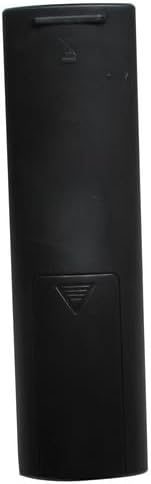
이미지 6.1: 뒤쪽 view 리모컨의 배터리함 덮개를 보여줍니다.
7. 보증 및 지원
As a generic replacement product, specific warranty and dedicated technical support information may not be provided by the manufacturer. Please refer to the retailer's return policy for any issues with the product upon receipt.


