
1. 서론
This manual provides detailed instructions for the HPRT T260LR Label Maker. Please read this manual thoroughly before using the device to ensure proper operation and to maximize its lifespan. The HPRT T260LR is a versatile thermal label printer designed for various labeling needs, offering ink-free printing and smart label recognition.
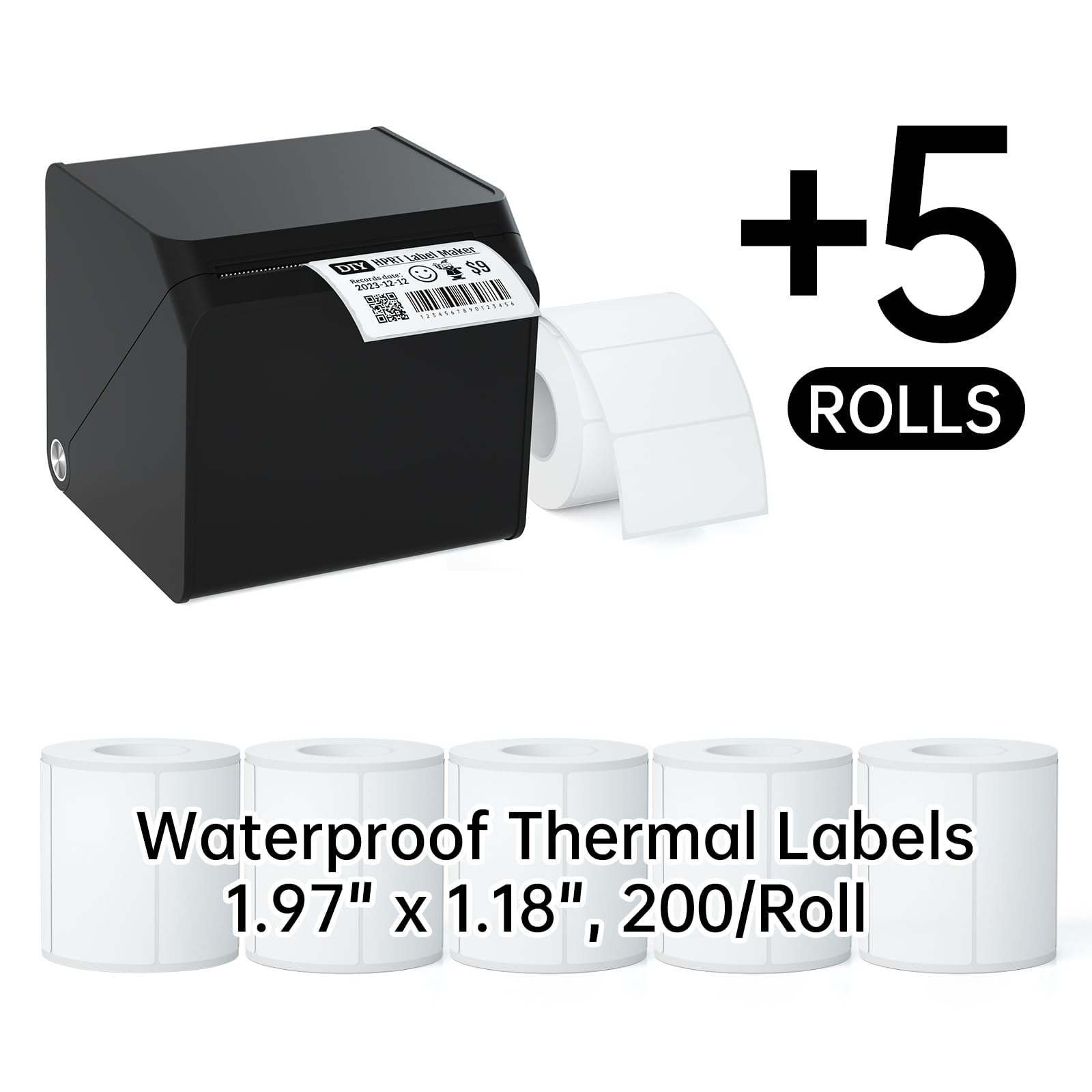
Image 1.1: The HPRT T260LR Label Maker shown with several examples of printed labels and a roll of blank thermal labels. This image illustrates the compact design of the label maker and the variety of labels it can produce, including those with text, barcodes, and icons. Product reference: 2184864564880.
2. 주요 특징
The HPRT T260LR Label Maker offers a range of features designed for efficiency and convenience:
- All-in-One Labeling: Provides comprehensive solutions for various labeling tasks, from address stamps to organizing storage bins.
- 블루투스 연결: Enables wireless printing directly from mobile phones via the HereLabel app.
- Smart Label Recognition: Automatically identifies label sizes, streamlining the printing process and minimizing waste with automatic paper feed and rollback.
- Ink-Free Thermal Printing: Utilizes thermal technology, eliminating the need for ink and delivering clear prints. HPRT labels are waterproof, oil-resistant, and removable.
- 휴대성과 컴팩트성: Easy to carry, making it suitable for home, office, or on-the-go use.

이미지 2.1: 이상view of the HPRT T260LR Thermal Label Maker, emphasizing its core features such as RFID identification, compact design, ink-free operation, fast printing, long battery life, and ease of use.
3. 설정 가이드
3.1. 라벨 테이프 부착
Follow these steps to correctly install the label tape into your HPRT T260LR Label Maker:
- 1단계: Open the cover by gently pulling it outward with both hands.
- 2단계: Lift and adjust the paper limiter upward, then lock it into place.
- 3단계: Place the label paper roll to the right, ensuring the printing side is facing up.
- 4단계: Pull the label paper forward, close the lid, and then press and hold the power button for 3 seconds to turn on the device.

Image 3.1: A visual step-by-step guide demonstrating the process of installing label tape into the HPRT T260LR Label Maker, from opening the cover to loading the paper and closing the lid.
3.2. 앱 설치 및 블루투스 연결
To use your label maker wirelessly, install the HereLabel app and connect via Bluetooth:
- 1단계: Scan the QR code provided in the image or visit https://hm.hprt.com/en/download/?from=T21 to install the "HereLabel" app on your mobile device.
- 2단계: Open the HereLabel app and tap on the "Not connected" status to initiate the connection process.
- 3단계: In the list of searched Bluetooth devices, find "HM-T260LR-XXXX" (where XXXX is a unique identifier) and tap to connect.
- 4단계: Once connected, tap "Current Consumables" and then choose "Use templates" or tap "New" to start designing.
- 5단계: Tap "Text" to input your desired text for the label.
- 6단계: After editing your label, set the number of copies and tap "Print" to begin printing.

Image 3.2: A visual guide detailing the six steps required to install the HereLabel app, connect the label maker via Bluetooth, and initiate the printing process from your mobile device.

Image 3.3: The HereLabel app interface shown on a smartphone, demonstrating its use for connecting to the HPRT T260LR label maker and customizing labels. The image also shows various labels printed using the device.
4. 운영
4.1. Using the HereLabel App for Customization
The HereLabel app provides extensive options for designing and customizing your labels:
- 텍스트 입력 : Easily add and format text.
- Barcode & QR Code Generation: Create various types of barcodes and QR codes.
- Icon Integration: 다양한 아이콘 라이브러리에서 원하는 아이콘을 선택하여 라벨을 꾸며보세요.
- Date & Line Tools: Add dates and design elements like lines and shapes.
- Table Functionality: Incorporate tables for structured information.

Image 4.1: The HereLabel app's customization interface, displaying various tools available for designing labels, including options for text, barcodes, QR codes, icons, dates, lines, shapes, and tables.

Image 4.2: Several smartphone screens illustrating the rich selection of iconic designs and customization options available within the HereLabel app, allowing for personalized label creation. Product reference: 2184864564880.
4.2. Smart Label Recognition
The HPRT T260LR features smart label recognition, which automatically detects the size of the loaded label paper. This function ensures accurate printing and minimizes label waste. It is compatible only with HPRT Thermal Label Paper.

Image 4.3: A graphic representation of the Smart RFID Label Recognition feature, highlighting its benefits such as easy template detection and zero label wastage due to automatic paper rollback.

Image 4.4: The HereLabel app interface showing the 'Current consumables' screen, which indicates the automatic recognition of label dimensions. The label maker and various labels are also visible.
4.3. Supported Label Sizes and Applications
The HPRT T260LR supports various label widths from 0.8" to 2" (20-50mm), accommodating different label shapes and sizes for diverse applications.

Image 4.5: An illustration of the various label sizes and shapes compatible with the HPRT T260LR, such as cable labels, special-shaped labels, solid color labels, pattern labels, and circular labels.

Image 4.6: The HPRT T260LR label maker, shown with a smartphone running the HereLabel app, and various label rolls and printed labels, illustrating its capability to support multiple label sizes.

이미지 4.7: 콜라주 쇼asing diverse applications for the labels created by the HPRT T260LR, including logos, thank-you stickers, address labels, price labels for food items, gift tags, and name tags 개인 소지품의 경우.

이미지 4.8: Examples of specialized labels for bakery products, coffee cups, and craft items, demonstrating the versatility of the HPRT T260LR for various business and personal uses.

Image 4.9: Illustrations of label applications for organizing kitchen and pantry items, customizing gifts, labeling kids' belongings, and general household organization.

이미지 4.10: Examples of labels used for file organization, general office organization (e.g., drawer labels), and document identification, showcasing the printer's utility in a professional setting.
5. 유지관리
To ensure optimal performance and longevity of your HPRT T260LR Label Maker, regular maintenance is recommended:
- 프린트 헤드 청소: 면봉으로 열전사 프린트 헤드를 부드럽게 닦아주세요.ampened with isopropyl alcohol. Ensure the device is turned off and cooled down before cleaning. Allow it to dry completely before use.
- 외부 청소: Use a soft, dry cloth to wipe the exterior of the label maker. Avoid using abrasive cleaners or solvents.
- 저장: 라벨 프린터는 직사광선과 극한 온도 변화를 피해 서늘하고 건조한 곳에 보관하십시오.
- 라벨 롤 취급 방법: Always use high-quality HPRT thermal labels. Store label rolls in their original packaging to protect them from dust and moisture.
6. 문제 해결
If you encounter issues with your HPRT T260LR Label Maker, refer to the following common problems and solutions:
| 문제 | 가능한 원인 | 해결책 |
|---|---|---|
| 전원이 없습니다 | 배터리 부족 또는 전원 어댑터 문제 | Charge the device. Ensure the power adapter is correctly connected. |
| 블루투스로 연결할 수 없습니다 | Bluetooth is off, device is out of range, or app issue | Ensure Bluetooth is enabled on your phone. Move closer to the label maker. Restart the app and the label maker. |
| 인쇄 품질이 좋지 않음 | 프린트 헤드가 더럽거나, 라벨 종류가 잘못되었거나, 배터리가 부족한 경우 | Clean the print head (refer to Maintenance section). Ensure you are using HPRT thermal labels. Charge the device. |
| 라벨이 제대로 공급되지 않음 | Improper label installation or label jam | Reinstall the label roll correctly (refer to Setup section). Clear any jammed labels. |
| App not recognizing label size | Non-HPRT labels or sensor issue | Ensure you are using HPRT Thermal Label Paper. Restart the label maker and app. |
7. 사양
Key technical specifications for the HPRT T260LR Label Maker:
- 모델: T260LR
- 인쇄 기술: 열전사 인쇄
- 연결성: 블루투스
- Compatible Label Width: 0.8인치 - 2인치 (20mm - 50mm)
- 앱 호환성: HereLabel (available on app stores)
- 특별 기능: Smart Label Recognition, Ink-Free Printing, Automatic Paper Feed/Rollback
- 첫 이용 가능 날짜: 18년 2024월 XNUMX일
- ASIN: B0D9NKJTY1

Image 7.1: A roll of HPRT Thermal Labels, specifically 200 labels per roll, measuring 1.97 x 1.18 inches (50mm x 30mm), highlighting their compatibility with HPRT T20/T260LR label makers.
8. 보증 및 지원
For warranty information, technical support, or further assistance, please refer to the official HPRT website or contact HPRT customer service. Keep your purchase receipt for warranty claims.
공식적인 Web대지: www.hprt.com

